


The best MSSP firewall technology depends on how the service will be managed, not only on the hardware. Most providers look at centralized management, automation, performance, cloud support, and long-term maintenance before choosing a platform.
At MSSP Security, we’ve found the operating model often matters more than buying the newest firewall appliance. A newer device doesn’t fix weak processes. That’s easy to overlook. Pick technology that fits daily operations, scales without adding unnecessary work, and supports consistent policy management across customer environments.
Different security teams have different priorities, so the right choice isn’t always the newest option. Keep reading to see which firewall technologies fit different managed security environments.
MSSP Firewall Technology Options: Quick Take
Choosing the right MSSP firewall technology option is about finding the best balance between security, performance, and manageability.
- Prioritize centralized management for consistent security across customers.
- Evaluate security, cloud support, and real-world performance together.
- Focus on automation and long-term lifecycle management, not just features.
Palo Alto vs Fortinet Managed Firewall: Which Fits Your MSSP Best?
People often compare Palo Alto Networks and Fortinet, and for good reason. Both platforms have been around for years. Both include application control, intrusion prevention, SSL inspection, URL filtering, and threat intelligence.
But product sheets only tell part of the story. During consulting projects, we spend more time asking questions than comparing feature lists. How many customer environments will the provider manage? How often do policies change? Does the engineering team need deep visibility, or do they need faster daily operations?
Those answers usually point toward the better fit, especially when comparing different managed firewall platforms for long-term operations.
Some MSSPs care most about detailed policy control because their customers work in regulated industries. Others want something easier to manage across many branch offices. Neither choice is wrong. It depends on the business they are building.
| Consideration | General Focus |
| Large deployments | Centralized policies |
| Branch offices | Easier management |
| Application visibility | Deeper inspection |
| Growing providers | Better scalability |
Before recommending any platform, we normally review several areas. That process usually includes comparing different firewall technologies based on operational requirements rather than feature lists alone.
- Expected traffic load
- Multi tenant management
- Policy administration
- Vendor support
- Long term planning
Those conversations often uncover problems that have nothing to do with the firewall itself.
Cisco ASA Firewall Management Service: Is It Still Worth Using?
Many businesses still run Cisco ASA firewalls. Some have used them for years. Others are planning to replace them, but not right away.
Replacing every firewall at once costs money, takes planning, and creates extra work for engineers. We usually recommend reviewing the existing environment first.
Quite a few organizations discover their current deployment can continue supporting the business after configuration improvements and stronger Cisco ASA firewall management practices.
Modern management has changed, too. Teams are spending less time logging into individual devices. More work happens through centralized management platforms, where policies can be reviewed, approved, and tracked from one place.
Slow and steady often wins here. Moving customers in stages gives engineers time to test, learn, and adjust before the next migration begins.
Next Generation Firewall Feature Comparison: Which Features Matter Most?
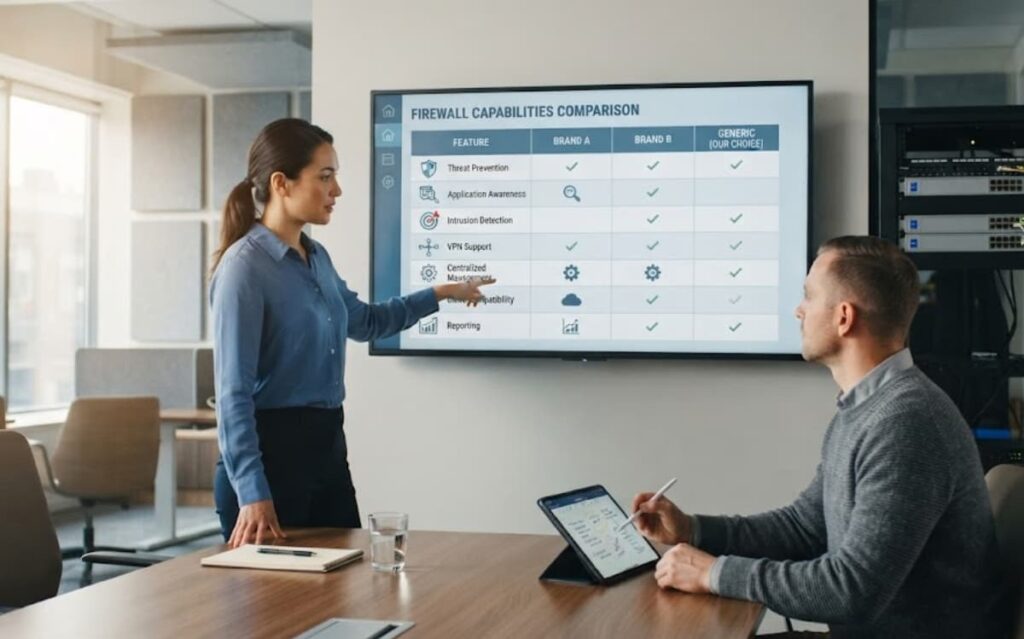
A next generation firewall does much more than filter traffic. It can identify applications, inspect encrypted sessions, block known threats, and provide better visibility into network activity.
Still, having every feature turned on is not always the right answer. Comparing next generation firewall features often helps teams prioritize what they actually need.
Most enterprise platforms include features such as:
- Application control
- SSL inspection
- URL filtering
- Intrusion prevention
- VPN support
- Security analytics
UTM Unified Threat Management Devices: Are They the Right Choice?
A Unified Threat Management device brings several security functions into one platform. Firewall protection, VPN access, antivirus, web filtering, and intrusion prevention are all managed together.
For smaller businesses, that can be a good fit. There are fewer systems to manage, and daily administration is often easier, making unified threat management a practical option for smaller environments.
The right choice today may not be the right choice three years from now. That is why we encourage providers to think ahead before investing in a platform. A firewall should support future growth, not make it harder.
Virtual Firewall Cloud Security Options: What Should You Consider?
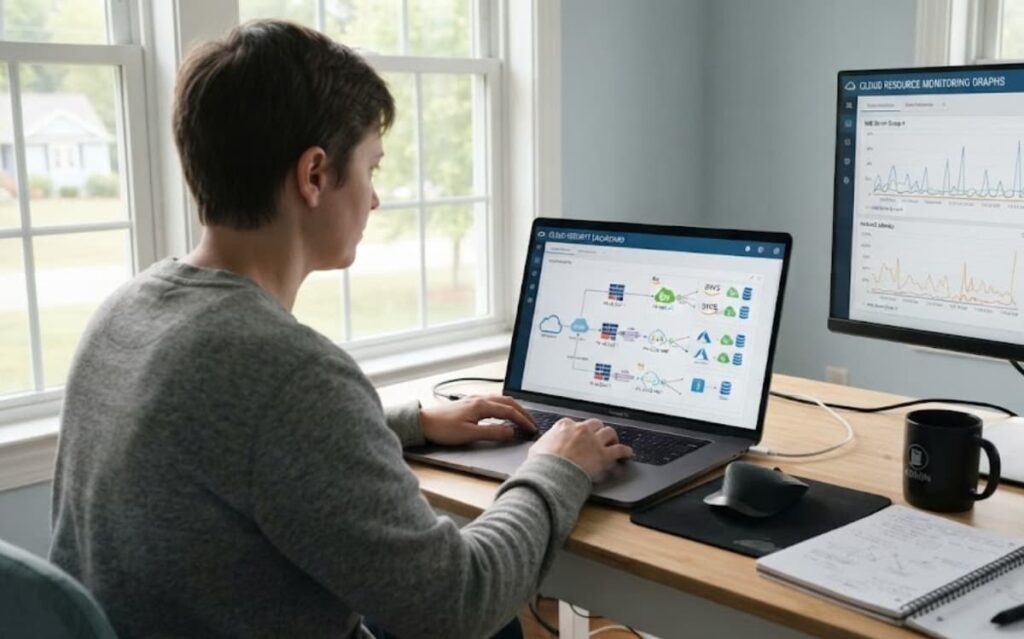
More businesses are moving systems into the cloud. That changes how firewalls are deployed.
A virtual firewall protects cloud workloads without adding physical hardware. It can run inside AWS, Microsoft Azure, or Google Cloud Platform and helps control traffic between applications, users, and services.
Every cloud platform is a little different, so evaluating different virtual firewall options before deployment can prevent operational issues later.
Our team usually recommends looking at more than security features alone.
- Centralized management
- Cloud integration
- Policy consistency
- Logging
- Easy scaling
Firewall Management Best Practices MSSP: What Should You Prioritize?
Good firewall management is built on repeatable work. Not guesswork.
Simple habits often have the biggest impact.
- Standard policy templates
- Change records
- Configuration backups
- Log reviews
- Regular audits
None of those ideas are new. But many teams skip them because they are busy. Consistent firewall management best practices help reduce that risk over time.
Firewall Vendor Selection Criteria in California: What Matters Most?
Buying a firewall is about more than comparing technical features.
“Firewalls are devices or programs that control the flow of network traffic between networks or hosts employing differing security postures.” – National Institute of Standards and Technology (NIST)
Organizations in California often have compliance requirements, customer contracts, and internal security policies that influence every purchase. Performance still matters. So does vendor support. But those are only part of the picture.
A good platform should fit both current needs and future growth, which makes firewall vendor selection an important long-term decision.
| Evaluation Area | What To Review |
| Compliance | Reporting, logging |
| Performance | Real inspection speed |
| Operations | Centralized management |
| Support | Product lifecycle |
| Growth | Cloud readiness |
Looking ahead usually saves money later. Replacing a platform too soon is expensive, and it interrupts customers.
Centralized Firewall Management Tools: Why Do MSSPs Need Them?
Source: Go Cloud Architects
Managing one firewall is easy enough. Managing fifty is different.
Centralization helped fix that, especially for providers investing in centralized firewall management across multiple customers.
Most modern management platforms support features like:
- Policy management
- Multi tenant support
- Automation
- Provisioning
- Reporting
Evaluating Firewall Performance Throughput: What Should You Test?
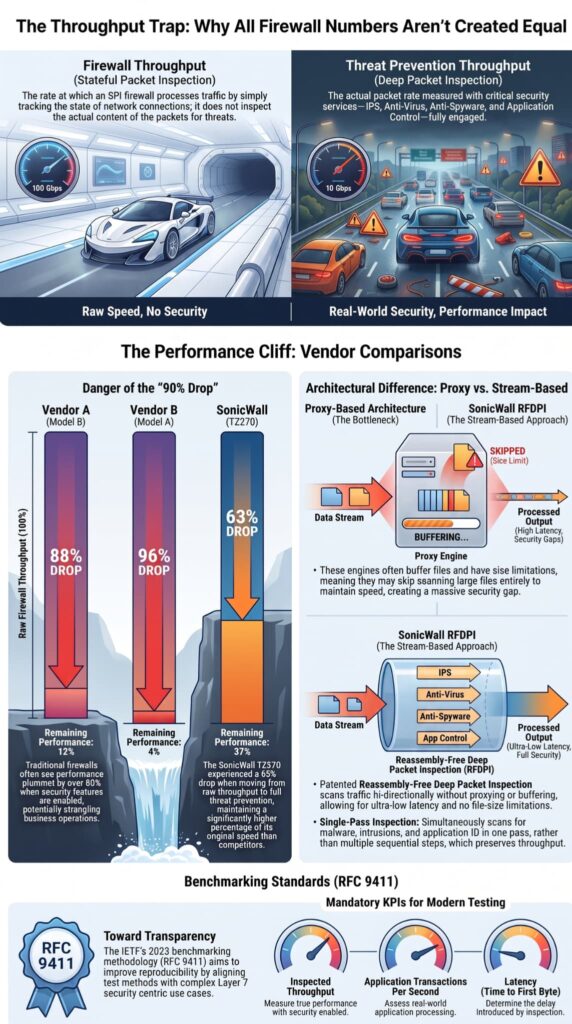
Performance numbers can be misleading.
A firewall may advertise very high throughput. Those figures often come from testing with many security features turned off. Production traffic looks different.
Once SSL inspection, intrusion prevention, and application inspection are enabled, performance changes. Sometimes only a little. Sometimes much more.
Important areas to review include:
- Inspection throughput
- Session capacity
- Latency
- SSL performance
- Threat prevention speed
Real testing usually answers questions that product brochures cannot. Organizations that regularly evaluate firewall performance usually make better deployment decisions.
Firewall High Availability Configuration: How Can You Reduce Downtime?
Downtime is expensive. Customers notice it quickly.
“A single firewall through which all network traffic must flow represents a single point of failure.” – Goddard, Kieckhafer & Zhang, IEEE International Symposium on High Assurance Systems Engineering
High availability helps keep traffic moving when a firewall fails, making proper firewall high availability planning essential for service continuity.
Many deployments use active passive configurations, where one device is ready to take over if the primary system stops working. Larger environments may also use active active designs.
FAQs
Can a managed firewall service support multiple office locations?
Yes. A managed firewall service can protect branch offices, headquarters, and cloud environments through a single management approach. Organizations use centralized firewall management, multi tenant firewall management, and remote firewall administration to manage security policies consistently across every location. This approach improves firewall monitoring, simplifies policy updates, reduces administrative effort, and helps maintain stronger security across distributed networks.
How do I compare firewall vendors before making a decision?
Start by identifying your security, compliance, and performance requirements before comparing firewall vendor selection options, including palo alto firewall, fortinet fortigate, or cisco asa firewall. Evaluate firewall performance throughput, vendor support, firewall compliance, deployment flexibility, and long-term firewall lifecycle management. Performing firewall throughput testing also provides valuable data about how each solution performs under expected network traffic.
What should I check before moving to a virtual firewall?
Before deploying a virtual firewall, review your network architecture, workloads, security requirements, and compliance obligations. Confirm that the solution supports cloud firewall security and integrates with aws firewall, azure firewall, or gcp firewall if you operate in public cloud environments. You should also plan firewall migration, firewall deployment, configuration backup, and firewall automation to minimize operational disruptions.
Why is firewall high availability important for business continuity?
Firewall high availability helps maintain network connectivity and security when a device fails or requires maintenance. Organizations can implement active passive failover or active active failover with firewall clustering, depending on their availability requirements. Regular failover testing verifies that these configurations work correctly and supports reliable security operations, faster incident response, and continuous business operations.
Which next generation firewall capabilities improve everyday security?
A next generation firewall provides more advanced protection than traditional packet filtering by combining stateful inspection, deep packet inspection, intrusion prevention, application control, ssl inspection, url filtering, anti malware protection, and threat intelligence. These ngfw features improve application visibility, strengthen network segmentation, and enhance threat detection across modern enterprise networks.
Choosing MSSP Firewall Technology That Supports Long Term Success
Choosing the right MSSP firewall technology can affect daily operations more than you expect, and the wrong choice often leads to extra work that slows your team down. That’s why picking a solution that fits your environment and is easy to manage matters from the start.
MSSP Security can help you make that process easier with vendor neutral guidance, technology selection, proof of concept support, and stack optimization. With more than 15 years of experience and over 48,000 completed projects, our team helps MSSPs build reliable security operations that support steady business growth.
References
- https://www.nist.gov/publications/guidelines-firewalls-and-firewall-policy
- https://www.researchgate.net/publication/3925294_An_unavailability_analysis_of_firewall_sandwich_configurations
Related Articles
- https://msspsecurity.com/technology-and-platforms-utilized/
- https://msspsecurity.com/palo-alto-vs-fortinet-managed-firewall/
- https://msspsecurity.com/cisco-asa-firewall-management-service/
- https://msspsecurity.com/next-generation-firewall-feature-comparison/
- https://msspsecurity.com/utm-unified-threat-management-devices/
- https://msspsecurity.com/virtual-firewall-cloud-security-options/
- https://msspsecurity.com/firewall-management-best-practices-mssp/
- https://msspsecurity.com/firewall-vendor-selection-criteria-in-california/
- https://msspsecurity.com/centralized-firewall-management-tools/
- https://msspsecurity.com/evaluating-firewall-performance-throughput/
- https://msspsecurity.com/firewall-high-availability-configuration/