

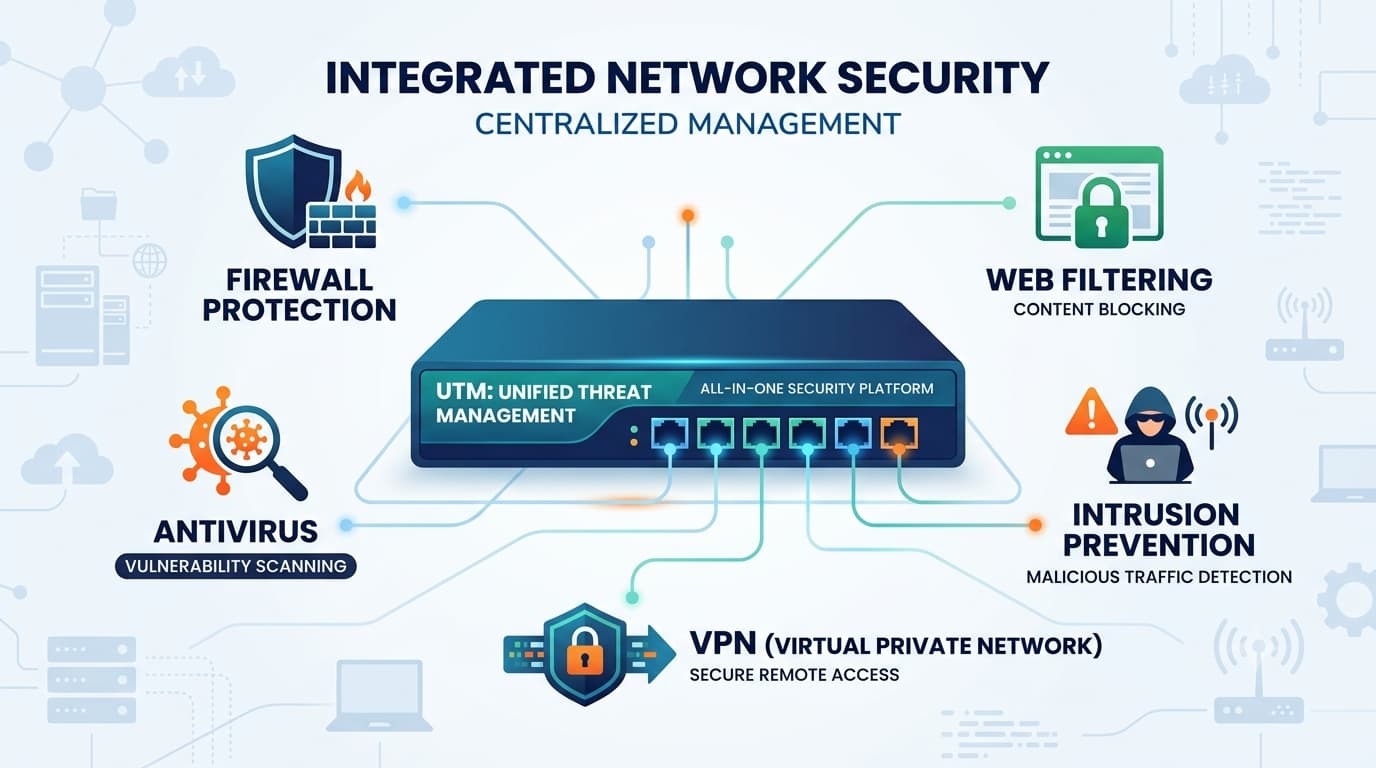
Unified Threat Management, or UTM, combines multiple security functions into one appliance, making network protection easier to manage. Instead of deploying separate tools for firewall, intrusion prevention, web filtering, and antivirus, organizations can handle them from a single platform.
At MSSP Security, we have helped businesses evaluate security products, and one lesson comes up often. A solution that is easier to manage usually delivers better long term results than one packed with features that rarely get used. Choosing the right UTM starts with understanding what each platform can really do. Keep reading to learn which features matter most.
UTM Snapshot: What Matters Most
A UTM unified threat management device delivers the greatest value when it combines essential security functions with simple management and reliable day to day performance.
- Consolidates firewall, IPS, VPN, web filtering, and malware protection into one platform.
- Simplifies policy management through a centralized console.
- Fits SMBs, branch offices, and lean IT teams that need reliable perimeter security.
Why Are Unified Threat Management Devices Still Relevant?
Cybersecurity has changed a lot over the years. Attackers keep finding new ways in, but the basic idea of layered security still makes sense. One security tool is rarely enough.
The NIST Cybersecurity Framework continues to recommend using multiple layers of protection. A UTM appliance follows that same idea by combining several defensive tools into one system. Everything works together, which makes daily management much simpler.
Without a UTM, an organization may have separate appliances for firewall protection, intrusion prevention, antivirus, content filtering, and remote VPN access. Every product has its own updates, policies, and reporting. That can become difficult to manage, especially for smaller IT teams.
Research on unified threat management highlights the reason many organizations adopt this approach: combining multiple security functions can reduce the complexity of managing separate security solutions.
“Managing multiple separate security appliances can be overwhelming, inefficient and expensive.” – Trabelsi, Zeidan, and Masud, IET Information Security (2017)
Which Security Features Should Every UTM Appliance Include?
Every vendor advertises a long feature list. That doesn’t always tell the whole story.
When we help MSSPs compare security products, we spend less time counting features and more time looking at how those features perform in real environments. Two appliances may offer almost the same capabilities on paper. One may handle encrypted traffic far better than the other. Details like that matter.
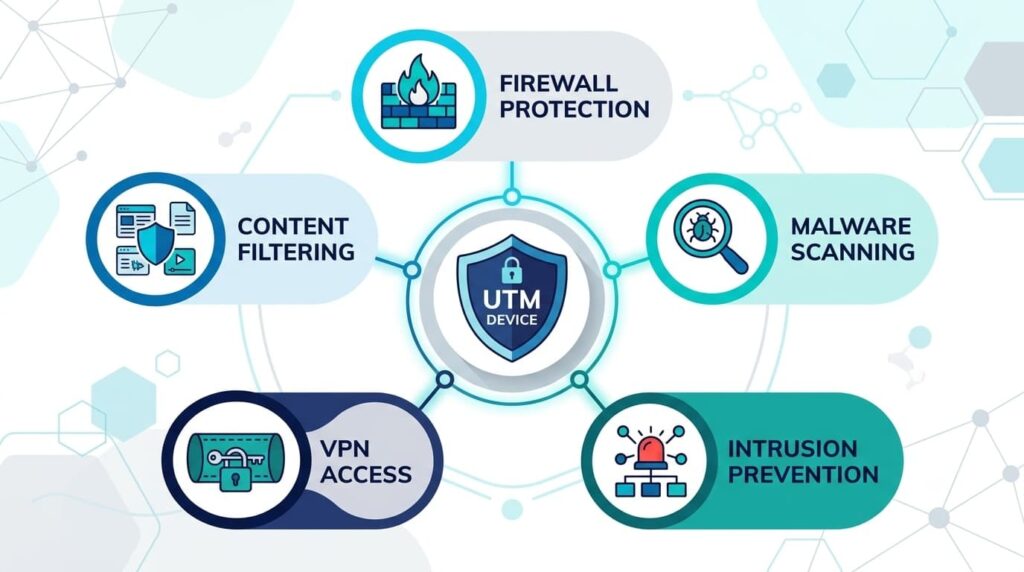
A modern UTM firewall should include several core security features.
- Stateful firewall
- Stateful packet inspection
- Intrusion detection
- Intrusion prevention
- Deep packet inspection
- Layer 7 inspection
- Anti malware scanning
- Ransomware protection
- Web filtering
- URL filtering
- DNS filtering
- Remote access VPN
- Site to site VPN
- Application control
- Identity based policies
Each feature plays a different role. The firewall controls connections. IPS looks for known attacks. Malware scanning checks files before they reach users. Web filtering blocks risky websites. Together they create stronger network protection than relying on a single security product.
How Does A UTM Appliance Inspect Modern Network Traffic?
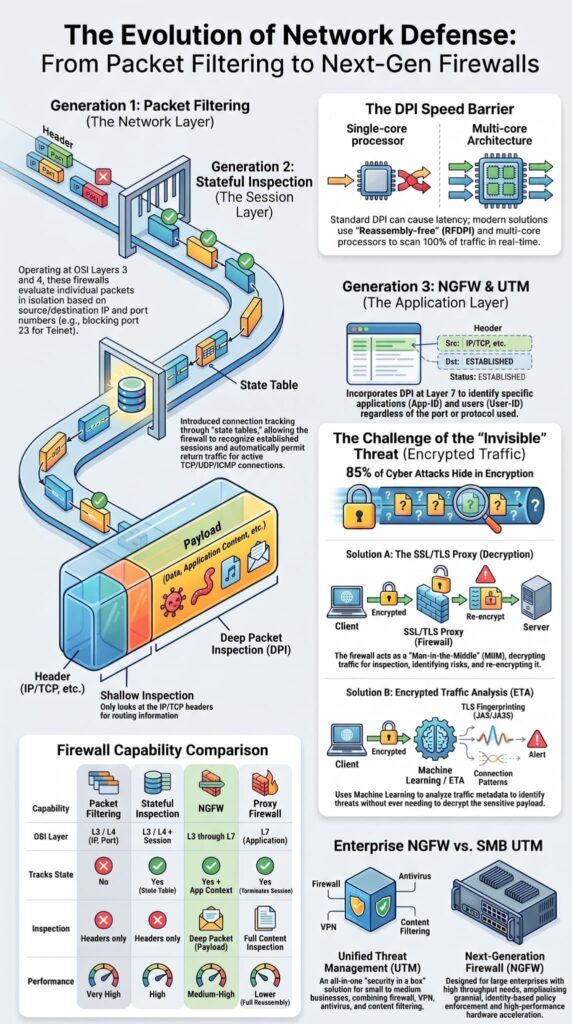
Years ago, blocking traffic by port number worked reasonably well. That isn’t enough anymore.
Many business applications now use the same ports, especially encrypted web traffic. Looking only at port numbers tells administrators very little about what is really happening on the network.
This is where deep packet inspection, often called DPI, becomes valuable. Instead of checking only the packet header, DPI examines the packet contents to identify applications and apply more detailed security policies. That gives administrators much better visibility into network activity.
Research on network security inspection also shows why deeper traffic analysis has become necessary as applications and threats become more complex.
“Deep packet inspection is an advanced technique that examines the contents of network packets beyond header information.” – Al-Sakib Khan Pathan, Security of Self-Organizing Networks: MANET, WSN, WMN, VANET
We’ve seen organizations surprised by what DPI uncovers. Applications that appeared harmless were using approved ports to communicate. Traditional filtering never caught them because the traffic looked normal at first glance.
Then there is encrypted traffic.
Most websites now use HTTPS. That’s good for privacy, but attackers use encryption too. SSL inspection and TLS inspection allow a UTM appliance to inspect encrypted traffic for malware, phishing attempts, and command and control communication before allowing the connection to continue.
Why Is Centralized Management So Valuable?
Managing several security products sounds manageable at first. Then updates start arriving. Policies change. Users need VPN access. Logs need to be reviewed. Before long, administrators are moving between multiple dashboards every day.
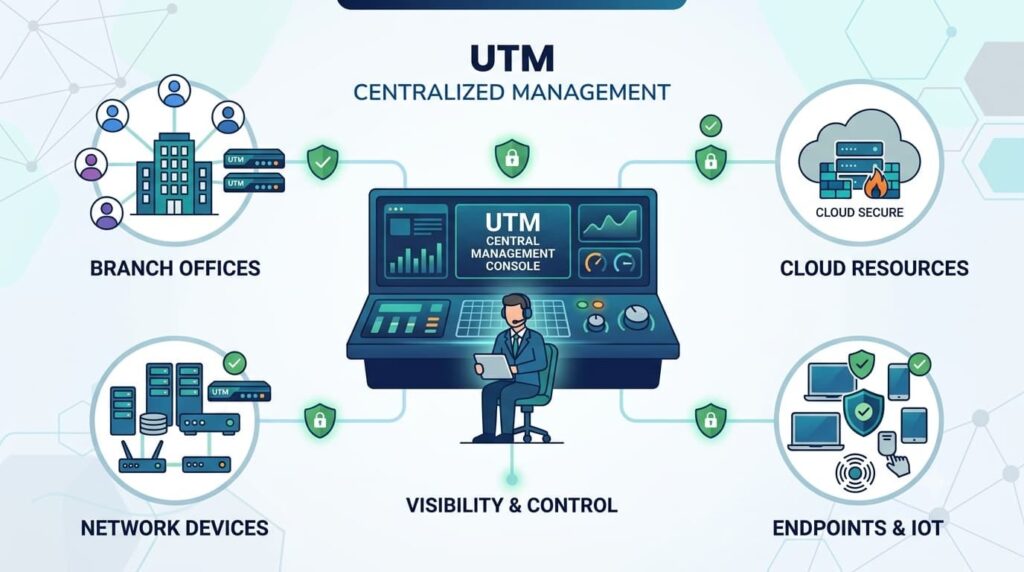
A unified security management console removes much of that extra work. For organizations managing complex environments, a reliable firewall management service can also help maintain policies, review configurations, and keep security operations consistent over time.
With one interface, administrators can manage firewall rules, VPN users, firmware updates, security reporting, and log analysis without constantly switching between different systems. It also becomes easier to see how security events connect across the network.
We’ve noticed something during product audits. Teams rarely complain about missing features. They complain about the time it takes to manage everything. A simpler management experience often improves day to day security because routine tasks are less likely to be skipped.
Some of the biggest benefits include:
- Centralized management
- Easier policy reviews
- Better audit support
- Faster investigations
- Security automation
- Consistent reporting
Small improvements add up. Over time, organizations often spend less effort managing security tools and more effort responding to real threats.
UTM vs Next Generation Firewall
Both technologies improve network security, but they are built with different priorities in mind. A UTM appliance focuses on combining several security functions into one platform. A Next Generation Firewall, or NGFW, places more emphasis on advanced application awareness and larger enterprise environments.
A proper next generation firewall feature comparison can help organizations understand where each approach fits based on security needs, visibility requirements, and network complexity.
When we help MSSPs compare products, this is one of the first discussions we have. There is no universal winner. The better choice depends on the network, the users, and the level of visibility the organization needs.
| Feature | UTM Appliance | NGFW |
| Main focus | Security in one platform | Advanced traffic control |
| Core tools | Firewall, VPN, IPS, filtering | Firewall, IPS, application awareness |
| Best fit | SMBs, branch offices | Larger enterprise networks |
| Management | One console | Often part of a larger ecosystem |
For many small and midsize organizations, a UTM appliance provides the right balance of protection and simplicity. Larger environments with more complex security requirements may benefit from the added flexibility of an NGFW.
Which Features Should You Evaluate Before Buying?
Source: Computer Engineering life
Every vendor highlights long feature lists. We prefer looking at measurable performance instead. The right firewall technology options should match the organization’s security requirements, network size, and operational capabilities rather than focusing only on the number of available features.
When we audit products for MSSPs, we compare how they perform under realistic conditions. That usually provides a much clearer picture than marketing material.
Consider these areas before making a decision.
- Firewall throughput
- VPN performance
- SSL inspection speed
- Concurrent sessions
- High availability
- Threat intelligence updates
- Centralized management
- Licensing costs
- Endpoint integration
FAQs
What are UTM unified threat management devices best suited for?
UTM unified threat management devices combine multiple security functions into a single all-in-one security appliance, making them a practical choice for many organizations. A typical UTM appliance includes a UTM firewall, intrusion prevention, anti-malware scanning, VPN support, and web filtering. Organizations should evaluate security requirements, expected network growth, and performance needs before deciding whether a UTM solution is the right fit.
How do UTM devices protect encrypted network traffic?
Modern cyber threats often hide inside encrypted connections, making SSL inspection, TLS inspection, and encrypted traffic inspection essential security capabilities. A network security appliance that supports these features can inspect encrypted traffic while using deep packet inspection, application awareness, and threat intelligence to identify malicious activity. This approach improves cyber threat prevention without sacrificing network visibility.
What should I compare before choosing a UTM appliance?
When comparing a UTM appliance, evaluate more than the number of included features. Compare throughput optimization, high availability, failover protection, centralized management, policy management, security reporting, and compliance support. A thorough firewall comparison helps determine whether the solution can deliver reliable unified network security while supporting your organization’s operational and security requirements.
Can a UTM appliance support remote and branch offices?
Yes. Many UTM appliances provide remote access VPN, site-to-site VPN, and secure remote connectivity, making them well suited for branch office security and distributed workforces. When combined with identity-based policy, user access control, and policy enforcement, these capabilities help organizations enforce consistent security standards across multiple office locations and remote users.
How does unified threat management simplify daily security operations?
Unified threat management simplifies administration by combining multiple security functions into a single integrated security platform. Features such as single console management, security consolidation, log analysis, security automation, and managed security help administrators monitor threats, enforce consistent policies, and improve overall security operations while reducing the complexity of managing multiple standalone security tools.
Choose A UTM Solution That Fits Your Security Needs
A UTM appliance should do more than combine security tools into one platform. It needs to work well in your environment, help your team manage threats, and support your security goals as needs change. That matters.
If you’re reviewing UTM options, MSSP Security can help you make a better decision with vendor-neutral guidance, product evaluations, and practical recommendations. Our team supports security planning, integration improvements, and technology selection, helping you choose a platform that fits your operations.
References
- https://link.springer.com/book/10.1007/978-3-642-14478-3
- https://research.uaeu.ac.ae/en/publications/hybrid-mechanism-towards-network-packet-early-acceptance-and-reje/