

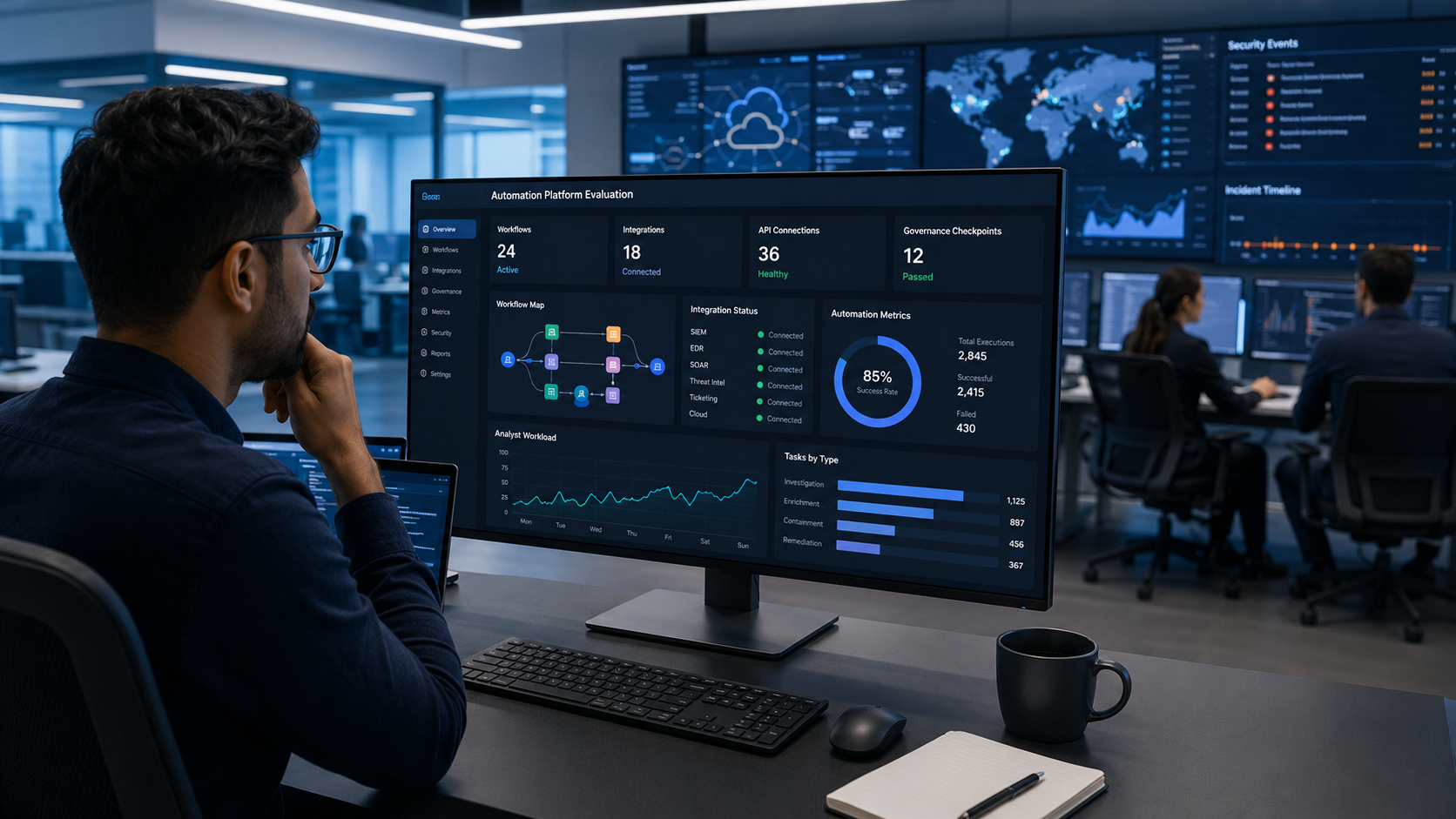
Security automation platform selection should begin with how well a platform fits your SOC’s workflows, existing security tools, and long-term maintenance needs. The right choice helps analysts work more efficiently without creating unnecessary operational overhead. At MSSP Security, evaluate and audit security automation platforms based on real operational requirements.
Standardized processes, reliable integrations, and practical governance all play an important role in long-term success. This guide explains the key criteria to compare platforms, avoid common selection mistakes, and support sustainable security operations. Keep reading to make a more informed platform decision.
Security Automation Selection at a Glance
The best platform is the one that fits your SOC, supports long-term operations, and reduces manual effort without adding maintenance complexity.
- Prioritize operational fit over long feature lists during security automation platform selection.
- Evaluate integrations, governance, and maintenance before AI-powered security automation capabilities.
- Measure success through analyst productivity, automation reliability, and long-term operational sustainability.
Why Does Platform Fit Matter More Than Feature Count?
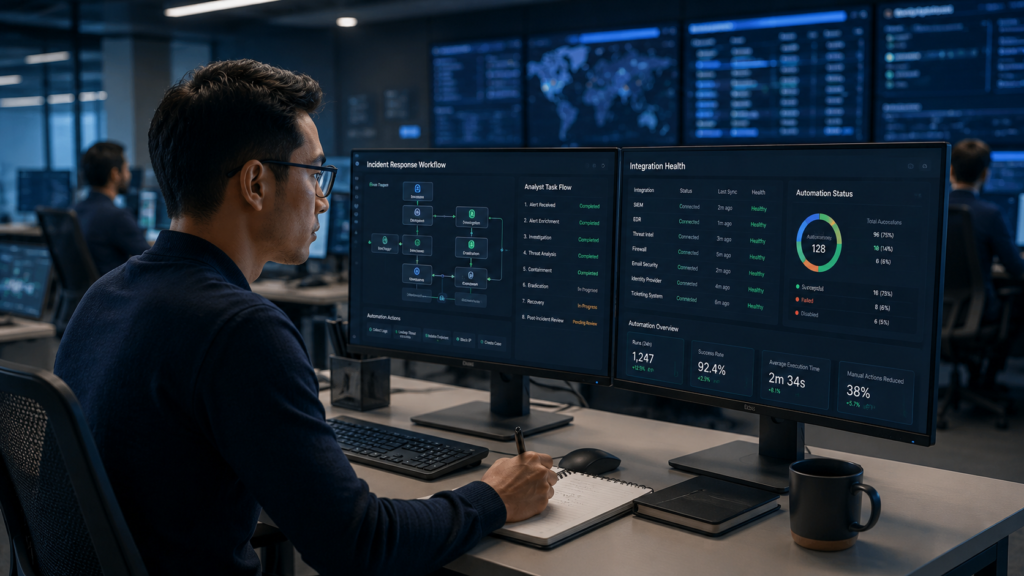
Many organizations assume the platform with the most features will deliver the best results. Our experience says otherwise. A platform becomes valuable when analysts can use it every day without fighting against complicated workflows or endless customization.
We’ve worked with MSSPs that selected products after impressive demonstrations. Everything looked smooth in the sales presentation. But once the implementation began, teams discovered missing integrations, difficult workflows, or playbooks that needed far more work than expected. Those delays often pushed projects behind schedule.
Instead of asking, “What can this platform do?” start with a different question. “Will it fit the way our SOC already operates?” That shift usually leads to better long-term decisions.
Before evaluating any platform, understand your current environment:
- SIEM maturity
- Existing workflows
- Incident response process
- Internal ownership
- Available engineering resources
Our consultants also recommend mapping where analysts spend the most time. Some teams struggle with alert fatigue. Others lose hours switching between different tools. Fix those pain points first. In our experience, steady operational improvements matter far more than chasing every new feature.
How Does Your SOC Operating Model Influence Platform Choice?
No two SOCs work the same way, so automation should match the team’s size, skills, and responsibilities. A smaller security team often needs automation that speeds up investigations because there simply aren’t enough analysts to review every alert. Larger organizations usually need broader orchestration across many technologies, business units, and regions.
We’ve supported clients on both ends of that spectrum. Smaller MSSPs often see immediate value from automating repetitive investigations. Larger providers usually focus on connecting many security tools while keeping approval steps for high-risk actions.
Our advice stays consistent. Automate the repetitive work but leave important business decisions in human hands. That balance helps teams move faster without giving up control.
Consider these questions during planning:
- How many analysts use the platform?
- Which tasks repeat every day?
- Who approves high-risk actions?
- How often do workflows change?
- What tools must connect?
A platform should support the team’s operating model instead of forcing everyone to adopt a completely new process. We’ve found that analysts trust automation more when it fits naturally into the way they already work.
Which Selection Criteria Should You Prioritize First?
Credits: CISO Series
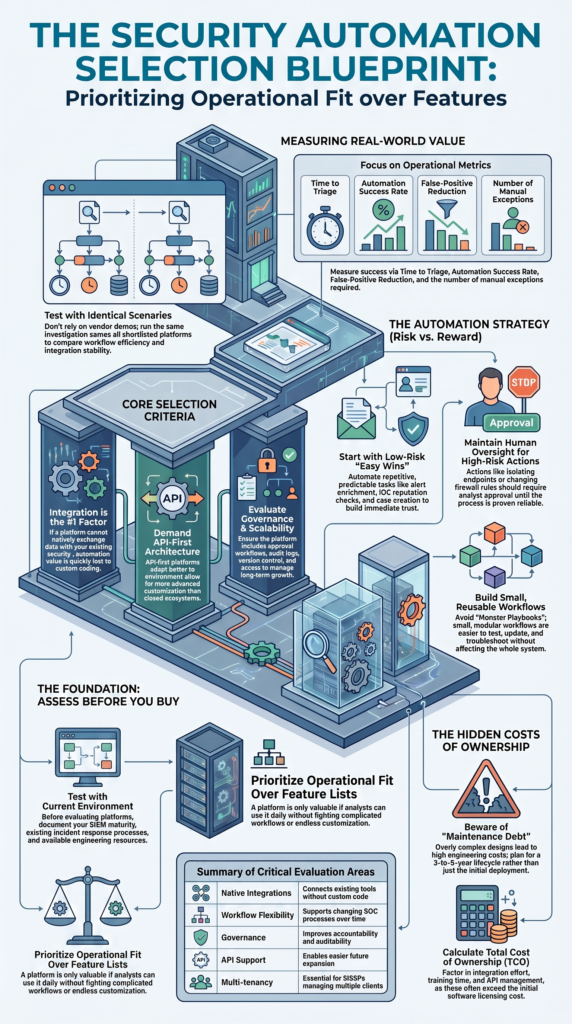
Marketing often highlights AI features, dashboards, and advanced automation. Those capabilities can be useful, but they shouldn’t drive the buying decision. We recommend looking at the foundation first because everything else depends on it.
The biggest factor is integration. If the platform cannot exchange data with existing security tools, automation quickly loses value, which is why integrating SOAR with your security stack should be considered early in the evaluation process.
We’ve seen organizations spend months building custom connections that could have been avoided by choosing a platform with stronger native integration support.
Governance also deserves close attention. As automation expands, security teams need approval workflows, audit logs, version control, and role-based access. Those controls help reduce mistakes and make long-term management much easier.
| Evaluation Area | Why It Matters |
| Integrations | Connect existing tools |
| Workflow flexibility | Supports changing processes |
| Governance | Improves accountability |
| API support | Easier future expansion |
| Scalability | Handles growing workloads |
Our consultants also encourage clients to think beyond deployment. APIs change. Vendors update products. Cloud services evolve. A platform that’s easy to maintain often delivers more value over five years than one packed with features that require constant engineering effort.
Why Is API-First Architecture Important?
API-first platforms usually adapt better as environments change. That’s one reason we encourage MSSPs to evaluate the quality of a platform’s APIs before looking at visual workflow builders.
Over the years, we’ve found that small, reusable workflows are much easier to manage than one large automation that tries to handle everything. If one workflow breaks, it can usually be updated without affecting the rest of the environment. That keeps maintenance manageable and reduces downtime.
For example, one workflow might enrich alerts. Another could gather threat intelligence. A separate workflow could create investigation tickets. Breaking work into smaller pieces makes testing much easier. It also helps analysts understand what each automation is doing.
Visual builders still have an important place. They allow security teams without software developers to create useful automations quickly. The strongest platforms combine low-code simplicity with well-documented APIs for more advanced customization.
We’ve learned that flexibility matters more than choosing one development style over another. A platform should make it easy to grow with the organization instead of limiting future options.
How Much Automation Should Your SOC Actually Implement?
Not every task should be automated, and that’s one of the biggest lessons we’ve learned while helping MSSPs evaluate security platforms. The goal isn’t to automate everything. It’s to remove repetitive work so analysts can spend more time on investigations that need human judgment.
We’ve seen security teams save hours each week by automating routine processes such as alert enrichment, IOC lookups, duplicate detection, and case creation. These tasks follow predictable steps and rarely require someone to make a business decision. Once they’re tested, they usually deliver reliable results with very little manual effort.
Good candidates for automation include:
- Alert enrichment
- IOC reputation checks
- Case creation
- Duplicate suppression
- Log enrichment
- Threat intelligence lookups
Some actions deserve extra caution. Isolating an endpoint, disabling user accounts, or changing firewall rules can interrupt business operations if something goes wrong. Those workflows should include analyst approval until the organization has enough confidence in the process.
We’ve found that teams build trust in automation much faster when they start with low-risk tasks and expand gradually. Slow growth often leads to stronger long-term adoption than trying to automate every workflow at once.
Which Platform Type Best Matches Your Environment?
There isn’t a single platform that’s right for every organization. The best choice depends on how the SOC operates today and where it expects to be in a few years. That’s why we spend more time understanding the environment, because selecting the right security orchestration tool depends on operational requirements.
Organizations with lean security teams often look for platforms that reduce alert volume and speed up investigations. Larger SOCs usually need broader orchestration across many security products and business units. Others fall somewhere in the middle and need both flexibility and room to grow.
We’ve also seen environments change much faster than expected. A company may acquire another business, move workloads to the cloud, or adopt new security tools. Those changes can quickly expose the limits of a platform built around a closed ecosystem.
When we help clients evaluate products, we ask questions like:
- Will new tools be added?
- Are multiple cloud platforms used?
- Is multi-tenant support required?
- How much customization is expected?
Choosing a platform that supports future growth often saves far more time than selecting one that only fits today’s environment.
Why Do Integrations Usually Determine Long-Term Success?
Strong integrations often decide whether an automation project succeeds or struggles. Even the best workflows can’t perform well if systems fail to exchange accurate information.
We’ve reviewed environments where automation looked well designed on paper but constantly failed because connectors broke, APIs changed, or data arrived in different formats. Analysts ended up completing the work manually anyway, which defeated the purpose of automation.
A phishing investigation is a good example. Email security detects a suspicious message. Identity systems verify the user. Endpoint tools check device activity. The ticketing platform creates a case. If one connection fails, the analyst has to step in and finish the investigation by hand.
Common integration challenges include:
- Legacy systems
- API updates
- Authentication changes
- Cloud logging differences
- Data normalization
- Identity synchronization
Our team recommends testing integrations early during every proof of value. It’s much easier to discover problems before deployment than after dozens of workflows depend on those connections.
How Can You Avoid Automation Maintenance Debt?
Automation should become easier to manage as the environment grows. In our consulting work with MSSPs, we’ve reviewed platforms where automation delivered quick wins at first but became harder to maintain after updates, connector changes, or expanding workflows. Most of those problems started with overly complex designs rather than the platform itself.
A single, large playbook may seem efficient, but it can create unnecessary risk. One small change can affect several unrelated processes. We’ve consistently had better results helping clients build smaller, reusable workflows that each handle one specific task. They are easier to test, update, and troubleshoot when something changes.
Good maintenance practices include:
- Reusable workflows
- Version control
- Clear documentation
- Regular testing
- Change approvals
- Connector reviews
Regular reviews also make a big difference. Some automations lose value as security tools, business processes, or customer requirements evolve.
We encourage teams to remove outdated workflows before they become a maintenance burden. From our experience auditing automation platforms, strong governance and routine maintenance create more lasting value than simply adding more playbooks over time.
What Should You Measure During a Proof of Value?
A proof of value should focus on how well a platform improves daily SOC operations. Demonstrations often show ideal conditions, but production environments rarely work that way. In our consulting work, we help MSSPs evaluate products using realistic scenarios that reflect how analysts actually investigate security events.
Rather than relying on feature comparisons, we recommend running the same investigation across every shortlisted platform. This makes it easier to compare workflow efficiency, integration quality, and automation reliability. Our team has found that using identical test cases often reveals issues that never appear during a polished demonstration.
Useful metrics include:
- Time to triage
- Analyst interactions
- Automation success rate
- Manual exceptions
- False-positive reduction
- Integration stability
We also encourage teams to test everyday incidents, including phishing investigations, suspicious logins, endpoint isolation, and compromised cloud credentials. Record each analyst action from start to finish and note where manual work slows the process.
We’ve seen small workflow delays add up quickly over time. Those practical findings usually provide a much clearer picture of long-term value than another dashboard or AI-powered feature.
Which Mistakes Cause Platform Selection Failures?
Many platform selection problems begin long before deployment. Organizations sometimes focus on feature comparisons while overlooking the effort needed to operate the platform over several years.
We’ve reviewed projects where impressive demonstrations created unrealistic expectations. Once implementation started, teams discovered missing integrations, governance gaps, or workflows that required far more engineering time than planned.
Some of the most common mistakes include:
- Ignoring maintenance
- Choosing by demo alone
- Underestimating integrations
- Automating risky actions early
- Weak governance
Research from Royal Holloway, University of London shows
“We found that the approaches in the retrospective case studies relied heavily upon the capabilities of discipline experts when evaluating the selection and configuration of an APIM. We also found that both programmes in these retrospective case studies did not follow a systematic plan of activities.” – University of London
Another misunderstanding involves low-code platforms. Visual workflow builders reduce development work, but they don’t remove the need for planning, testing, or ongoing ownership. Someone still has to maintain connectors, review playbooks, and approve changes.
Organizations that recognize those responsibilities early usually experience smoother deployments and stronger adoption. We’ve consistently found that realistic planning produces better results than chasing every new feature.
How Should You Compare Total Cost of Ownership?
Software licensing is only one part of the overall investment. Over several years, maintenance, engineering time, governance, and analyst productivity can easily become larger expenses than the subscription itself.
When we help MSSPs review products, we encourage them to calculate costs across the entire lifecycle. A platform with lower licensing costs may require much more engineering effort. Another platform may cost more upfront but reduce maintenance over time.
Think beyond the purchase price by considering:
- Integration effort
- Workflow maintenance
- Training time
- Governance
- API management
- Future expansion
As noted by Briliyant, Javed, & Cherdantseva (2026)
“Despite decades of research into automated security compliance tools, only 18% of organizations actually use them. This gap between academic innovation and real-world adoption is particularly an issue for Internet of Things (IoT) environments, where the sheer volume of connected devices makes manual security auditing challenging.” – Cardiff University Online Research
Looking at the bigger picture gives decision-makers a more accurate understanding of long-term value. We’ve seen organizations avoid costly migrations because they selected a platform that remained easy to manage as their environments grew.
Planning for three to five years instead of the first deployment usually leads to smarter investment decisions.
How Can MSSPs Select Platforms for Multiple Clients?
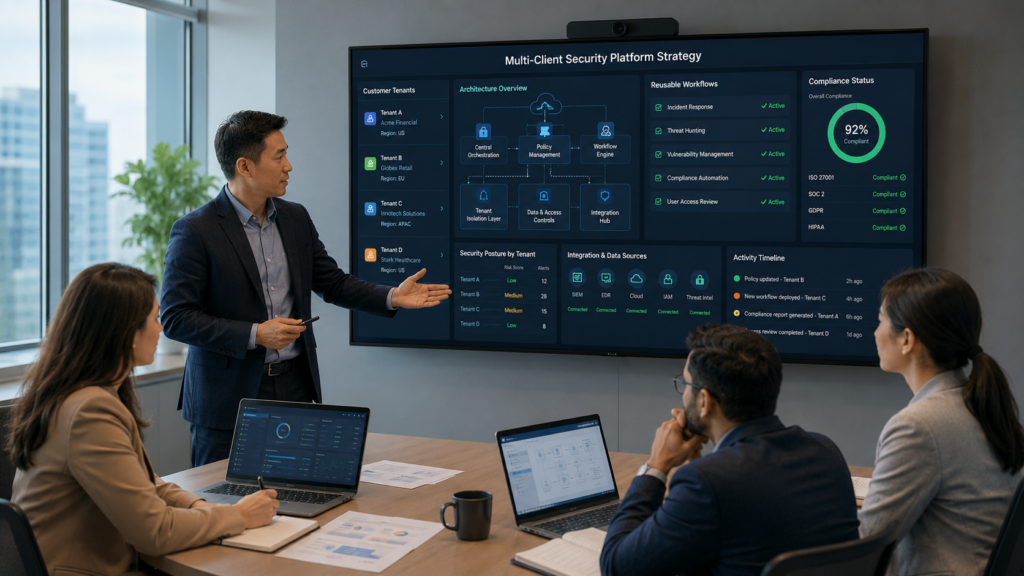
Service providers face a different challenge because every client has unique technologies, compliance requirements, and operational goals. One workflow rarely fits every customer, which is why flexibility matters so much.
Our consulting work focuses on helping MSSPs evaluate and audit products, following many of the same principles outlined in our choosing SOAR platforms guide for assessing long-term operational fit. We’ve found that reusable building blocks consistently outperform highly customized deployments that become difficult to maintain.
Platforms intended for managed services should support:
- Multi-tenant management
- Reusable playbooks
- Customer-specific policies
- Role-based access
- Centralized auditing
- API extensibility
- Flexible case management
We’ve learned that consistency is often more valuable than endless customization. Standardized workflows reduce operational overhead while still allowing each client to apply its own policies and approval processes.
That approach helps service providers scale more efficiently without creating unnecessary maintenance debt. It also makes future product audits and platform reviews much easier as customer environments continue to evolve.
FAQ
What is the difference between a SOAR platform and security automation software?
A SOAR platform combines security orchestration, automation and response into a single solution that connects security tools, coordinates workflows, and automates routine tasks. Security automation software may automate specific activities, but it does not always provide centralized orchestration or case management.
Understanding these differences helps organizations make a more informed security automation platform selection based on operational needs and long-term goals.
How does SIEM integration improve SOC automation?
SIEM integration allows security tools to exchange alerts, logs, and investigation data automatically. This improves SOC automation by reducing manual work, strengthening security event correlation, and speeding up alert triage.
It also supports log enrichment, security data enrichment, and more consistent security incident management, helping analysts investigate incidents faster and respond with greater accuracy.
Which security tasks are the best candidates for playbook automation?
The best tasks for playbook automation are repetitive processes that follow clear and consistent steps. Common examples include alert enrichment, automated ticketing, phishing response automation, malware analysis automation, and security response automation.
Organizations can gradually expand security workflow automation after these processes have been tested and proven reliable, while keeping analyst approval for high-risk actions.
What should organizations evaluate before choosing a security orchestration platform?
Organizations should evaluate a security orchestration platform based on integration capabilities, scalability, governance features, API support, and long-term maintenance requirements.
They should also consider threat intelligence integration, case management, platform evaluation, security tool consolidation, and support for API-driven security automation. A careful evaluation helps improve SOC efficiency while reducing operational complexity over time.
Can AI-powered security automation replace security analysts?
No. AI-powered security automation is designed to support security analysts, not replace them. It can improve investigation automation, automated threat detection, security monitoring automation, and automated incident handling by reducing repetitive work.
However, experienced analysts are still needed to investigate complex threats, make business decisions, validate automated actions, and oversee security remediation workflows.
Build Automation Around Your Security Operations
Selecting a security automation platform is about improving daily operations, not simply adding new technology. Organizations that prioritize operational fit, reliable integrations, and long term maintainability often reduce automation complexity while improving analyst productivity.
Testing solutions with real world scenarios helps teams make better decisions and support lasting security improvements. The right platform should strengthen your SOC today while supporting future growth. Explore how MSSP Security can help you evaluate security automation platforms with confidence.
References
- https://pure.royalholloway.ac.uk/ws/portalfiles/portal/25704228/2015PalmerAJPhD.pdf#64#40
- https://orca.cardiff.ac.uk/id/eprint/181387/