

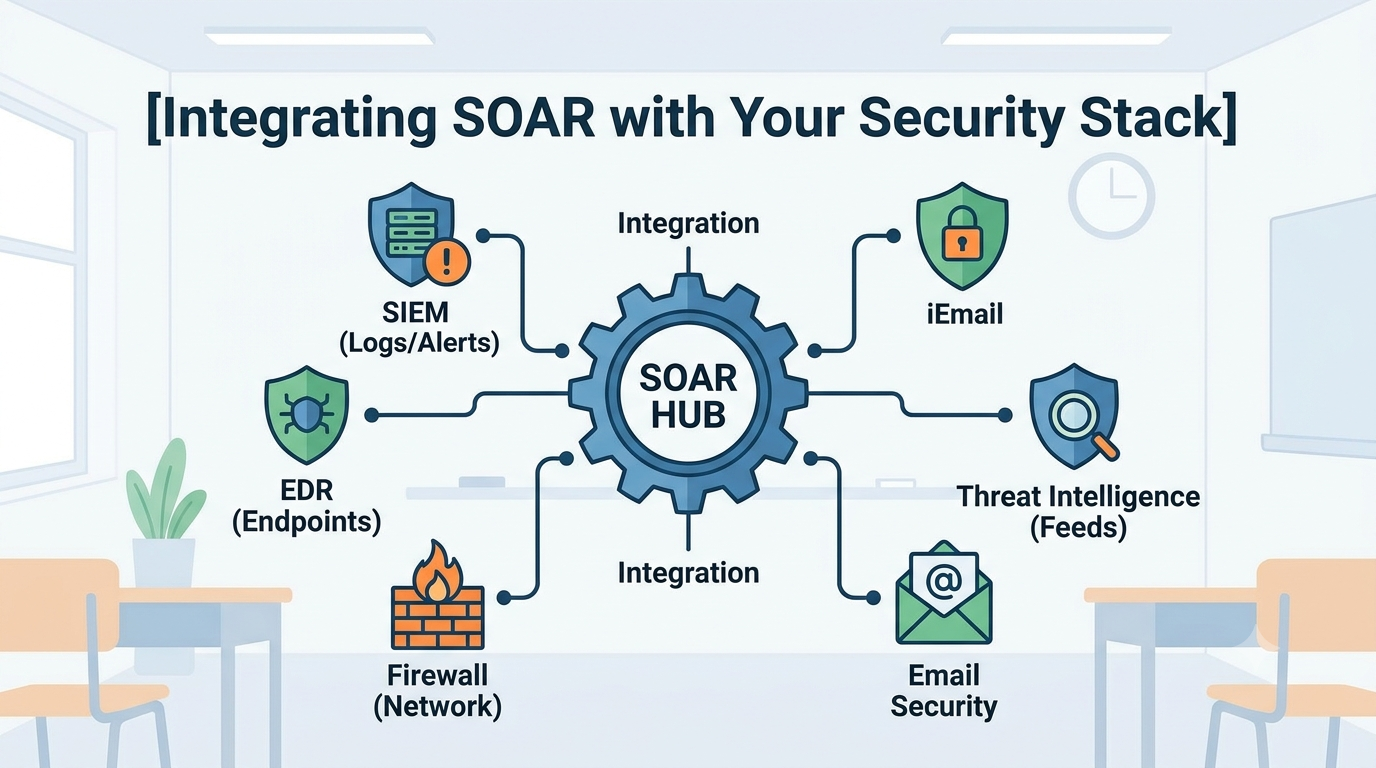
Integrating SOAR with security stack is the key to turning disconnected security tools into a coordinated defense system. Instead of forcing analysts to manually switch between platforms, automation connects detection, investigation, and response into a single workflow.
At MSSP Security, we help organizations implement SOAR integrations that reduce response time, improve consistency, and let security teams focus on high-value investigations rather than repetitive tasks. Keep reading to learn how to integrate SOAR without adding unnecessary complexity.
What You’ll Learn
Successful SOAR integration is about building practical workflows that make everyday security operations faster and more reliable. Here are the key ideas to remember:
- Effective integration starts with clear, repeatable processes you already follow manually.
- The goal is to augment human analysts, not replace them, by handling repetitive tasks.
- A well-integrated SOAR becomes the central brain, orchestrating your entire security ecosystem.
What Does “Integrating SOAR” Actually Mean for a Security Team?
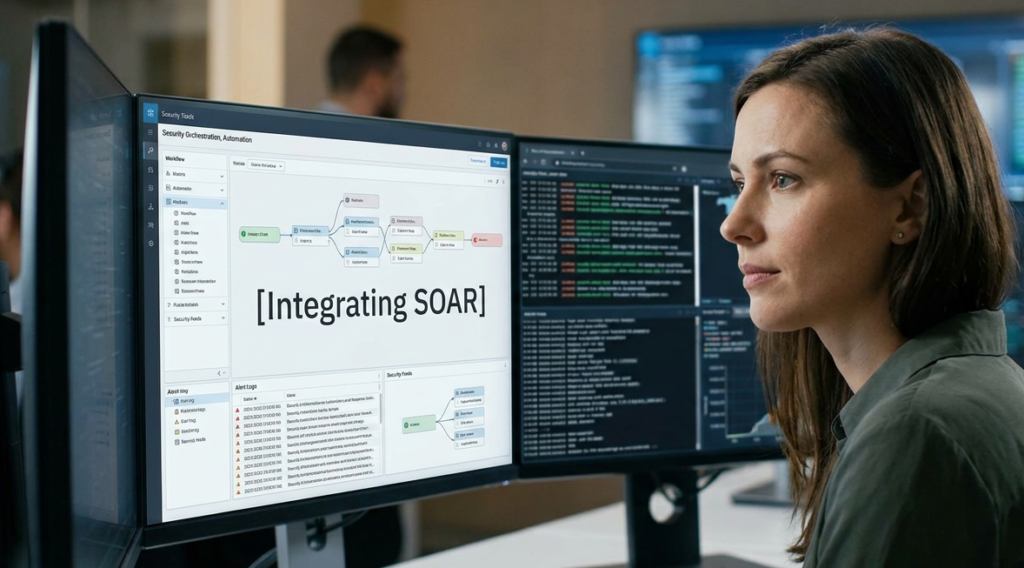
Integrating SOAR is more than connecting security tools through APIs. It transforms incident response by turning manual playbooks into automated workflows that execute the same proven steps every time.
Instead of relying on analysts to perform repetitive tasks, SOAR can:
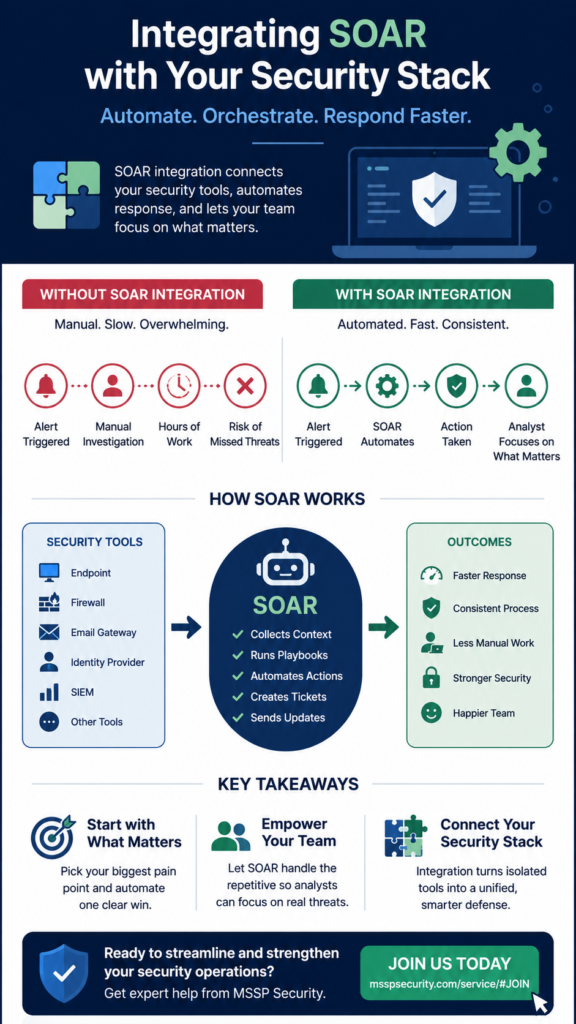
- Gather additional context from endpoints, identity providers, and other security tools.
- Automatically isolate compromised devices and create incident tickets when predefined conditions are met.
- Connect systems such as firewalls, email gateways, SIEM platforms, and ticketing tools into a unified workflow.
The biggest change is operational. Before integration, every alert required manual investigation and coordination. After integration, alerts trigger a structured, automated response that begins immediately. Analysts no longer start from scratch for every incident, they focus on validating results and handling more complex threats.
By reducing repetitive work and ensuring consistent response procedures, SOAR acts like a 24/7 digital security assistant, helping security teams respond faster, improve efficiency, and maintain stronger protection against evolving cyber threats.
Where Do You Even Start When Connecting SOAR to Your Existing Tools?
Credits: Check Point Software
Start with the pain. Don’t look at your shiniest tool. Look at your most tedious, repetitive alert. The one that makes your senior analysts groan because they’ve done it a thousand times. That’s your candidate for automation, especially when choosing SOAR platforms that can support repeatable workflows without unnecessary complexity.
For many teams, it’s something like phishing email analysis or a standard malware outbreak containment. The process is already documented, it’s followed the same way each time. That consistency is key.
We began with a single use case: automated phishing triage. The playbook was clear. An email reported, the SOAR platform would pull it from the security mailbox, detonate the URL in a sandbox, check the sender’s reputation, and if malicious, delete it from all user inboxes and block the sender. It took a week to build and test.
The result? Forty hours of analyst time saved per month, instantly. That first success builds credibility. It gives you a template. You pick the next painful process. You build, test, and deploy. You grow organically. Starting with a massive, multi-tool “orchestration” project is a recipe for failure.
Why is Process Mapping More Important Than Tool Connectivity?
You can have every API connector in the world, but if you automate a broken process, you just get broken results faster. The initial work is never about the code. It’s about sitting with your analysts and walking through a real incident, step-by-step.
We map it out on a whiteboard, every single step, every decision tree. “If the file hash is malicious, then isolate the host. If not, but the behavior is suspicious, then collect more memory artifacts.” This mapping reveals the exact data sources you need to connect.
It shows you where a human judgment call is still required, the SOAR should pause and ask for input. This exercise often improves the manual process itself, making it more efficient even before a single line of automation is written. The integration then becomes a faithful digital reproduction of your best possible response. The tool connectivity is just the implementation detail.
Can SOAR Truly Handle the Complexity of Real-World Incidents?
Not entirely, and it shouldn’t be expected to. Its strength is in handling the predictable, the repetitive, the high-volume/low-complexity alerts that swamp a SOC.
This frees the human analysts to focus on the novel, the sophisticated, the truly complex attacks. Think of it as a force multiplier. The SOAR handles the infantry battles, the analysts become the special forces.
“If the SOAR’s response functionality is not properly configured and maintained, the platform may misidentify regular user or system behaviour as an event or incident and take automated measures to isolate and respond. This can cause disruption of varying levels to service delivery.” – Australian Cyber Security Centre (ACSC)
We’ve built playbooks that run hundreds of times a week for things like credential stuffing alerts or known malware signatures. They work perfectly when paired with top SOAR platforms that can reliably orchestrate actions across multiple security technologies.
But for a potential lateral movement using a never-before-seen technique, the playbook might run initial enrichment, gathering user context, pulling relevant logs, and then stop, presenting a consolidated case file to a human. The SOAR handled the data gathering, which can take 15 minutes manually, in 15 seconds.
How Does SOAR Change the Daily Life of a Security Analyst?
The change is profound, but it’s not immediate. At first, there’s skepticism. “This will break things.” Then, after the first successful automated takedown of a phishing campaign, there’s relief. The analyst isn’t wading through a hundred junk alerts that morning.
They have time. This is the biggest shift: time becomes a resource again. Instead of being reactive alert-jockeys, they can be proactive. They can hunt. They can review the playbooks the SOAR executed and look for patterns. They can improve detections.
We saw morale improve. Burnout from alert fatigue decreased. The work became more interesting because the boring parts were automated away. The analyst’s role evolves from a first responder to a playbook designer and a complex incident specialist. They start asking different questions.
What Are the Common Pitfalls During a SOAR Integration Project?
The biggest pitfall is aiming for full automation from day one. It creates brittle, overly complex playbooks that fail in edge cases. Another is neglecting the maintenance burden. Playbooks aren’t “set and forget.” They need tuning as your tools update, as attacker techniques change. If you don’t plan for this, your automation decays and becomes unreliable.
We learned to avoid “black box” automation. Every automated action should have a clear log, a reason. If the SOAR quarantines a file, you must be able to see the chain of evidence that led to that decision. Transparency is non-negotiable for trust and for audits. Also, failing to get analyst buy-in is a death knell. They are the end-users.
If they don’t trust the automation, they’ll work around it, rendering it useless. Involve them from the process-mapping stage. Let them build the playbooks. They’ll become its champions, not its adversaries. Finally, underestimating the data formatting hell. Getting Tool A’s output into a shape that Tool B’s API can understand is 80% of the integration work.
Is Building Custom Connectors Worth the Effort for a Unique Tool?
Sometimes, yes. If a critical tool in your stack is homegrown or niche, and there’s no pre-built connector, selecting the right security orchestration tool becomes even more important because extensibility and API flexibility determine how easily those custom integrations can be maintained over time.
“The findings suggest that while intelligent SIEM–SOAR integration enhances resilience against advanced cyber threats, its practical effectiveness depends on appropriate system configuration, data quality, and the continued involvement of human analysts.” – Abdulqawi et al
We’ve built a few. The effort is significant. You’re not just making an API call, you’re handling authentication, error logging, data normalization, and rate limiting. You’re essentially becoming a developer for that tool.
But when that tool is central to your operations, the payoff is immense. It brings that entire system into your orchestrated workflow. Before you start, check the tool’s API documentation thoroughly.
How Do You Measure the Success of a SOAR Integration?

If you can’t measure it, you can’t improve it. The metrics shift from pure detection to response efficiency. Key Performance Indicators (KPIs) change entirely. Mean Time to Acknowledge (MTTA) and Mean Time to Respond (MTTR) should plummet for automated playbooks. We track these weekly.
A playbook that automatically contains a malware outbreak might have an MTTR of 60 seconds, down from 30 minutes manually. That’s a tangible win. Alert Volume per Analyst should go down, while the Percentage of Alerts Automated goes up. We also measure False Positive Rate for automated actions.
If a playbook is incorrectly blocking legitimate traffic, you need to know. Finally, the soft metric: Analyst Sentiment. Are they complaining less about alert fatigue? Are they spending more time on projects? These are signs of success. The goal isn’t just to install software, it’s to change these numbers and the daily experience of your team.
A Simple Framework for Prioritizing SOAR Use Cases
| Use Case Category | Effort to Build | Time Saved | Priority |
| High-Volume, Low-Risk (e.g., phishing triage, known IOCs) | Low | High | Start Here |
| Medium-Volume, Medium-Risk (e.g., user account lockouts, malware containment) | Medium | Medium | Phase 2 |
| Low-Volume, High-Risk (e.g., suspected insider threat, lateral movement) | High | Low (but critical) | Phase 3 – Human-in-the-loop |
| Compliance & Reporting (e.g., automated evidence collection) | Medium | High (in audit prep) | Mix into Phases 1 & 2 |
FAQ
How does MSSP Security approach SOAR differently?
For us, it’s about scalable, repeatable service delivery. We build playbooks that must work across different client environments with varying tools. Our integrations need to be more flexible and abstracted. The value proposition is clear: we bake this efficiency into our service, so clients benefit from mature automation without the build cost.
Does SOAR replace the need for a SIEM?
No, they’re a team. The SIEM is the brain for correlation and detection, it finds the needle in the haystack. The SOAR is the nervous system that carries out the response, it tells the hand to pull the needle out. You need both. The SIEM detects, the SOAR acts.
How long does it take to see a return on investment (ROI)?
It can be fast if you start with the right use case. A single high-volume playbook can save dozens of hours per month. A typical ROI on the initial project is often realized within 6 to 9 months through reduced manual labor and faster incident containment, which lessens business impact.
What’s the biggest skill gap when adopting SOAR?
Process engineering and lightweight scripting. You need people who can deconstruct a security incident into a logical flowchart and then translate that into the SOAR’s language. It’s less about hardcore programming and more about logical thinking and understanding security operations.
Making Integration Your Security Force Multiplier
Integrating SOAR with your security stack helps every security tool work together, creating faster, more consistent incident response while reducing manual effort. The result is a more efficient team that can focus on real threats instead of repetitive tasks. If you’re ready to optimize your security operations, join MSSP Security’s consulting services.
With over 15 years of experience and 48,000+ completed projects, MSSP Security provides vendor-neutral guidance, integration expertise, stack optimization, and practical recommendations to help you build a security ecosystem that grows with your business.
References
- https://www.cyber.gov.au/business-government/detecting-responding-to-threats/event-logging/implementing-siem-soar-platforms/implementing-siem-and-soar-platforms-practitioner-guidance
- https://journals.ust.edu/index.php/JST/article/view/3906