

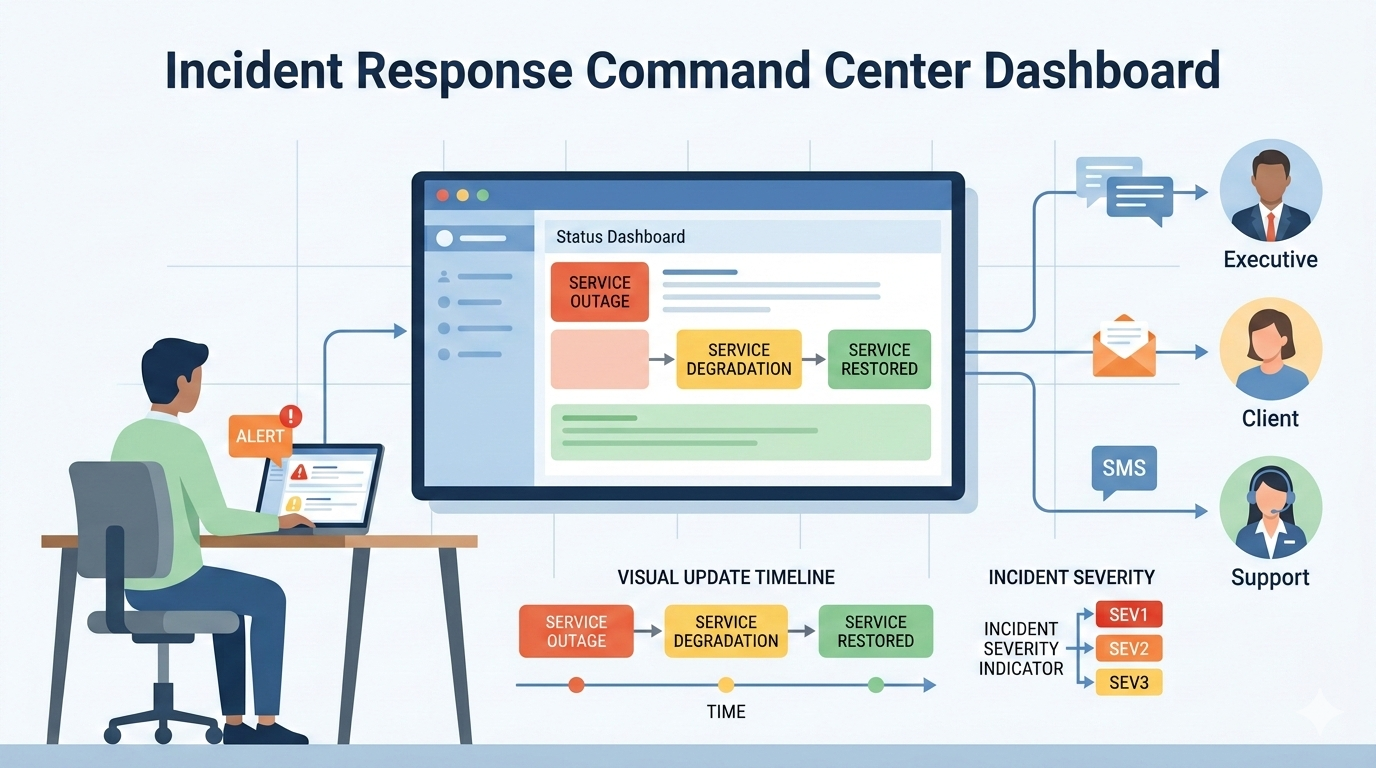
When systems fail, teams often waste the first critical minutes just figuring out who to call. This confusion is costly. A clear plan for notifying stakeholders isn’t bureaucracy; it stops the chaos. It provides transparency, cuts down the barrage of “what’s going on?” questions, and aligns your entire team around a single set of facts.
This lets engineers fix the actual problem instead of managing the phone. See how a straightforward framework can bring order to your incident response and notifying stakeholders during incident
Key Points at a Glance
Here are the main ideas to remember about notifying stakeholders during an incident and why a clear communication plan matters.
- Prevent Toil: Automating stakeholder alerts saves critical minutes, directly lowering your Mean Time to Resolution (MTTR).
- Segment by Severity: A clear severity matrix (SEV1-SEV3) ensures the right people get the right updates at the right time, preventing alert fatigue.
- Maintain a Heartbeat: Regular updates, even without new information, build trust and stop stakeholders from flooding your response channels.
Why Manual Updates Are Your Biggest MTTR Killer
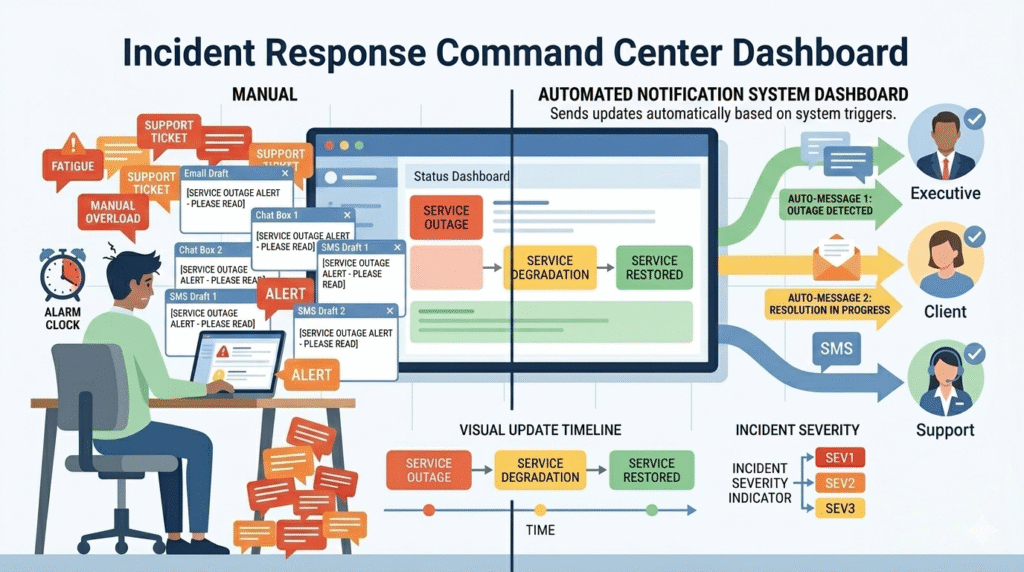
Manual updates are a silent MTTR killer. We’ve been there, the alert fires, and before anyone checks a log, the room asks, “Who needs to know?” Failing to define an incident escalation process early often results in the next 12 minutes being lost to frantic, repetitive coordination.
We’ve seen this manual toil add 10-15 minutes to resolution times in major incidents. That’s lost revenue and mounting pressure. The split-brain effect cripples response. Engineers are debugging, while leadership fields panicked calls without context. Trust erodes. Conflicting messages go out.
The fix is process, not heroics. In our work with MSSPs, we push for these steps:
- Establish incident escalation procedures that define clear severity levels (SEV1, SEV2, SEV3) upfront.
- Pre-write comms templates for each level and stakeholder group.
- Automate the initial alert blast to internal teams.
- Designate one comms lead for all external updates, freeing engineers to focus.
How Severity Levels Dictate Your Communication Rhythm
Credits: Cloud Stack Studio
Every outage isn’t a five-alarm fire. Categorizing incidents by severity, SEV1, SEV2, SEV3, creates a communication rhythm that matches the real business impact. It ensures your C-suite and legal team are looped in for true crises, while preventing alert fatigue over minor issues.
“By automating communications, you can send a notification to all relevant parties any time there is a change in an escalated ticket. … Critical incidents encompass the entire organization. Multiple stakeholders should be informed: C-level executives, communications, customer services, employees, and, last but not least, your customers.” – Exigence
Think of it as information triage. A SEV1 (total outage) demands immediate, frequent updates. A SEV3 bug can wait. This matrix isn’t just a guide; it’s a contract with stakeholders about what to expect.
| Severity | Definition | Key Recipients | Update Cadence |
| SEV1 | Critical. Total service outage or major breach with significant revenue/customer impact. | C-Suite, Incident Commander, Legal, Public Status Page, Major Clients. | Every 20–30 minutes until resolved. |
| SEV2 | High. Partial degradation or performance issue with a known workaround. | Response Team, Support Team leads, affected business units via Slack/Teams. | Every 1–4 hours. |
| SEV3 | Low. Minor bug, internal tooling issue, or non-critical alert. | Internal technical team channel only. | Next business day or upon resolution. |
The cadence is key. For a SEV1, committing to an update every 30 minutes, even if it’s just “still investigating,” builds trust and stops the phones from ringing.
A SEV2 issue gets a slower tempo, letting the team focus on the fix without constant executive pressure. This structure is where MSSP operations excel, baking clear escalation into client runbooks for a response that’s measured and professional from the start.
The Art of the “Heartbeat” Update
In our consulting work with MSSPs, we’ve seen one mistake repeat across many incident response efforts: silence. When a cyber incident or service outage hits and no status updates appear, external stakeholders, support staff, and even technical teams start guessing.
That’s when support tickets flooding begins. A steady “heartbeat” update fixes this. The incident commander or incident response team posts short updates on a schedule through communication channels like status pages, SMS alerts, or messaging platforms.
Even a simple note, “investigation ongoing, next update in 30 minutes”, keeps the incident management process calm.
Over time, we’ve helped MSSPs set up communication templates and incident escalation triggers tied to incident management tools such as Jira Service Management or a web and mobile status dashboard
From Resolution to Reinforcing Trust
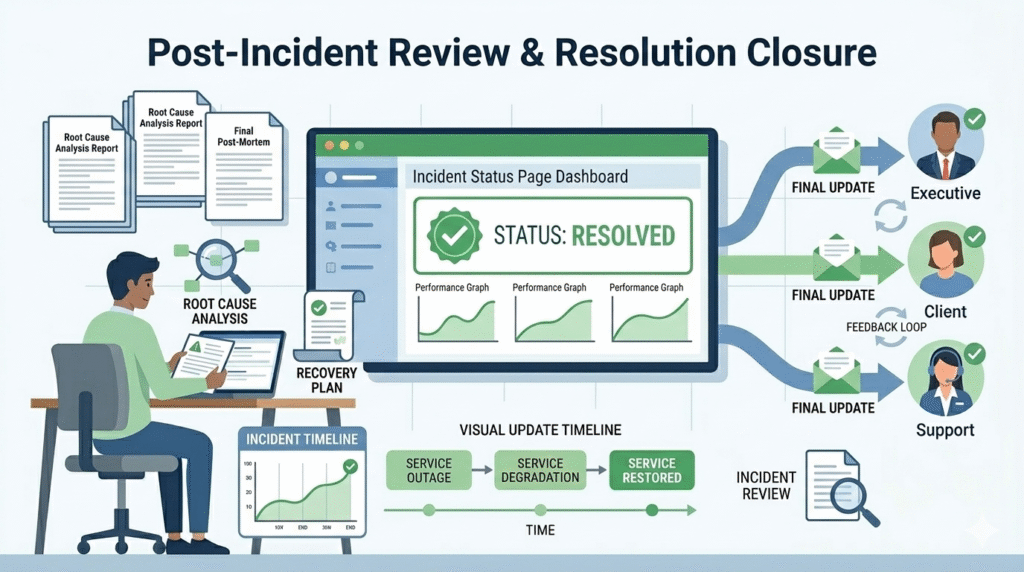
Fixing the issue is not the final step in the incident lifecycle. After the system is stable, the incident resolution team should send a final update to external stakeholders, major clients, and internal teams. This message confirms that services are restored and thanks users for their patience.
“Your team should share Information with relevant stakeholders as soon as it’s verified. Delays in communication can lead to confusion, speculation, and a loss of trust. At the same time, it’s important to avoid premature communication that could spread incomplete or inaccurate information.” – CompassMSP
The next step is the post-incident review. Here, the team explains what happened, the scope of impact, and the root cause analysis. In many projects we review, this step is important for improving incident management and future response strategies.
Sharing this summary also helps with board-level cybersecurity communication and improves trust. When done well, each incident response becomes a chance to strengthen cyber defence and improve the overall customer experience.
FAQ
How should teams notify external stakeholders during a cyber incident?
During a cyber incident, the incident response team should follow a clear communication plan. Send short status updates through trusted communication channels such as email communications, chat messages, or status dashboards.
The goal is to keep external stakeholders, major clients, and support staff informed without overwhelming them. Clear roles and responsibilities help the response team deliver accurate updates while technical teams focus on resolving the issue.
What communication channels work best for incident response updates?
Effective incident response uses multiple communication channels so updates reach the right audience quickly. Many teams combine email notifications, SMS alerts, chat messages, and a public status dashboard.
This mix keeps external stakeholders informed while the response team coordinates internally. Using several incident channels also reduces confusion during a service outage and improves the overall incident management process.
How can organizations avoid alert fatigue during incident management?
Alert fatigue happens when teams receive too many notifications during a cyber incident. To avoid this, the incident commander should control how status updates are sent. Clear communication templates and severity levels help decide who receives alerts.
Sending focused messages through the right communication channels helps the support team, technical teams, and stakeholders stay informed without creating unnecessary noise.
What information should stakeholders receive during a service outage?
During a service outage, stakeholders usually want clear and simple information. Updates should explain the customer impact, the incident’s scope of impact, and current system performance.
The incident response team should also provide expected next steps and timing for the next update. This approach supports better customer experience and helps external stakeholders understand the situation without technical confusion.
Your Blueprint for Controlled Communication
Incident response is chaotic, but your communication doesn’t have to be. Automate your first alerts. Use a clear severity matrix to decide who gets updates and how often. Send regular status updates, even without new information, to build trust.
This system lets your team solve the problem instead of managing the chaos.
Need help building it? We guide MSSPs in selecting and optimizing their security tools. Book a free consultation to get started.
References
- https://blog.exigence.io/6-best-practices-for-outstanding-critical-incident-management
- https://compassmsp.com/resources/communication-in-incident-response