


A defining incident escalation triggers is a rule that moves a problem up the chain before it becomes a crisis. It’s the difference between a contained outage and a full-blown business interruption. We’ve seen companies lose revenue and trust because a critical alert sat in the wrong inbox, waiting for someone to manually decide it was important.
This isn’t about bureaucracy, it’s about creating an automatic safety net for your most vital systems. If you want to stop fighting fires and start preventing them, understanding how to set these triggers is your first step. Keep reading to build a system that reacts before you have to.
What Actually Cuts Response Time
- Escalation triggers must be based on clear business impact, not just arbitrary time limits.
- A mature system uses automated, tool-driven rules to remove human hesitation and delay.
- Continuous measurement and iteration of these triggers is non-negotiable for long-term resilience.
What Incident Escalation Triggers Really Mean for Your Team
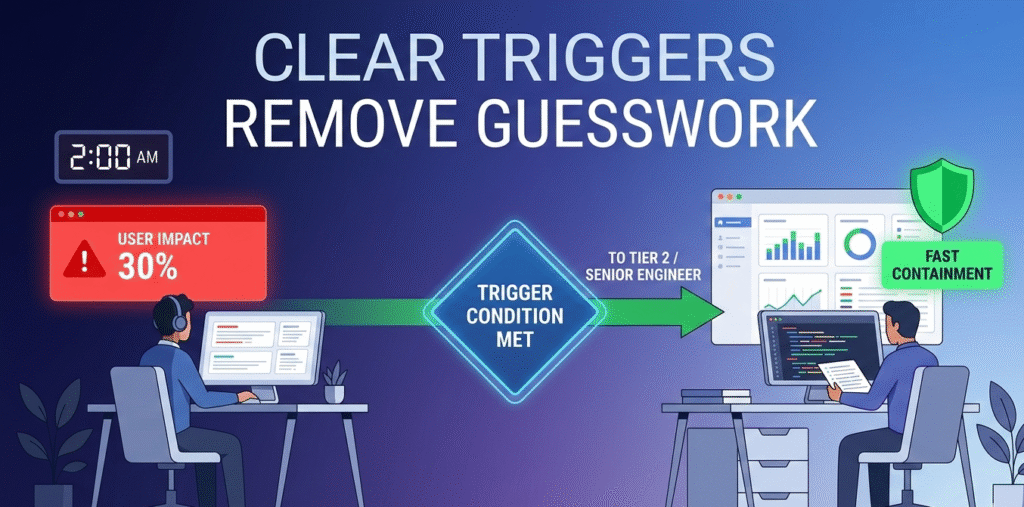
It’s 2 a.m. and an alert fires. Someone has to decide: wake the senior engineer or log it for morning? Without defined triggers, that call becomes a tired guess. An escalation trigger removes that guesswork. It’s a preset condition, like 30% user impact or signs of data exfiltration, that automatically routes the issue to the right authority level.
“Escalation triggers typically define how and when responsibility for a security incident moves between roles, teams, and authority levels based on severity, impact, and confidence… A mature matrix defines escalation triggers based on impact, confidence, and scope.” – BlueGrid.io
Think of it like a fire alarm. It reacts to heat, not debate. In our consulting work with MSSPs, we configure triggers directly inside monitoring and ITSM tools so they bypass delays and reduce MTTE.
Common trigger types:
- Time-based: No action within 15 minutes
- Severity-based: SEV-1 or critical outage declared
- Functional-based: Specialist skill required
Why Vague Triggers Cause Escalation Hell
Credits: CodeLucky
Ambiguity breaks escalation. A policy that says “escalate major incidents” sounds fine, until someone has to define “major.” We’ve audited environments. When incident escalation procedures depend on one person’s availability, workflows stall.
In post-incident reviews, we often find:
- Severity downgraded to protect metrics
- Single-manager approval chains blocking action
- Tickets bouncing between teams
The technical issue isn’t always the problem. Delay is. When escalation depends on one person’s availability, workflows stall. That’s why we recommend parallel notifications and automated failovers when helping MSSPs evaluate new platforms. Triggers must account for human bottlenecks, not assume perfect availability.
Categorizing Triggers by Impact and Urgency
Triggers only work when they sit inside a clear framework. For a professional mssp incident escalation process, these usually fall into three practical categories. The first is time-based. If an issue isn’t acknowledged or resolved within a defined window, it automatically escalates. This prevents tickets from quietly aging in the queue.
Next is severity or impact-based. These align with a formal matrix, P1 through P4, and tie directly to business impact such as revenue disruption, compliance exposure, or widespread user downtime.
The most advanced is threshold-based. This relies on measurable conditions, not opinion. A 10x spike in errors or behavior matching ransomware patterns can instantly create a critical ticket. When we audit monitoring stacks, properly tuned thresholds are often what separate fast containment from costly misclassification.
| Trigger Type | Example Metric/Condition | Ideal Action |
| Time-Based | No owner acknowledgment in 10 min. | Auto-reassign to secondary on-call. |
| Severity-Based | Core payment API is non-functional. | Declare major incident, activate war room. |
| Threshold-Based | SIEM detects 50+ failed admin logins in 5 min. | Auto-create ticket for security team, severity Critical. |
Building a High-Maturity Escalation Workflow
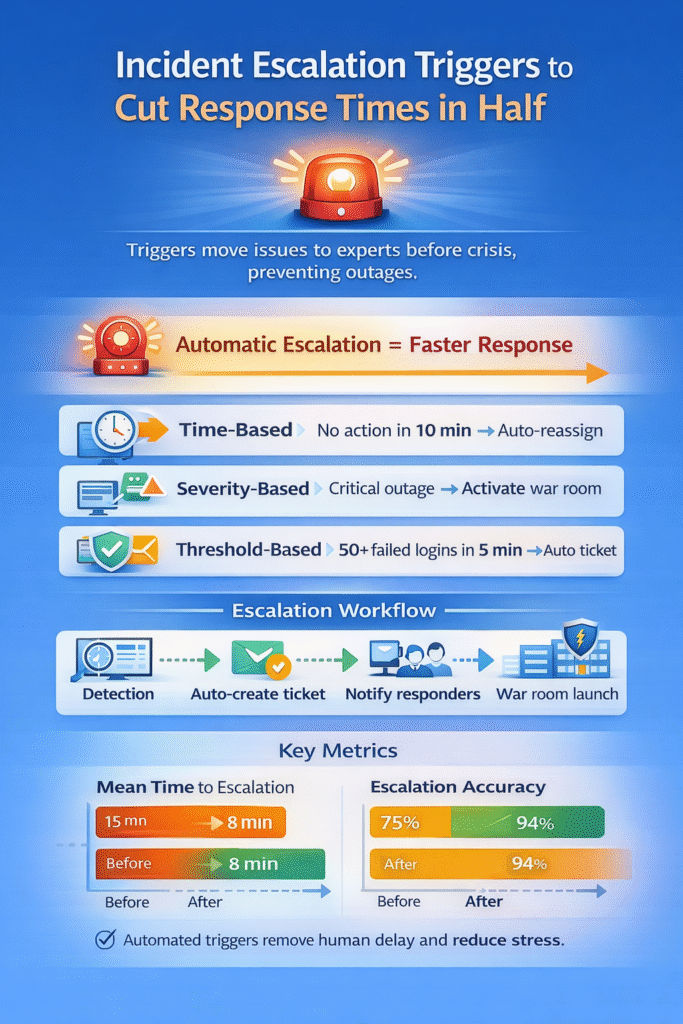
A list of triggers isn’t enough. The workflow is what makes them operational. In our advisory projects, we map detection-to-ticket pathways and test whether context follows the incident.
“Part of the incident response plan should be identifying the client’s most valuable assets and critical data… [including] criteria for declaring a critical incident. Identification should answer the five W’s of a security incident: Who discovered the incident, What is the scope, When did it happen, Where did it occur, and Why.” – Pax8
A mature workflow should:
- Auto-create tickets with logs and severity pre-filled
- Notify primary and secondary responders in parallel
- Launch war rooms automatically for critical incidents
We’ve reviewed setups where alerts fired correctly, but manual ticket creation delayed action by 20 minutes. Automation should handle the predictable steps.
Calendar-aware routing, fallback assignments, and audit logging aren’t “nice to have.” They prevent context loss and finger-pointing later. The goal isn’t replacing analysts, it’s clearing friction so they can focus on containment.
Measuring What Actually Matters
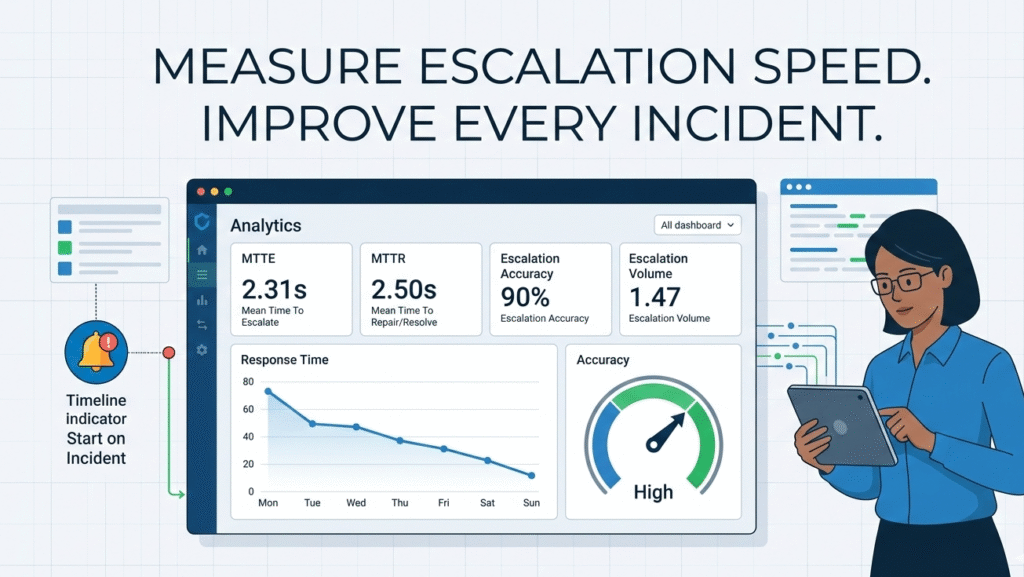
Most teams track MTTR. Fewer measure Mean Time to Escalate (MTTE). That gap hides real problems. When we assess MSSP performance, we look at upstream indicators first.
Key metrics include:
- MTTE: Time from trigger condition to correct team ownership
- Escalation accuracy: Was it routed to the right team?
- Escalation volume: Are too many tickets jumping tiers?
If 80% of issues escalate, something’s off, either training or trigger sensitivity. Every major incident should end with one blunt question: did the triggers work? The feedback loop is where improvement happens. We treat escalation design as a living system, often integrating it into a broader security incident communication plan rather than leaving it as a static policy document.
FAQ
How do escalation thresholds connect to your incident management process?
Escalation thresholds should match your incident management process from start to finish. They define when incident escalation moves beyond the I.T. desk and into higher severity levels. Clear thresholds also support your incident response plan and escalation matrix.
When tied to Service Level Agreement terms, they improve SLA compliance rate and reduce Mean Time to Resolution across business operations.
What role does automation play in defining escalation policies?
Automation capabilities remove hesitation during a cyber crisis. Incident response automation can monitor escalation thresholds inside SIEM platforms and ITSM platforms, then trigger the ticket escalation process automatically.
This strengthens detection and analysis while improving Mean Time to Detection. It also creates audit trails, which are essential during post-incident reviews and compliance checks like ISO 27035.
How can escalation triggers reduce impact from ransomware attacks?
Defined escalation policies help contain ransomware attacks before they spread. When security monitoring tools detect system compromises, incident escalation should immediately alert executive teams and legal teams if needed.
Fast routing supports forensic analysis software and limits damage from cyber incidents. Clear severity levels ensure data breaches don’t stall inside a general support system queue.
Should escalation triggers be aligned with your Service Level Agreement?
Yes. Escalation thresholds should reflect your Service Level Agreement and customer expectations. When a Support Request enters a Support Portal, the ticket escalation process must follow defined response times.
Aligning incident response policies with SLA terms improves Customer Service and protects business operations. It also helps track measurable outcomes like SLA compliance rate and Mean Time to Resolution.
From Theory to Operational Reality
A good escalation process doesn’t start with paperwork. It starts with people. Map your critical services to clear severity levels that make sense to your whole team. Then, build automated triggers around those levels and specific technical thresholds. Wire these rules into your monitoring and ticketing systems so alerts get routed automatically.
After an event, review it. Measure the time it took. Check if the right person was alerted. This builds trust. Your team stops wondering if an alert is theirs and starts fixing the problem. For security incidents, a partner like MSSP Security can help embed these exact workflows, turning chaos into a controlled response.
References
- http://BlueGrid.io
- https://www.pax8.com/blog/cybersecurity-incident-response-guide/