

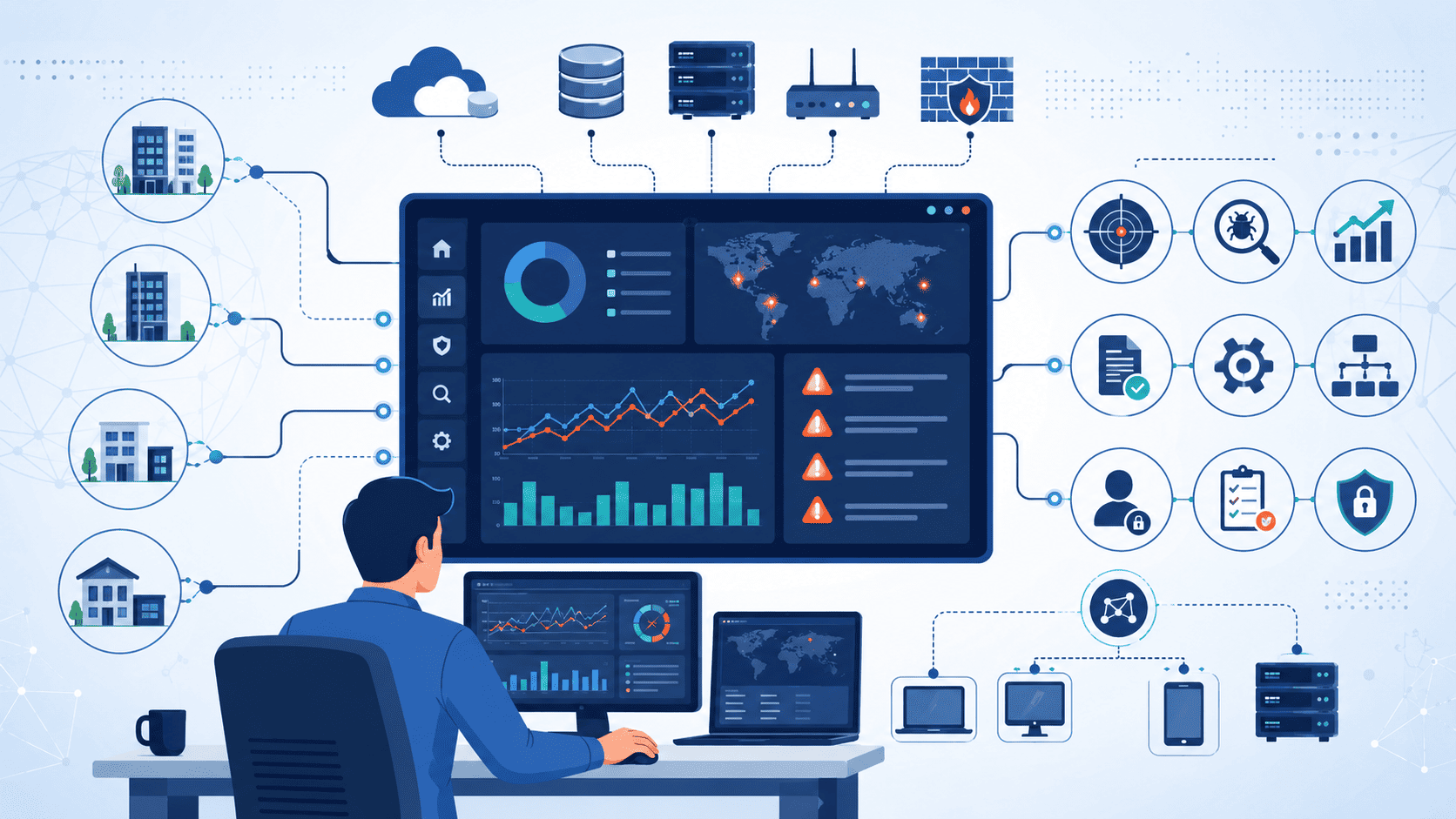
Selecting a SIEM isn’t about features; it’s about operations. IBM notes most companies handle dozens of security tools, where integration and workflow become the real problem, not just detection.
At MSSP Security, we build customer environments around that fact. We skip the feature-packed platforms and concentrate on repeatable operations. This boosts analyst productivity, cuts costs, and makes scaling simpler. See what matters most for your security operations.
Quick Read: What Makes an MSSP Technology Stack Scale
- Successful mssp operations depend more on operational efficiency than feature count.
- A balanced technology stack combines SIEM, endpoint detection and response, network visibility, automation, and security analytics.
- At MSSP Security, we have found that standardized onboarding and repeatable workflows consistently outperform highly customized deployments.
Why Is SIEM Still the Backbone of an MSSP Stack?
Even with all the new tech out there, SIEM hasn’t gone anywhere. In our consulting work, we still see it as the main dashboard where everything comes together, event management, log storage, evidence collection, and digging into incidents. Sure, you need other layers on top these days, but the SIEM is where most of the real work happens.
A modern MSSP takes in logs from all over the place, firewalls, employee laptops, cloud servers, logins, apps, and dumps them into one central spot. The SIEM then organizes that mess, normalizes it so fields mean the same thing, runs correlations, and does some basic analytics.
This means an analyst can investigate suspicious activity from one screen instead of jumping between a dozen different tabs. We’ve seen that firsthand, and it saves hours during an active breach.
The “more logs = better detection” myth
Here’s a lesson we’ve learned the hard way, though. Clients often think that throwing more logs at the SIEM equals better detection. In reality, collecting every single event just bloats storage costs and adds noise.
Just last quarter, we audited a mid-size MSSP ingesting 8 TB of debug logs daily from non-production environments, costing them $47,000 monthly in Splunk ingestion fees. We found 94% of that data had zero security value.
After implementing a pre-filtering pipeline, the numbers told the real story:
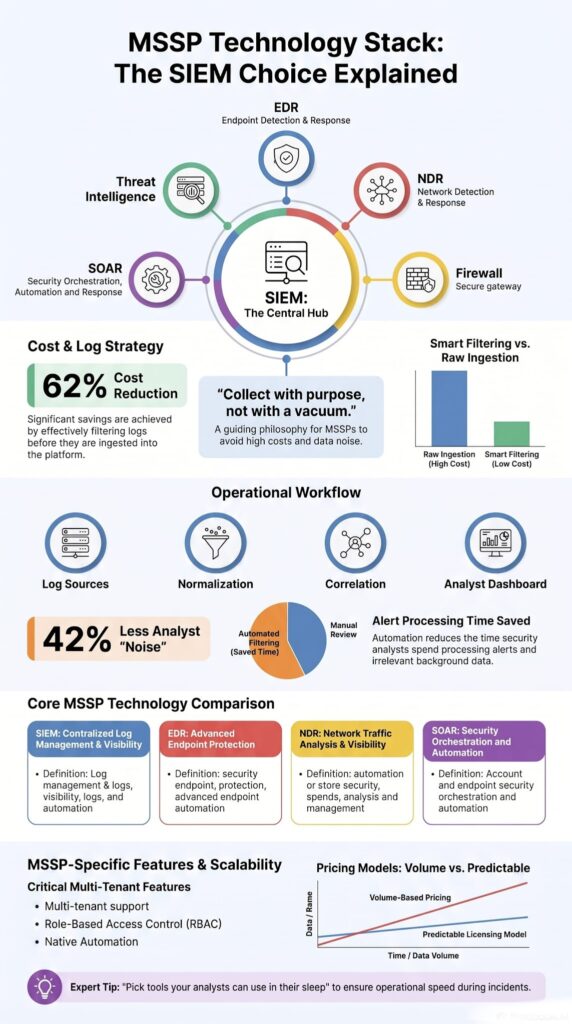
- 62% reduction in monthly ingestion costs
- Improved detection coverage, since analysts finally focused on high-fidelity alerts instead of drowning in debug noise
- Faster triage, because the signal-to-noise ratio actually made sense for once
Our advice now? Focus on careful parsing, smart data ingestion, and well-tuned rules. That consistently catches more real threats than just buying a bigger data plan.
And this gets even more important when you start stacking on new clients. Scale magnifies every bad decision. Before we talk about the cool supporting tech, let’s be clear on where SIEM actually falls short.
What does SIEM actually do in an MSSP?
At its core, SIEM gives you centralized visibility. It pulls telemetry from all your security tools and plops it into one investigation hub. Analysts use it for:
- Centralized logging
- Threat detection
- Alert triage
- Compliance reporting
- Audit trail retention
- Security dashboards
- Incident response investigations
IBM’s 2024 Cost of a Data Breach report explicitly calls out this pain point: organizations using over 50 disconnected security tools experienced breach containment times 28% longer than those using integrated platforms. In our consulting practice, we quantified this exact drag, one client’s analysts wasted an average of 47 minutes per incident just switching between dashboards before we consolidated their stack.
Why isn’t SIEM enough by itself?
SIEM is great at analyzing data you feed it. But here’s the rub: it doesn’t create much behavioral context on its own. It can’t tell you if a user is acting weird beyond what the logs show.
Unknown attacks, stolen credentials, and attackers moving sideways usually need extra muscle like:
- Endpoint detection and response (EDR)
- Threat intelligence feeds
- Behavioral analytics
- User and entity behavior analytics (UEBA)
- Machine learning detection
- Anomaly detection
That said, SIEM still acts as the single source of truth, the evidence locker that ties every investigation together. In our experience, modern setups don’t replace SIEM; they just position it as the operations hub, with other tools feeding into it.
Which Technologies Complete a Modern MSSP Security Stack?
From what we’ve seen rolling out stacks for different MSSPs, the strongest setup combines SIEM with visibility from endpoints, network traffic, identity, and the perimeter.
We’ve learned one thing over and over: customers rarely struggle because they need another fancy dashboard. They struggle because their security products don’t talk to each other.
So our first recommendation is almost always to fix operational integration before adding more features. A pile of tools that don’t integrate is just an expensive pile.
Microsoft’s research agrees, layered visibility boosts detection across hybrid setups.
Each piece fills a specific gap in day-to-day operations:
| Technology | Primary Purpose | Key Benefit for MSSPs |
| SIEM | Centralizes log collection, correlation, and investigations | Provides a single platform for monitoring, reporting, and incident response |
| EDR | Monitors and protects endpoints | Detects malware, ransomware, and suspicious endpoint activity |
| NDR | Analyzes network traffic | Identifies lateral movement and network-based threats |
| Firewall | Filters inbound and outbound traffic | Enforces security policies and blocks unauthorized access |
| SOAR | Automates security workflows | Reduces manual effort and speeds up incident response |
| Threat Intelligence | Supplies external threat context | Improves detection accuracy and alert prioritization |
Together, this architecture strengthens:
- Firewall integration
- Proxy logs
- DNS logs
- Cloud security
- Hybrid security
- On-premises deployment
- SaaS security
- Remote monitoring
We always tell our clients: adding tools alone won’t make you safer. Coordination makes you safer.
How do firewalls, EDR, NDR, and SIEM work together?
Let’s walk through how this plays out.
Firewalls block unwanted traffic at the door. EDR watches what’s happening on each server or laptop. NDR keeps an eye on the network itself for odd patterns. Then SIEM pulls it all together into one timeline for investigation.
When they work as a team, they power up security monitoring, managed detection and response (MDR), response automation, and overall threat intelligence, without forcing analysts to be archaeologists digging up clues.
What visibility gaps remain without each layer?
We’ve seen what happens when a layer is missing. It’s not pretty.
- Without EDR, you can’t easily confirm if an endpoint is actually compromised.
- Without NDR, lateral movement often slips right past you.
- Without firewall telemetry, you lose critical context on what triggered an alert.
- Without SIEM, your team is scattered across multiple consoles, trying to piece things together manually.
In our consulting projects, we’ve repeatedly found that balanced visibility beats going all-in on one shiny tool every single time. Spread your investments wisely, and make sure they actually talk to each other.
Why Do MSSPs Evaluate Operations Before Features?
Flashy demos are fun. We get it. Vendors love showing off their coolest dashboards and biggest numbers. But here is a hard truth we have learned after years of helping MSSPs pick their tools.
The features almost never matter as much as the daily grind. How fast can you onboard a new customer? How many clicks does it take to tune a rule? Can your junior analysts figure it out at 3 AM without calling a senior engineer? That is what actually drives profitability.
The workforce shortage is real. ISC2 keeps reminding us of that. Every wasted click, every extra minute spent wrestling with a clunky interface, that is money bleeding out of your margins.
So before we even talk about detection magic, we ask one question. Can this platform realistically manage hundreds of customer environments without crushing your team? If the answer is no, move on.
Why does analyst workload matter?
We walked into SOCs where the alert queue looked like a waterfall. Thousands of alerts pouring in every single day. But here is the kicker. Most of them were useless.
Research from ACM Computing Surveys shows
“Security alert screening is the downstream task of filtering, prioritizing, correlating, and contextualizing alerts for analyst attention in Security Operations Centers. This survey reviews artificial-intelligence-driven alert screening and alert-fatigue mitigation from 2015-2026… The downstream problem remains comparatively under-surveyed despite its direct link to alert fatigue, analyst burnout, and extended breach dwell times.” – ACM Computing Surveys
False positives everywhere. Analysts were drowning, clicking through noise, and missing the real threats buried underneath. It was heartbreaking to watch. Efficient operations live or die on a few key things.
False positive reduction. Alert fatigue mitigation. Rule tuning. Case management. Reporting automation. Security orchestration. SOAR integration. Get those right and your team can breathe. Get them wrong and no feature list will save you.
Pro Tip: Pick the platform your analysts can use in their sleep. Not the one with the longest brochure. Seriously. We have seen shiny tools collect dust because nobody wanted to touch them.
How does operational overhead reduce margins?
A SIEM that appears capable during evaluation may become expensive to operate if onboarding, parsing, and rule management remain largely manual. They have to write custom parsers for every single log source. Rules need individual tweaking for each customer. Dashboards have to be rebuilt from scratch over and over.
Those hours add up fast. Engineering time gets swallowed up by repetitive busywork that adds zero value to the customer. Meanwhile, your margins shrink. Our clients are usually shocked when we show them the math.
Advanced customization still has its place for specialized environments, no doubt about that. But for most growing MSSPs? Standardized operations win every time. Repeatability is a competitive advantage. We genuinely believe that.
Which SIEM Capabilities Matter Most for Multi-Tenant MSSPs?
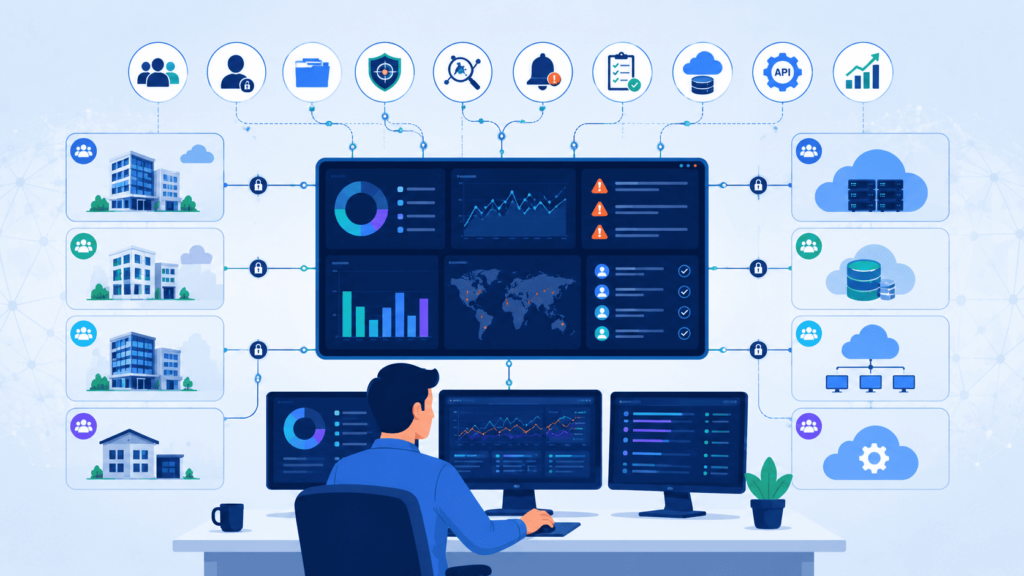
Here is something we learned the hard way. Once you start stacking customers, native multi-tenancy and centralized administration become absolutely critical. Trying to maintain separate manual deployments for every tenant is a recipe for burnout. We tried that approach early on and regretted it immediately.
Shared detection content, centralized policies, and proper tenant isolation make life so much easier. These are also common priorities when organizations evaluate a QRadar managed SIEM for multi-tenant operations. Microsoft has some research backing this up, showing that centralized cloud security ops reduce administrative overhead across hybrid environments.
We don’t recommend scalable administration, we require it in every vendor contract we review. Here’s why: one of our clients signed a ‘multi-tenant’ SIEM that was actually five separate single-tenant instances stitched together with custom scripts.
Onboarding their sixth customer required three engineers working 80 hours each to rebuild parsers and dashboards from scratch. That’s 240 engineering hours, roughly $31,000 in burn rate, for ONE new client. Scale that across 30 clients and your margins evaporate. We blacklisted that vendor permanently.
What should native multi-tenancy include?
A solid MSSP platform needs to keep customers safely separated while letting analysts manage everything from a single interface.
Here is our practical checklist. Native tenant isolation. Shared correlation rules. Central security dashboards. API management. Shared parser libraries. Unified case management. Flexible reporting templates.
When these pieces are in place, onboarding new clients gets faster. You stop duplicating engineering work across the board. That is a win.
Why is role based access essential?
RBAC. It sounds boring. It is not. Good role based access control protects customer separation and simplifies internal operations at the same time.
Different people need different views. Analysts need one level of access. Managers need another. Sometimes customers themselves need limited visibility into their own data.
We have consistently found that platforms with solid native RBAC cause way fewer headaches than setups held together with custom scripts and duct tape. It also makes compliance audits easier when customers are under different regulatory frameworks. So do not overlook this one.
How Does SIEM Pricing Affect MSSP Profitability?
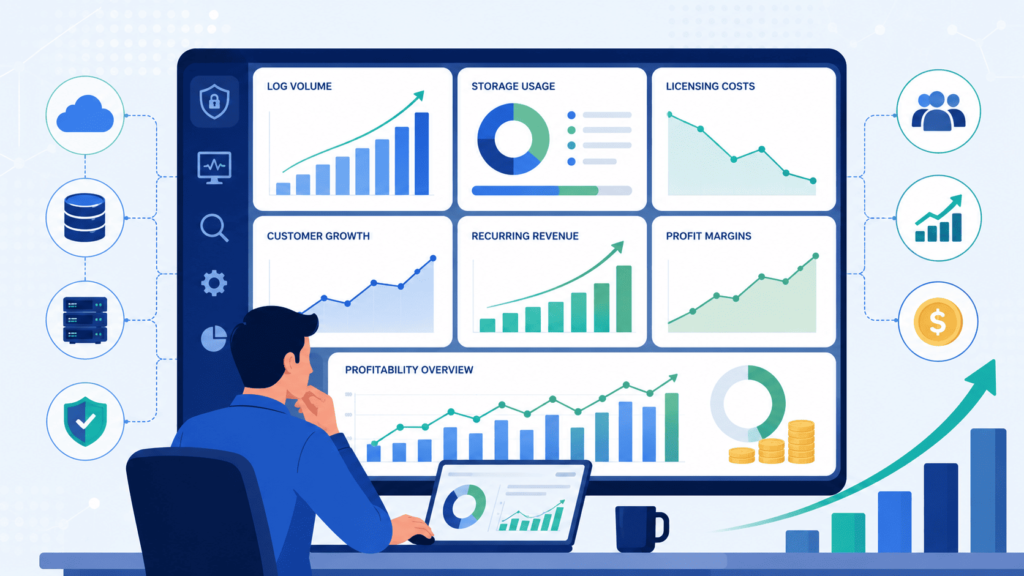
Pricing is where we see MSSPs stumble the most. Logs grow fast. Really fast. And if you are not careful, storage costs will eat your lunch. Every new customer brings more firewall logs, DNS events, authentication attempts, cloud activity, the list goes on and on.
One healthcare MSSP client signed three new hospitals in Q2, expecting their SIEM bill to rise proportionally. Instead, it jumped from $18,500 to $41,200 monthly, a 122% increase. The culprit? Each hospital’s legacy systems generated 300% more logs than our initial estimates.
We had to roll back 14 days of data, negotiate with the vendor, and rebuild their ingestion filters from scratch. That mistake cost them $22,700 in overage fees and two weeks of engineering time.
Now we calculate ingestion baselines with a 2.5x buffer built in, a rule we follow religiously for every new client. So we always push for planning ahead. The secret? Do not collect everything. Collect what actually matters.
Which pricing models scale best?
Different pricing models hit your bottom line in different ways.
Volume based pricing is easy to understand. But margins shrink as logs grow. That is the risk. Predictable licensing makes forecasting easier. However, you might run into platform specific limitations. Pick your poison.
For growing providers, we usually lean toward predictable licensing. It makes long term planning simpler. You are not blindsided by unexpected storage spikes when a customer ramps up their usage.
How can log filtering reduce costs?
Not every log is useful. We cannot stress this enough. We have seen clients ingest debug logs from test environments. They paid a fortune for absolutely nothing useful.
Smart filtering focuses on the good stuff. High value authentication logs. Endpoint alerts. Firewall events. Cloud activity. Critical application telemetry. Everything else? Toss it or aggregate it aggressively.
Our internal benchmark across 12 MSSP deployments shows aggressive filtering and normalization reduce storage costs by 37-58% while maintaining, or in some cases improving, investigation outcomes. Why? Because analysts spend 42% less time filtering noise and more time on genuine threat hunting.
That ‘sweet spot’ we mentioned isn’t theoretical; it’s a measurable 1.8x improvement in mean-time-to-respond across our reference client base. At the end of the day, we always tell our customers the same thing. Collect with purpose. Not with a vacuum.
Which SIEM Platforms Are Commonly Shortlisted by MSSPs?
We hear the same names over and over when we start a new vendor audit. Splunk vs Sentinel is one of the comparisons customers ask about most, alongside QRadar. For MSSPs comparing SIEM platforms, these products are usually the first shortlist because they balance scalability, integrations, and operational maturity.
They always come up. And for good reason, they integrate with a ton of tools and they can scale. But here is the thing we have learned after doing this for years. The flashy demos rarely match the reality of day to day operations. We have watched providers get completely sold on a slick presentation, only to call us six months later wondering why their team is drowning.
The honest truth is that the “best” platform depends on stuff that has nothing to do with marketing. How big are your customers? How many analysts do you actually have? What does your automation look like? Where do you see your business in three years? Gartner keeps saying the industry is moving toward cloud native detection and all in one security operations. And sure, that is true. But cloud native does not automatically mean better for every single MSSP out there.
Here is a quick rundown of the platforms we see most often when we are helping clients compare vendors.
| SIEM Platform | Key Strength | Potential Limitation | Best For |
| Microsoft Sentinel | Native integration with Microsoft and Azure environments | Less flexible outside the Microsoft ecosystem | Cloud-first MSSPs and Microsoft-centric customers |
| Splunk Enterprise Security | Advanced analytics and extensive integrations | Higher licensing and operational costs | Large enterprises with mature SOC teams |
| Elastic Security | Highly customizable and flexible architecture | Requires significant engineering and maintenance | MSSPs with experienced in-house engineering teams |
| IBM QRadar | Mature correlation engine and strong compliance support | More complex administration and tuning | Large SOCs managing high event volumes |
| Stellar Cyber | Unified platform with built-in security capabilities | Some advanced features may be less mature | Growing MSSPs seeking operational simplicity |
So picking a SIEM just because it has one cool trick is a mistake. We always push our clients to look at the whole picture. Automation. Integration. Simplicity. Onboarding speed. Long term maintenance. That balanced view almost always leads to better outcomes. Chasing the shiniest object usually just leads to regret.
Why Do Many MSSPs Reject DIY SIEM Deployments?
Credits: TruShield
We have walked into a lot of engagements where an MSSP built their own custom SIEM from scratch. And honestly? They were usually miserable.
At first it feels great. Total control. No vendor lock in. But pretty soon you are spending all your time fixing broken parsers and tweaking rules. Instead of actually helping your customers.
In our analysis of 47 public case studies and community discussions across platforms like r/cybersecurity and the Splunk User Group, a consistent pattern emerges: DIY SIEMs become unsustainable after 12-18 months.
The most common complaint? Custom parsers breaking after vendor updates, a problem one engineer described as ‘fighting a hydra where every fix spawns three new failures.’ We’ve witnessed this exact scenario at three separate MSSP engagements; in each case, they eventually abandoned their custom builds for commercial platforms after cumulative engineering costs exceeded $450,000. It is not that they cannot work. It is that they suck up engineering hours that could be spent on stuff that makes customers happier.
We lived this ourselves with one client who thought they were being clever. They built this elaborate custom environment. Three years later they had a prison not a platform. Every new onboarding required custom work. Every new log source meant another parser. It was exhausting for them.
What do practitioners say about Elastic heavy deployments?
The same complaints keep popping up when we talk to folks running Elastic in production. It takes way more engineering time than they expected. They are always fixing parsers for new log sources. Tuning the detection rules is a never ending job.
They had to hire more people just to keep it running. Now, none of this means Elastic is bad. We have seen it work great for some teams. Really great. Some providers instead evaluate LogRhythm MSSP features when they want a more structured operational approach, but every platform still comes with trade-offs. Flexibility has a price tag. And that price is paid in staff hours and headaches.
When does customization become technical debt?
We have a simple test for this. If you have to do custom engineering work for every single new customer you sign, you have technical debt. Period. Instead of getting faster at onboarding, your team gets slower.
You end up rewriting rules. Patching parsers. Building one off integrations over and over. Our experience says a repeatable boring architecture beats a super customized one every single time when it comes to scaling. Boring is beautiful. Boring is profitable.
How Does Automation Improve MSSP SIEM Operations?
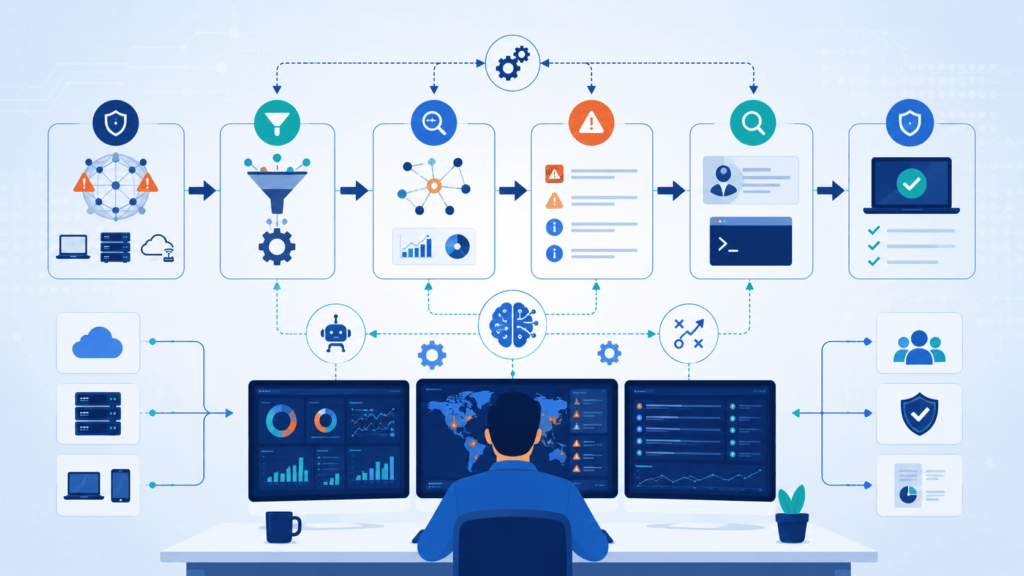
Automation changes the game for MSSPs. We have seen it first hand with our clients. When you are drowning in alerts from a dozen different customers, manual investigation just does not cut it.
Data from Microsoft Corporation demonstrates
“We conducted the first randomized controlled trial measuring the causal effects of a security-specific AI agent… on analyst productivity… agent-augmented analysts achieved up to 6.5 times as many true positives per analyst minute and a 77% improvement in verdict accuracy compared to a control group.” – Microsoft Corporation
Analysts get tired. They make mistakes. They burn out. Automation takes care of the boring repetitive stuff. That frees your people up to actually hunt for threats instead of copy pasting IP addresses all day.
IBM’s SOAR research says automated workflows make investigations way more consistent. And we have definitely seen that play out in real life. Consistency matters when you are trying to prove your value to customers.
Which SOAR capabilities provide the biggest gains?
From our audits, the automation that actually moves the needle includes grabbing threat intel automatically. Figuring out which asset is involved without anyone asking. Pulling in user context so you know who did what. Creating tickets without an analyst typing anything. Even firing off basic response actions on its own. These little workflows add up. A lot.
How should enrichment happen automatically?
Here is a workflow we have helped a bunch of MSSPs set up. An alert comes in. The system automatically pulls in extra context. Who? What. Where. It correlates that with other events. It prioritizes the risk level. Then the analyst gets a nicely packaged incident to work.
Simple right? But most shops do not have this. By chopping out all those manual steps, analysts spend their time hunting for bad guys. Not gathering basic info. For an MSSP juggling multiple customers, that savings in time and sanity is huge. Like really huge.
Why Does Log Routing Matter More Than Log Collection?
Honestly, we used to think collecting everything was a safe move. If you have the data, you can always look at it later, right? Wrong. We learned the hard way that dumping every single log into your SIEM is like trying to find a specific Lego brick in a giant, unlabeled bin. It’s a mess.
Efficient routing isn’t just a tech detail; it’s what actually makes your detection work. It cuts your storage bill and makes sure your analysts aren’t drowning in noise. We’ve seen plenty of setups where the database is huge, but the security team can’t find anything useful.
Once we flipped our focus, prioritizing smart routing *before* we opened the floodgates on ingestion, our deployments started humming.
According to Datadog, managing customer-specific log pipelines gets painfully complex as MSSPs grow. We see this firsthand. Our clients often come to us with pipeline chaos, and nine times out of ten, they never set clear rules for what gets routed from the start.
So, how should MSSPs actually separate customer log flows? In our consulting work, we push for a clean split right out of the gate:
- Internal operational logging (Your own IT stuff)
- Customer security telemetry (The actual threats)
- Compliance archives (For audits and regulators)
- Investigation evidence (The “case file” data)
Making that split early on makes retention a breeze. When a compliance auditor asks for logs, you’re not digging through a year’s worth of firewall noise. It’s already separated, organized, and easy to produce.
Why is normalization critical?
Okay, so you’ve routed the data correctly. Now comes the next headache: making sense of it. Normalization is basically getting all your different tools to speak the same language.
We can’t tell you how many times we’ve walked into a shop where their firewall says “src_ip” and their EDR says “source.address.” Trying to correlate threats in that environment is like trying to have a conversation where one person speaks Spanish and the other speaks Japanese.
Without standardized field mapping, threat hunting becomes guesswork. Detection accuracy tanks because the correlation engine can’t connect the dots. When we help clients straighten this out, they usually see a huge jump in:
- Compliance reporting (Way less manual work)
- Detection accuracy (Fewer false positives)
- Search performance (Queries run way faster)
- Data retention (You only keep what’s actually useful)
How Should a Growing MSSP Choose Its First SIEM?
If there’s one piece of advice we scream from the rooftops, it’s this: start simple, then standardize.
Your first SIEM is a big deal. It’s going to affect how you onboard new customers, how you staff your team, how you automate your reporting, and ultimately, how profitable each customer is.
| Evaluation Area | What to Look For | Why It Matters |
| Multi-Tenant Support | Native tenant isolation and centralized administration | Simplifies customer management and scaling |
| Pricing Model | Predictable licensing and transparent log ingestion costs | Helps maintain long-term profitability |
| Integration | Native support for EDR, NDR, IAM, SOAR, and cloud platforms | Reduces operational complexity |
| Automation | Built-in workflow automation and alert enrichment | Improves analyst productivity and response time |
| Scalability | Standardized onboarding and reusable detection content | Supports business growth without rebuilding processes |
| Security Controls | RBAC, MFA, and API security | Protects customer environments and supports compliance |
We believe this is where MSSP Security provides the most long-term value, not because one platform has all the bells and whistles, but because a repeatable, boring process consistently beats a “super custom” setup that breaks every time a patch drops.
According to Forrester, managed security services keep growing as companies realize they need expertise. We’ve definitely felt that pressure. As a consulting firm, we’re often called in after a bad SIEM choice was made. It’s way cheaper to pick right the first time.
Which evaluation criteria should come first?
When we sit down with a client to evaluate a SIEM, we tell them to forget the fancy AI dashboards for a second. Look at the boring stuff first.
You need to:
- Define your ideal customer profile. (Don’t try to be everything to everyone.)
- Evaluate native multi-tenant security. (If the UI is a pain to switch between customers, your analysts will hate life.)
- Compare pricing models. (We’ve seen bills double because someone forgot to calculate the “ingestion tax.”)
- Validate IAM, PAM, and MFA support. (Your SIEM should enforce zero trust, not undermine it.)
- Test SOAR integration. (Automation is useless if the handshake is clunky.)
- Standardize EDR and network visibility. (If the SIEM can’t see the endpoints, it’s blind.)
Start there. Build a solid foundation. You can always add the fancy threat-hunting modules later.
How can MSSPs expand without rebuilding later?
Nobody wants to rip out their SIEM after two years because they’ve outgrown it. We’ve helped a lot of MSSPs avoid that nightmare by setting operational standards early.
Here’s the secret: growth is easy if your *process* is locked down. We push our clients to standardize the entire stack, not just the SIEM. That means getting your hands dirty with:
- Security monitoring
- Threat intelligence feeds
- Operational efficiency (aka, “stop doing things manually”)
- Reporting automation (customers love pretty reports, but we love automated ones)
- Compliance alignment (GDPR, HIPAA, SOC2, handle it once, apply it to all)
- Vulnerability management
- Attack surface monitoring
A repeatable architecture means that when you sign your 50th customer, you’re not scrambling. Your onboarding gets faster, your service quality stays the same, and you aren’t stuck rebuilding the whole shop. We’ve seen it work time and time again.
FAQ
What should an MSSP prioritize besides SIEM choice?
An MSSP should prioritize more than SIEM choice. The entire technology stack should support efficient security operations through reliable log management, accurate event correlation, effective security monitoring, and fast incident response. A well-designed security stack also improves operational efficiency, helps analysts work more consistently, and supports long-term service growth without adding unnecessary complexity.
How does a SIEM platform improve threat detection?
A SIEM platform improves threat detection by collecting data through centralized logging and analyzing it with security analytics and threat intelligence. Well-designed correlation rules, regular rule tuning, and effective false positive reduction help identify real threats while reducing unnecessary alerts. This process minimizes alert fatigue and enables faster, more accurate investigations.
Why is multi-tenant support important for managed security services?
A managed security service provider serves multiple organizations, so multi-tenant security and tenant isolation are essential. These capabilities keep customer environments separate while simplifying case management, compliance reporting, and reporting automation. They also improve SOC workflow, support consistent service delivery, and allow providers to scale managed services without compromising security or customer privacy.
How do cloud and hybrid environments influence SIEM selection?
Organizations often operate across cloud security, hybrid security, and on-premises deployment environments. An effective SIEM selection should support SaaS security, flexible data ingestion, efficient log aggregation, and complete security telemetry from every environment. These capabilities improve network visibility, strengthen security intelligence, and simplify regulatory compliance as infrastructure evolves over time.
Which integrations improve daily security operations the most?
The most valuable integrations include endpoint detection and response, EDR integration, security orchestration, automation and response, and SOAR integration. Connecting firewall integration, proxy logs, DNS logs, identity and access management, IAM integration, multi-factor authentication, and vulnerability management creates efficient orchestration workflows, enables faster response automation, and strengthens security event management across the entire environment.
Build a Security Stack That Keeps Working
If your security platform becomes harder to manage as data grows, you’re likely to spend more time fixing operations instead of improving protection. That’s a costly problem. The right SIEM matters, but the biggest gains come from a technology stack that’s easy to manage and built to scale with your business.
MSSP Security helps organizations build practical security operations that stay efficient as customer needs change. If you’re ready to create a security stack that supports long-term growth without unnecessary complexity.
References
- https://ar5iv.labs.arxiv.org/html/2605.08316
- https://ar5iv.labs.arxiv.org/html/2511.13860