

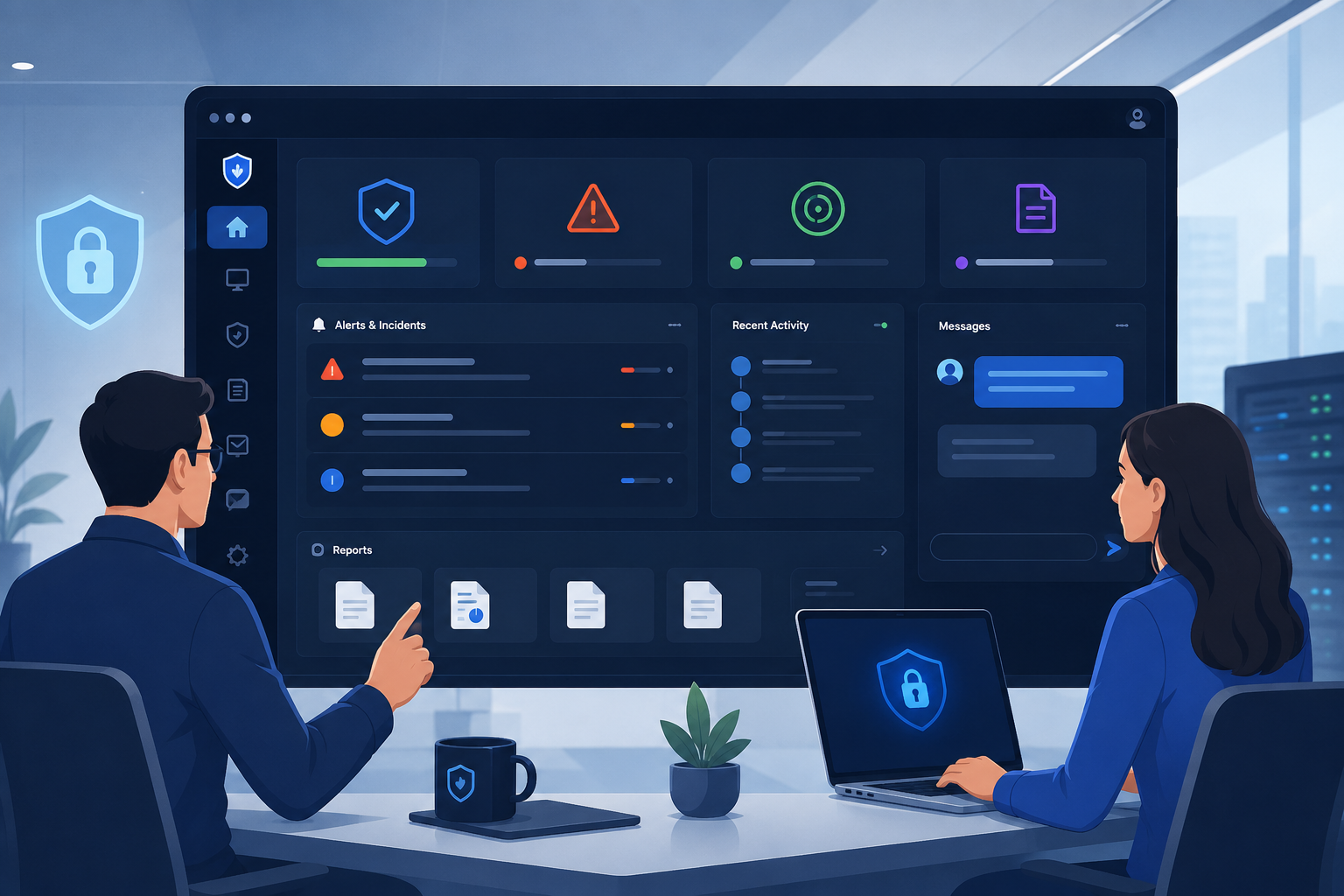
MSSP client portal user experience is about making security information easy to access and understand. A well-designed portal helps clients monitor threats, track incidents, communicate with analysts, and access reports from one secure location.
At MSSP Security, we’ve found that intuitive dashboards and secure access improve visibility and client engagement.
Keep reading to learn the key elements of an effective client portal and see how MSSP Security supports better security operations through a user-focused experience.
What Should You Remember About MSSP Client Portal User Experience?
A well-designed MSSP client portal improves visibility, collaboration, and security outcomes. Here are the key points:
- Combine intuitive navigation, secure access, and clear dashboards to support informed security decisions.
- Use features like multi-tenant architecture, real-time alerts, reporting, and workflow automation to streamline security operations.
- Improve user adoption and long-term client trust through continuous usability enhancements, self-service, and effective communication.
Why Does User Experience Matter for Security Portals?
MSSP client portal user experience is about how clients interact with a managed security service portal throughout their day-to-day security operations.
Rather than switching between emails, spreadsheets, and multiple tools, they can use a modern security service customer portal to review incidents, access reports, communicate with analysts, and manage service requests from one secure location.
When evaluating client portals, we’ve found that usability often has just as much impact as the features themselves. A well-designed client-facing security portal should make it easier for clients to:
- View incidents, alerts, and security updates in real time
- Access technical reports, compliance documents, and dashboards
- Track remediation progress without requesting manual updates
- Communicate directly with security analysts
- Manage service requests through a single workspace
On the other hand, even a feature-rich portal can fall short if it is difficult to use. Confusing navigation, cluttered dashboards, slow load times, and inconsistent layouts often discourage clients from logging in regularly, limiting the value of the service.
As consultants, we work with MSSPs to evaluate and audit security platforms before they become part of their service offering.
One consistent lesson we’ve learned is that clients engage more when security information is organized and easy to understand.
An intuitive portal improves service transparency, supports more meaningful conversations during security reviews, and helps organizations make informed decisions with greater confidence.
What Features Should Every Security Portal Include?
A modern managed security service portal should make security information easy to find and act on. Rather than overwhelming users with technical data, the best portals organize essential information into a clear, practical workspace.
In our consulting work with MSSPs, we’ve seen that thoughtful design often has a bigger impact on the client experience than adding more features.
This aligns with the approach recommended by the Center for Internet Security (CIS),
“CIS Controls are selected, dropped, and prioritized based on data and on specific knowledge of attacker behavior and how to stop it.” – CIS
A well-designed MSSP client portal should apply the same principle by prioritizing critical security information, highlighting relevant risks, and helping users focus on actions that improve their security posture.
The most valuable capabilities typically include:
- A client security dashboard that highlights active incidents, critical alerts, and overall risk levels.
- A threat visibility dashboard with incident visibility, security posture visibility, real-time alerts, and alert status tracking.
- Ticket workflow and service request tracking so clients can follow investigations, remediation activities, and ongoing requests.
- Secure document sharing, file sharing, and evidence sharing for reports, compliance records, and investigation files.
While every MSSP may prioritize these features differently, they all serve the same purpose: helping clients stay informed and take action with confidence. The table below summarizes how each capability contributes to a better portal experience.
| Feature | Primary Purpose | Benefit for Clients |
| Client Security Dashboard | Display overall security status | Quickly understand current security posture |
| Threat Visibility Dashboard | Monitor active threats | Improve threat awareness and prioritization |
| Incident Visibility | Track investigation progress | Reduce uncertainty during incidents |
| Real-Time Alerts | Notify users of important events | Enable faster response |
| Ticket Workflow | Manage support requests | Improve collaboration with security teams |
| Service Request Tracking | Monitor ongoing requests | Increase transparency throughout the service lifecycle |
| Document & Evidence Sharing | Securely store and share files | Simplify compliance and investigation processes |
As we evaluate and audit security platforms for MSSPs, one pattern stands out: clients consistently prefer portals that keep everything in one place. When dashboards, reports, and collaboration tools work together, organizations spend less time looking for information and more time making informed security decisions.
How Can You Design a Portal Clients Actually Want to Use?
A strong MSSP client portal user experience begins with an intuitive MSSP portal UX and a well-designed Customer Portal Service Interface that makes everyday tasks simple.
Watch the video below to see how a well-designed security portal interface can improve navigation, dashboard visibility, and the overall client experience.
Credit: Growth Generators
While evaluating platforms for MSSPs, we’ve noticed that clients rarely judge a portal by the number of features it offers. Instead, they value how quickly they can find information, review incidents, and complete routine tasks without unnecessary steps.
The most effective portals usually include:
- Intuitive navigation with consistent menus for dashboards, incidents, reports, and tickets.
- A simplified interface and clean UI that keep important security information easy to scan.
- Dashboard customization so executives and technical teams can focus on the metrics that matter to their roles.
- A mobile-friendly portal built with responsive design and accessibility design to provide a consistent experience across devices.
As we help MSSPs select and audit new security products, one lesson continues to stand out: small usability improvements often deliver the biggest results.
A better MSSP client portal user experience encourages user adoption, helps clients engage with the portal more consistently, and makes collaboration with security teams feel far more natural.
How Can You Balance Secure Access With Ease of Use?
A strong MSSP client portal user experience relies on secure client access that protects sensitive information without slowing users down.
From our experience evaluating security platforms for MSSPs, we’ve seen that organizations are more likely to adopt a portal when security controls feel like part of the workflow rather than an obstacle.
The most effective portals typically include:
- Secure authentication that protects user accounts and monitors suspicious login activity.
- Identity verification, SSO integration, MFA login, and passwordless access to improve both security and convenience.
- Permission-based views that limit access based on each user’s responsibilities, reducing unnecessary exposure to sensitive data.
As we help MSSPs select and audit new products, one pattern appears repeatedly: the best portals never force clients to choose between security and usability.
When authentication is simple for authorized users but difficult for attackers, clients are more comfortable using the portal regularly. That confidence encourages stronger engagement and makes day-to-day security operations run more smoothly.
How Can You Support Multiple Clients Without Compromising Security?
A scalable MSSP client portal user experience starts with a multi-tenant portal that can support multiple organizations without exposing one client’s data to another.
In our consulting work, we’ve reviewed platforms that handled growth well and others that struggled as new clients were added. The difference usually comes down to how the portal is designed from the beginning.
Key capabilities should include:
- Tenant isolation to keep dashboards, reports, tickets, and incident data separate for every client.
- Role-based access control and least privilege access so each user only has access to the information they need.
- Personalized experiences with custom dashboards, saved layouts, and notification preferences.
- Scalable administration that makes it easy to onboard users, manage departments, and support growing client environments.
As we help MSSPs select and audit new products, we’ve found that scalability is about more than handling additional users. The best platforms maintain a consistent client experience while making administration easier, protecting sensitive data, and supporting long-term business growth.
How Can Security Data Be Easier to Understand?
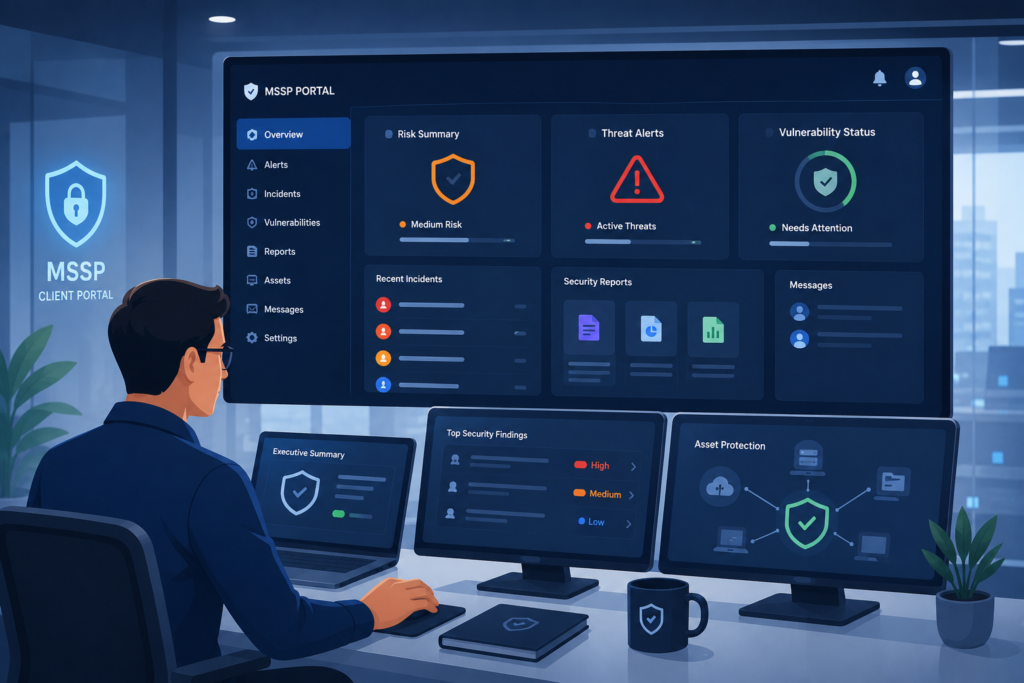
A strong MSSP client portal user experience should help clients make sense of security data without requiring them to interpret hundreds of alerts or technical logs.
While reviewing platforms for MSSPs, we’ve found that the most effective dashboards highlight what matters first, allowing both executives and security teams to make faster, more informed decisions.
NIST highlights the importance of organizing cybersecurity information into clear outcomes,
“The CSF helps manage and reduce cybersecurity risks with a taxonomy of high-level outcomes.” – NIST
This approach aligns with how effective MSSP portals should present security data by helping users understand risks, prioritize actions, and communicate security decisions more clearly.
A clear reporting experience also makes accessing MSSP client portal reports much easier, allowing users to quickly find executive summaries, technical findings, and compliance documentation without searching through multiple systems.
Useful dashboards typically include:
- A risk overview that highlights critical findings, high-priority assets, and overall security exposure.
- Security analytics that reveal trends in alerts, incidents, and response performance over time.
- Vulnerability tracking, findings management, and remediation tracking to monitor progress from discovery through resolution.
- Executive security reporting, technical report access, and security operations visibility so different users can quickly access the level of detail they need.
As we help MSSPs select and audit new products, one pattern appears repeatedly: clients engage more when security data is presented in a clear, organized way. Better visibility reduces routine status requests, encourages more meaningful discussions about risk, and helps organizations focus on the actions that matter most.
How Can You Strengthen Collaboration Between Clients and Security Teams?
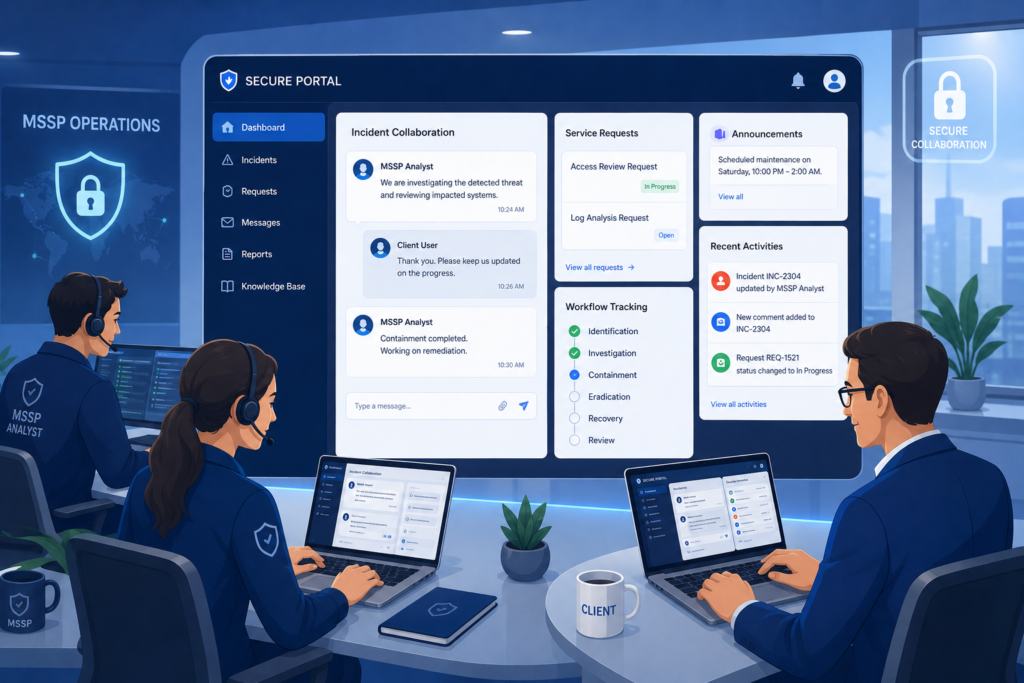
A better MSSP client portal user experience supports collaboration just as much as it supports security visibility. While reviewing platforms with MSSPs, we’ve seen that clients are more engaged when they can communicate with analysts and track security activities without switching between multiple tools or email threads.
Effective client portal communication features make it easier for clients and security analysts to stay connected throughout investigations, reducing delays and keeping every discussion tied to the appropriate case or service request.
This centralized approach also creates a complete record of conversations, making it easier to review decisions and monitor progress over time.
The most effective portals typically provide:
- Client communication, secure messaging, and direct analyst communication within a single workspace.
- Incident collaboration and case collaboration to keep investigations, remediation efforts, and long-term security projects organized.
- Flexible notification management so users receive relevant updates without being overwhelmed by unnecessary alerts.
- An activity timeline, audit trail, and action approval workflow that improves accountability and provides a clear record of important actions.
As we help MSSPs select and audit new products, we’ve learned that communication features often shape the client experience as much as technical functionality. When discussions, evidence, and status updates stay connected to each case, teams spend less time searching for information and more time resolving security issues together.
How Can Better Self-Service and Design Improve Portal Adoption?
A successful MSSP client portal user experience makes routine tasks easier while giving clients confidence in the platform they use every day.
Through our work helping MSSPs select and audit new security products, we’ve found that organizations are more likely to adopt a portal when they can complete common tasks on their own instead of relying on support for every request.
The most valuable capabilities often include:
- A self-service portal with customer self-service, service request tracking, report download, and a compliance reporting portal for quick access to security information.
- An SLA dashboard, approval workflows, workflow automation, and remediation status updates that keep projects moving and reduce manual follow-up.
- A white-label portal with consistent branded client portal features, thoughtful client portal branding, and fast load times to create a familiar and responsive experience.
As we evaluate platforms for MSSPs, one trend continues to stand out: the best portals evolve over time. Regular usability improvements based on client feedback often have a greater impact than large redesigns, helping increase portal adoption while keeping the overall experience simple and consistent.
How Can You Measure Portal Success?
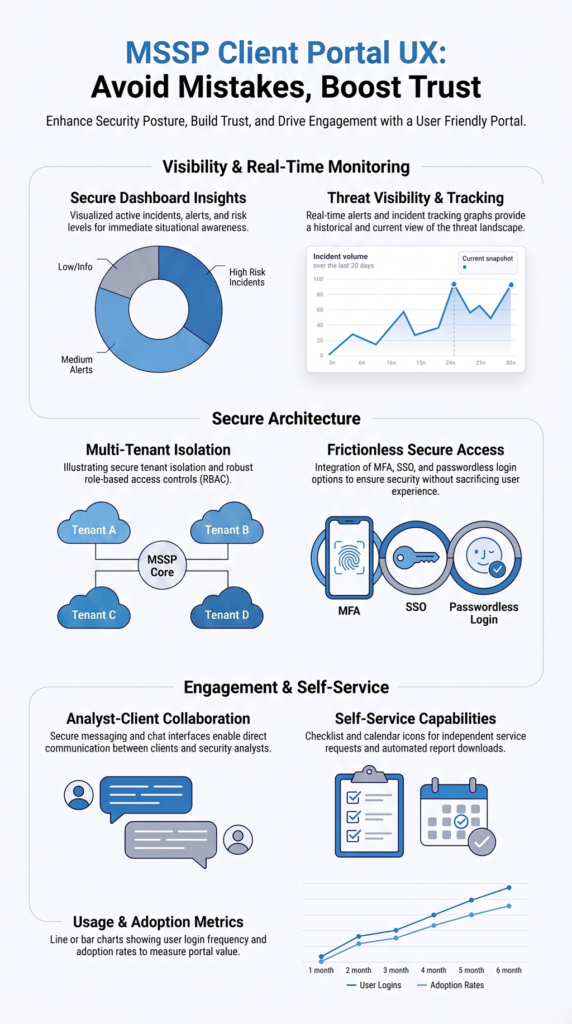
A strong MSSP client portal user experience should be measured by how well the portal supports clients in their day-to-day work, not simply by the number of features it offers.
Through our consulting work with MSSPs, we’ve found that reviewing real usage patterns often reveals opportunities that product feature lists cannot.
The most meaningful metrics include:
- User adoption, login frequency, and portal onboarding success to understand how easily clients incorporate the portal into their workflows.
- Customer experience through client feedback, satisfaction surveys, and support interactions.
- Dashboard and report engagement to identify which information provides the greatest value.
- Retention improvement by monitoring long-term client engagement and continued service relationships.
- Service transparency through visibility into incidents, reports, communication, and remediation progress.
As we help MSSPs select and audit new products, one lesson consistently stands out: the most valuable insights come from combining usage data with client feedback. That approach makes it easier to refine the portal over time, improve adoption, and deliver an experience that continues to meet client expectations as their needs evolve.
FAQ
What Is MSSP Client Portal User Experience?
MSSP client portal user experience refers to how easily clients can access, understand, and interact with security services through a managed security portal. A good user experience helps clients monitor threats, review reports, communicate with analysts, and manage security activities from one secure platform.
Why Is MSSP Client Portal User Experience Important?
A strong MSSP client portal user experience improves security visibility, client engagement, and service transparency. By providing intuitive dashboards, clear reporting, and simple navigation, clients can make faster decisions without relying on manual updates or multiple communication channels.
What Features Should an MSSP Client Portal Include?
An effective MSSP client portal should include security dashboards, real-time alerts, incident tracking, reporting access, ticket workflows, secure document sharing, and communication tools. These features help clients monitor security posture and collaborate more efficiently with their MSSP provider.
How Can MSSPs Improve Client Portal Adoption?
MSSPs can improve client portal adoption by creating a simple interface, reducing unnecessary steps, offering self-service features, and providing easy access to important security information. Continuous usability improvements and responsive design also help clients use the portal more consistently.
How Does a Secure MSSP Client Portal Improve Client Trust?
A secure MSSP client portal improves trust by giving clients transparent access to security updates, incident progress, reports, and communication records. Features such as secure authentication, role-based access control, and clear visibility help clients feel more confident managing their security operations.
How Can You Continuously Improve an MSSP Client Portal?
An effective MSSP client portal user experience requires ongoing improvement. From our experience helping MSSPs evaluate and audit security platforms, we’ve found that regularly reviewing analytics, gathering client feedback, and refining workflows leads to stronger long-term adoption.
A portal that combines intuitive design, secure access, clear dashboards, and seamless collaboration helps clients stay informed and engaged.
Learn how MSSP Security helps MSSPs select the right products, optimize their technology stack, and improve client portal experiences through our MSSP consulting services.
References
- https://www.nist.gov/cyberframework/faqs
- https://www.cisecurity.org/controls/v8