

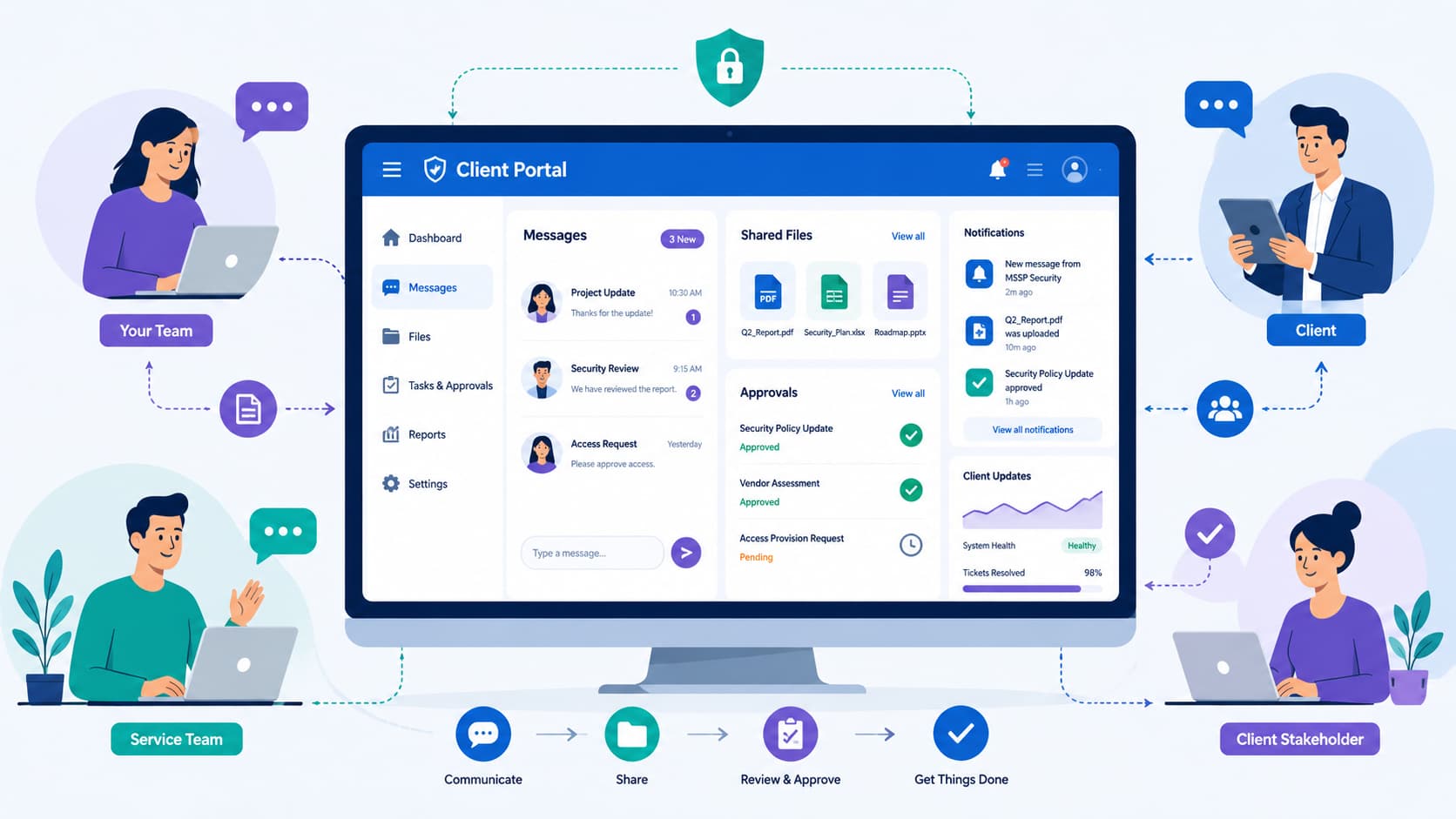
A client portal saves time by putting messages, files, and approvals in one secure place. When teams don’t have to switch between email, chat, and meetings, they work more efficiently.
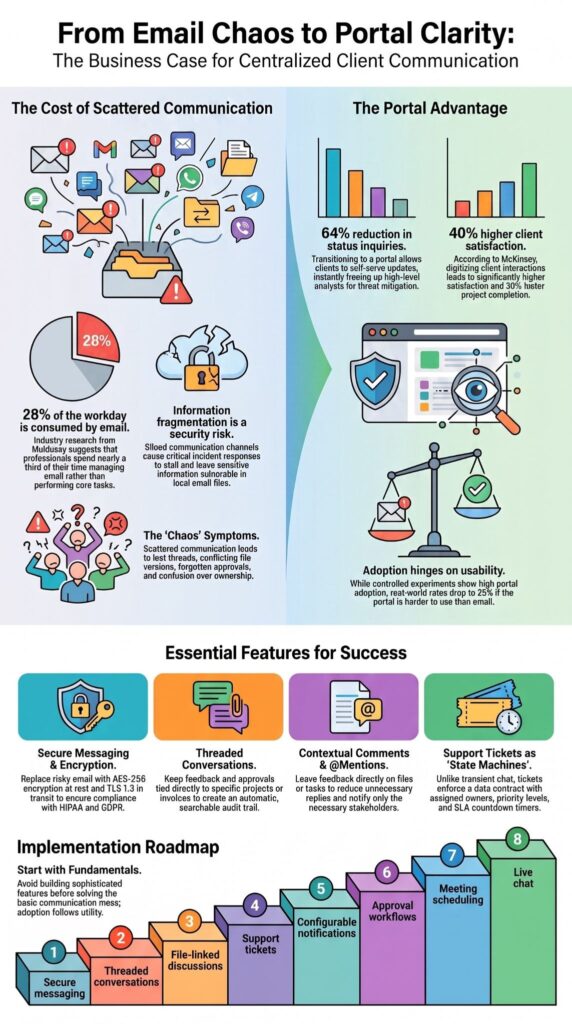
Research often cited from McKinsey suggests professionals spend about 28% of the workday on email. At MSSP Security, we’ve seen how fragmented communication slows collaboration and delays important decisions.
A well-designed client portal keeps conversations organized, improves visibility, and helps teams respond faster. Keep reading to discover the communication features that deliver the most value and how to avoid common portal mistakes.
Client Portal Communication at a Glance
Good client portal communication starts with the essentials. Build around secure messaging, organized conversations, and timely updates before adding advanced collaboration tools.
- Prioritize secure messaging, threaded conversations, notifications, support tickets, and file-linked discussions before advanced collaboration.
- A centralized client communication hub improves transparency, reduces duplicate requests, and creates searchable communication history.
- Strong client portal communication management focuses on client convenience, secure client access, and organized collaboration rather than adding more tools.
Why Do Client Portals Need Centralized Communication?
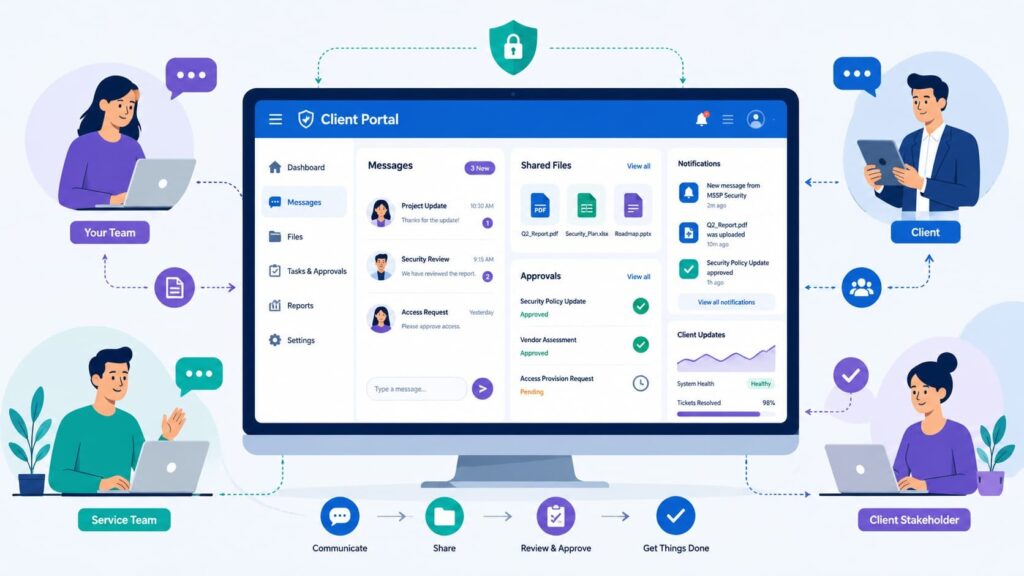
A client portal works because it keeps everything in one place. We see companies using a mix of email, chat, and shared drives every day. It’s a mess. Approvals get lost, files have three different versions, and nobody knows who said what last.
Industry research has long shown that email consumes a significant share of workers’ time, and that tracks with what we see. Often, an MSSP thinks they have a communication breakdown, but the real issue is that their information is everywhere.
Once you move client talk into a dedicated portal, things change. Your team stops digging through old threads and starts doing real work.
Clients stop asking for updates; they just log in, check the dashboard, upload a file, or reply through the customer portal interface. Every discussion stays tied to the project it belongs to, which makes accountability automatic
In a recent analysis by McKinsey & Company:
“Enterprises that digitize client interactions achieve 40% higher client satisfaction and 30% faster project completion times.” – McKinsey & Company
Scattered communication creates specific headaches:
- Lost email threads
- Clients asking for the same thing twice
- Approvals that never came
- Confusion over which file is current
- Nobody knows who’s responsible
- Late status updates
Internal tools like Teams can work well inside the organization, but client communication often benefits from a dedicated secure portal. Before adding more tech, you need a workflow clients will actually use.
What problems does scattered communication create?
It slows everything down. Information is stuck in different systems, so you get duplicate requests, conflicting file versions, and forgotten approvals.
A conversation starts in email, continues on a call, and ends in a chat. Each new channel is another chance for something to go wrong. A single portal can reduce this by making every message, file, and decision searchable from one inbox.
How does one hub improve visibility?
It gives everyone the same story. Every message, uploaded document, and status update stays linked to the client’s record. This cuts down on repetitive check-in meetings and gives clients a clear window into their project’s progress.
Which Secure Messaging Features Matter Most?
Secure messaging in a portal replaces risky email chains. It shouldn’t just be another inbox; it needs to be a protected workspace for the entire conversation.
Security best practices generally recommend using secure environments to reduce exposure. In our audits for MSSPs, we see clients engage more reliably when everything messages, documents, timelines lives in one locked-down space.
They don’t have to reconstruct a story from six different email threads. For messaging to work, security can’t get in the way. It needs encryption, a searchable history, easy attachments, and it has to work on a phone. If it’s not usable, clients won’t use it, and the security fails.
The core capabilities you should look for are:
- Encrypted communication
- Secure file attachments
- Read receipts
- Searchable message archives
- Mobile access
- Two-way messaging
- Custom notification settings
- Role-based access controls
For teams operating under strict regulatory frameworks like HIPAA or GDPR, abandoning email is an absolute compliance baseline. Standard email architecture leaves Protected Health Information (PHI) sitting vulnerable in local PST files and third-party relay servers.
By forcing all document exchanges through a portal protected by AES-256 encryption at rest and TLS 1.3 in transit backed by deterministic role-based access controls (RBAC) we ensure every file download generates a tamper-proof audit log.
You are no longer praying your client doesn’t forward a sensitive network topology map to the wrong external inbox. Here’s a simple rule we give our clients: use email only to tell someone to check the portal. The real conversation stays inside.
What should secure messaging include?
It needs both protection and convenience. Look for encrypted chats, a history you can search, safe file sharing, and read confirmations all in an interface that’s simpler than email. Adoption hinges on it being easier, not just more secure.
Why shouldn’t email be the primary channel?
Email wasn’t built for project collaboration. Files get separated from their context, approvals get buried, and people reply to different versions of the same thread. A secure message center keeps everything connected, which cuts down on the endless back-and-forth.
How Do Threaded Conversations Reduce Confusion?
Threaded conversations keep every discussion connected to the correct project, invoice, request, or task. Conversation threading transforms communication from isolated messages into organized project history.
Rather than scrolling through lengthy email chains, clients immediately see every discussion attached to the relevant deliverable. We’ve implemented this workflow across numerous client engagements, and the difference becomes noticeable quickly.
When feedback, approvals, and documents stay together, fewer clarification meetings are needed because everyone references the same conversation.
For example, website redesign feedback should remain attached directly to that project instead of disappearing inside unrelated email exchanges. That approach also simplifies future audits because every decision remains visible.
A well-designed thread should include:
- Messages to preserve the complete communication history.
- Files that provide immediate project context.
- Recorded decisions for quick future reference.
- Approval records that create a clear audit trail.
Platforms such as Notion demonstrate the value of organizing work around context, but dedicated client collaboration software extends that principle by combining messaging, secure document management, approvals, and communication workflows inside a purpose-built client relationship portal.
Before introducing additional collaboration tools, organizations should ensure every project has structured discussions that clients can easily follow.
Why should every discussion have its own thread?
Separate threads prevent unrelated conversations from becoming tangled. Each project, invoice, support issue, or approval request deserves its own communication history, making future searches dramatically faster.
What should each thread contain?
Every thread should include messages, related documents, approval history, client status updates, timestamps, assigned owners, and searchable communication records so both clients and teams always understand the complete context.
Why Are Comments and @Mentions Better Than Email Chains?
Contextual comments reduce unnecessary replies because feedback stays attached to the exact file, task, or approval that needs attention. Instead of starting another email thread, teams can leave comments directly on documents, tasks, or project milestones.
That keeps conversations relevant and prevents unrelated topics from getting mixed together. We have found that clients respond faster when they can see exactly what requires action.
A comment beside a proposal or uploaded contract is far easier to understand than an email asking someone to “see the attached file.” Comments also strengthen client collaboration because they encourage focused discussions instead of broad inbox conversations.
Team members receive notifications only when they are involved. The following situations benefit most from contextual comments:
- Reviewing contracts
- Design feedback
- Document revisions
- Task discussions
- Client approval workflow
- Client review portal discussions
That said, comments should supplement structured messaging rather than replace it. Platforms like Figma demonstrate how contextual collaboration improves efficiency because discussions remain connected to the work itself instead of becoming isolated conversations.
When should teams use comments instead of messages?
Comments work best when discussing a specific deliverable. They preserve context while reducing duplicate explanations and unnecessary email replies.
How do @mentions speed collaboration?
@mentions immediately notify the correct stakeholder without involving everyone else.
Should Your Portal Include Support Tickets?
Yes. Support tickets make client questions visible, measurable, and easier to resolve. Unlike chat conversations, tickets remain part of an organized workflow. Every request receives an owner, priority, status, and history, improving accountability for both clients and service teams.
At MSSP Security, we’ve seen organizations dramatically reduce repeated inquiries once clients can track requests themselves instead of emailing for updates.
Visibility builds confidence because clients know their issue hasn’t disappeared. An effective client support portal should include:
- Status tracking
- Priority levels
- Assigned owner
- Resolution history
- SLA monitoring
- Client issue tracking
- Client request tracking
- Client support tickets
Solutions such as Zendesk illustrate how structured ticket management creates transparency, but the same principles apply within a modern client communication platform.
How are tickets different from chat?
From a service delivery perspective, mixing chat and ticketing is a recipe for missed SLAs.
Chat functions as a digital hallway conversation ideal for transient, high-velocity queries like, “Is the scheduled maintenance window still on for 10 PM?” Tickets, conversely, are structured state machines.
Every incoming ticket must enforce a strict data contract: it maps to a specific Configuration Item (CI) in your asset registry, inherits an impact-severity matrix that automatically triggers an internal SLA countdown timer, and logs deterministic state changes (New, In-Progress, Pending Vendor, Resolved) to ensure clear accountability during post-incident reviews.
Which ticket features matter first?
Prioritize status, ownership, SLA targets, searchable history, and resolution tracking before adding advanced automation.
Why Are Real-Time Notifications Essential?
Timely alerts keep projects moving without requiring constant follow-up meetings. Clients should never need to log in repeatedly just to see whether something changed.
Smart client portal notifications deliver important updates immediately while avoiding unnecessary interruptions. We’ve learned that notification quality matters more than quantity.
Too many alerts train users to ignore everything, while meaningful notifications encourage regular engagement. Immediate notifications should include:
- Approval requests
- New secure messages
- Urgent support tickets
- Deadline changes
- New file uploads
- Client service updates
Routine activities are better delivered through scheduled summaries:
- Routine comments
- Completed tasks
- Low-priority updates
- General activity feeds
According to Microsoft, notification overload contributes significantly to workplace distraction, making customizable notification preferences increasingly valuable.
Which events deserve immediate alerts?
Security events, approvals, urgent tickets, deadline changes, and direct client messages deserve instant notifications.
Which updates belong in daily digests?
Routine progress updates, completed tasks, and informational comments typically work better as scheduled summaries.
How Should Files Connect to Conversations?
Files should always stay beside the conversations that explain them. A document without context often creates confusion.
Clients reviewing contracts, proposals, or client portal reports should immediately see the discussion, requested revisions, and approval history connected to each file.
Our experience has shown that keeping client document sharing inside the same workspace as messaging eliminates countless clarification emails.
Helpful collaboration features include:
- File previews
- Version history
- Secure file sharing
- Approval tracking
- Contextual comments
- Client access permissions
Whether using integrated storage or connecting to platforms such as Google Drive, the goal remains the same: every document should remain connected to its communication history.
Why does file context matter?
Context reduces misunderstandings because clients never have to search separate folders for explanations.
Which file actions improve collaboration?
Previewing, version tracking, commenting, secure uploads, and approval history all improve collaboration while maintaining transparency.
What Collaboration Features Improve Client Communication?
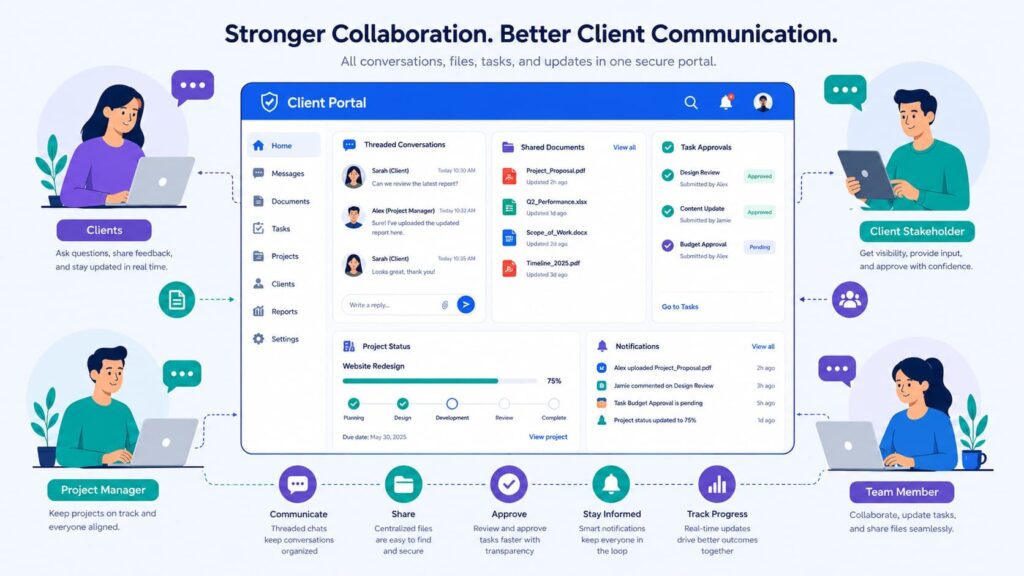
Communication improves when tasks, approvals, and meetings remain connected to ongoing work. A client collaboration software platform becomes significantly more valuable once communication and project execution exist together rather than in separate systems.
Beyond messaging, clients appreciate practical tools that reduce switching between applications. Priority collaboration features include:
- Client approval system
- Task management portal
- Progress tracking portal
- Meeting booking portal
- Appointment scheduling portal
- Shared timelines
- Client onboarding portal
Live chat can also help, although it works best for quick questions instead of complex project discussions. Of course, every organization does not require every feature immediately.
We generally recommend beginning with communication fundamentals before expanding into broader collaboration capabilities. That phased approach encourages higher client adoption and avoids unnecessary complexity.
Which collaboration tools create the most value first?
Approval workflows, project updates, task tracking, and meeting scheduling typically provide the fastest operational improvements.
When does live chat make sense?
Live chat works well for simple requests but should not replace structured discussions involving approvals, contracts, or project decisions.
Why Do Clients Ignore Portals?
Clients ignore portals when email remains easier or when the portal creates extra work. We’ve observed similar behavior firsthand.
If a team continues sending complete project discussions through email while asking clients to “also check the portal,” adoption drops quickly because the portal becomes another task instead of the primary workspace.
Research from Fraccaro, P., et al. shows:
“The overall mean adoption rate of patient portals across 40 studies was 52%. The study highlights that adoption rates in real-world settings (23%) are markedly lower than in controlled experiments (71%), underscoring the critical importance of user engagement and ease of use for portal success.” – Fraccaro, P., et al
Common complaints include:
- Duplicate updates
- Poor usability
- Too many notifications
- Extra login steps
- Outdated project information
Improving adoption usually requires:
- Reducing login friction
- Making notifications meaningful
- Keeping conversations searchable
- Maintaining current project information
- Encouraging portal-first communication
A client self-service portal succeeds only when it genuinely saves clients time.
How Should Notification Preferences Work?
Clients should choose how frequently they receive updates without missing critical information. Every client communicates differently. Some prefer immediate alerts, while others only want daily summaries unless urgent action is required.
Essential notification options include:
- Email notifications
- In-app notifications
- Push notifications
- SMS alerts
- Daily digest summaries
However, certain events should always override personal preferences:
- Security alerts
- Approval requests
- Critical support responses
- Account access notifications
Which notification options should every portal support?
Support multiple delivery channels while allowing clients to customize frequency.
Which alerts should never be optional?
Security incidents, approval requests, and urgent service communications should always generate immediate alerts.
Which Communication Features Should You Build First?
Begin with the customer portal features that replace fragmented communication before introducing advanced collaboration. Organizations often make the mistake of building sophisticated capabilities before solving the basic communication problem.
Clients first need one trusted place for conversations, files, updates, and approvals. We typically recommend the following implementation sequence:
| Priority | Feature |
| 1 | Secure messaging |
| 2 | Threaded conversations |
| 3 | File-linked discussions |
| 4 | Support tickets |
| 5 | Timely, configurable notifications are important |
| 6 | Approval workflows |
| 7 | Meeting scheduling |
| 8 | Live chat |
Platforms such as Airtable demonstrate how organizations can expand capabilities gradually, but long-term success depends more on adoption than feature count.
Beyond that, organizations should regularly review portal analytics, communication history, and client feedback to identify areas where workflows can become even simpler.
When should advanced features wait?
Advanced collaboration should come only after clients consistently rely on the core client communication workflow for everyday interactions.
Configuring Access Controls and Client Communication Workflows
Credits: Zanda Health
Based on the workshop by Zanda Health, structuring a client portal focuses on balancing user independence with complete administrative control.
The framework details how to configure granular access permissions specifically toggling what clients can see and manage, such as invoices, shared files, and communication logs.
Additionally, it highlights the setup of automated notification templates for real-time updates regarding registrations or status changes. By simulating the exact client experience, system administrators can verify that sensitive technical data remains secure while providing users with a transparent, role-based dashboard.
FAQ
What makes effective client portal communication different from email?
Client portal communication centralizes conversations, files, and updates in one secure location instead of scattering them across email inboxes. Client portal messaging, a portal inbox, threaded conversations, and a secure message center help users keep discussions organized. The system also preserves a complete communication history with message archiving, making it easier to review past decisions and shared information.
How does a client collaboration portal improve project visibility?
A client collaboration portal gives clients a clear view of client project updates, client task updates, client status updates, and overall progress through a progress tracking portal. As a client interaction portal and online client workspace, it keeps everyone informed with current information, reduces unnecessary follow-up messages, and supports better collaboration throughout each project.
Why are secure client communication features important?
Secure client communication features protect confidential information by using secure client access, portal access control, client access permissions, and role-based access control. Many platforms also include secure file sharing, client document sharing, and client file exchange to protect sensitive documents. These features help organizations reduce security risks while giving authorized users reliable access to important information.
Which notifications should a client support portal provide?
A client support portal should provide client portal notifications, real-time client updates, automated client alerts, email notifications, and in-app notifications. The portal should also allow users to customize notification preferences. These features ensure clients receive timely updates about requests, approvals, deadlines, completed tasks, and important service changes without checking the portal constantly.
What features should businesses prioritize in client portal software?
Businesses should choose client portal software that includes CRM integration, help desk integration, project management integration, a client approval workflow, client request tracking, client support tickets, portal analytics, and a client self-service portal. A mobile client portal, a web-based client portal, and strong portal usability also improve accessibility, efficiency, and the overall customer experience.
Keep Every Client Conversation in One Place
Your team loses time when updates, approvals, and files are scattered across different tools. Clients experience the same frustration, and important details can easily be overlooked.
A client portal works best when communication stays simple, organized, and easy to follow. If you’re ready to improve collaboration and create a more efficient client experience, explore MSSP Security’s consulting services.
With more than 15 years of experience and over 48,000 completed projects, MSSP Security helps managed security service providers streamline operations, reduce tool sprawl, optimize technology stacks, and build client portals that support stronger communication and long-term service quality.
References
- https://www.mckinsey.com/capabilities/people-and-organizational-performance/our-insights/the-state-of-organizations-2023
- https://pdf.core.ac.uk/corefilesystem/pdf/748/226994101.pdf?se=2026-07-23T07%3A15%3A21Z&sp=r&sv=2026-06-06&sr=b&rscd=inline%3B%20filename%3D%22226994101.pdf%22&rsct=application/pdf&sig=8COcFlUEsbY9YMfou%2BBHJAHs65scJZp7iKZ5OkV0n2o%3D#451#29