

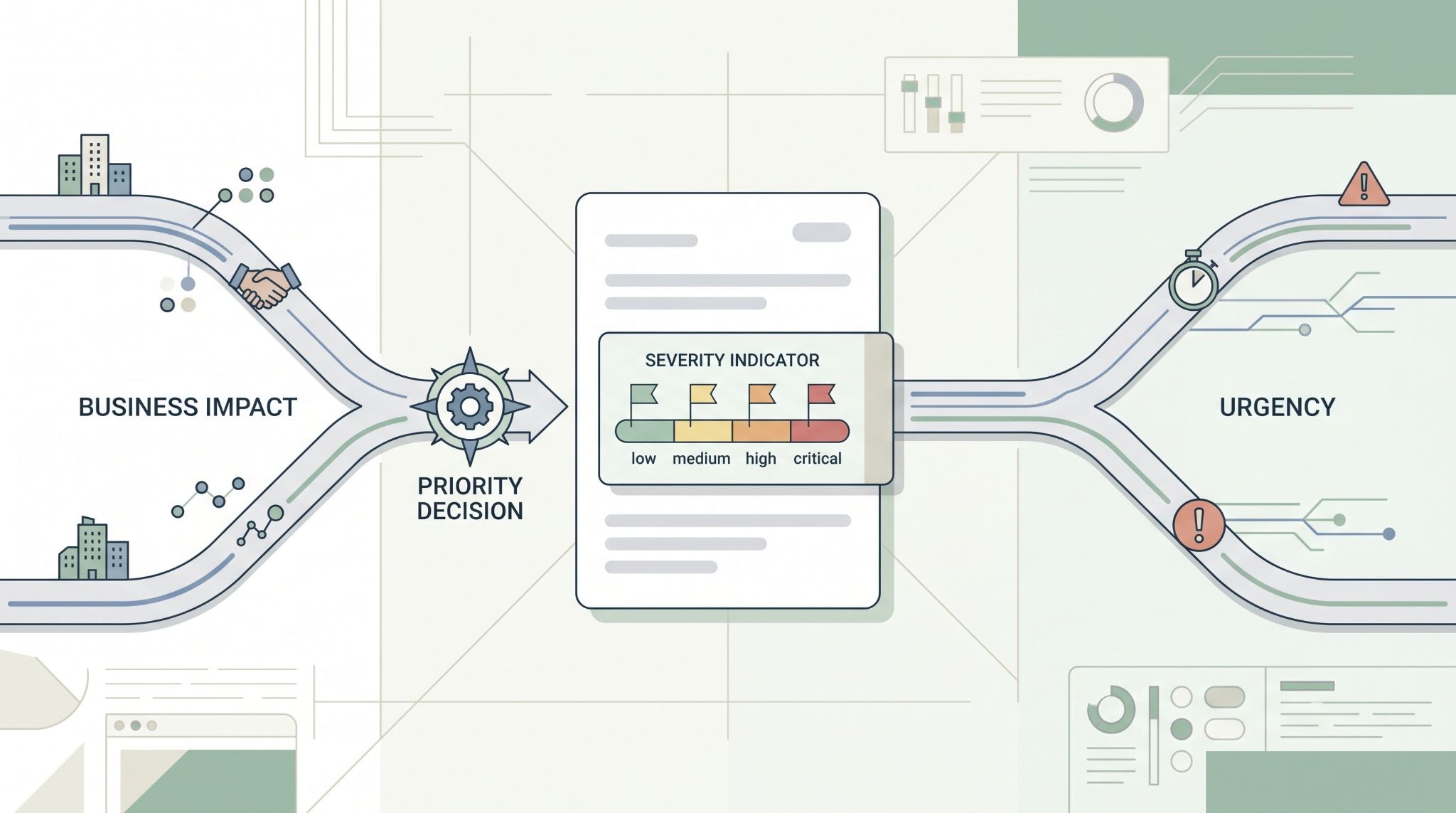
Mapping incident severity means turning technical and business risk into a ticket priority that guides response time, ownership, escalation, and SLA targets.
But severity shouldn’t rely on the alert label alone. SOC and ITSM teams need to check business impact, urgency, asset value, and current threat activity. We’ve seen this prevent a common problem: a “Critical” alert gets rushed to escalation even when the affected asset has limited business impact.
So MSSPs can apply consistent rules across customer environments without treating every alert as an emergency. Use context before priority. Keep reading to see how severity mapping works.
Severity Mapping at a Glance
This article breaks down how MSSPs can turn security findings into consistent ticket priorities and manage them across connected systems.
- Map the severity: Turn technical findings into priorities such as P1 to P4.
- Set the priority: Use impact, urgency, CVSS, asset criticality, and threat activity.
- Keep it consistent: Apply normalization, field ownership, audit trails, and escalation rules across SOC and ITSM workflows.
What is Incident Severity Mapping?
Incident severity mapping sets rules for turning security findings into ticket priorities.
A SIEM might label an alert as Critical, while an ITSM platform uses P1 through P5. Those labels don’t always mean the same thing. The mapping process gives both systems a shared meaning.
We usually separate two ideas: severity describes the event, while priority tells the team how quickly to act.
That difference matters. A high-severity malware alert on a test machine may need investigation, but it may not deserve the same response as an active compromise of an identity server.
The ticket should therefore consider more than the alert score. Useful inputs include:
- Technical severity.
- Business impact.
- Asset criticality.
- Current threat activity.
- Urgency.
- Containment status.
Our product audits often focus on this area because a vendor may offer severity mapping without giving the MSSP enough control over the rules.
How Do Impact and Urgency Set Ticket Priority?
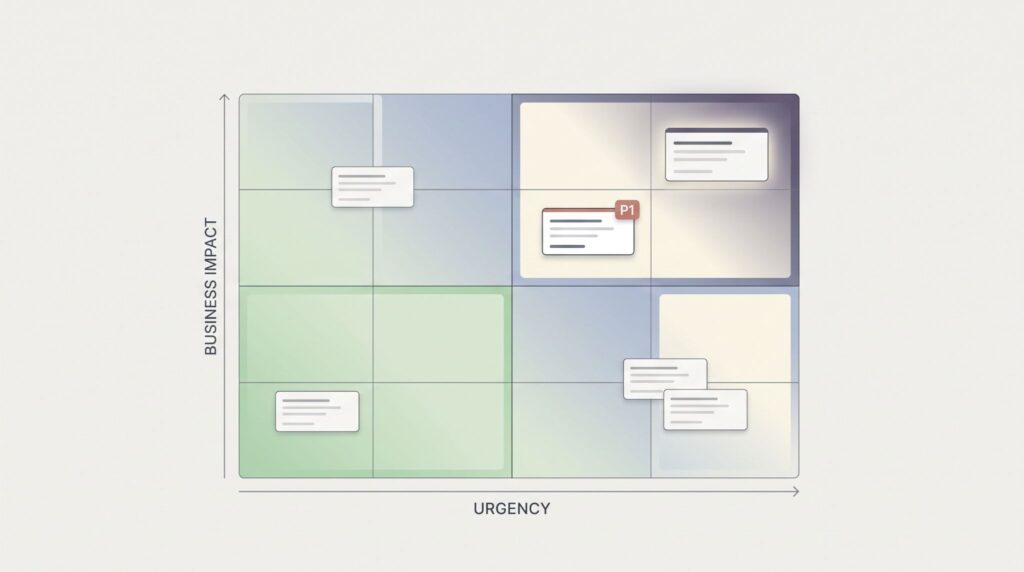
Impact measures how much damage an incident could cause. Urgency measures how quickly the team needs to respond.
An incident affecting a payment system can have high impact even when the technical symptoms look limited. A suspicious event on an isolated test device may have lower impact.
That context changes the ticket.
“The incident should be prioritized based on its estimated business impact and the estimated effort required to recover from the incident.” – NIST
For MSSPs, asset information is especially useful. If the integration can identify whether a host is a domain controller, production server, employee laptop, or test system, the severity decision can be much more accurate.
What Does a P1-P5 Priority Matrix Look Like?
A simple matrix can help analysts apply the same logic across customer environments.
| Impact / Urgency | High | Medium | Low |
| High | P1 | P2 | P3 |
| Medium | P2 | P3 | P4 |
| Low | P3 | P4 | P5 |
This is a working model, not a universal standard. Each MSSP should define what P1, P2, P3, P4, and P5 mean for its customers.
For example, an active ransomware incident affecting production systems may be P1. A contained malware event on one workstation could be P3.
The same alert can therefore produce different priorities when the surrounding facts change.
How Should CVSS Affect Incident Severity?
CVSS can provide useful technical information, but it shouldn’t decide ticket priority by itself.
A high CVSS score describes vulnerability characteristics. It doesn’t tell the MSSP whether the affected system is critical, whether exploitation is happening, or whether compensating controls are already in place.
Consider a vulnerability with a CVSS score of 9.8. On an isolated development server, it may receive a lower operational priority. On a production identity server with active exploitation, the response can be much faster.
We recommend treating CVSS as one input in the mapping process.
“CVSS-B scores are designed to measure the severity of a vulnerability and should not be used alone to assess risk.” – FIRST
A stronger rule can combine:
CVSS + threat activity + asset criticality + business impact + urgency
That gives the ticket more useful context without turning one number into the final decision.
When Should an Alert Become P1?
P1 should normally represent an incident where both impact and urgency are high.
Examples can include active ransomware on production systems, confirmed compromise of privileged identity infrastructure, or widespread malicious activity affecting critical services.
A Critical alert alone doesn’t prove that an incident is P1.
For MSSPs, this distinction helps prevent overloaded escalation queues. If every Critical alert becomes P1, analysts can lose sight of the incidents that truly need immediate attention.
That problem is worth testing during a product audit. Ask the vendor to show how the platform handles a Critical alert on a low-value asset versus the same alert on a critical system.
The difference should be visible in the resulting ticket priority.
How Should MSSPs Map Severity Across ITSM Platforms?
MSSPs should use explicit mapping rules when their security tools and customer ITSM platforms use different severity models. MSSP ticketing can help connect these workflows without forcing teams to use the same ticketing system.
One platform may use Critical, High, Medium, and Low. Another may use P1 through P5. Some ITSM systems also separate impact, urgency, and priority.
A direct text-to-text mapping can cause problems because “High” may mean different things in different environments.
We recommend documenting the source value, normalized value, destination value, field owner, and sync direction. That gives the integration a clear rule instead of leaving the behavior to assumptions.
| Source | Normalized | Ticket Priority | Action |
| Critical | Critical | P1 | Immediate response |
| High | High | P2 | Rapid response |
| Medium | Moderate | P3 | Standard response |
| Low | Low | P4 | Routine handling |
These values should match the MSSP’s actual SLAs. A product can support P1 mapping, but that doesn’t help if the response workflow isn’t connected to it.
How Should Status and Severity Changes Sync?
Status and severity need clear ownership when tickets move between SOC and ITSM systems. Bidirectional sync makes these ownership rules especially important because changes can move between both environments.
The SOC may control technical severity, while the customer controls remediation priority. Both systems can see the result, but neither should overwrite the other’s field without a defined rule.
This is where bidirectional synchronization can become messy.
Suppose the MSSP sets an incident to P2. The customer then discovers that a critical business service is affected and raises it to P1. The integration needs to know what happens next.
Possible rules include customer approval, MSSP approval, shared ownership, or a calculated priority based on both values.
We prefer rules that preserve the original values rather than replacing them. That makes later reviews easier.
How Can MSSPs Prevent Unwanted Severity Changes?
Every severity change should have an owner and a reason.
The system should record the previous value, new value, time of change, actor, and source system. That creates a usable audit trail.
We also recommend testing permission controls. A customer user shouldn’t be able to lower a P1 incident without following the agreed process.
Severity can move in either direction as new evidence appears. A P3 incident may become P1 after analysts confirm lateral movement. A P1 incident may later move to P2 after containment is verified.
Keep the history.
Overwriting the original priority can make SLA reporting misleading. If an incident spent 30 minutes as P1 before being downgraded, that period still matters.
How Does Severity Mapping Work Across Multiple MSSP Customers?
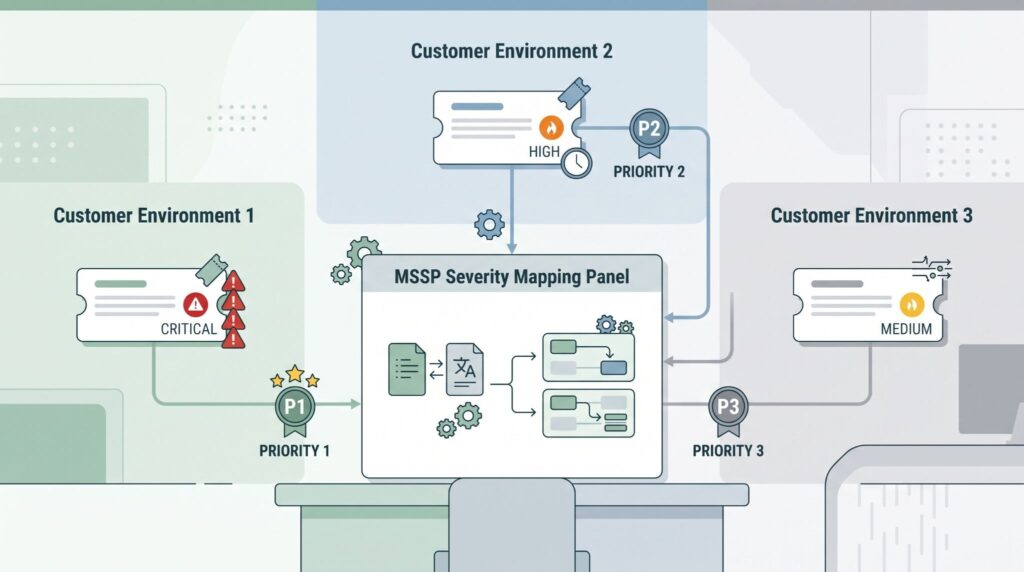
Multi-tenant MSSPs need shared severity definitions with room for customer-specific business context.
A bank may treat its identity platform as highly critical. Another customer may place greater importance on a manufacturing control system. The technical alert can be identical, but the business impact is different.
We recommend a common severity framework with tenant-level settings for asset criticality, SLA targets, escalation contacts, and data sensitivity.
This gives the MSSP consistency without forcing every customer into the same risk model.
How Can Teams Improve Automated Severity Assignment?
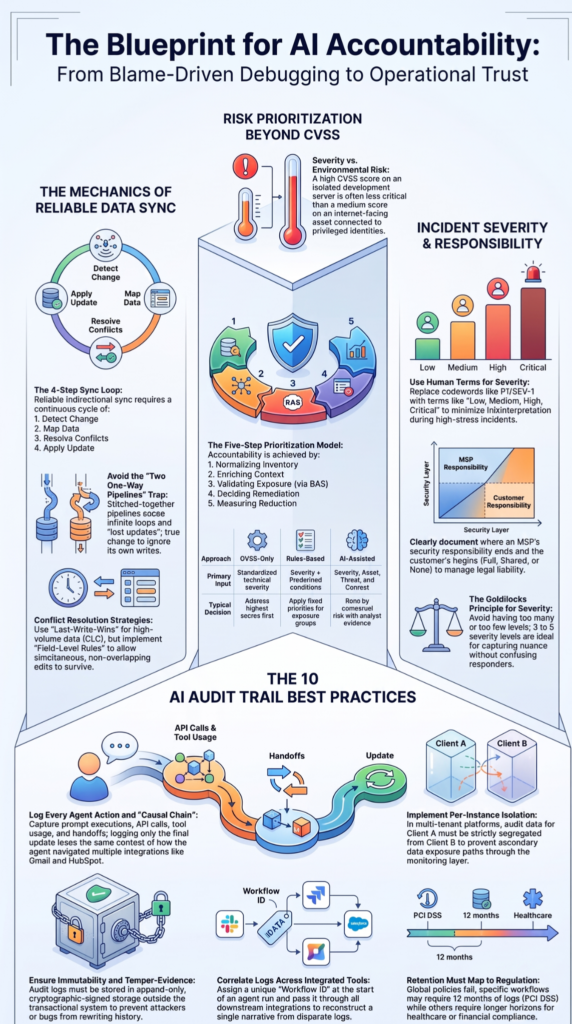
Source: CodeLucky
Automation should calculate an initial priority from reliable data and allow analysts to override it when the facts don’t fit the rule. Automated ticketing can reduce manual work when alerts meet defined conditions for ticket creation.
A useful workflow can pull information from the SIEM, asset inventory, identity systems, threat intelligence, and ticket platform. It can then apply the MSSP’s mapping rules before creating or updating the ticket.
The ticket should also retain why the system chose that priority.
For example:
Critical alert + active exploitation + production identity server = P1.
Another case could be:
High alert + contained endpoint + low business impact = P3.
Those rules are easier to review than an unexplained “Critical = P1” setting.
We also look at override rates during product reviews. Frequent overrides can show that analysts have context the automation can’t access. That’s useful feedback, not necessarily a failure.
FAQs
How should teams handle an incident when impact and urgency point to different priorities?
When impact and urgency point to different priorities, teams should follow defined weighting rules instead of automatically choosing the higher value. An impact urgency classification can consider affected users, service criticality, deadline pressure, and active threats. This approach creates a consistent ticket priority matrix while allowing analysts to document the factors that determined the final ticket priority.
When should an incident severity be raised after the initial ticket is created?
An incident severity should be raised when new evidence shows that the incident poses a greater risk than initially assessed. Confirmed data exposure, wider system impact, or active lateral movement may justify a dynamic severity adjustment. Teams should record the reason for the change and the supporting evidence. Required approvals should also be documented when severity changes affect escalation or response commitments.
How can MSSPs keep severity rules consistent across different customer environments?
MSSPs can maintain consistency by defining baseline multi-tenant severity rules while allowing controlled differences for each customer’s environment. Service criticality, business impact, and contractual response requirements can vary between customers. Severity normalization can translate those differences into a common internal scale, while customer-specific thresholds determine routing, escalation, and notification behaviour.
What evidence should analysts use to validate a high-severity ticket?
Analysts should validate high-severity tickets with evidence that directly supports the assessed risk. Relevant evidence may include affected systems, user impact, threat indicators, investigation notes, or confirmed data exposure. Severity validation evidence should be attached to the assessment so another analyst can understand why the ticket received its current severity without repeating the entire investigation.
How should teams review severity decisions after an incident is closed?
Teams should review severity decisions during a severity post-incident review to identify cases where the initial rating was too high, too low, or changed too slowly. Analysts should compare the original assessment with the confirmed incident impact and response timeline. Reviewing escalation timing, response decisions, and supporting evidence can help improve severity thresholds and produce more consistent decisions in future incidents.
Incident Severity Mapping
Incident severity mapping works best when technical evidence and business impact are considered together. A Critical alert doesn’t always mean P1. Asset value, urgency, active threats, and containment can change the right response.
Before deployment, test these rules against real scenarios, including conflicting ticket updates. MSSP Security helps MSSPs evaluate security products against real workflows, including severity mapping and ticket integration. Talk to our MSSP consulting team to identify gaps before deployment.
References
- https://www.nist.gov/publications/computer-security-incident-handling-guide
- https://www.first.org/cvss/user-guide.html