

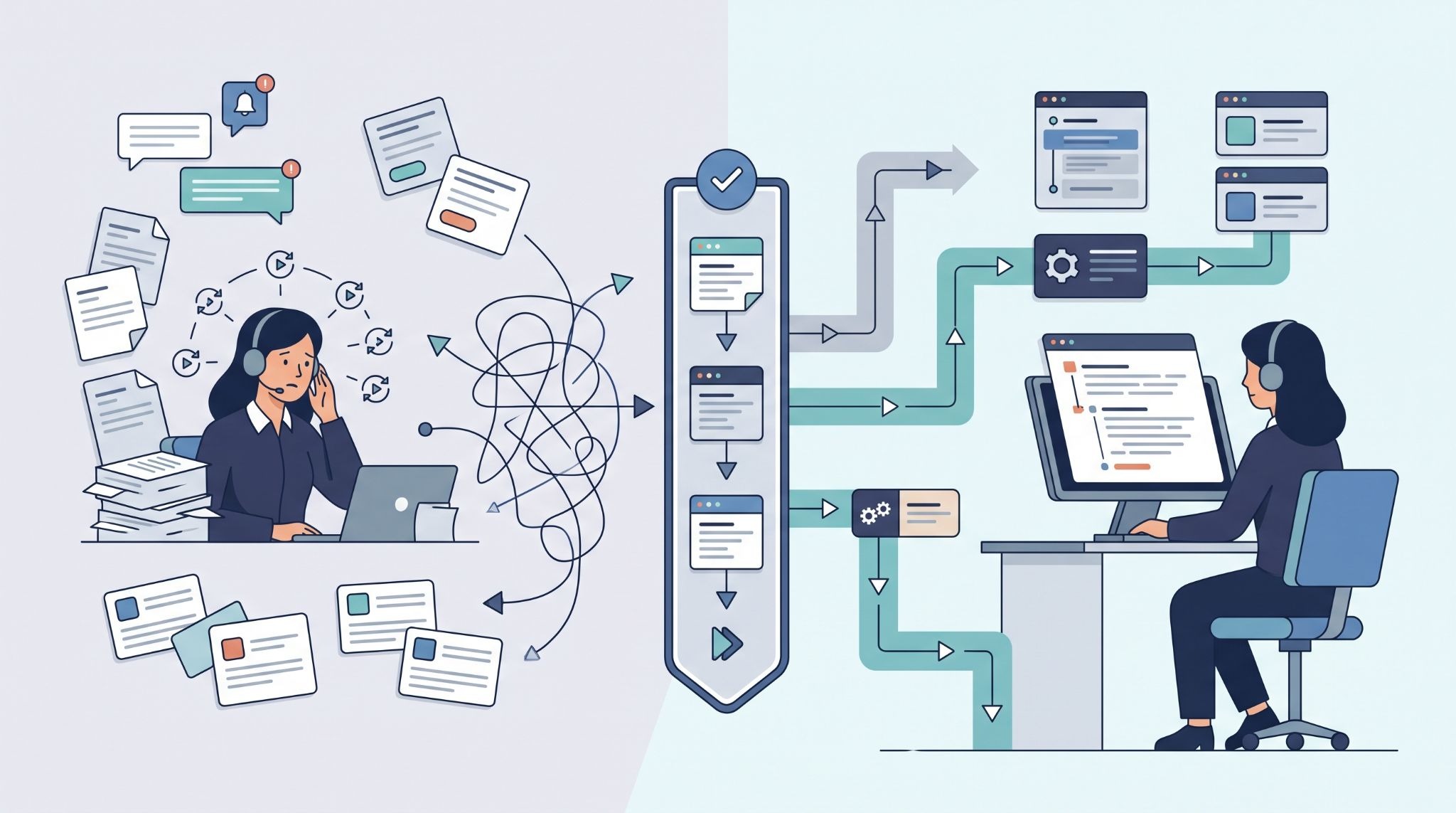
Automation can cut support workload by handling repetitive ticket tasks before agents step in. But it shouldn’t replace people where judgment is needed. The useful approach is to automate predictable work, improve ticket details, and route issues to the right team without adding more manual steps.
So the focus should be on the full support flow, from request intake through routing, resolution, and monitoring. That’s where automation can have a practical impact. MSSP Security takes this workflow-first approach, applying automation where rules and outcomes are clear. Keep reading to see how this approach can improve support operations.
Quick Reads: Ticketing Automation Wins
Reduce manual work by automating routine tasks and keeping agents focused on complex issues.
- Automate ticket work: Use routing, categorization, SLA tracking, and closure automation.
- Deflect routine requests: Use a self-service portal, knowledge base, and virtual agents.
- Focus agents on complex work: Use AI ticket classification and workflow automation for predictable tasks.
Where Does Manual Ticketing Waste the Most Time?
Manual ticketing work often hides in small actions. An agent reads a request, checks the customer, chooses a category, assigns a queue, adds tags, checks the SLA, then sends a reply. None of those steps may take long on its own. Together, they can consume a large part of the support team’s day.
But volume changes the picture.
An MSSP handling hundreds or thousands of requests can repeat the same actions throughout the week. We often see this when reviewing support products for MSSPs. The ticketing platform may have automation features already, but they aren’t always configured around the team’s real incident workflow.
The first question should be practical: Which steps happen again and again, with little need for human judgment?
Those steps are strong candidates for automation.
Which Ticket Tasks Are Easiest to Automate?
Predictable work is usually the safest place to begin. A support team can automate assignment, tagging, SLA timers, standard notifications, and some follow-up actions.
For example, a request containing known service-access information could be routed to the correct queue. A monitoring alert could add device details before an agent opens the ticket. A resolved request could trigger a scheduled follow-up without someone remembering to send it.
Common candidates include:
- Automated assignment
- Ticket categorization
- SLA tracking
- Standard replies
- Status notifications
- Follow-up reminders
- Approved ticket closure
Get the rules right first.
We also recommend auditing the product before buying another tool. Some MSSPs already own features that can handle these tasks, but those features may be spread across the PSA, RMM, service desk, or automation platform.
What Should Stay With Human Agents?
Not every ticket should be pushed through an automated path.
Security incidents, unusual system failures, unclear requests, sensitive account changes, and decisions with a high business impact may need an agent. The system can still collect information and prepare the ticket. The final decision stays with a person.
That boundary matters.
“Human roles and responsibilities in decision making and overseeing AI systems need to be clearly defined and differentiated.” – National Institute of Standards and Technology (NIST)
How Can Ticket Deflection Stop Tickets Before They Start?
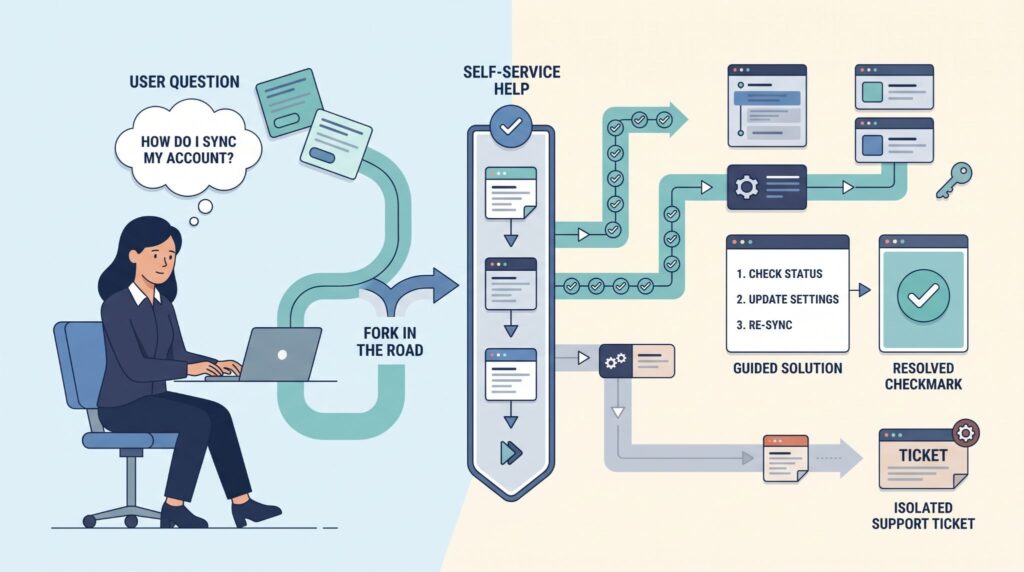
Ticket deflection moves suitable requests away from the agent queue by giving users useful answers before they submit a ticket.
A self-service portal can suggest knowledge articles while someone types a request. Search can identify related terms even when the user doesn’t use the exact wording found in the knowledge base. Guided forms can also collect the information an agent would otherwise need to request later.
So the user gets help earlier, and the support team receives fewer incomplete tickets.
“Firms should not shift customers toward self-service channels completely, especially not at the beginning of a relationship.” – Management Information Systems Quarterly
How Does a Self-Service Portal Reduce Ticket Volume?
A good portal does more than display a list of articles.
It can suggest relevant content based on the request, ask for missing information, and route the user toward an approved process. For an MSSP, that might mean guiding a customer through a known VPN issue before creating a support request in connected ticketing systems.
If the issue remains unresolved, the ticket should carry the information already collected.
That part is easy to overlook.
We pay close attention to this during product reviews because poor handoffs can create a new problem. If users have to repeat everything after self-service fails, the system hasn’t removed much work.
Which Issues Work Best for Self-Service?
Routine requests are usually easier to handle through self-service.
Examples include:
- Password reset instructions
- Common access questions
- Service status checks
- Basic troubleshooting
- Standard policy information
- Known configuration guidance
Complex incidents should still reach trained support staff.
Can Automated Ticket Routing Replace Manual Triage?

Automated routing can reduce manual triage when the system has enough information to make a reliable decision.
Basic routing may use keywords, forms, customer data, service type, or ticket fields. More advanced systems can use machine learning or language models to identify intent and recommend a category or resolver group. This can also work as part of broader MSSP integration across connected support tools.
Neither approach removes the need for testing.
A rule that looks correct in a product demo may behave differently with real customer language. We test those edge cases when helping MSSPs audit new products. The question isn’t whether a vendor says its classifier is accurate. The question is how the system performs on the tickets that matter to that MSSP.
When Does Keyword-Based Routing Make Sense?
Keyword rules can be useful when requests follow a consistent pattern.
A support team might route known access requests to one queue and monitoring alerts to another. The same rule can trigger an SLA or approval process.
Rules also have an advantage during audits. An administrator can usually see why a ticket was routed a certain way.
But rules need maintenance. Services change. Team ownership changes. Customers use new terms.
Review them regularly.
Where Does AI Ticket Classification Add Value?
AI classification becomes more useful when customers describe the same issue in many different ways.
One person may write, “I can’t connect from home.” Another might say, “VPN stopped working.” A third may mention a remote-access error. A language-based classifier can look at the meaning rather than one exact keyword.
Still, the output should be tested before it controls important actions.
We recommend checking classification accuracy against real historical tickets. Look at incorrect categories, wrong resolver groups, missed urgent requests, and cases where the model lacks enough context.
That review tells an MSSP more than a vendor demo does.
What Should You Automate First?
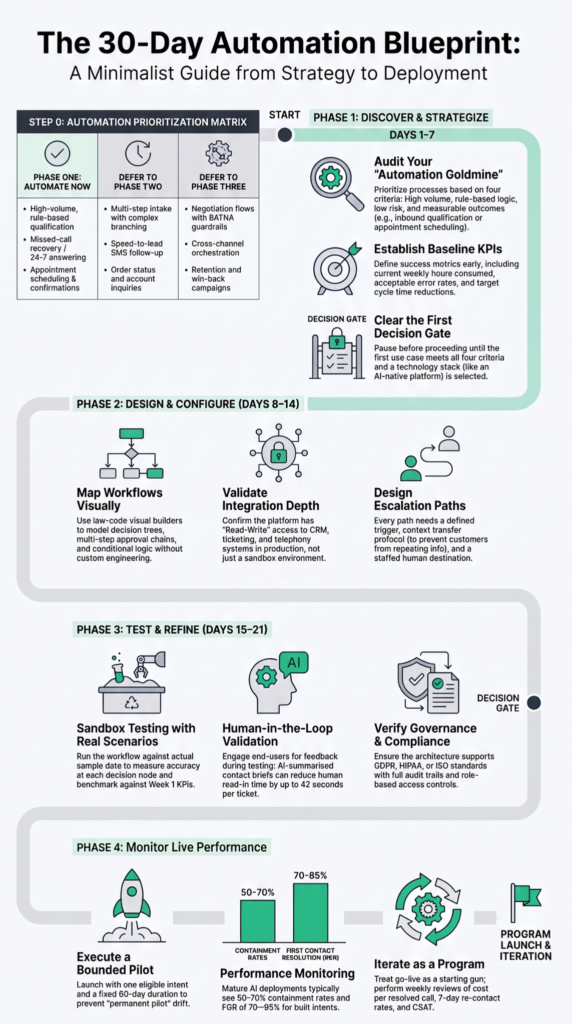
Focus on high-volume work with clear rules and measurable results.
| Area | First workflow | Measure |
| Routing | Assignment | Reassignment rate |
| Self-service | Common requests | Deflection rate |
| Lifecycle | SLA and follow-ups | Manual touches |
| Monitoring | Alert correlation | Duplicate tickets |
| AI | Ticket classification | Classification accuracy |
A staged rollout gives the team time to test each change. Routing and lifecycle rules can come before broader AI features. Knowledge search can follow once the underlying content is reliable.
We use this kind of sequence when reviewing products for MSSPs because buying technology isn’t the same as improving operations. The product has to fit the existing service model.
How Do You Know Ticket Automation Is Working?
Source: AI Academy
Measure the work removed from the team.
Useful metrics include ticket volume, backlog, resolution time, first-response time, deflection rate, routing accuracy, reassignment rate, reopen rate, and automated closure.
Don’t look at one number in isolation.
A lower ticket count could mean successful deflection. It could also mean users stopped submitting requests because the portal made the process harder. Context matters.
What Should You Review After Automation Goes Live?
Review failed routes, manual reassignments, bot escalations, repeated ticket categories, and automation errors.
Our audits also look at changes in customer behavior. A workflow that performs well during testing may need adjustment once customers use it at scale.
Keep reviewing the data.
FAQs
How can teams reduce manual ticketing effort when ticket volume suddenly spikes?
Teams can reduce manual ticketing effort by combining automated triage, intelligent routing, and automated assignment. These tools can categorize incoming tickets and send them to the appropriate team without requiring an employee to review every request. Ticket deflection can also direct common requests to a self-service portal or knowledge base before they reach an agent.
When does automated ticket routing work better than keyword-based routing?
Automated ticket routing can work better when users describe the same issue in different ways. Keyword-based routing relies on specific words or phrases, while NLP ticket analysis can identify meaning and context within a request. Teams can also combine context-aware routing with ticket categorization to improve ticket routing accuracy and send requests to the appropriate team.
How can automation reduce repetitive tickets without frustrating users?
Ticket deflection can reduce repetitive tickets when users have a clear way to resolve simple issues themselves. A self-service portal, knowledge base integration, and password reset automation can handle common requests without agent involvement. A virtual agent can guide users through these options and send more complex issues to an agent with the relevant information already included.
What helps reduce a growing ticket backlog without adding more agents?
Ticket backlog reduction requires teams to prioritize requests based on urgency, impact, and service requirements. Automated escalations, workload balancing, and SLA automation can help teams handle high priority requests before they breach service targets. Automated status updates and follow-ups can also reduce repeated questions, while ticket consolidation can prevent duplicate requests from being handled separately.
How can teams keep automation from creating incorrect or duplicate tickets?
Strong ITSM governance can define when automation should create, merge, escalate, or close tickets. Duplicate ticket detection, auto-merge tickets, ticket metadata enrichment, and automated QA checks can reduce duplicate records and routing errors. Teams should also review ticket analytics and routing accuracy regularly to identify incorrect rules and update workflows when support patterns change.
What Is the Practical Next Step?
Manual ticketing can quickly become a burden when your team spends too much time handling repetitive requests instead of solving harder issues. The goal isn’t full automation. It’s removing work that doesn’t need human attention while keeping people involved when judgment matters.
Start by reviewing your ticket workflow and finding the steps that repeatedly slow your team down. MSSP Security can help simplify those processes with practical automation, so your team can reduce manual work without losing control. Once the basics are working reliably, you can build toward more advanced automation as your needs grow.
References
- https://airc.nist.gov/airmf-resources/airmf/appendices/app-c-ai-risk-management-and-human-ai-interaction/
- https://aisel.aisnet.org/misq/vol39/iss1/11/