

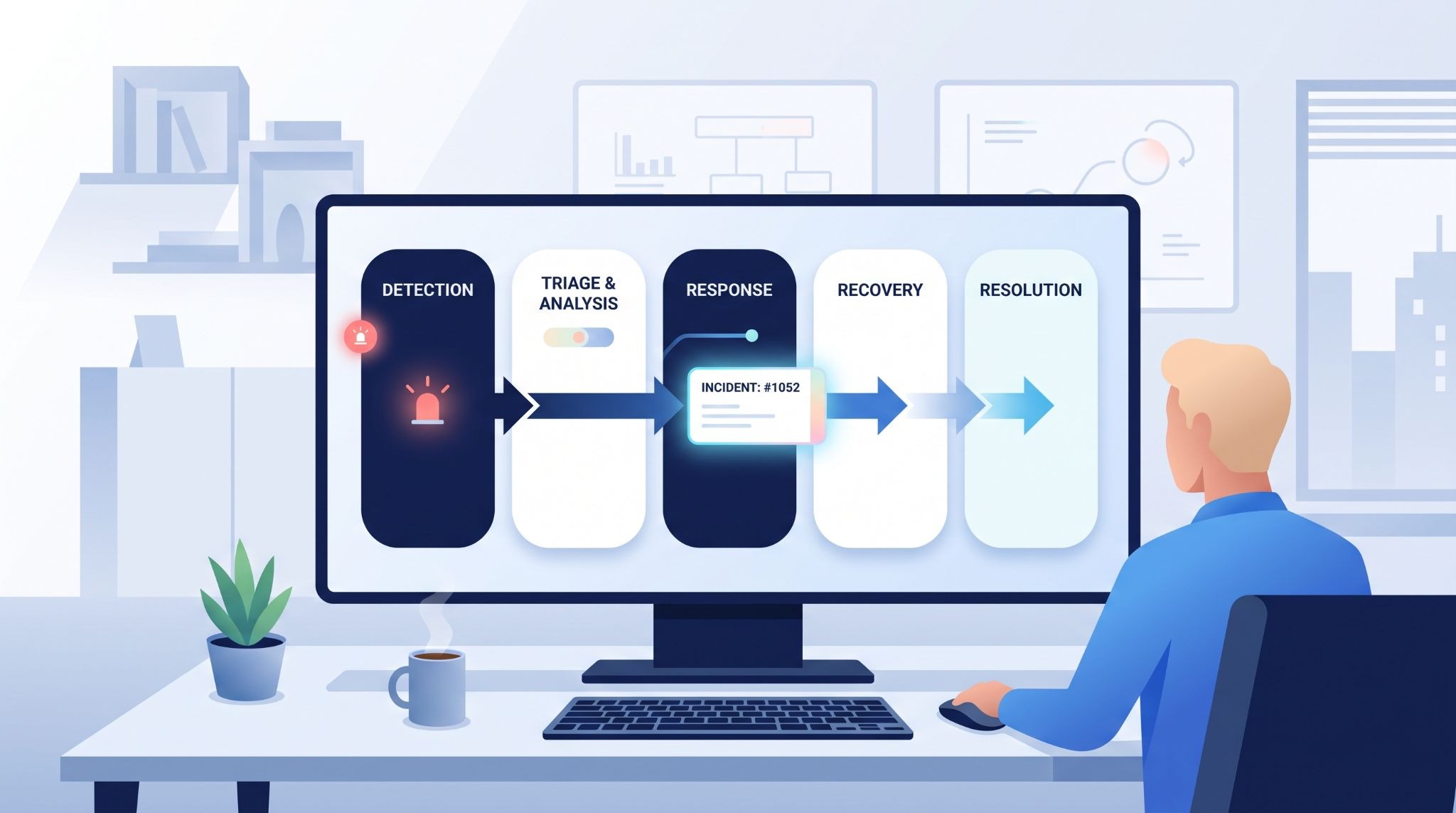
A streamlined incident management workflow helps teams detect, triage, contain, resolve, and learn from security incidents faster. At MSSP Security, we often see delays build up between these stages, not within one technical task. Manual handoffs, scattered tools, and unclear ownership can push MTTD and MTTR higher than they need to be.
Automation can cut that friction by routing alerts, assigning tasks, updating status, and triggering the next step without waiting for someone to act. But automation needs clear rules, or it can create more noise. Keep reading to see where workflow delays happen and how MSSP Security can help remove them.
Quick Reads: Incident Workflow Wins
This section sums up the core steps and metrics that help teams build a faster, more connected incident response process.
- A connected workflow moves incidents from detection to triage, mitigation, recovery, verification, and learning without unnecessary handoffs.
- Clear ownership, useful alert context, automated routing, and centralized communication can reduce avoidable response delays.
- MTTD, MTTR, and Change Failure Rate provide a practical way to measure whether workflow improvements are actually working.
Where Does The Incident Management Process Usually Slow Down?
Incident management usually slows down between steps. The tools may be working. The people may know what to do. But the handoff still takes too long.
At MSSP Security, we see this often when helping MSSPs review new products or audit the tools they already use. One platform may detect an issue, another may handle ticketing systems, and a third may manage on-call alerts. If those systems don’t pass enough information between them, responders have to fill the gaps themselves.
That costs time.
A responder might spend several minutes finding the right owner. Then someone has to pull logs, check recent changes, or work out whether another team is already investigating the same event. None of that fixes the incident.
The better question is: where does the workflow make people wait?
- Duplicate alert handling
- Manual ticket assignment
- Unclear ownership
- Missing alert context
- Scattered communication
We don’t recommend automating every step. A high-risk action may need human approval, especially if it can affect production services.
Why Do Alert Overload And Manual Handoffs Delay Response?
Too many alerts can make a real incident harder to spot. Responders may see several notifications that point to the same problem, along with unrelated events from other systems.
Alert correlation and deduplication can help group those signals into one clearer incident.
When we audit products for MSSPs, we also look at what happens after an alert fires. Can the product link the event to the affected service? Does it show the owner? Can it pull useful evidence into the incident record?
Those details matter more than having another long alert list.
Manual handoffs create another problem. If an incident moves through three teams, each team may repeat the same checks because the earlier findings weren’t carried forward.
Our preference is straightforward: the evidence should move with the incident.
Why Does Clear Incident Ownership Matter?
Every active incident needs someone who owns coordination. That doesn’t mean one person fixes everything. Technical responders can investigate while the incident owner keeps decisions, priorities, and communication moving.
A clear escalation matrix should show who acts, when escalation happens, how the person is contacted, and what information they need.
Without that, teams can spend too much time asking who should take the next step.
Severity also matters. A customer-facing outage shouldn’t sit in the same queue as a minor internal issue. Yet severity shouldn’t stay fixed either. If the impact grows, the incident should be reclassified.
At MSSP Security, we pay close attention to this when auditing workflows. A product may have strong severity labels, but those labels are less useful if they don’t trigger a clear response.
How Should Incident Detection Trigger The Workflow?
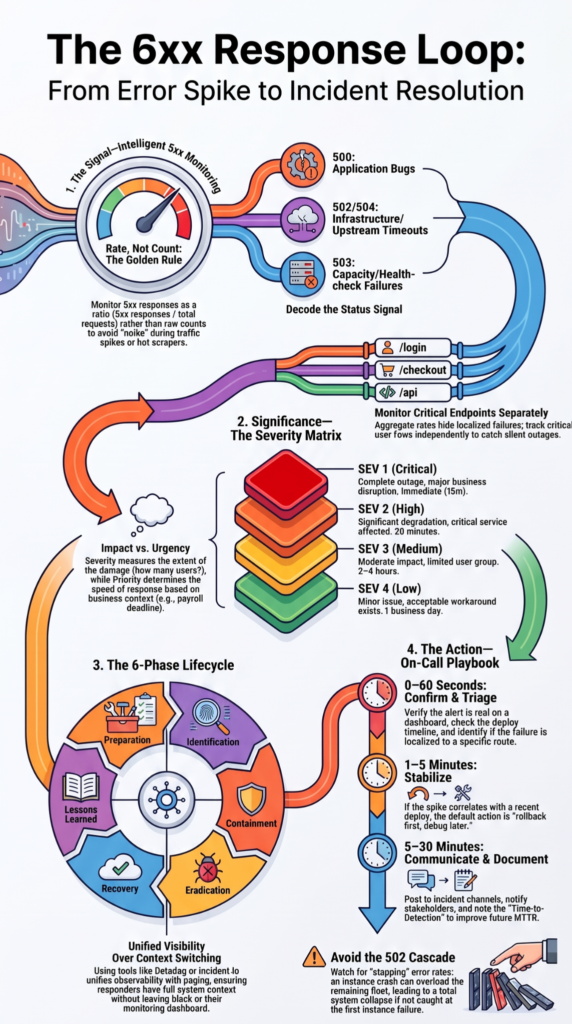
Detection should create enough context for triage to begin without a separate search across several systems.
“Doing so can help organizations prepare for incident responses, reduce the number and impact of incidents that occur, and improve the efficiency and effectiveness of their incident detection, response, and recovery activities.” – NIST
A useful alert can show the affected service, detection time, current severity, key symptoms, and related evidence. For example, “service unavailable” doesn’t tell a responder much. An alert that shows a high error rate, the affected service, the first observed time, and a related deployment gives the team a much better starting point.
We also look at whether a product can move that information into the incident record automatically. If responders still have to copy details from one system to another, the workflow has a weak point.
What Makes An Incident Alert Actionable?
An actionable alert should answer four basic questions:
- What happened?
- Where did it happen?
- When did it start?
- What appears affected?
It should also point responders toward the next step.
During product audits, we test this from the responder’s point of view. An alert can look impressive in a product demo, but that doesn’t mean it gives an analyst what they need during a real incident.
That’s where many evaluations go wrong.
We care less about the number of features and more about what the responder can do from the incident record.
How Can Automated Incident Triage Reduce Response Delays?
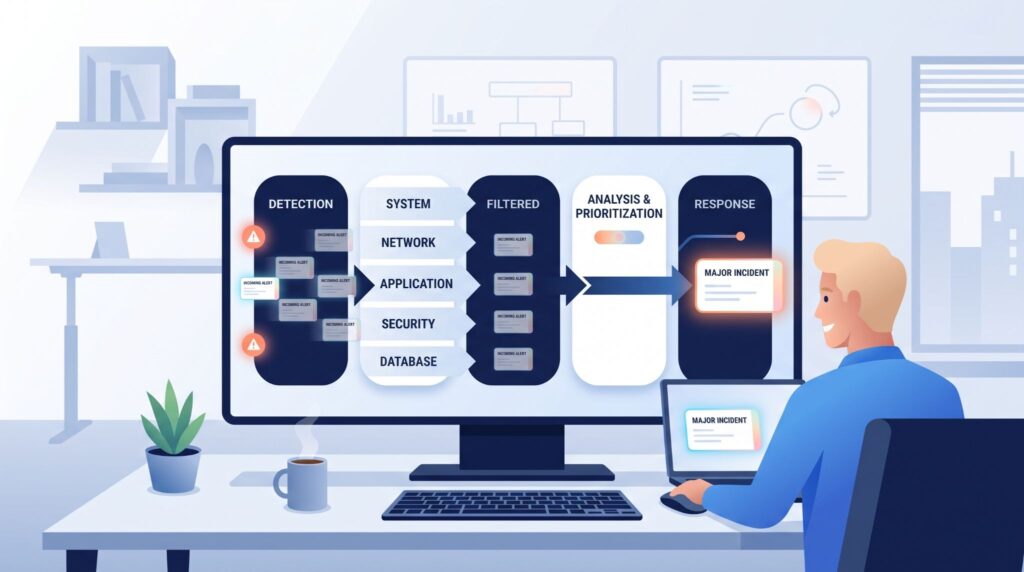
Automated triage can turn raw alerts into structured incidents. It can assign severity, identify ownership, route the event, and trigger escalation based on rules. Ticketing integration can also reduce manual work when incident information needs to move between connected systems.
That doesn’t mean every decision should be automatic.
A good workflow uses automation for repeatable work and leaves judgment to people where context matters. We often recommend testing those boundaries during product selection. If a tool can assign an incident correctly 95% of the time, the remaining cases still need a clear path for human review.
How Should Teams Prioritize Incident Severity?
Severity should reflect business impact, service condition, and urgency. A critical customer outage may need immediate escalation, while a low-impact internal issue can follow the normal service desk process.
The classification should also trigger specific actions.
| Severity | Typical Response |
| SEV-1 | Immediate escalation |
| SEV-2 | Priority response |
| SEV-3 | Normal incident process |
These labels are only useful if the workflow connects them to real actions. Otherwise, they’re names on a screen.
We also recommend checking whether severity can change as new information appears. An incident that starts as SEV-3 can become much more serious as the affected user count or service impact grows.
Why Should Incident Teams Mitigate Before Finding The Root Cause?
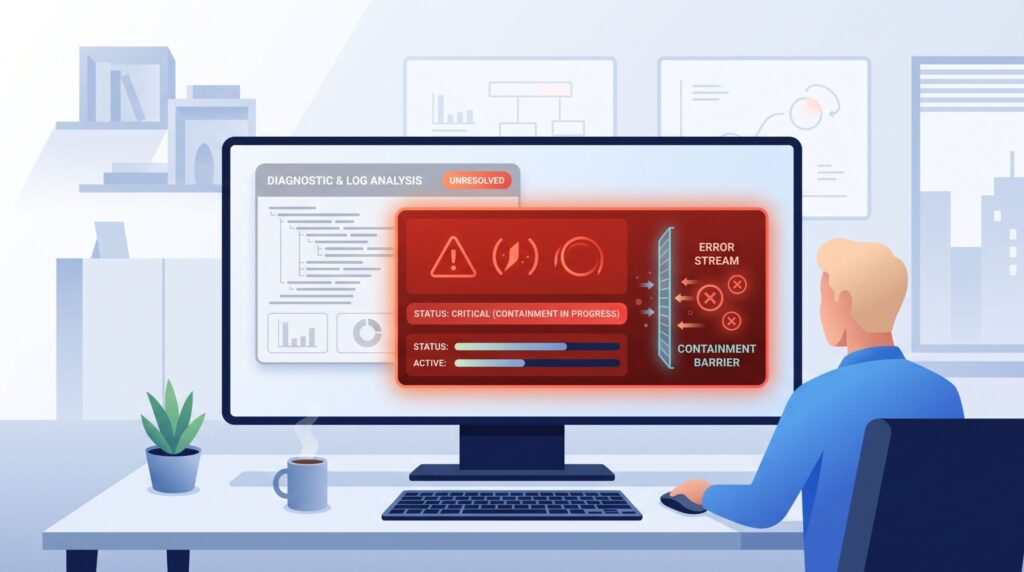
Teams usually need to reduce the impact before they fully
understand the cause. Restoring service can matter more in the first few minutes than proving exactly why the failure happened.
A rollback, failover, feature change, or approved workaround may restore service while the investigation continues.
We recommend keeping both tracks visible. One team can work on mitigation while another preserves evidence and investigates the cause.
That separation helps prevent a common mistake: delaying recovery because the team wants a complete diagnosis first.
Which Mitigation Actions Can Restore Service Faster?
The right action depends on the incident. A failed release may call for a rollback. A database issue may need failover. A broken feature may be disabled while the team investigates.
Whatever the action, the workflow should record who approved it, when it happened, what changed, and how the team verified the result.
When we audit a product, we look for those controls. A fast button isn’t enough if nobody can tell what happened afterward.
How Should Incident Communication Stay Consistent?
Incident updates should give each audience the information it needs without creating different versions of the story.
“A well-defined plan helps teams minimize the impact on users and customers, coordinate their response to mitigate the incident faster.” – Google SRE, Incident Management Guide
Technical teams may need logs, error rates, and current hypotheses. Customers need a clearer update about the affected service, current status, and next communication point.
We prefer factual updates over guesses about recovery times. If the team doesn’t know when service will return, the update should say what is known and when the next update will come.
When Should Stakeholders And Customers Be Updated?
The timing depends on the incident’s impact and the MSSP’s communication rules. What matters is that ownership is clear.
A useful update can cover:
- Affected service
- User impact
- Detection time
- Current response
- Available workaround
- Next update time
This keeps customer-facing teams aligned while technical responders stay focused on the incident.
How Do Teams Know When An Incident Is Truly Resolved?
Source: CodeLucky
An incident isn’t resolved because someone ran a command and saw the service return.
The team needs evidence that the original problem has stopped and the service remains stable. That can include error rates, availability, transaction success, latency, or other service-specific measures. Bidirectional ticket synchronization can also help keep incident status and updates aligned when multiple connected systems are involved.
We recommend defining those checks before an incident happens. Otherwise, closure can become subjective.
What Should Teams Verify Before Incident Closure?
The closure record should show what happened, what was affected, what the team changed, and how recovery was confirmed.
It should also retain the incident timeline and key communication history.
If a larger problem remains, create a separate follow-up action. Don’t hide it inside a closed ticket.
FAQs
What causes delays between incident identification and effective incident triage?
Delays often occur when alerts lack useful context, ownership is unclear, or incident assignment depends on manual steps. A stronger incident response workflow connects incident detection, incident categorization, and incident prioritization early. Clear escalation procedures also help teams respond faster when an incident requires specialist support, especially when a high impact issue affects critical services.
When should an incident move from normal handling to major incident management?
An incident may require major incident management when an issue affects critical services, disrupts many users, or cannot be resolved through normal support procedures. Teams can use incident severity assessment, incident impact analysis, and urgency assessment to determine the appropriate response. A defined escalation matrix can also help teams involve the right people before the incident causes further disruption.
How can teams keep incident communication clear during a high pressure outage?
During a serious outage, teams need one reliable place for incident coordination and stakeholder communication. A centralized communication channel can prevent conflicting updates, while regular status page updates can keep customers informed when appropriate. Clear incident ownership is also important because the incident commander needs to know who is handling technical tasks, communication, and key response decisions.
Which incident metrics show whether workflow changes are actually helping?
Teams should measure more than resolution time alone. Mean time to acknowledge, mean time to respond, mean time to resolve, and first response time can show where delays occur. Teams can compare these incident management KPIs over time to measure progress. Reviewing these metrics alongside incident volume and severity can provide a clearer view of workflow performance.
What should teams review when the same incident keeps happening?
Recurring incidents require more than another temporary fix. An incident retrospective should examine the incident timeline, investigation findings, and root cause analysis to identify why the issue keeps returning. Teams can use those findings to improve response playbooks, change management procedures, and monitoring alerts. This approach supports recurring incident prevention and can improve service reliability over time.
Streamline Your Incident Management Workflow
When an incident happens, unnecessary steps can slow response and recovery. A clear workflow helps your team act faster, understand what happened, and make safer decisions.
MSSP Security can help MSSPs simplify incident management, reduce tool sprawl, and improve their technology stack. With 15+ years of experience and 48K+ projects completed, its consulting support provides practical recommendations aligned with your operational needs.
References
- https://www.nist.gov/publications/incident-response-recommendations-and-considerations-cybersecurity-risk-management-csf
- https://sre.google/resources/practices-and-processes/incident-management-guide/