

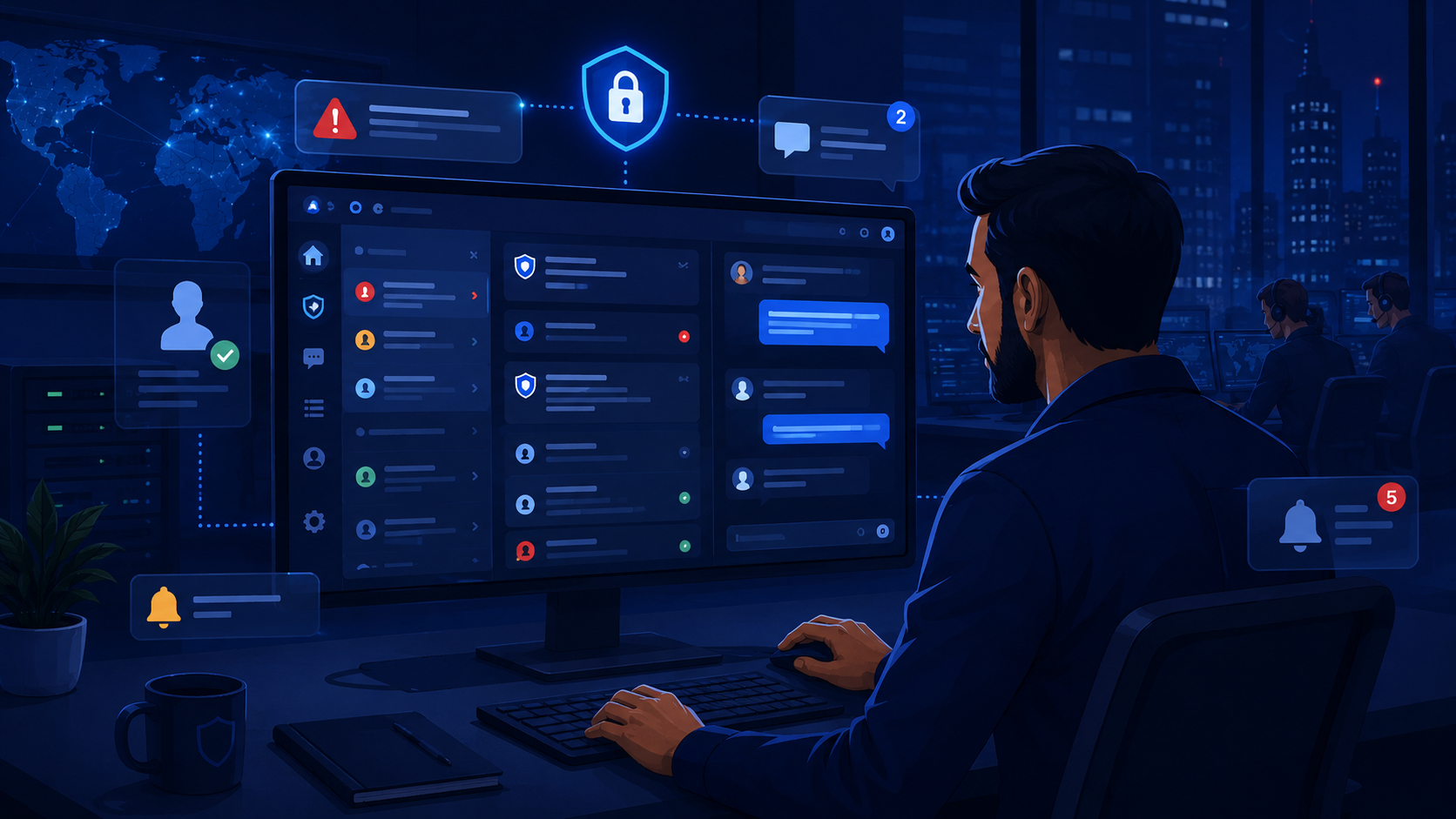
A portal communication notification center is a centralized platform that helps organizations manage client messages, security alerts, service updates, and operational notifications in one place.
By bringing communication into a single portal, MSSPs can reduce missed updates, improve visibility, and make it easier for clients to track important activities and respond when needed. At MSSP Security, we have seen how a structured notification workflow supports clearer communication, faster responses, and stronger client relationships across day-to-day operations.
Keep reading to learn how MSSP Security helps organizations build secure, scalable communication workflows that improve security operations.
Before You Continue
Here’s a quick overview of what you’ll learn about building a more effective portal communication notification center:
- A portal communication notification center centralizes client communication, alerts, updates, and messaging workflows in one secure platform.
- Effective notification management improves visibility with real-time alerts, activity notifications, and structured communication workflows.
- Based on our experience at MSSP Security, the right notification system helps organizations respond faster and strengthen client relationships.
What Is a Portal Communication Notification Center and Why Does It Matter?
A portal communication notification center is a centralized platform that helps MSSPs manage portal messaging, client notifications, real-time alerts, and service updates from one secure location. Instead of switching between emails, chat apps, and ticketing systems, teams can track communication, monitor ongoing work, and respond to important events more efficiently.
A typical notification center includes:
- Portal messaging and secure messaging for client communication
- System alerts, service alerts, and ticket notifications for operational updates
- Status updates to track requests and incidents
- Communication logs and message history to support visibility and accountability
From our experience working with MSSPs, we’ve found that communication becomes harder to manage as more security tools are added. Alerts, reports, and conversations often end up in separate systems, making it difficult to maintain a clear view of client activity.
That’s why we help MSSPs evaluate and audit communication solutions that fit their operational workflows. A centralized portal communication notification center brings these interactions together, improving collaboration, reducing missed updates, and giving both service teams and clients a more consistent communication experience.
What Features Should a Portal Communication Notification Center Have?
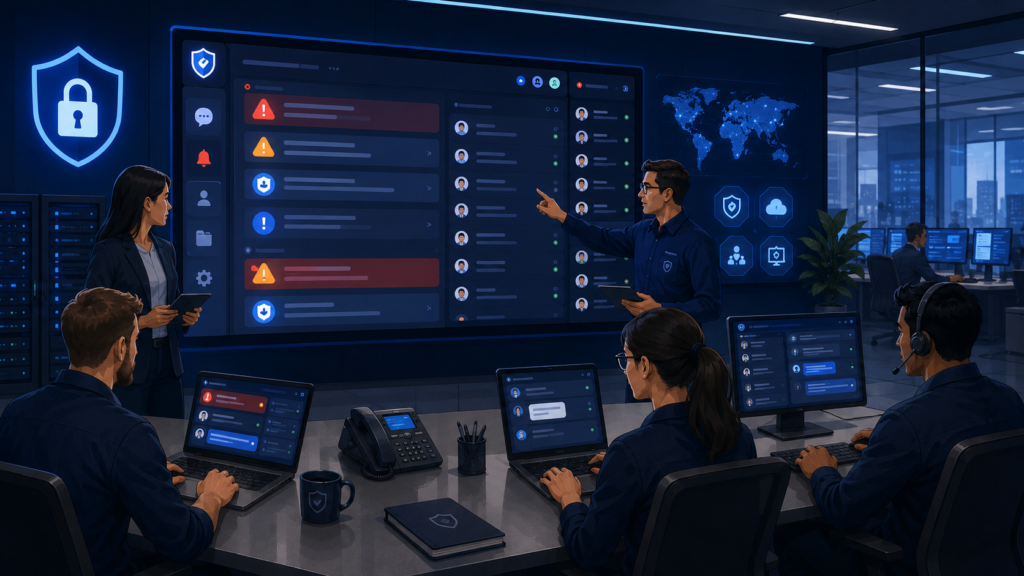
A reliable portal communication notification center should support more than basic message delivery. It should help MSSPs keep communication organized, protect sensitive information, and give both internal teams and clients clear visibility into ongoing activities. When communication is centralized, it becomes easier to follow updates and respond without switching between multiple platforms.
The most useful features include:
- A message center and portal inbox for centralized portal messaging and threaded communication
- Client notifications, response notifications, and ticket notifications to keep stakeholders informed
- Secure messaging with role-based access to protect sensitive conversations
- Communication logs and message history to support reporting, audits, and operational reviews
Working with MSSPs has shown us that communication challenges rarely come from a lack of tools. More often, the issue is that those tools operate independently, making it difficult to track conversations and maintain context. As part of our consulting services, we help MSSPs evaluate and audit communication platforms to determine whether they improve workflows or simply add complexity.
A well-designed Customer Portal Service Interface brings portal messaging, secure communication, and notification management together, making it easier for both MSSPs and clients to access updates, respond to alerts, and manage ongoing activities from a single platform.
How Do Client Notifications Improve MSSP Service Communication?
Client notifications help MSSPs keep clients informed without relying on manual follow-ups. Through a portal communication notification center, organizations can automatically share ticket notifications, issue notifications, support notifications, security updates, and service communication, giving clients timely visibility into ongoing work.
Many organizations also improve efficiency by managing tickets service requests portal workflows, allowing clients to track support requests, receive ticket notifications, and monitor resolution progress from a single platform.
A strong notification system typically provides:
- Ticket notifications and issue notifications to track requests and incidents
- Support notifications and security updates for investigation progress
- Maintenance announcements for planned service changes
- A centralized client communication portal for two-way communication
From our experience working with MSSPs, we’ve found that timely updates improve client confidence as much as fast response times. As part of our consulting services, we help MSSPs evaluate and audit communication platforms to ensure they deliver the right information at the right stage of the workflow.
A well-designed portal communication notification center reduces communication gaps, minimizes repeated support requests, and gives both service teams and clients a clearer view of ongoing activities.
How Do Real-Time Alerts and Instant Notifications Improve Response Times?
A portal communication notification center helps MSSPs respond faster by automatically delivering real-time alerts and instant notifications when important events occur. Instead of relying on manual updates or email chains, the system routes information to the right people based on predefined rules and alert priority.
Common notification types include:
- System alerts for technical or platform changes
- Service alerts for maintenance and availability updates
- Priority alerts for critical incidents
- Escalation notifications when additional teams need to respond
- Event notifications for security activities and workflow changes
From our experience working with MSSPs, we’ve found that faster responses depend on well-designed notification workflows, not simply sending more alerts. As part of our consulting services, we help MSSPs evaluate and audit communication platforms to ensure alerts reach the appropriate users without adding unnecessary complexity.
This approach aligns with ENISA’s guidance on alert and warning processes:
“Enabling the CERT to get the right information at the right places in the most timely fashion.” – ENISA, European Union Agency for Cybersecurity
A structured portal communication notification center improves visibility, reduces response delays, and creates a reliable communication record for both service teams and clients.
How Do Activity Notifications, Portal Updates, and Status Updates Improve Visibility?
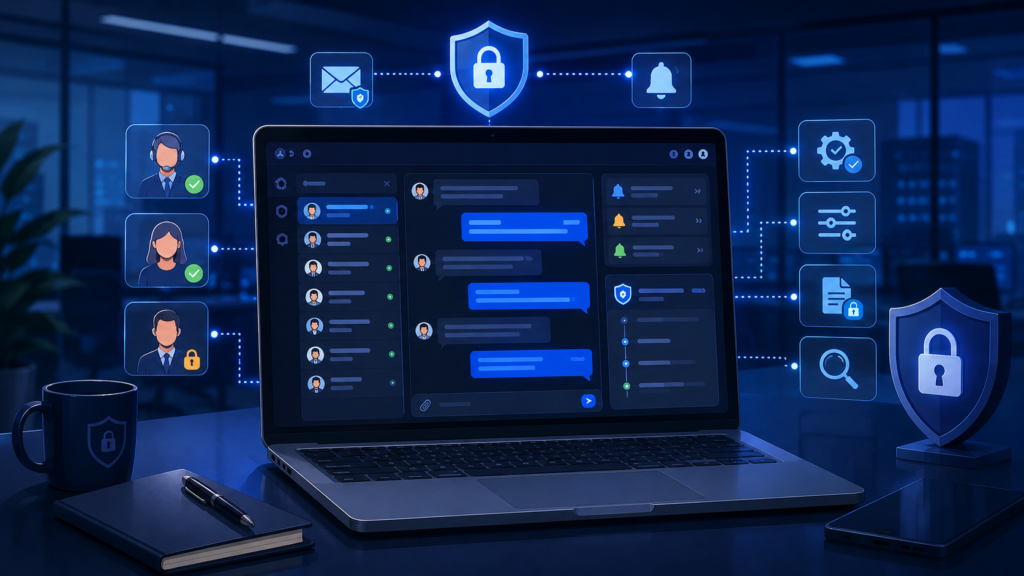
A portal communication notification center gives MSSPs and clients a clear view of ongoing service activities by organizing activity notifications, portal updates, and status updates in one place.
Instead of sorting through emails or separate tools, users can quickly see what has changed and what requires attention. Microsoft applies a similar approach to centralized operational communication.
“The Microsoft 365 Message center helps IT admins track upcoming changes, feature updates, and required actions across services.” – Microsoft Learn
This highlights how bringing notifications into a single interface helps administrators stay informed, prioritize updates, and respond more efficiently.
It also complements accessing security reports dashboards portal, allowing users to review activity notifications, service updates, security reports, and operational dashboards from a single location.
Key information typically includes:
- Activity notifications for client responses, ticket progress, and completed tasks
- Portal updates for new features, maintenance schedules, and security policy changes
- Status updates that track requests from investigation through resolution
From our experience working with MSSPs, we’ve found that users benefit more from organized information than from receiving more notifications. As part of our consulting services, we help MSSPs evaluate and audit communication platforms to ensure dashboards highlight the most relevant updates without creating unnecessary noise.
A well-designed portal communication notification center improves visibility, keeps communication organized, and helps both service teams and clients stay aligned throughout the service lifecycle.
How Does Notification Management Improve Communication Workflows?
As organizations grow, managing a higher volume of messages and alerts becomes more challenging. A portal communication notification center uses notification management to organize communication, ensuring important updates reach the right people without overwhelming users. This reduces alert fatigue and helps teams focus on high-priority tasks.
An effective communication workflow includes:
- Notification routing to deliver updates to the appropriate recipients
- Workflow alerts for operational milestones and security events
- Priority classification to identify urgent notifications
- Escalation rules for critical issues
- User-specific notification preferences
From our experience working with MSSPs, we’ve seen that adding more communication tools rarely solves workflow problems. As part of our consulting services, we help MSSPs evaluate and audit new communication products to determine whether they improve operational efficiency or add unnecessary complexity.
A well-designed portal communication notification center supports consistent service updates, security alerts, and client communication while keeping workflows organized, improving visibility, and helping teams respond more effectively.
Why Are Notification Preferences and User Controls Important?
Credit: SharePoint Wizard
A portal communication notification center should give users control over how and when they receive updates. Since different roles require different information, customizable notification preferences and notification settings help organizations deliver relevant alerts without overwhelming users.
Key customization options include:
- Alert preferences and communication preferences
- Notification permissions based on user roles
- Email alerts, mobile notifications, and push alerts
- Subscription alerts for specific services or events
From our experience working with MSSPs, we’ve found that effective communication depends on relevance rather than volume. As part of our consulting services, we help MSSPs evaluate and audit new communication products to ensure notification controls align with operational workflows.
For example, security analysts may need real-time alerts and escalation notifications, while client administrators primarily rely on service updates and ticket notifications. A well-configured portal communication notification center reduces notification fatigue, improves the user experience, and ensures critical information reaches the right people at the right time.
Why Are Audit Trails and Message History Essential for Secure Communication?
A portal communication notification center should provide a complete record of communication, not just deliver notifications. Features such as audit trails, communication logs, message history, and secure messaging help organizations track important interactions, verify notification delivery, and maintain accountability throughout the service lifecycle.
Core capabilities include:
- Audit trails to record communication activities
- Communication logs and message history for reporting and reviews
- Secure messaging to protect sensitive conversations
- Notification delivery tracking to confirm messages reach intended recipients
From our experience working with MSSPs, we’ve found that communication records are just as valuable as security alerts during audits and incident reviews.
As part of our consulting services, we help MSSPs evaluate and audit new communication products to ensure they support compliance, operational visibility, and long-term scalability.
A well-designed portal communication notification center gives teams a reliable history of client interactions, making it easier to review incidents, support reporting requirements, and improve future communication workflows.
How Does Two-Way Messaging Improve Client Collaboration?
A portal communication notification center becomes more valuable when it supports two-way messaging instead of one-way updates. Along with receiving client notifications, users can respond, ask questions, and share additional details without leaving the platform. This keeps conversations connected to the related ticket, security event, or service request, making communication easier to follow.
Key collaboration features include:
- Two-way messaging for client and MSSP conversations
- Customer messaging and support conversations in one place
- Response notifications and interaction alerts for new activity
- Collaboration notifications to keep workflows moving
- Service discussions linked to ongoing requests
From our experience working with MSSPs, we’ve found that communication is more effective when every update and response stays within the same workflow.
As part of our consulting services, we help MSSPs evaluate and audit new communication products to ensure they support collaboration instead of creating disconnected conversations.
A well-designed portal communication notification center improves visibility, strengthens accountability, and helps both service teams and clients resolve issues more efficiently.
How Do You Choose the Right Portal Communication Notification Center?
Choosing the right portal communication notification center is about finding a platform that supports secure communication, operational efficiency, and long-term scalability. Beyond basic messaging, the solution should fit existing workflows and help MSSPs manage client communication more effectively.
| Feature | Why It Matters for MSSPs |
| Secure Messaging | Protects sensitive client communications through role-based access and controlled permissions. |
| Real-Time Alerts | Delivers critical security updates immediately, reducing response delays. |
| Notification Management | Automates notification routing, prioritization, and escalation workflows. |
| Portal Communication Dashboard | Provides centralized visibility into alerts, messages, tickets, and service updates. |
| Communication Logs & Audit Trails | Supports compliance, reporting, operational reviews, and incident investigations. |
| Two-Way Messaging | Enables clients and security teams to communicate within the same conversation thread. |
| Notification Preferences | Allows users to customize alerts based on their roles and responsibilities. |
| Scalability | Supports growing MSSP environments without adding unnecessary operational complexity. |
Key features to evaluate include:
- Secure messaging, user permissions, and controlled access
- Real-time notification delivery, email alerts, mobile notifications, and delivery tracking
- A portal communication dashboard for messages, alerts, and service updates
- Notification management with routing, automation, and escalation notifications
- Communication logs, message history, and audit trails for reporting and compliance
From our experience working with MSSPs, we’ve found that the best platform is the one that fits day-to-day operations rather than offering the longest feature list. As part of our consulting services, we help MSSPs evaluate and audit new communication products to ensure they improve workflows, support client communication, and integrate smoothly with existing security operations.
How Does MSSP Security Help Improve Portal Communication Workflows?
Many MSSPs rely on multiple tools to manage alerts, client communication, and operational updates. As those tools grow, so does the challenge of keeping communication organized. A structured workflow helps ensure important information is delivered consistently without creating unnecessary complexity.
At MSSP Security, our consulting services focus on helping MSSPs evaluate and audit communication products that fit their operational needs. Rather than recommending tools based on feature lists alone, we assess how well they support existing workflows, improve visibility, and integrate with the broader security environment.
Our work typically includes:
- Evaluating communication and notification requirements
- Auditing existing platforms and workflows
- Assessing new products using a vendor-neutral approach
- Improving notification workflows and operational visibility
- Simplifying communication processes without sacrificing scalability
Over more than 15 years of supporting security operations, we’ve learned that effective communication depends on selecting the right tools and implementing them thoughtfully. Our goal is to help MSSPs build communication workflows that make alerts, client updates, and day-to-day operations easier to manage while supporting long-term growth.
What Are the Best Practices for a Portal Communication Notification Center?
An effective portal communication notification center depends on both the right technology and well-defined communication processes. As notification volume grows, organizations should establish clear workflows that keep important updates organized and actionable.
Key best practices include:
- Categorize security alerts, service notifications, status updates, and maintenance announcements by priority.
- Use notification routing to deliver messages to the appropriate teams or client contacts.
- Monitor performance through notification delivery rates, response times, unread notifications, and resolution timelines.
- Maintain communication logs, message history, and audit trails to support compliance and operational reviews.
From our experience working with MSSPs, we’ve found that successful communication strategies rely on thoughtful workflows rather than simply adding more notification features.
As part of our consulting services, we help MSSPs evaluate and audit new communication products to ensure they support operational efficiency, improve client communication, and integrate smoothly with existing security processes.
What Is the Future of Portal Communication Notification Centers for MSSPs?
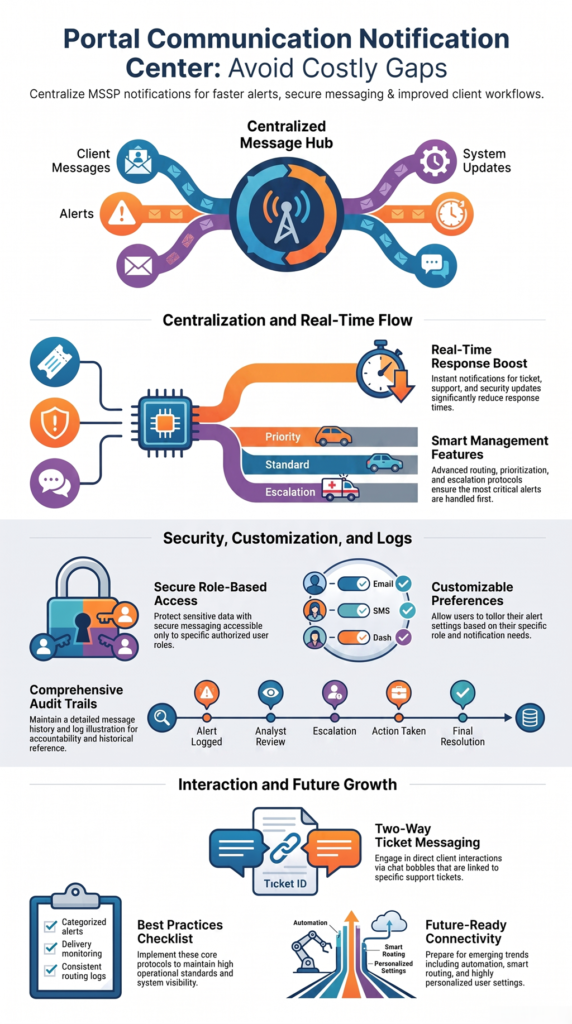
As security operations become more complex, a portal communication notification center will need to support more than basic messaging. Future platforms will help MSSPs manage growing communication volumes while improving visibility, collaboration, and operational efficiency across security teams and clients.
Key trends include:
- Smarter notification routing based on user roles and priorities
- More automated workflows to reduce manual tasks
- Personalized notification settings for different users
- Better integration with security operations and communication platforms
- Advanced analytics to measure communication performance
From our experience working with MSSPs, we’ve found that successful communication depends on selecting tools that fit existing workflows rather than adding more standalone solutions. As part of our consulting services, we help MSSPs evaluate and audit new communication products before adoption.
A future-ready portal communication notification center should combine real-time alerts, secure messaging, client notifications, and activity tracking into a single workflow that supports faster decisions, stronger collaboration, and long-term operational growth.
FAQ
What Is a Portal Communication Notification Center?
A portal communication notification center is a centralized platform that helps MSSPs and organizations manage client messages, security alerts, service updates, and operational notifications from one secure location. Instead of relying on separate email threads, chat platforms, or ticketing tools, teams can monitor communication activities, respond to alerts, and maintain message history through a unified portal.
How Does a Portal Communication Notification Center Help MSSPs Improve Client Communication?
A portal communication notification center helps MSSPs improve client communication by providing real-time updates, secure messaging, ticket notifications, and structured communication workflows. Clients can easily track service requests, receive important security updates, and communicate directly with service teams without relying on manual follow-ups.
What Features Should MSSPs Look for in a Portal Communication Notification Center?
MSSPs should look for features such as secure messaging, real-time alerts, notification management, communication logs, audit trails, user permissions, notification preferences, and two-way messaging. These capabilities help teams organize communication, protect sensitive information, and ensure important updates reach the right users at the right time.
How Does Notification Management Reduce Alert Fatigue?
Notification management reduces alert fatigue by organizing alerts based on priority, user roles, and operational requirements. A well-configured portal communication notification center can use notification routing, escalation rules, and customizable preferences to ensure users receive relevant updates instead of being overwhelmed by unnecessary notifications.
Why Is a Portal Communication Notification Center Important for Security Operations?
A portal communication notification center is important for security operations because it improves visibility, speeds up incident response, and creates a reliable communication record. By combining security alerts, client updates, messaging, and activity tracking in one platform, MSSPs can improve collaboration, maintain accountability, and deliver more consistent services.
Why Should MSSPs Use a Portal Communication Notification Center?
A portal communication notification center helps MSSPs centralize client notifications, real-time alerts, secure messaging, and communication logs in one platform. From our experience, the best communication workflows come from selecting tools that fit operational needs rather than adding unnecessary complexity.
At MSSP Security, we help MSSPs evaluate and audit communication products through a vendor-neutral approach, improving visibility, collaboration, and long-term efficiency. Learn how MSSP Security can strengthen your MSSP operations.
References
- https://www.enisa.europa.eu/publications/awa
- https://learn.microsoft.com/en-us/microsoft-365/admin/manage/message-center?view=o365-worldwide