

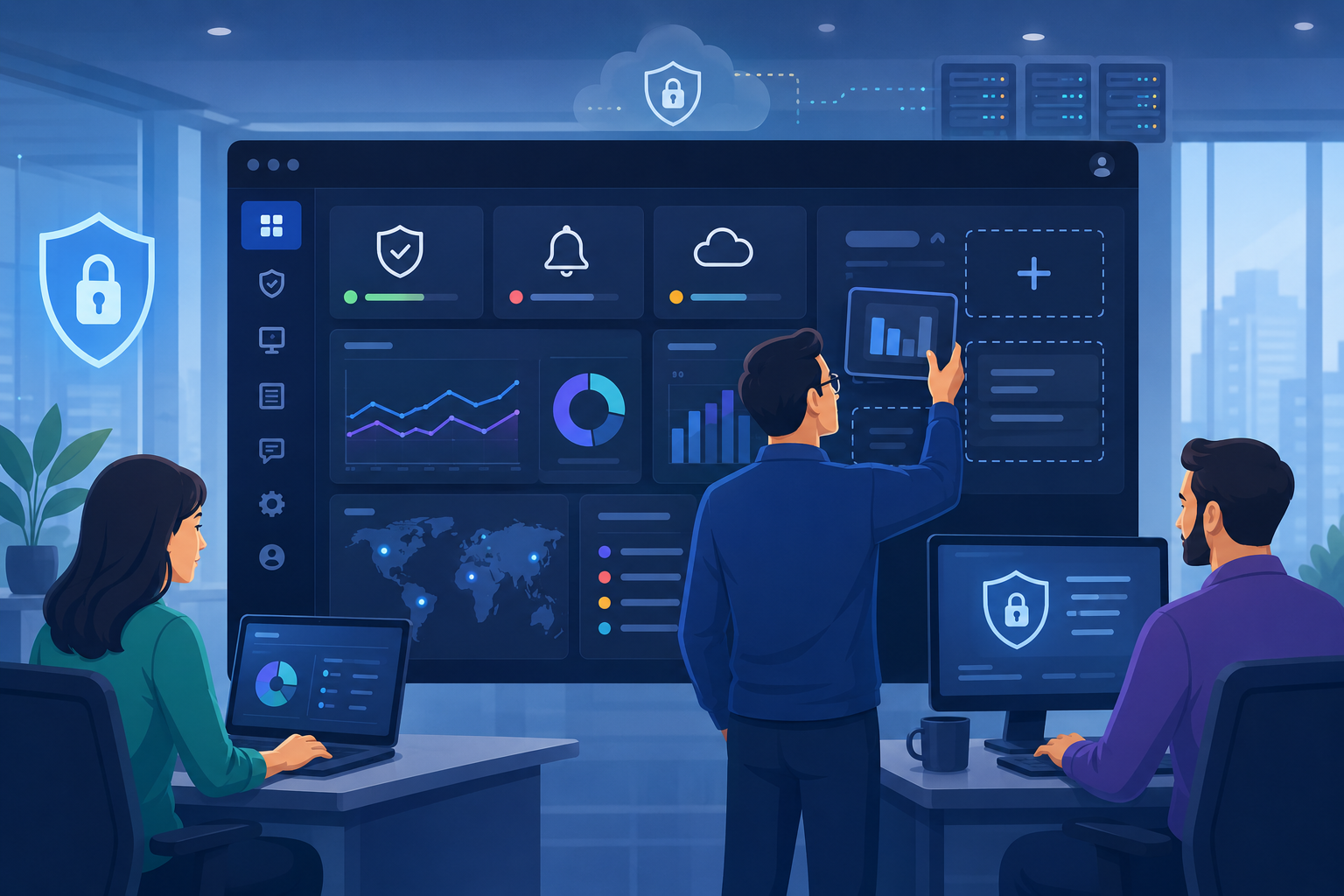
A portal dashboard should adapt to user needs, not force teams to work with fixed layouts. Customizing portal dashboard views helps users organize widgets, filters, and reports based on their roles and workflows.
Through our experience helping MSSPs evaluate and audit security products, we understand the importance of flexible, secure dashboards.
Learn how the right dashboard strategy improves visibility and scalability with guidance from MSSP Security.
What Makes Customizing Portal Dashboard Views Important for Modern Portals?
Effective customizing portal dashboard views requires the right balance of flexibility, usability, and security. These key points highlight how customized dashboards can improve workflows and help MSSPs choose suitable solutions:
- Custom dashboards improve efficiency by allowing teams to organize information based on their workflows.
- Role-based views enhance visibility and control while maintaining proper access permissions.
- Solution evaluation and auditing ensure dashboards meet MSSP needs for scalability, flexibility, and reporting.
How Can Customizing Portal Dashboard Views Improve User Experiences? \
Credit: Growth Generators
A modern portal dashboard needs to do more than present information. It should give users a workspace that fits their responsibilities, helping them review data, monitor activities, and make decisions more efficiently.
This is why customizing portal dashboard views has become an important approach for building flexible and user-focused portal experiences.
Rather than forcing every user to work with the same layout, dashboard customization allows teams to create views that match specific needs. Users can adjust dashboard layouts, select relevant widgets, apply filters, and save personalized views that support their daily workflows.
Different roles often require different dashboard experiences, such as:
- Security analysts who need visibility into alerts, vulnerabilities, and real-time monitoring.
- Executives who require KPI dashboards and high-level performance summaries.
- Operations teams that rely on workflow tracking, activity feeds, and status updates.
Through our experience helping MSSPs evaluate, select, and audit security products, we have seen how the right dashboard configuration can improve visibility without creating unnecessary complexity. A strong portal dashboard personalization strategy should include:
- Relevant information that helps users act quickly.
- Flexible layouts that support different workflows.
- Secure access controls to protect sensitive data.
The goal is not just to create a visually appealing interface. A well-designed dashboard should help users understand critical insights, improve efficiency, and maintain better control over their security environment.
A strong Customer Portal Service Interface also helps organizations create a smoother experience by ensuring users can easily navigate information, access relevant features, and complete tasks based on their responsibilities.
A strong Customer Portal Service Interface also helps organizations create a smoother experience by ensuring users can easily navigate information, access relevant features, and complete tasks based on their responsibilities.
How Can Dashboard View Customization Improve Data Access and Decision-Making?
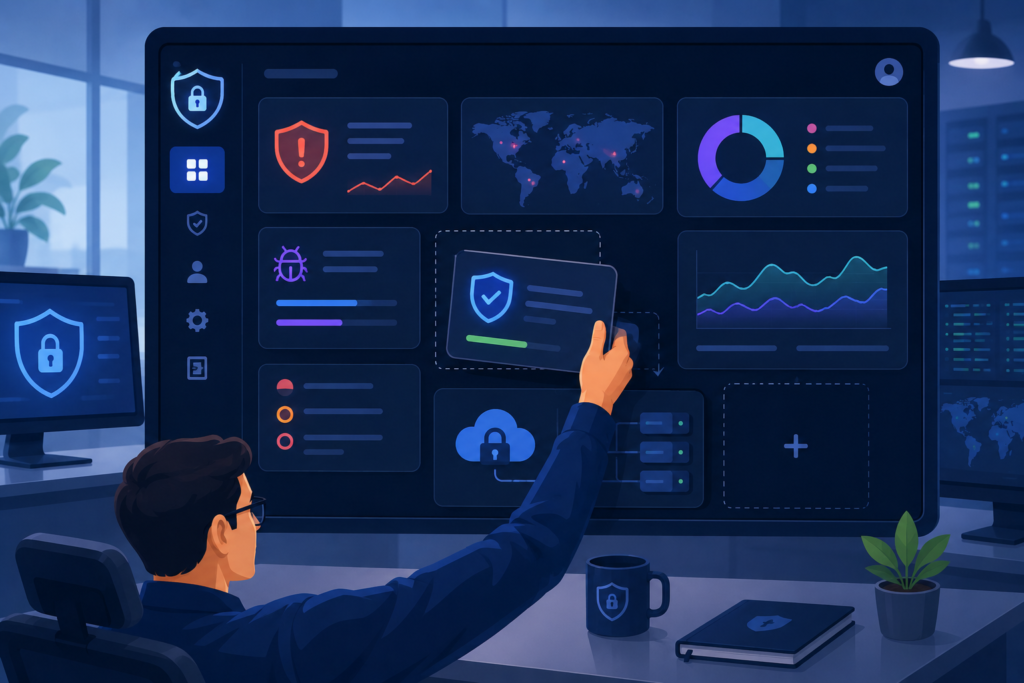
A dashboard should make important information easy to find, not force users to search through unnecessary data. Dashboard view customization helps teams create user-specific views that match their roles, priorities, and daily workflows.
A fixed dashboard layout may not work for every team. Security analysts often need access to vulnerability trends, threat monitoring, and system health data, while managers may focus on risk summaries and business performance.
From our experience helping MSSPs evaluate, select, and audit security products, we have seen how the right dashboard structure can improve visibility and support better decisions. Clear data presentation is also essential
“You need an easy way to visually view your data to make informed decisions and to keep ahead of the competition.” – Microsoft states
Using the right views, filters, and visualization controls helps organizations turn complex information into practical insights.
Benefits of effective dashboard customization include:
- Faster access to critical information.
- Better understanding of risks and trends.
- Less time spent preparing reports.
- Improved collaboration between technical and business teams.
How Can Role-Based Dashboard Views Deliver More Relevant Information?
Not every user needs the same dashboard information. Role-based dashboard views help organizations provide relevant data based on responsibilities while maintaining proper security controls.
Security analysts may need alerts, vulnerabilities, and monitoring data, while administrators require system settings and access management. Executives often need KPI summaries and business insights.Effective role-based dashboards rely on structured permissions.
“A key feature of this model is that all access is through roles. A role is essentially a collection of permissions, and all users receive permissions only through the roles to which they are assigned, or through roles they inherit through the role hierarchy.” – NIST
This approach helps MSSPs create secure dashboards with appropriate visibility.
| User Role | Dashboard Information Needed | Common Dashboard Features |
| Security Analysts | Threats, vulnerabilities, alerts | Monitoring dashboards, alert widgets |
| Administrators | Configuration and access controls | Admin dashboards, permission settings |
| Operations Teams | Tasks and workflows | Activity feeds, status tracking |
| Executives | Performance and risk insights | KPI dashboards, summary cards |
| Clients | Account-specific reporting | Client dashboards, saved views |
Through our experience helping MSSPs evaluate and audit security products, we know effective dashboards must balance visibility, usability, and control.
How Can Dynamic Dashboard Widgets Create a More Flexible Portal Interface?
A dashboard is more useful when users can adjust the information they see based on their daily responsibilities. Dynamic dashboard widgets give users more control over how data is organized, helping them create a portal interface that matches their workflow instead of relying on a fixed layout.
Modern dashboards can include different components to support various needs, such as:
- Summary cards for quick access to important metrics.
- Chart widgets for visualizing trends and performance data.
- Table widgets for reviewing detailed information.
- Alert widgets and notification panels for tracking updates.
The way users arrange these elements can have a direct impact on usability. A security operations team, for example, may place active alerts and monitoring data at the top of the dashboard, while managers may prefer KPI summaries and reporting insights.
Through our experience helping MSSPs evaluate, select, and audit security products, we have seen how flexible dashboard designs can improve visibility and reduce unnecessary complexity.
A configurable dashboard layout allows organizations to adapt as teams, workflows, and requirements change.
Rather than creating a one-size-fits-all solution, modular dashboards give MSSPs the flexibility to support different user needs while building a more practical and scalable portal experience.
How Can Custom Dashboard Layouts Improve User Personalization?
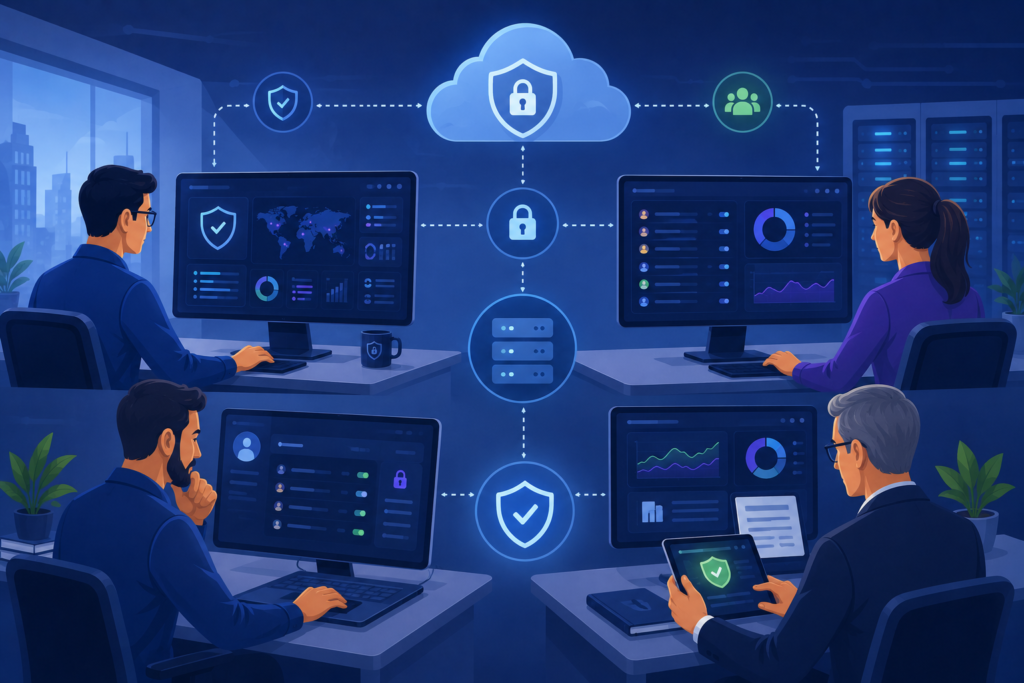
A dashboard works best when it fits the way users work. Instead of making users adjust to a fixed interface, custom dashboard setup gives teams the flexibility to organize information based on their responsibilities and priorities. Features like a drag-and-drop dashboard allow users to move widgets, adjust sections, and create layouts that better support their daily activities.
Modern dashboard customization often includes options such as:
- Rearranging dashboard sections.
- Changing widget positions.
- Creating personalized dashboard templates.
- Switching between saved dashboard views.
For example, security teams may place vulnerability findings, threat alerts, and monitoring panels where they are easiest to access. Meanwhile, operations teams or managers may prefer task summaries, progress indicators, and performance metrics.
Through our experience helping MSSPs evaluate, select, and audit security products, we have seen how flexible dashboards improve usability without adding unnecessary complexity. A configurable dashboard layout gives organizations control while allowing users to personalize how they consume information.
Responsive dashboard design is also becoming increasingly important. Users may access portals from desktops, tablets, or mobile devices, so a well-built interface should maintain a consistent experience across different screens. This helps teams stay connected to important updates wherever they work.
What Makes Personalized Dashboard Views Valuable for MSSPs?
Dashboard customization is not only about changing how a portal looks. It is also about helping users control what information they see and how they access it. Features such as dashboard filters, saved preferences, and view presets allow users to create a more focused dashboard experience that matches their workflow.
When dashboards contain large amounts of data, finding the right information can become time-consuming. Custom filtering options help users narrow results and focus on the details that matter most. Common customization features include:
- Data filters based on time periods.
- Segment views based on specific categories.
- Saved filters for repeated searches.
- Custom reporting preferences.
- Saved dashboard views.
For example, a security team managing multiple environments can create separate saved views for different systems, clients, or monitoring tasks. Instead of rebuilding the same setup repeatedly, users can quickly return to a preferred dashboard configuration.
From our experience helping MSSPs evaluate, select, and audit security products, we have seen how saved preferences improve daily workflows.
Users spend less time adjusting dashboards and more time reviewing important insights. View presets also make it easier for teams to switch between monitoring, reporting, and analysis tasks.
At MSSP Security, we understand that different users require different levels of visibility. A well-personalized dashboard allows security teams, administrators, and stakeholders to work with relevant information while maintaining proper access controls.
How Do Multi-Tenant Dashboards Help Organizations Manage Multiple Clients?
Managing multiple customers requires more than a standard dashboard. Multi-tenant dashboard capabilities allow organizations to separate information while giving users access to insights based on their responsibilities. Each client or department can have its own settings, visibility rules, and permissions to maintain security and usability.
These capabilities are often supported by essential features mssp customer portal, including tenant-specific visibility, client reporting, permission management, and customizable dashboard access. Key elements include:
- Tenant-specific views.
- Account-level views.
- Department-level dashboards.
- Client-specific reporting.
- Permission-based customization.
For MSSPs managing multiple clients, this approach ensures customers only access their own security data while internal teams maintain broader monitoring capabilities. From our experience helping MSSPs evaluate, select, and audit security products, we have seen how proper dashboard separation improves visibility, security, and operational efficiency.
A successful multi-tenant strategy balances personalization with governance, allowing flexible access while protecting sensitive information.
Why Are Visualization Controls Important in Custom Dashboards?
A dashboard should do more than display numbers and reports. It should help users understand data and make better decisions. Custom reporting dashboards combine analytics, reporting, and visualization features to turn complex information into clearer insights.
Different users require different levels of detail. Leadership teams may use KPI dashboards and performance summaries, while technical teams rely on drill-down views to investigate specific issues. Common dashboard capabilities include:
- KPI dashboards for tracking measurements.
- Metrics overview sections for quick insights.
- Data visualization controls for easier analysis.
- Drill-down views for deeper investigation.
- Real-time dashboards for continuous monitoring.
Through our experience helping MSSPs evaluate, select, and audit security products, we have seen how effective visualization simplifies security data. Interactive dashboards help teams identify trends, review risks, and access actionable insights.
Efficient accessing security reports dashboards portal capabilities also support faster report reviews and performance monitoring. At MSSP Security, we help organizations build dashboards that balance visibility, usability, and informed decision-making.
What Should MSSPs Consider When Improving Portal UI Customization?
A dashboard can have powerful features, but the overall experience depends on how easily users can interact with it. Portal UI customization helps organizations create interfaces that feel more intuitive by allowing users to organize information, adjust views, and complete tasks with less friction.
Good customization is not about adding as many options as possible. Too many controls can make a portal harder to use. Instead, the focus should be on providing practical features that support different workflows, such as:
- Customizable columns to display relevant information.
- Sortable tables for organizing data quickly.
- Search and filter tools for easier navigation.
- Workflow dashboards for managing tasks.
- Activity feeds and status tracking panels for monitoring updates.
For example, a security analyst reviewing vulnerabilities may need detailed tables with severity levels and affected assets, while a manager may prefer a simpler view with summaries and progress indicators.
Through our experience helping MSSPs evaluate, select, and audit security products, we have seen that effective dashboard design starts with understanding how users work. Different teams interact with security data differently, so the interface should support those needs without creating unnecessary complexity.
At MSSP Security, we focus on helping organizations assess solutions that balance flexibility, usability, and security. A well-designed portal interface should make information easier to access while maintaining consistent navigation, clear controls, and a reliable user experience.
What Are the Best Practices for Customizing Portal Dashboard Views?
Building a useful dashboard takes more than adding widgets and customization options. A strong customizing portal dashboard views strategy needs to consider how users work, what information they need, and how the portal can support future growth. Without the right planning, dashboards can become difficult to manage or filled with information that users rarely need.
Some important practices include:
- Understanding user requirements before creating dashboard layouts.
- Applying role permissions and access-controlled views to protect sensitive data.
- Prioritizing important KPIs, alerts, and actionable insights.
- Using feedback to improve dashboard performance over time.
Different teams naturally require different dashboard experiences. Security analysts may focus on threats and vulnerabilities, while executives may need performance summaries and high-level reporting.
Through our experience helping MSSPs evaluate, select, and audit security products, we have seen that the most effective dashboards are designed around real workflows rather than just available features. A scalable approach gives users the flexibility to personalize their views while allowing organizations to maintain security, control, and long-term usability.
Why Customizing Portal Dashboard Views Matters?
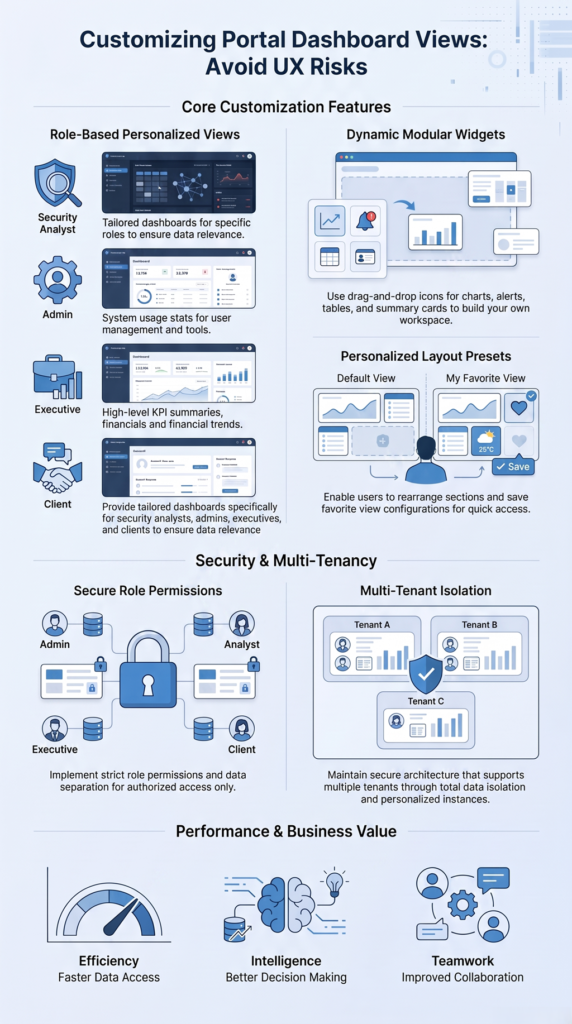
A well-designed portal dashboard should make information easier to access while giving users the flexibility to work in their own way. Customizing portal dashboard views helps organizations create personalized interfaces that support different roles, workflows, and security requirements.
Modern dashboard customization can include features such as:
- User-specific and role-based dashboard views.
- Dynamic dashboard widgets and configurable layouts.
- Saved dashboard views and user preferences.
- Custom reporting dashboards.
- Real-time monitoring and data visualization controls.
These capabilities allow users to create workspaces that match their responsibilities. For example, security teams can focus on risks and alerts, while managers may need performance summaries and operational insights.
Through our experience helping MSSPs evaluate, select, and audit security products, we have seen how the right dashboard design can improve visibility without adding unnecessary complexity. A practical customization strategy helps teams collaborate better, find important information faster, and make more informed decisions.
At MSSP Security, we believe effective dashboards should combine flexibility with security. The result is a scalable portal experience that supports real-world workflows and adapts as organizational needs change.
FAQ
What Is Customizing Portal Dashboard Views?
Customizing portal dashboard views is the process of adjusting dashboard layouts, widgets, filters, and information displays to match specific user roles, workflows, and business needs. It helps users access relevant data faster while improving overall portal usability.
Why Are Role-Based Dashboard Views Important for MSSPs?
Role-based dashboard views help MSSPs provide users with the right level of access and information. Security analysts, administrators, executives, and clients can each view dashboards designed for their responsibilities while maintaining proper security controls.
How Do Dynamic Dashboard Widgets Improve User Experience?
Dynamic dashboard widgets allow users to organize important information, such as alerts, KPIs, reports, and monitoring data, based on their priorities. This creates a more flexible dashboard experience and reduces the time needed to find critical insights.
How Can MSSPs Maintain Security While Allowing Dashboard Customization?
MSSPs can maintain security by using access-controlled views, user role permissions, permission-based customization, and proper data separation. These controls allow personalization without exposing sensitive information to unauthorized users.
What Should Organizations Consider When Choosing a Custom Dashboard Solution?
Organizations should evaluate flexibility, scalability, reporting capabilities, integration options, and security controls. Working with MSSP Security can help MSSPs assess and audit solutions to ensure their dashboard technology aligns with operational needs and long-term goals.
How Can Customizing Portal Dashboard Views Help MSSPs Build Better Solutions?
Customizing portal dashboard views helps organizations improve visibility, flexibility, and user experience through personalized layouts, role-based access, dynamic widgets, and reporting features. From our experience helping MSSPs evaluate, select, and audit security products, we understand the importance of balancing usability with strong security controls.
MSSP Security supports MSSPs with vendor-neutral product selection, auditing, stack optimization, and decision guidance to build scalable solutions that improve operations and align with business goals.
References
- https://csrc.nist.gov/Projects/role-based-access-control/faqs
- https://support.microsoft.com/en-us/office/make-data-driven-product-design-decisions-f8bf1f10-506c-4a22-b303-5825f16e3cc4