

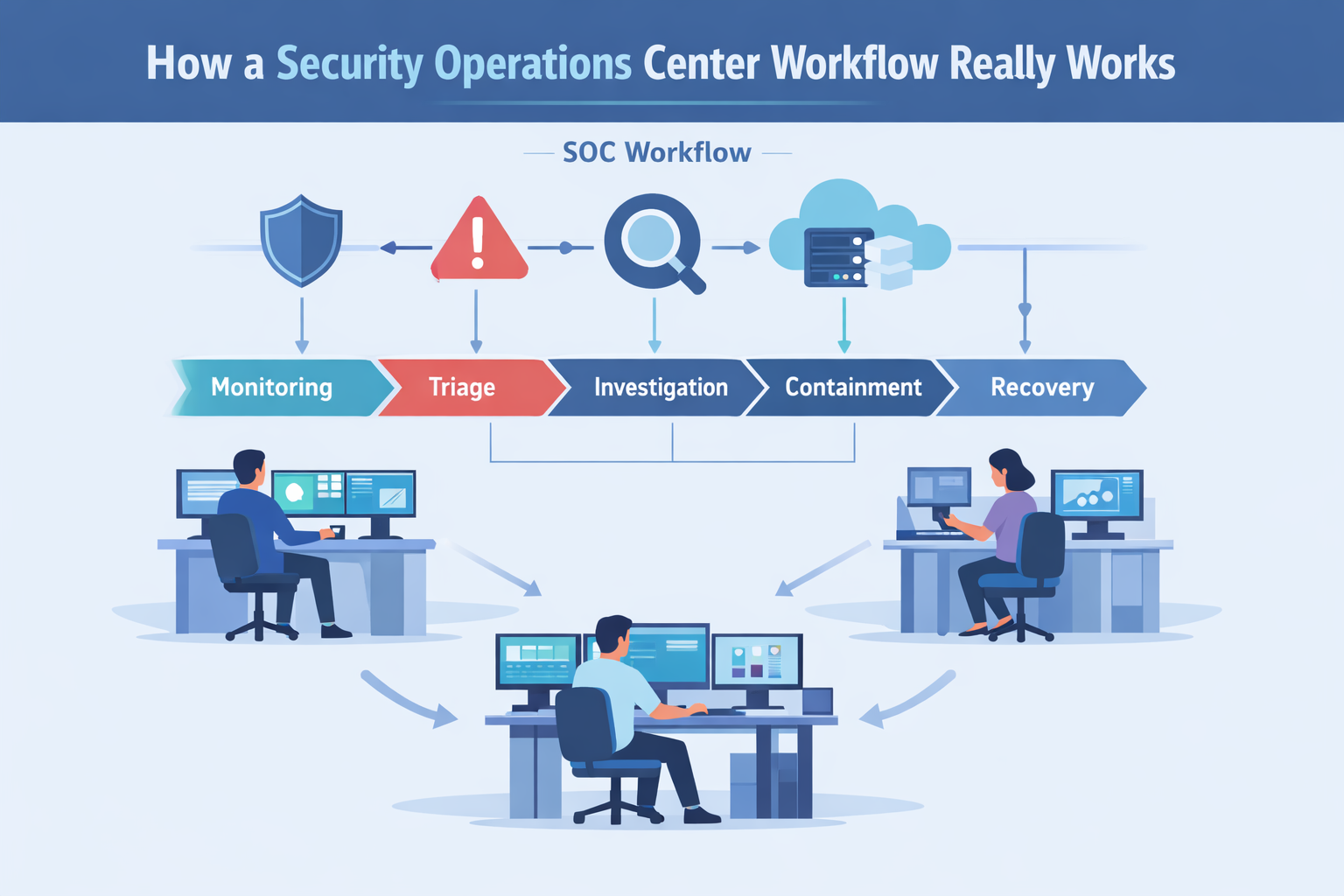
Security operations center workflow is the structured process teams use to detect, triage, investigate, and resolve cyber threats. Most follow guidance like NIST SP 800-61, using defined escalation paths, layered analysts, and automation to keep incidents under control. In our work with MSSPs, we’ve seen how structure directly shapes outcomes.
Without a clear flow, alerts stack up and analysts burn out fast. When workflows are defined, response times improve and confidence rises across the team. The difference isn’t theory, it shows up in daily operations. Keep reading to see how effective SOC workflows are built and where they often fail.
Security Operations Center Workflow Highlights
- A clear SOC workflow lowers the mean time to respond (MTTR) by standardizing how alerts are sorted, escalated, and contained.
- Using tiered analyst roles spreads out the work and helps prevent burnout in a 24/7 operation.
- Automation and well-built playbooks can cut false positives by 40 to 60 percent when they’re set up correctly.
What is a Security Operations Center Workflow?
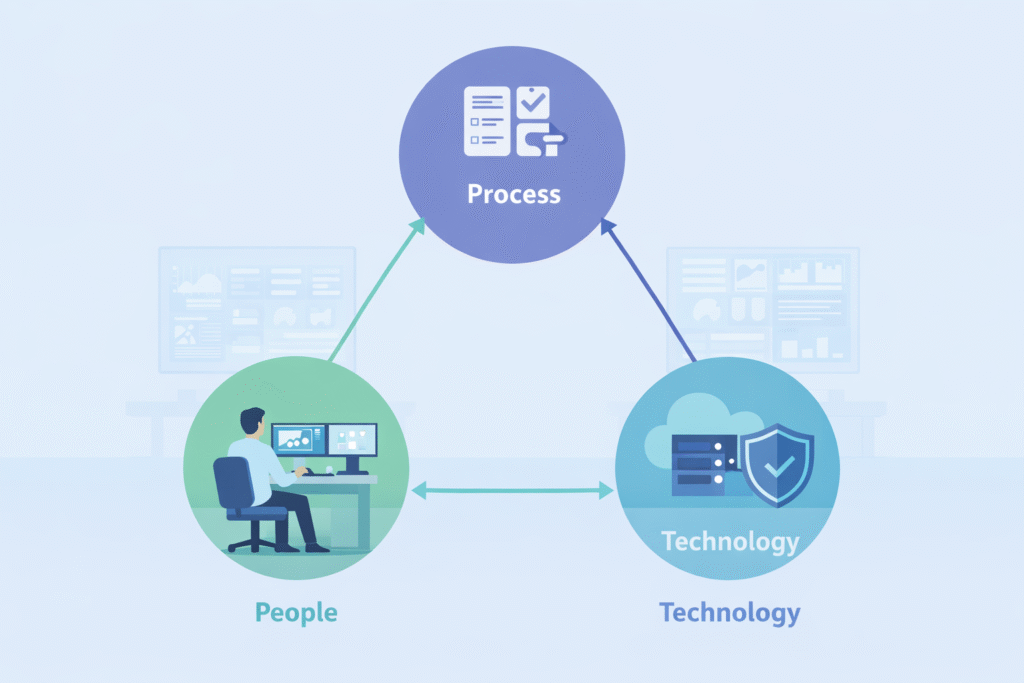
Simply put, a SOC workflow is the repeatable process a security team follows from the moment an alert pops up until the threat is gone. It uses standard operating procedures (SOPs) and clear rules for escalation.
At its heart, this workflow connects three things: your people, your processes, and your technology. Logs come into a SIEM, where alerts wait in a queue. Analysts check them. Real incidents get passed up to more senior team members.
Then, the response team contains the threat and helps with recovery. For teams still defining roles, understanding what a SOC actually does helps clarify how detection, escalation, and response fit together in practice.
The SANS Institute has found that teams with documented runbooks respond much faster than those trying to figure it out in the moment.
A good workflow makes sure you have:
- A clear way to classify how severe an alert is.
- Defined steps for when and how to escalate a problem.
- Measurable goals, like MTTR and dwell time.
- A continuous process for tuning rules to reduce false alarms.
Without these guardrails, security is just putting out fires. With them, your response becomes systematic and something you can actually measure and improve.
The Core Stages of a SOC Workflow
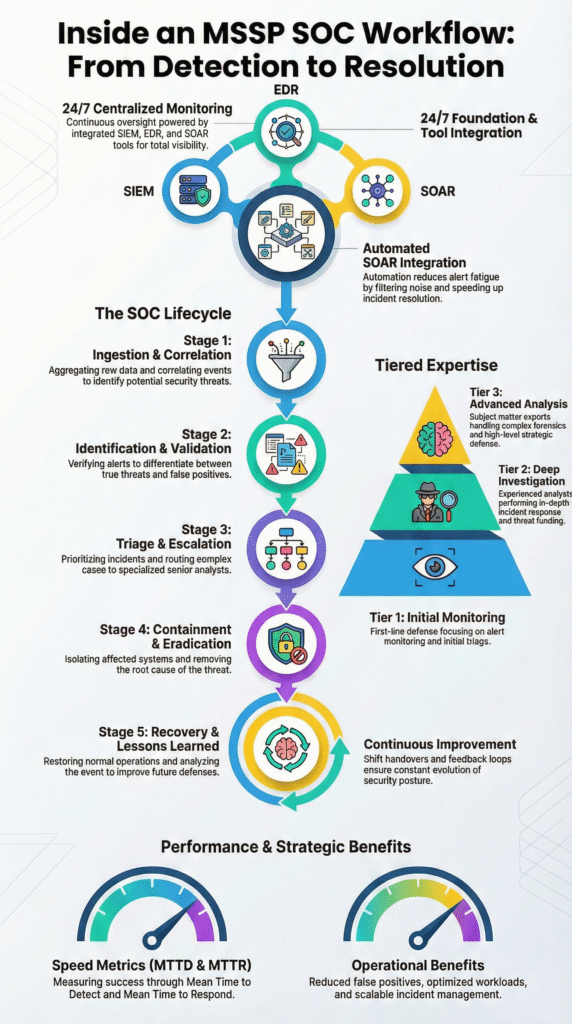
Most SOC teams follow a familiar rhythm that mirrors the NIST incident response model: monitor, triage, investigate, contain, eradicate, and recover. In our consulting work with MSSPs, we see this structure everywhere, though each team shapes it based on tools and maturity.
This structure becomes even clearer when mapped against a real-world inside an MSSP SOC workflow. Where monitoring, escalation, and response are tightly coordinated across multiple client environments.
1. Continuous Monitoring
Everything starts with visibility. Logs from endpoints, cloud workloads, networks, and apps flow into a central platform, usually a SIEM. Analysts watch dashboards fed by firewalls, IDS tools, and identity systems.
Many teams map alerts to MITRE ATT&CK so everyone speaks the same language. We’ve noticed mature SOCs focus less on volume and more on context: risk scoring, behavior analytics, and tighter correlation rules.
2. Alert Triage and Investigation
Tier 1 analysts validate alerts first. In real environments, false positives still dominate, especially when rules are new. We often audit cases where tuning alone cuts noise dramatically. When an alert holds up, Tier 2 digs deeper, pivoting across endpoint telemetry, threat intel, and lateral movement clues.
3. Containment, Eradication, and Recovery
Response moves fast here. Teams isolate hosts, block indicators, and lock accounts. After containment, they remove malware and fix the root cause, then restore systems carefully.
4. Post-Incident Review
Strong SOCs always look back. We’ve seen MSSPs improve quickly when they track MTTD, MTTR, and refine playbooks after every incident.
How Tiered Analyst Roles Structure the Workflow
A tiered SOC model splits work across L1, L2, L3, and leadership so the team can scale without burning out. In many MSSP environments we’ve reviewed, problems start when roles blur and everyone handles everything.
Specialization brings clarity. It also makes 24/7 coverage realistic, since each level owns a clear slice of the workflow. Clear role boundaries also reinforce core security operations center functions, ensuring monitoring, investigation, and response stay aligned even as teams grow or shift to hybrid delivery models.
| Tier | Primary Focus | Key Activities | Core Metrics |
| L1 | Alert Handling | Triage SIEM alerts, validate signals, escalate clean cases | Alert volume, SLA adherence |
| L2 | Deep Investigation | Add context, pivot across tools, initiate early containment | Mean time to respond (MTTR) |
| L3 | Expert Response | Forensics, malware analysis, root cause work | Dwell time |
| Manager | Oversight | Reporting, budgeting, compliance alignment | Risk reduction trends |
In practice, Tier 1 removes noise so others can focus. Tier 2 connects the dots and decides if a threat is real. Tier 3 handles the rare but complex cases that need deep expertise. We often help MSSPs audit tools at this layer, since poor tooling slows investigations. The structure holds up whether the SOC is internal, outsourced, or hybrid.
Which Tools Power Each Stage of the SOC Workflow?
A SOC needs a stack of integrated tools: SIEM, EDR, SOAR, threat intelligence platforms, and more. A mature setup brings together endpoint and network detection tools, cloud security brokers, and identity management systems.
Automation is key here. It can cut down on repetitive triage work by about 40 percent, according to reports from groups like the Ponemon Institute. As noted by the blog,
“Agentic AI helps by automatically querying across available sources in parallel. That includes log data in the SIEM, endpoint activity, cloud API telemetry, identity history, and email metadata. It builds a timeline of relevant evidence, explains its reasoning, and highlights which facts increased or decreased confidence.” – VMRay
A quick map of tools to stages:
| Workflow Stage | Primary Technologies |
| Monitoring | SIEM, network detection tools, log analyzers. |
| Triage | SIEM combined with SOAR, risk-scoring systems. |
| Investigation | Endpoint detection tools, threat intel platforms. |
| Containment | Extended detection tools, DNS sinkholing. |
| Reporting | Dashboards like Kibana or Grafana. |
Ticketing systems (like Jira or ServiceNow) move incidents through queues, while collaboration tools (like Slack or Teams) keep communication clear. In our work at MSSP Security, we build automation into these layers to handle high-volume alerts.
The point isn’t to replace people, but to free them up for the complex investigative work that really matters. Tools should enable the workflow, not become the workflow.
Why Do SOC Workflows Break Down in Practice?
Credits: Simply Cyber – Gerald Auger, PhD
Even well-designed SOC workflows can fall apart under pressure. We’ve seen this across MSSP environments of all sizes. Alert overload is the usual starting point. When dashboards flood with noise, analysts shift into reactive mode.
Instead of hunting threats, they spend hours validating alerts. In weaker setups, false positives can climb past 60%, especially when detection rules aren’t tuned or reviewed often.
From what we observe during audits, breakdowns tend to follow familiar patterns:
- Endless SIEM tuning with no clear ownership
- Playbooks that exist but aren’t practical to follow
- Escalations that rely on manual handoffs
- Automation that promised more than it delivered
The impact shows up quickly. Burnout rises, turnover follows, and institutional knowledge disappears. New analysts inherit messy workflows and repeat the cycle. We often step in when MSSPs feel stuck between too many tools and too little consistency.
What stands out is this: most teams don’t lack technology. They lack alignment. Detection engineering, vulnerability context, and workflow design need to evolve together. We’ve learned that progress usually comes from tightening processes first, then validating whether the tools truly support how the SOC operates day to day.
How to Optimize a SOC Workflow for Faster Response
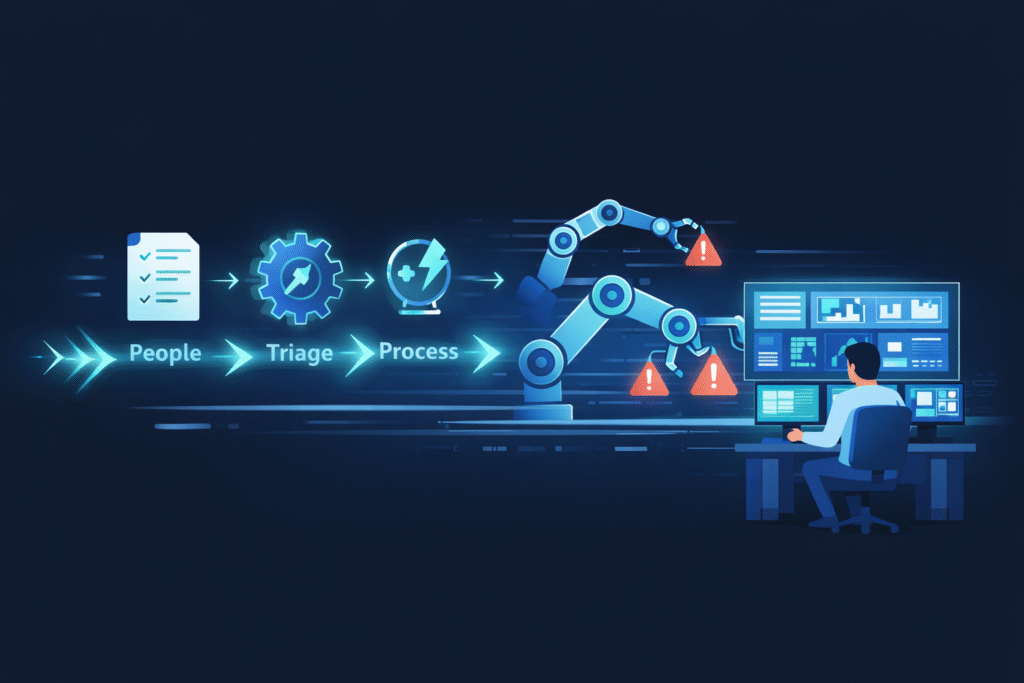
Optimizing means working on playbooks, automation, metrics, and testing, continuously.
1. Standardize Playbooks
Document specific steps for common scenarios: ransomware, phishing, zero-day exploits. Clear containment steps and escalation rules remove guesswork in a crisis.
2. Automate Repetitive Tasks
Use Security Orchestration, Automation, and Response (SOAR) platforms to automatically enrich alert data with threat intelligence or to isolate a compromised device after an analyst confirms it. This protects service-level agreements even during off-hours.
3. Measure What Matters
Track the numbers that show real performance:
- Mean time to detect (MTTD)
- Mean time to respond (MTTR)
- The percentage of false positives reduced
- Adherence to breach notification timelines
Dashboards for leadership should translate these tech metrics into business risk terms.
4. Test Constantly
Run purple team exercises, simulation drills, and tabletop discussions. These tests find weak spots in your detection logic before a real attacker does. We treat optimization as ongoing engineering. Our experience shows that combining smart orchestration with skilled analysts consistently lowers response times and leads to better audit results.
What an AI-Driven SOC Workflow Looks Like
Modern SOCs are starting to lean on AI, but not in the way marketing suggests. In the environments we review, AI mostly helps sort and prioritize.
User behavior analytics and risk scoring push the most suspicious alerts to the top, so analysts spend less time filtering noise. The real benefit is focus, more time for threat hunting, less time clicking through low-risk alerts. According to the blog,
“Every second counts in a cybersecurity incident. AI-driven SOCs significantly reduce response times by automating investigation and containment processes. Instead of manually correlating security data, analysts can rely on AI-driven playbooks that take immediate action based on predefined response protocols.” – Swimlane
| Feature | Traditional SOC | AI-Driven SOC |
| Triage | Manual and time-heavy | Alerts risk-scored and auto-prioritized |
| Alert Volume | High noise | Lower through behavior analytics |
| Response | Mostly reactive | Guided by SOAR playbooks |
| Burnout Risk | Often high | Reduced with automation support |
In practice, we’ve seen the difference show up in workflow smoothness, not just metrics. AI helps stitch signals together across cloud, endpoint, and identity data. But it still needs guardrails. When MSSPs ask us to audit AI-heavy stacks, the biggest gaps are usually around tuning and validation. The shift isn’t about replacing analysts. It’s about orchestration.
FAQ
What does a SOC workflow include beyond basic alert monitoring?
A SOC workflow covers the full security operations center process, not just monitoring. It includes log aggregation analysis, SIEM alert triage, and defined escalation procedures SOC teams follow daily.
Teams also handle threat intelligence integration, the vulnerability management cycle, and post-incident review lessons learned. These steps create a structured incident response pipeline that supports a reliable threat detection workflow and steady SOC maturity over time.
How do teams reduce noise during SIEM alert triage?
Teams reduce noise by improving SIEM correlation rules and refining custom detection rules over time. They apply UEBA user behavior analytics, severity classification matrix scoring, and regular IDS IPS tuning.
Firewall log analysis and continuous threat hunting also improve signal quality. With a stronger alert prioritization mechanism, false positive reduction becomes achievable and mean time to respond MTTR improves across the SOC workflow.
What are the key duties across SOC analyst tiers?
Tier 1 analyst duties focus on SIEM alert triage and early validation. Tier 2 investigation steps include building context, checking lateral movement detection signals, and using threat intelligence integration.
Tier 3 forensics analysis handles malware reverse engineering, forensic evidence collection, and root cause analysis RCA. Clear escalation procedures SOC teams follow ensure smooth handoffs and consistent execution across the incident response pipeline.
How does automation improve the incident response pipeline?
Automation improves the incident response pipeline by using security orchestration automation SOAR and automation scripting SOC practices. It standardizes the incident containment protocol and supports containment isolation tactics during active threats.
Automation also guides eradication recovery phases and strengthens real-time alerting systems. When paired with risk scoring alerts and MITRE ATTACK mapping, it reduces fatigue burnout prevention challenges while improving response speed.
Why are post-incident reviews critical for SOC maturity?
Post-incident review lessons learned help advance the SOC maturity model. Teams run AAR after action reviews, refine SOP standard operating procedures, and improve SOC playbook development.
They track SOC metrics KPIs and review breach notification timeline accuracy to guide improvements. These reviews also support compliance audit workflow needs and strengthen executive reporting SOC, ensuring the security operations center process evolves with new threats.
Strengthening Your Security Operations Center Workflow
A strong SOC workflow turns alert noise into coordinated action. It builds on proven frameworks and depends on clear roles, practical automation, and steady learning from each incident. We’ve seen MSSPs gain real resilience when workflows are documented and tools actually align with operations.
If you’re looking to refine your stack and tighten response times, the next step is a structured evaluation. Join our MSSP consulting services to streamline tools, improve integration, and build a workflow that scales with your growth.
References
- https://www.vmray.com/soc-automation/
- https://swimlane.com/blog/ai-soc/