

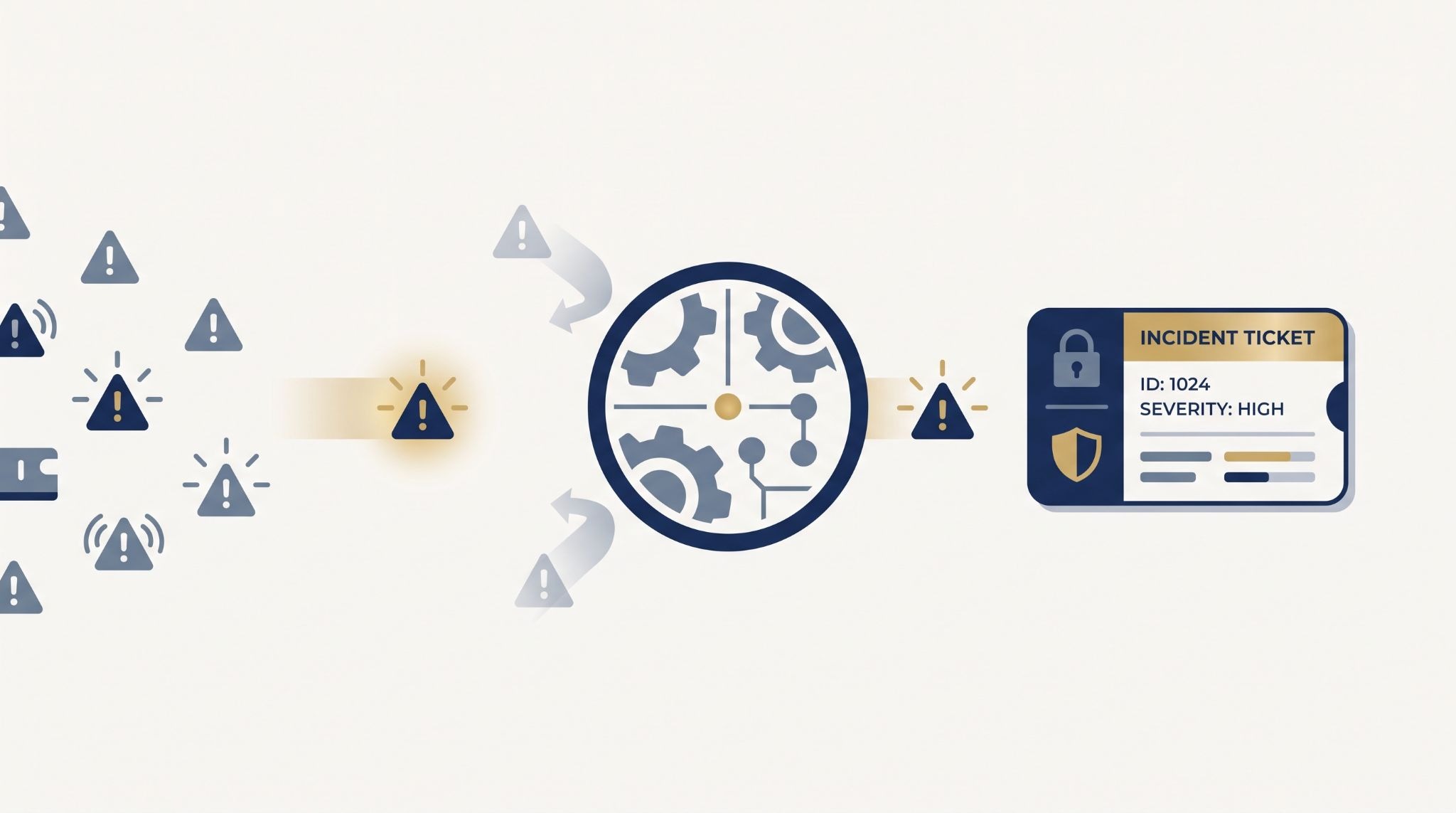
Automating ticket creation from monitoring alerts turns security, cloud, and system events into structured ITSM work without requiring analysts to enter the same data by hand. The practical goal isn’t to create more tickets. It’s to create the right ones, with useful context, the right priority, and a clear owner.
In our work at MSSP Security, we see why this matters. Poor rules can make ticket noise move faster instead of reducing it. A good workflow filters events before they reach the ITSM system, then adds the details the next team needs. Keep reading to see how to build this workflow without adding more work.
Ticket Automation Quick Wins
Automating ticket creation works best when alerts are filtered, context is preserved, and follow-up actions stay connected.
- Filter first: Use severity, thresholds, event type, and business impact.
- Keep context: Include assets, timestamps, evidence, and alert IDs.
- Close the loop: Add deduplication, assignment, escalation, and status sync.
How Does Alert To Ticket Automation Work?
Alert to ticket automation connects a monitoring tool to an ITSM platform. When an alert meets the required rules, the automation layer creates a ticket and adds the relevant information.
For MSSPs managing several environments, integrating MSSP ticketing systems can help connect these workflows while keeping ticket ownership and data flow organized.
A typical workflow looks like this:
Monitoring alert → Filtering → Deduplication → Field mapping → ITSM ticket → Assignment
The monitoring system may be a security platform, cloud service, infrastructure tool, or observability platform. Each one can send different fields and use different names for severity or status.
That is why the integration needs rules.
For example, one system may call an event “critical”, while another uses a numeric priority. The automation layer needs to translate those values before creating the ticket.
What Happens After an Alert Fires?
The process usually begins with an alert payload. The automation system checks whether the event meets the ticket rules. If it does, the system prepares the data and sends it to the ITSM platform through an API or webhook.
A simple flow can include:
- Receive the alert.
- Check severity and conditions.
- Look for duplicates.
- Map the alert fields.
- Create the ITSM ticket.
- Assign the right team.
- Save the ticket ID.
That last step is easy to miss.
The alert ID and ticket ID should stay linked. If the ticket needs review later, the MSSP can trace it back to the original event.
“All alerts of possible incidents should come through to the team responsible for managing them.” – UK National Cyber Security Centre (NCSC)
When Should an Alert Create a Ticket?
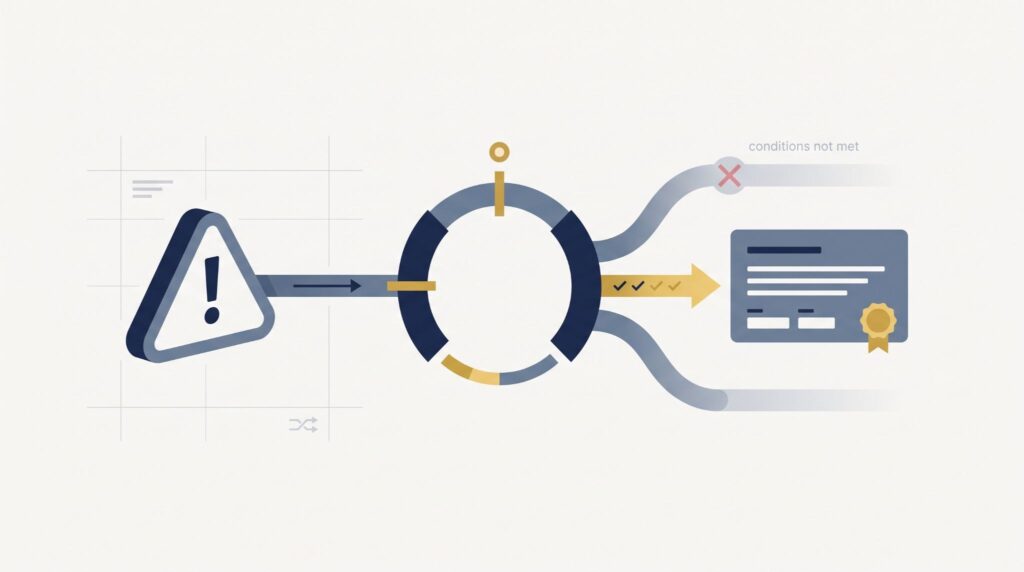
An alert should create a ticket when someone needs to investigate, fix, track, or formally respond to the event.
Not every alert needs one.
A single failed login may stay in the monitoring system. Repeated failed logins against a privileged account may meet the rules for ticket creation.
Which Alerts Should Trigger Tickets?
MSSPs can use several conditions when deciding whether an alert becomes a ticket.
These can include:
- Alert severity
- Event type
- Asset importance
- Alert frequency
- Business impact
- Detection confidence
- Time based thresholds
For example, a critical security event on a production server may create a ticket immediately. A medium level event could require repeated detections before the system creates one.
This keeps the ITSM queue focused on events that need action.
How Does Alert Deduplication Prevent Duplicate Tickets?
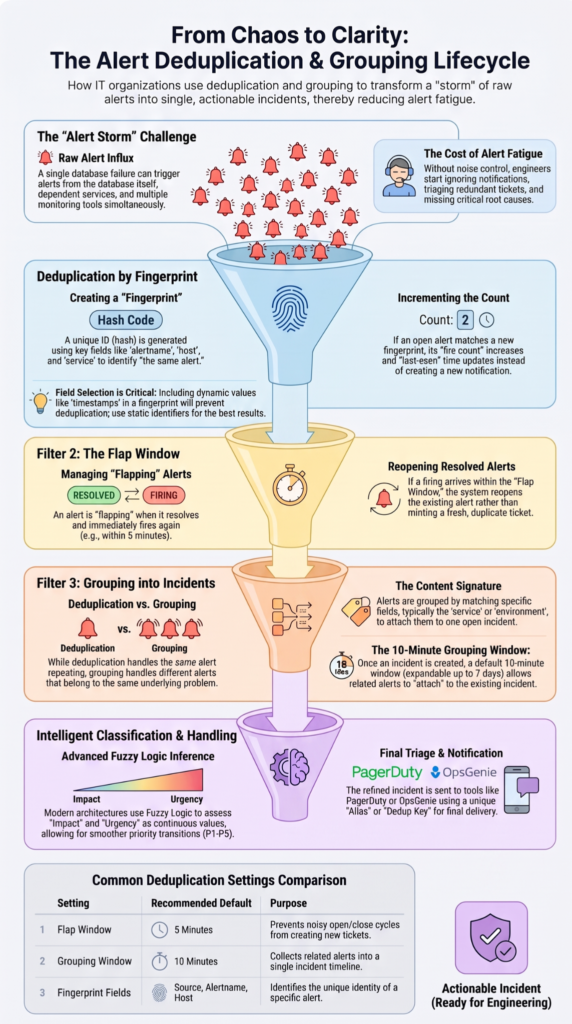
Deduplication checks whether an alert already has an open ticket before creating another one.
The system can use an alert ID, asset ID, rule name, fingerprint, or a combination of these values to find related events.
Why Do Duplicate Alerts Cause Problems?
Duplicate tickets can split one incident across several records. Teams may then receive repeated notifications or work on the same issue without knowing another ticket already exists.
For example, if a server reports the same disk problem every minute for eight hours, the monitoring system may generate hundreds of events. That does not mean the IT team needs hundreds of tickets.
One ticket can track the incident while later events update its timestamp, event count, or supporting details.
Keep the events. Reduce the duplicate work.
How Do You Handle Alert Storms?
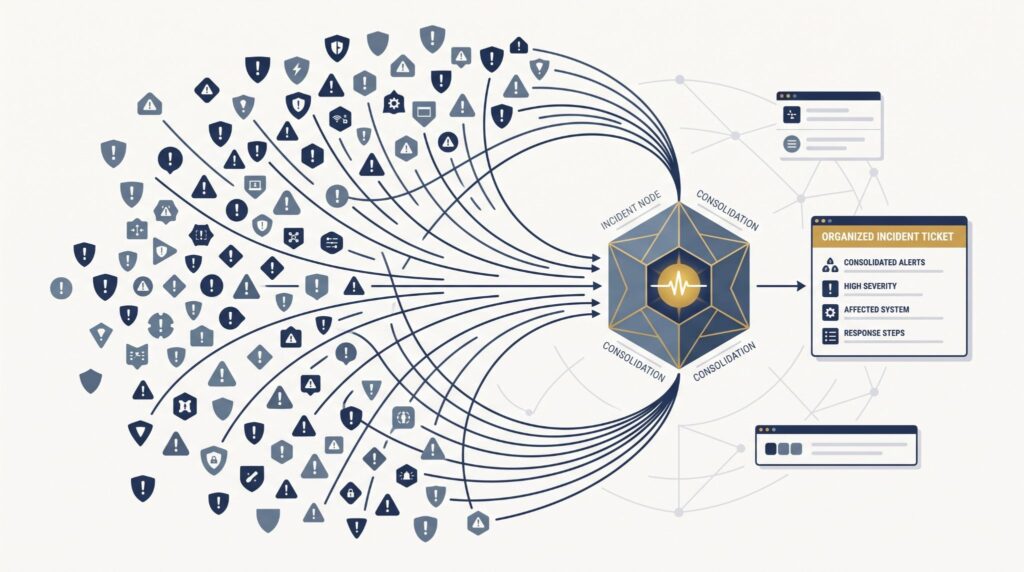
Alert storms can happen when one problem causes many systems to send alerts at the same time.
A network outage is one example. A failed connection can trigger alerts from servers, applications, cloud services, and security tools. If every event creates a ticket, the ITSM queue can fill very quickly.
The issue isn’t only system capacity. Analysts can also end up with more tickets than they can review.
One incident, hundreds of alerts.
Why Can Alert Volume Cause Problems?
High alert volume can put pressure on the ITSM API and create a large number of notifications. It can also make it harder for analysts to see which incidents need attention first.
A single outage might generate thousands of events while still pointing to one underlying issue.
“Incident detection systems and processes should be reviewed regularly and updated taking into account changes and past incidents.” – ENISA, Guideline on Security Measures
The automation layer should therefore group related events before creating new tickets. Later events can update the existing ticket instead of creating another record.
How Does Ticket Assignment Work?
Creating the ticket is only part of the process. The ticket also needs to reach the team responsible for the next action. Integrating an MSSP with Service Now and Jira can help support routing across different client workflows without forcing every ticket into the same process.
Assignment rules can use factors such as severity, affected service, asset type, client, or business unit.
For an MSSP, client separation needs extra attention. A ticket for one client should follow that client’s routing rules and remain within the correct environment.
A basic routing process might look like:
Client → Service → Severity → Assignment Group
The exact structure will depend on the MSSP and its client agreements.
How Can Assignment Rules Improve Response?
Clear routing reduces the time spent deciding who should handle an incident.
A critical security alert could go directly to an incident response team. A lower priority infrastructure issue might go to a standard support queue.
The rule should also account for ownership changes. If a ticket moves from the SOC to the client’s IT team, the record should show that change clearly.
We like to test unusual cases here. What happens when the assigned person is unavailable? What happens when the service name doesn’t match an existing rule?
Those cases reveal gaps quickly.
How Should Ticket Lifecycle Updates Work?
Ticket automation shouldn’t stop after the first ticket is created. The benefits of MSSP ticketing integration become more apparent when updates continue through the incident lifecycle instead of stopping at initial ticket creation.
An alert can change over time. It may become more severe, recover, or receive additional evidence. The ITSM ticket should be able to reflect those changes when the workflow allows it.
What Happens When an Alert Recovers?
A recovery event can update the existing ticket instead of creating a new one.
For example, if a monitoring system reports that a service has recovered, the integration can add the recovery time to the original ticket. It can then move the ticket toward resolution if the rules allow it.
This gives the incident a clearer history.
It also reduces a common source of manual work. An analyst doesn’t need to find the old ticket and enter the recovery information by hand.
How Should Failed Ticket Updates Be Handled?
Failures should be visible to the team responsible for the integration.
An API request might fail because of a temporary network problem. It might also fail because a required field is missing, a credential has expired, or the destination workflow has changed.
Those causes need different responses.
A temporary connection problem may need an automatic retry. An invalid field may need an administrator to review the mapping.
What Should the Integration Log?
Useful logs can include:
- Alert ID
- Ticket ID
- Request time
- Action taken
- Success or failure
- Error details
- Retry status
These records help the MSSP trace what happened when a ticket does not appear or an update reaches the wrong state.
The logs also need access controls. They can contain client information or operational details, so they shouldn’t be available to everyone.
How Should MSSPs Test Automated Ticket Creation?
Source: Learn Tech with Ravi
Testing should cover normal events and situations where the workflow behaves differently.
Create test alerts with several severity levels. Send repeated alerts. Remove a required field. Try an invalid destination. Then check what happens when the ITSM platform cannot accept the request.
A useful test should confirm that:
- The correct client receives the ticket
- Required fields are populated
- Duplicate alerts are grouped
- Priority rules work
- Assignment is correct
- Failed requests are logged
- Recovery updates reach the right ticket
We use this type of review when helping MSSPs select and audit products. It gives the team a clearer view of how the integration will behave after deployment.
A product that creates one ticket correctly has passed only the first test.
FAQs
How can you prevent automated tickets from flooding the service desk?
Use actionable alert criteria before triggering automated ticket creation. Set rules based on severity, thresholds, event type, and alert correlation to determine which events should create tickets. Duplicate alert suppression and ticket deduplication can also prevent repeated monitoring alerts from generating unnecessary tickets. This keeps important incidents visible while reducing unnecessary workload for analysts.
What information should an automated ticket include from the original alert?
An automated ticket should contain enough context for the assigned team to act without checking multiple systems. Useful information includes the alert ID, affected asset, timestamp, severity, event type, supporting evidence, and recommended action. Pre-populated ticket data can also include ownership, priority, and relevant business context when those details are available from the original alert.
When should an alert create a ticket instead of sending a notification?
An alert should create a ticket when it requires investigation, action, or follow-up from a specific team. Informational events can remain notifications when they require no direct action. Conditional ticket creation can use severity, thresholds, business impact, alert type, and recurrence to determine which events require tickets. This keeps ticket queues focused on actionable security work.
How can automated ticket routing handle different team workloads?
Automated ticket assignment can consider team availability, current workload, required skills, severity, and business impact. Workload-aware assignment or skill-based ticket routing can direct incidents to teams with the appropriate capacity and expertise. SLA-based ticket routing can further prioritize cases with strict response requirements, helping prevent important incidents from remaining unassigned or waiting in the wrong queue.
How should automated tickets be closed when the original alert is resolved?
Auto-close should depend on a confirmed recovery event rather than a fixed waiting period. Ticket lifecycle automation can match the resolved alert to the correct ticket, verify that no follow-up action remains, and then update its status. Ticket status synchronization keeps the incident record accurate while reducing the risk of closing an active ticket before remediation is complete.
Improve ITSM With Alert-to-Ticket Automation
Automating ticket creation helps IT and security teams turn useful alerts into structured work without manual entry. The key is filtering alerts and applying clear rules, not sending every alert into the ITSM system.
MSSP Security can help review and audit your alert-to-ticket workflow, including routing, field mapping, and access controls. Start with repetitive manual steps, then automate them carefully to reduce noise and improve incident tracking.
References
- https://www.enisa.europa.eu/publications/guideline-on-security-measures-under-the-eecc
- https://www.ncsc.gov.uk/collection/incident-management/incident-response