

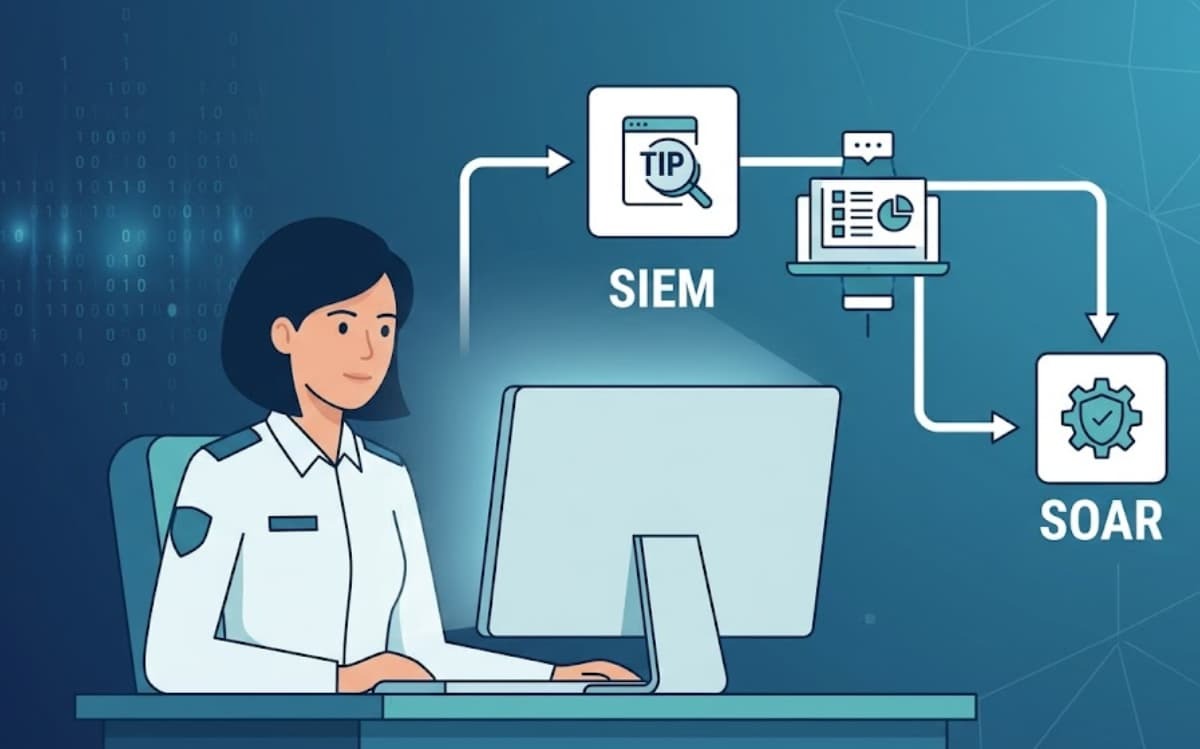
Integrating a Threat Intelligence Platform (TIP), SIEM, and SOAR helps security teams connect threat data, alerts, and response actions in one workflow. The goal is not adding more tools. It is helping analysts understand threats faster and respond with better information.
From our experience at MSSP Security, successful integrations happen when each platform has a clear role. TIP adds threat context, SIEM identifies suspicious activity, and SOAR helps coordinate response steps.
When these systems work together, teams can reduce manual effort and improve daily operations. Keep reading to learn how TIP, SIEM, and SOAR work together.
Quick Security Wins: How TIP, SIEM, and SOAR Work Better Together
Integrating TIP, SIEM, and SOAR helps security teams connect threat intelligence, improve alert analysis, and automate response workflows for faster and more effective security operations.
- Add threat intelligence context to security events with TIP
- Improve detection accuracy through enriched SIEM analysis
- Accelerate incident response with SOAR automation
Why Are Security Teams Integrating TIP, SIEM, And SOAR?
Security teams are integrating these platforms because modern attacks create too much information for manual processes alone.
A SOC may receive alerts from endpoints, cloud applications, email systems, identity platforms, and network devices. Each alert can require additional research before a response decision is made.
Without integration, analysts often work like this:
An alert appears.
They check another tool.
Then another source.
Then they decide what happened.
That process takes time.
With TIP, SIEM, and SOAR connected, information moves between systems automatically. The TIP provides intelligence, SIEM identifies activity, and SOAR helps coordinate the next steps.
How Does Integration Improve Daily SOC Work?
The biggest improvement is usually visibility.
Analysts no longer have to piece together information from separate locations. They can see related data in a more organized way.
“The Detect Function enables timely discovery of cybersecurity events.” – National Institute of Standards and Technology (NIST)
How Do TIP, SIEM, And SOAR Work Together?
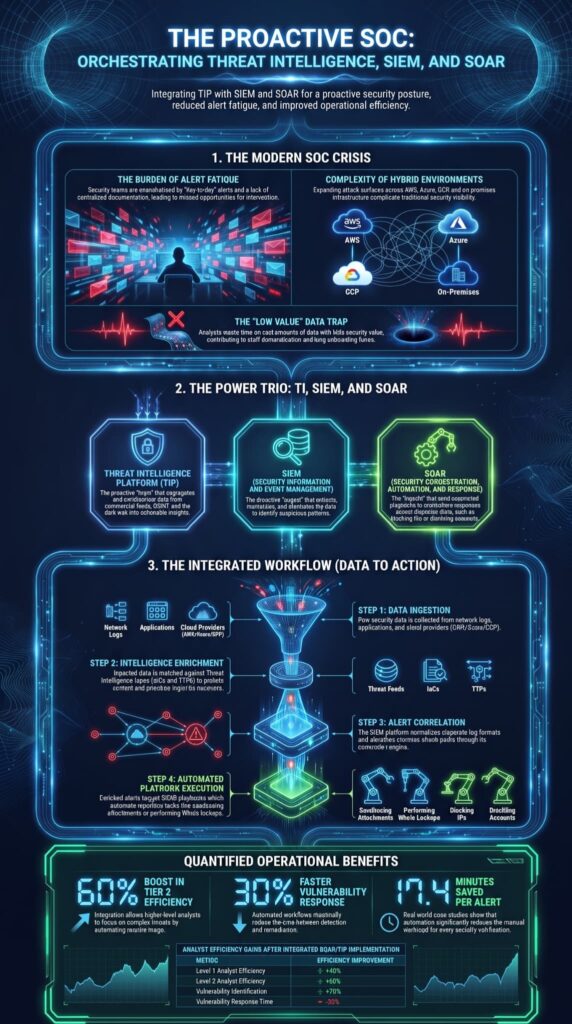
TIP, SIEM, and SOAR work as a connected cycle.
A threat intelligence platform helps collect, organize, and provide relevant intelligence before security teams analyze and respond to potential threats. Threat intelligence enters through the TIP. Security events are analyzed through the SIEM. Response actions are coordinated through SOAR.
Each stage supports the next one.
What Role Does A Threat Intelligence Platform Play?
The TIP collects and organizes threat information so it can be used by other security tools.
Common TIP functions include:
- Collecting threat feeds
- Enriching indicators
- Removing duplicate data
- Connecting threats to campaigns
- Supporting threat hunting
“Rapidly sharing critical information about attacks and vulnerabilities can greatly decrease the scope and magnitude of cyber events.” – Cybersecurity and Infrastructure Security Agency (CISA)
How Does SIEM Use Threat Intelligence?
The SIEM uses this information to improve detection.
Instead of reviewing events without context, analysts can compare activity against known threats and identify higher-risk situations.
A typical workflow looks like this:
- Security events enter the SIEM.
- The SIEM checks activity against available intelligence.
- Related threats receive additional context.
- Analysts investigate based on risk.
This approach helps reduce wasted time on low-value alerts.
How Does SOAR Complete The Security Workflow?
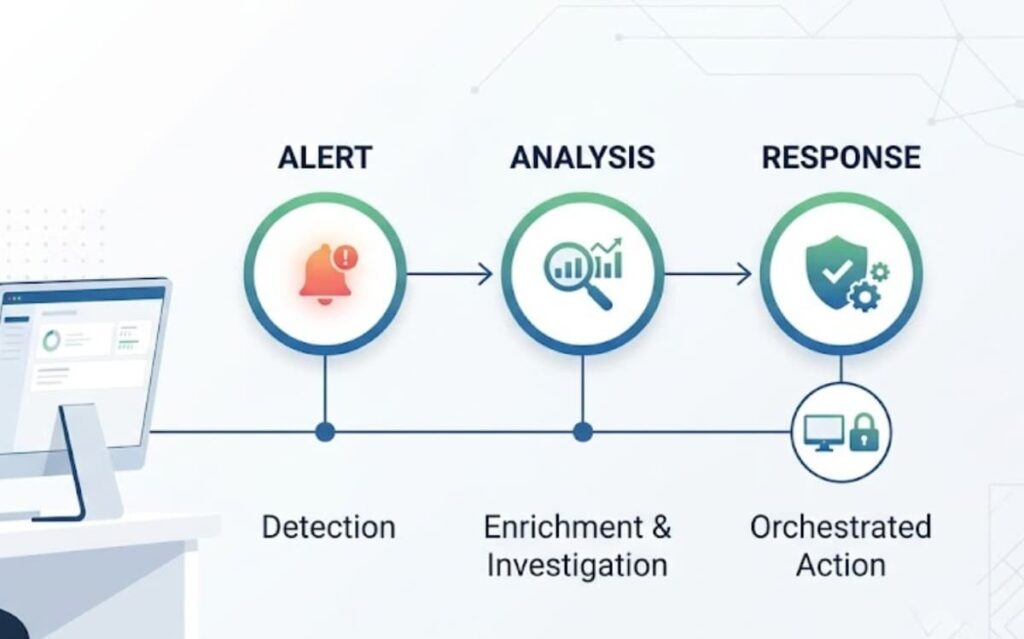
SOAR helps security teams decide what happens after an alert is confirmed.
The role is simple. It connects detection with action.
When SIEM finds suspicious activity and TIP adds more information, SOAR helps move the response process forward. It can follow approved workflows to create tickets, notify teams, collect more details, or trigger certain security actions.
But automation has limits.
A tool can follow rules. It cannot always understand business impact. Blocking a malicious domain may be easy to automate. Shutting down a critical server is a different decision.
What Benefits Come From TIP, SIEM, And SOAR Integration?
The biggest benefit is not having three connected tools.
It is making security work easier.
When threat intelligence, detection, and response are connected, analysts can spend less time collecting information and more time investigating threats.
How Does Integration Improve Threat Detection?
Security alerts often lack context.
A login from an unusual location may be harmless. It may also be the first sign of account compromise.
Threat intelligence helps answer those questions. A threat intelligence platform can provide additional context by connecting indicators with known threats, attack patterns, and related intelligence.
By combining TIP information with SIEM detection, teams can better understand:
- Whether activity matches known attacks
- If indicators are linked to threats
- Which incidents need urgent attention
- What response steps make sense
What Challenges Should Organizations Expect During Integration?
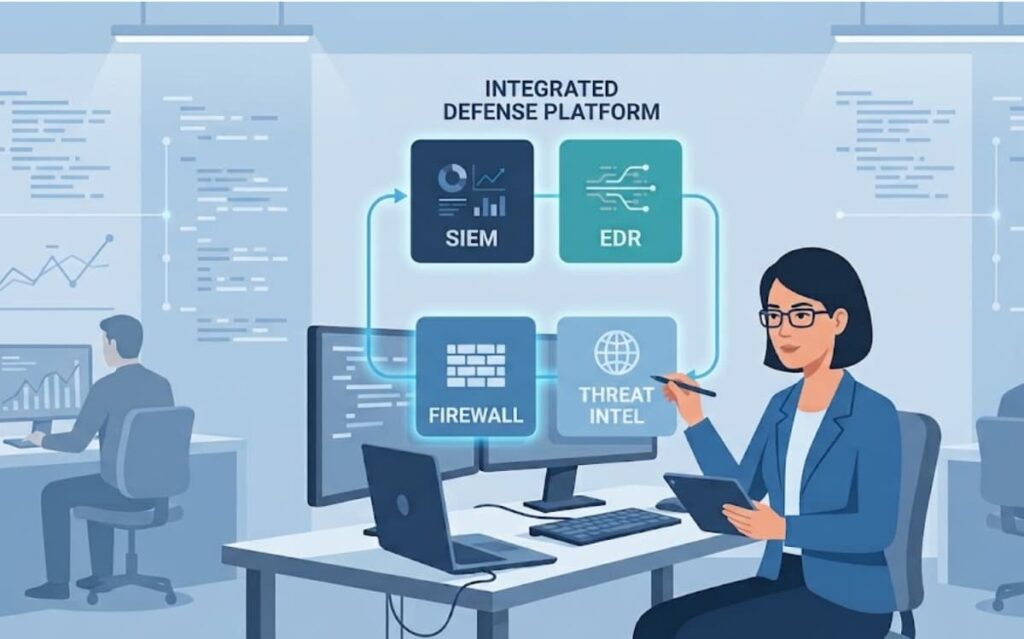
Integration is valuable, but it is not something teams should rush.
The technology is only one part of the project. Data quality, workflows, and team processes matter too.
What Should Teams Review Before Automating Responses?
Before turning on automatic response actions, teams should test carefully.
Important areas include:
- Detection accuracy
- Business impact
- Approval processes
- Playbook testing
- Analyst feedback
Not every response should happen automatically.
A good security process knows when speed matters and when human review is needed.
How Should Organizations Start A TIP, SIEM, And SOAR Integration Project?
Source: Cyber Gray Matter
The first step is not choosing a tool.
It is understanding the current security process. Organizations should review their needs before choosing a threat intelligence platform, including existing security tools, analyst workflows, and integration requirements.
Organizations should review how alerts are handled today, where delays happen, and what problems analysts face during investigations.
Before implementation, teams should consider:
- Current SOC workflows
- Existing security tools
- Integration needs
- Automation goals
- Reporting requirements
FAQs
What happens when integrating a threat intelligence platform with SIEM and SOAR?
Integrating a threat intelligence platform helps security teams connect external intelligence with internal security data. This improves SIEM integration and SOAR integration by adding threat context to alerts, supporting faster investigations, and improving decision-making. Teams can use threat intelligence enrichment, IOC enrichment, and automated workflows to reduce manual research during daily security operations.
How does TIP integration improve alert triage?
TIP integration improves alert triage by providing additional context before analysts investigate an event. With alert enrichment, indicator matching, and threat scoring, teams can quickly determine whether an alert is connected to known threats. This helps reduce false positives, improve incident prioritization, and increase analyst productivity without requiring every alert to undergo the same manual review process.
Why is API-based integration important for security tools?
API-based integration allows security tools to exchange information more efficiently without relying on manual processes. It supports security tool interoperability, webhook automation, and machine-readable intelligence sharing. This makes it easier to connect threat intelligence feeds, automate data exchange, and maintain consistent security information across different platforms used for monitoring, investigation, and response.
How can TIP integration support automated threat hunting?
TIP integration supports automated threat hunting by giving analysts access to updated intelligence, threat matching, and contextual information. Teams can search for known indicators, suspicious behaviors, and attacker activity across their environment. This improves threat visibility, supports proactive defense, and helps security teams identify potential risks before they develop into larger security incidents.
What role does threat intelligence play in SOC workflow automation?
Threat intelligence improves SOC workflow automation by helping teams create more efficient detection and response processes. When intelligence is connected with security orchestration, playbook automation, and incident workflows, analysts can prioritize important events faster. This supports response acceleration, reduces repetitive tasks, and helps security operations teams handle incidents with greater consistency.
Integrating TIP, SIEM, and SOAR for Stronger Security Operations
Integrating TIP, SIEM, and SOAR can help you build a more connected security operation, where threat intelligence adds context and automation helps your team respond faster. The right setup should support your existing workflows, improve visibility, and reduce the effort needed to investigate security issues. It should make daily work easier.
If you’re planning to improve your security operations, MSSP Security can help you evaluate and optimize your approach. Our vendor neutral consulting helps reduce tool sprawl, improve security integration, and build a technology stack that fits your needs.
References
- https://www.nist.gov/cyberframework/csf-11-five-functions
- https://www.cisa.gov/topics/cyber-threats-and-response/information-sharing