

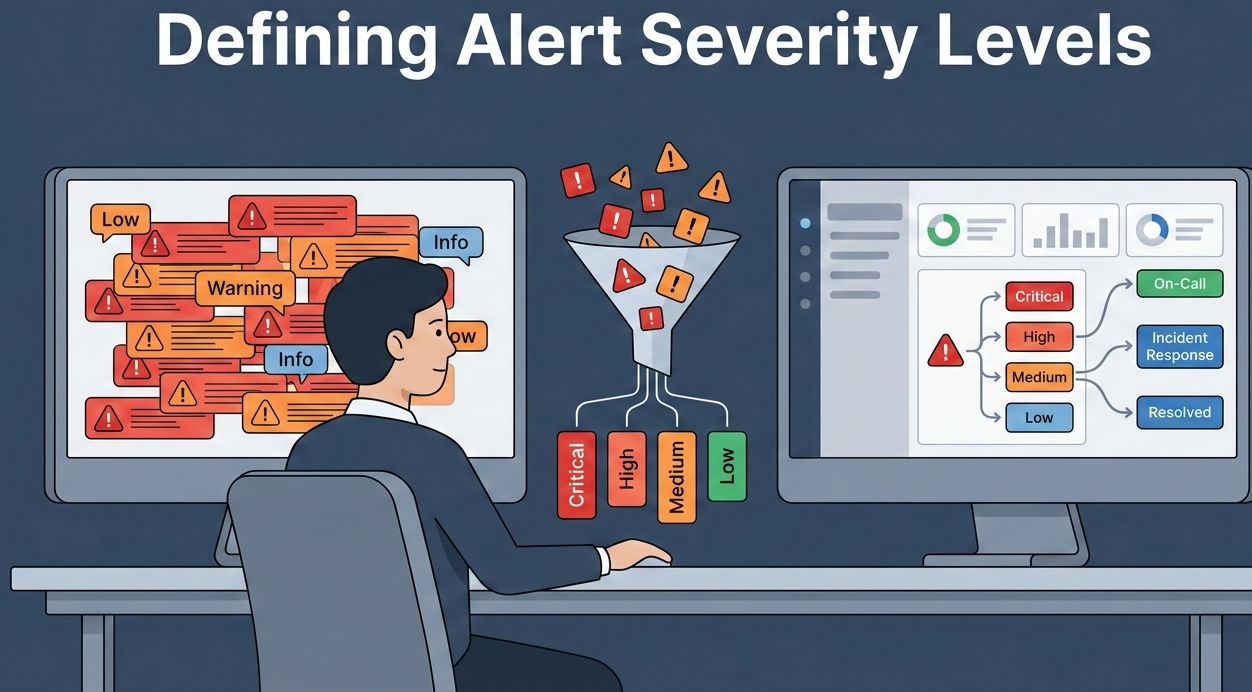
You’re woken up at 3 a.m. by a blaring alarm. Your heart races. Is it a full-blown data breach or just a server hiccup? Without a clear system to tell the difference, every alert feels like a five-alarm fire. That’s the chaos that defining alert severity levels exist to end.
They are the triage system for your digital operations, separating critical threats from background noise. This framework isn’t about creating more rules. It’s about giving your team the clarity to act decisively when seconds count, preserving their focus and your business’s uptime. Let’s build a system that works.
What You Need to Get Right
- Severity is determined by business impact, not technical complexity, focusing on user scope and data risk.
- A standard four-tier system (Critical, High, Medium, Low) aligns alerts with appropriate response workflows.
- Consistent definitions and automated routing prevent alert fatigue and ensure the right person acts fast.
Why Alert Severity is Your First Line of Defense
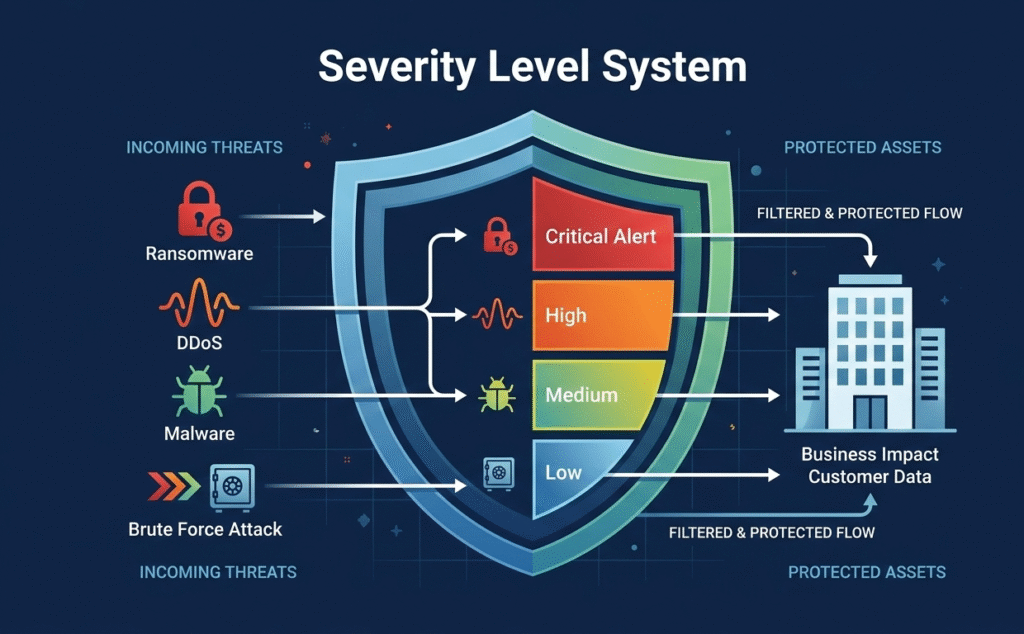
In a Security Operations Center, the biggest enemy is noise. A constant stream of pings creates a fog, and engineers get overwhelmed. This alert fatigue isn’t just annoying; it’s a real vulnerability. We’ve seen firsthand that companies without a clear system miss about 40% more incidents.
“Alert severity levels are the backbone of effective alert management. They help SOC teams prioritize their time and resources by categorizing threats into four main levels: Low, Medium, High, and Critical. Each level requires a different strategy, and the stakes get higher as the severity increases.” – Bricklayer AI Blog
The whole point of setting alert severity levels is to cut through that chaos. It changes the question from “what’s broken?” to “who’s impacted, and how bad is it?” That shift turns your monitoring from a technical dashboard into a tool for protecting your business.
For MSSPs, this is the daily grind. Our consulting work often starts with teams drowning in unprioritized alerts. We help them apply an objective lens, using threat intelligence triage and weighing asset importance to assign a severity that means something. It’s the essential first step that makes proper escalation and reporting actually work.
The Standard Tiers: A Common Language for Crisis
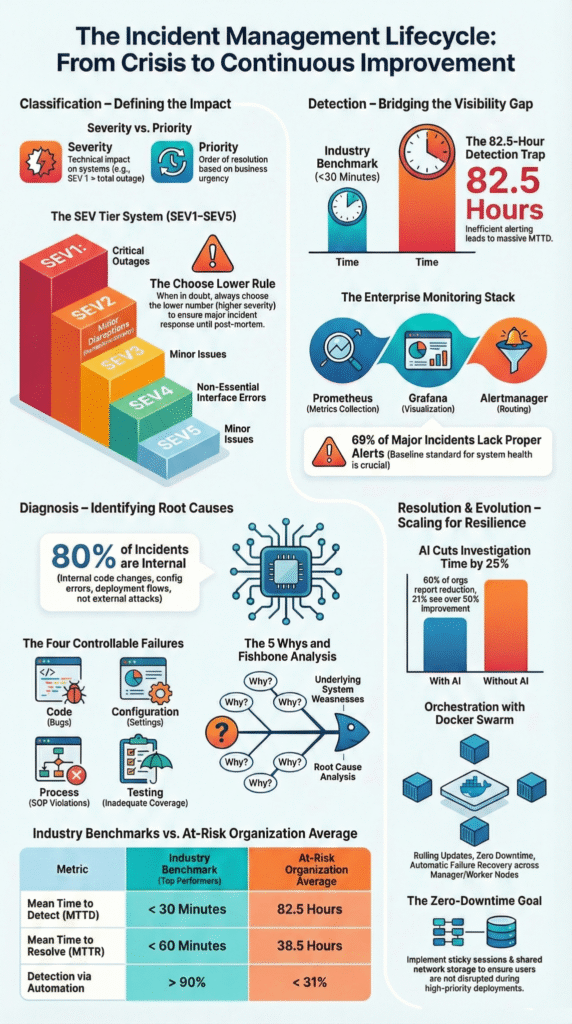
Credits: Let’s Talk Risk!
Most teams converge on a four-level model. It’s simple enough to be intuitive during a midnight page, yet detailed enough to drive action. Think of it as the common language between your DevOps engineers, your SREs, and your executive stakeholders. A Critical (SEV1) event means the house is on fire, a total production outage or confirmed data exfiltration. Revenue is bleeding. High (SEV2) is a major feature failure; a key service is down for a significant user group.
“Adopt a unified set of levels and descriptions for your entire company… Uniformity is key. One key factor that reduces MTTA is clear communication. A unified approach to set the severity framework can prevent misunderstandings between engineering, support, and business teams.” – Xurrent Blog
Medium (SEV3) signals performance degradation; things are slow and SLA targets are at risk. Low (SEV4/Info) covers minor bugs or informational events. Adopting a structured alert triage prioritization process ensures these levels are respected, preventing minor trends from waking anyone up.
| Severity Level | Technical Condition | Business Impact | Example Scenario |
| Critical (SEV1) | Total service outage, ransomware execution | 100% user blockage, immediate revenue loss, regulatory breach | Customer database is encrypted by ransomware. |
| High (SEV2) | Major feature failure, malware on a server | Significant subset of users blocked, high fraud risk | Checkout payment gateway is failing. |
| Medium (SEV3) | Performance degradation, failed logins | Functional but slow service, SLA at risk | Application response time exceeds 5 seconds. |
| Low (SEV4) | Cosmetic bug, routine log message | No immediate user impact, informational only | A non-critical background service restarts. |
This table isn’t just a reference. It’s a contract. It sets the expectation that a Critical alert gets a response in under five minutes. Everything else follows a calmer, but still structured, path. The goal is to make the response process as predictable as the classification itself.
How to Determine Severity: Asking the Right Questions
Figuring out an alert’s real severity means asking a few brutal questions focused on the consequences. Technical metrics like CPU spikes are just data points; they aren’t the answer. The first question is always about who’s affected. Is this a total outage, or just a problem in a test environment? Next, think about the data involved.
A vulnerability scan on a public blog is very different from the same scan on a server storing customer payment details. You also have to judge where an attack stands. Normal network probing is a Low. If data is actively being stolen, that’s immediately Critical.
We help MSSPs build this logic into their systems. Key questions include:
- User Scope: How many people are impacted?
- Revenue Risk: Are core transactions or payments broken?
- Data Integrity: Is there evidence of theft or corruption?
- Workaround: Can business continue?
Our value comes from an outside perspective. We’re not tied to any specific technology, so we start with your business goals and work backwards, mapping technical events to their real risk of customer loss or brand damage.
Implementing Severity-Based Routing That Works
A perfectly classified alert is useless if it gets lost in an inbox. The severity rating has to control what happens next, automatically routing the notification. We help MSSPs build this through risk-based alert prioritizationstrategies.
A Critical alert shouldn’t just email someone; it needs to trigger a phone call and SMS right away, maybe even page the incident commander directly.
For a High alert, we often set it to blast a dedicated Slack or Teams channel first, then escalate to a call if nobody responds in 15 minutes. Everything else, like Medium or Low alerts, can go straight into a ticketing system like Jira for review during normal hours.
The escalation policy acts as your team’s playbook. At T+0, it goes to the primary engineer. If there’s no acknowledgment in 5 minutes, it escalates to a backup. By 15 minutes, the incident lead is pulled in. For the worst SEV1 events, you want a cross-functional war room forming by the 30-minute mark.
This structure isn’t red tape; it’s the muscle memory your team needs when things go wrong. Setting up automated escalation like this can cut resolution times by about 25%, simply by removing those manual handoff delays.
Pitfalls to Avoid: Keeping Your System Honest
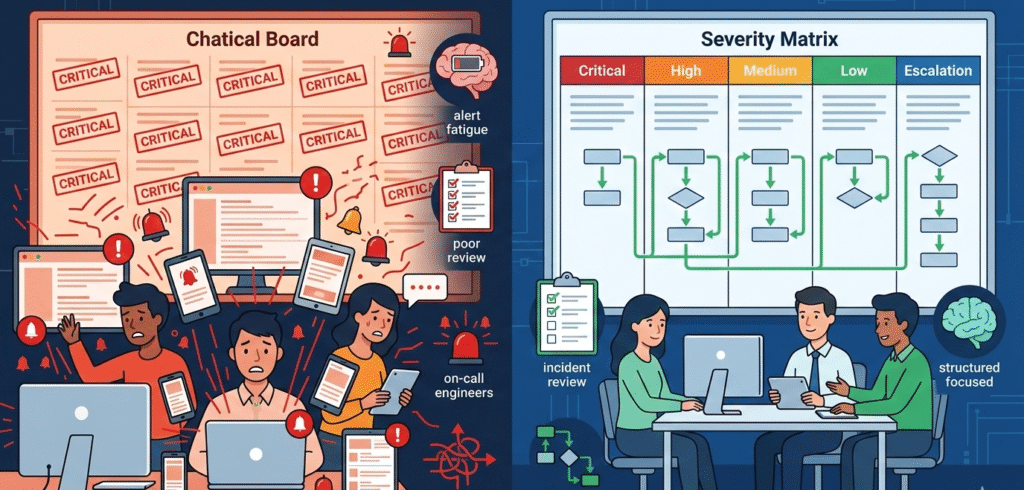
The biggest threat to a good system is human nature. Teams experience “severity inflation.” They mark everything as Critical just to get it noticed. This destroys the system’s credibility and leads directly to burnout. A false-positive rate above 10% is a flashing red warning sign. Another common trap is using static thresholds.
A CPU spike at 2 a.m. is different from one during a holiday sale. You need dynamic baselines or anomaly detection to provide context.
- Inconsistent Definitions: Ensure your DevOps, SRE, and support teams use the same matrix.
- Missing Runbooks: Every High or Critical alert must link to a starting point for investigation.
- Ignoring Reviews: Regularly audit alerts and their severities. What was once Critical may now be Medium.
At our MSSP, we see these patterns constantly. The remedy is continuous refinement. We help conduct regular incident reviews, asking not just “how did we fix it?” but “was it categorized correctly?” This turns past incidents into data points that tune your system, making it smarter and more trusted by the team that depends on it.
FAQ
How do I choose the right severity levels for my environment?
Start with business impact, not tools. Define incident severity levels based on service objectives, customer data loss risk, and Asset Criticality. A system outage affecting revenue should rank higher than informational events.
Map alert severity to incident priority so on-call engineers know what truly matters. Keep your severity level system simple enough for fast decisions during pressure.
What’s the difference between alert severity and incident priority?
Alert severity reflects technical and business impact at detection time. Incident priority focuses on response time and resource allocation during incident management.
For example, a critical alert tied to possible Data exfiltration has high incident severity and top incident priority. Clear alert classification and response processes prevent confusion and reduce alert fatigue across incident responders.
How can we reduce alert fatigue without missing real threats?
Tune alert policies around meaningful alert metrics, not raw CPU utilization or minor warning alerts. Use Asset Criticality and Data Sensitivity to filter noise. Separate info alert signals from true incident severity. Review false positives during every incident review.
Strong alert routing and escalation policies protect on-call professionals from burnout while preserving fast incident response.
How should escalation policies support incident response?
Escalation policies must align with severity levels and defined response time targets. A critical alert like a production outage or Distributed Denial of Service should trigger immediate alert escalation across multiple notification channels.
Lower incident severity levels can follow structured response processes. Clear ownership, incident templates, and collaborative communication speed up incident resolution and remedial action.
From Framework to Flow
Defining alert severity levels is ongoing work, not a checklist. Once your four-tier model and escalation paths are live, the next step is optimizing the tools and workflows behind them. That’s where we help.
Our MSSP-focused consulting streamlines operations, reduces tool sprawl, and sharpens visibility with vendor-neutral guidance and PoC support. If you’re ready to align your stack with real business impact, join us here and start building a smarter operation.
References
- https://www.bricklayer.ai/insights/a-guide-to-alert-severity-levels/
- https://www.xurrent.com/blog/incident-severity-levels