

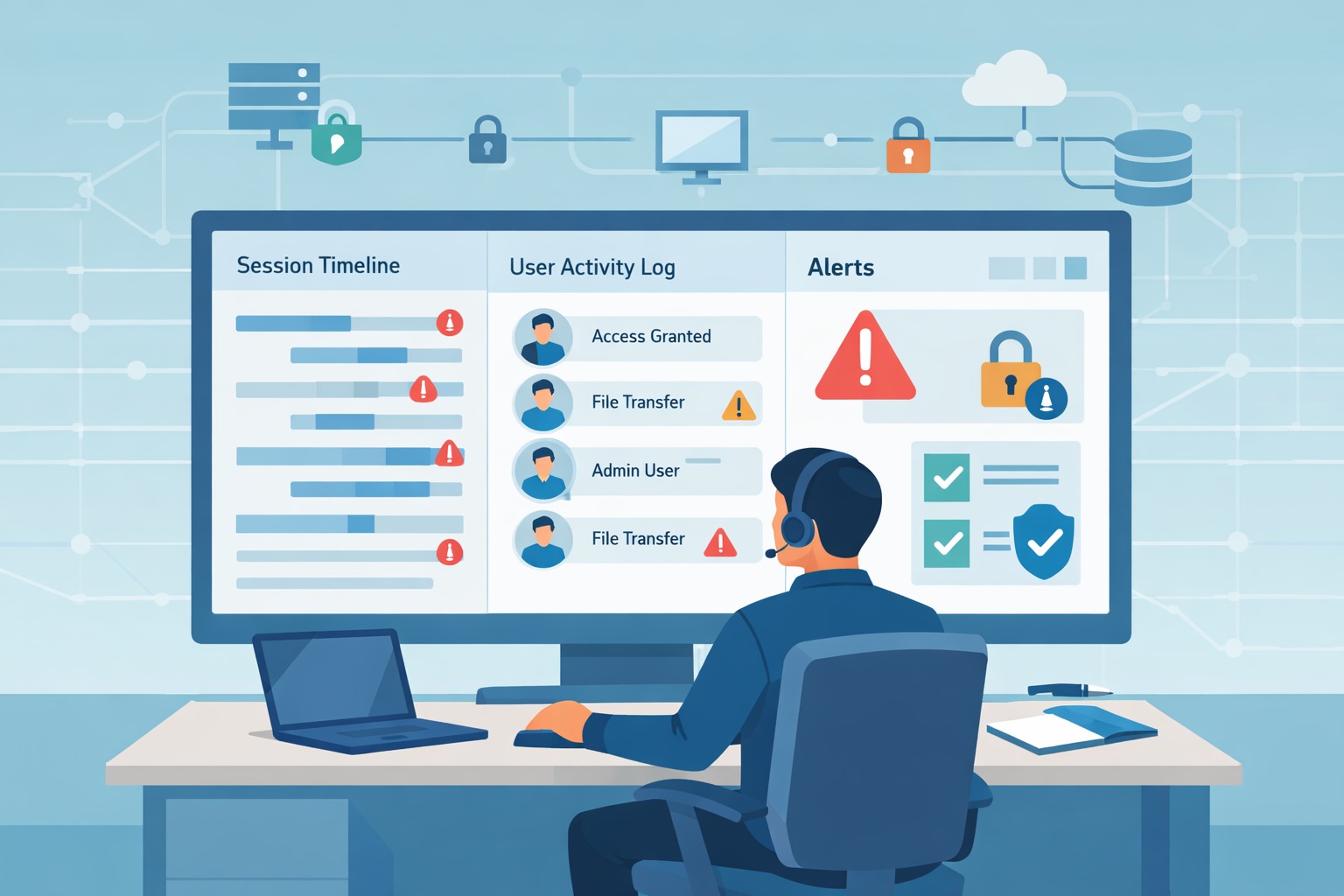
Monitoring Privileged Access Management (PAM) means watching admin and service accounts do inside systems. These powerful accounts are often abused, and we’ve seen small issues turn into big breaches because of them. Real-time monitoring shows the exact commands and system moves that basic logs miss.
Effective programs record and scrutinize this high-risk activity, fundamentally changing incident outcomes by making stealthy abuse nearly impossible. This visibility is non-negotiable in modern defense. Keep reading to understand where most programs succeed or fail.
Key Takeaways
- Monitoring privileged access reduces breach impact by shrinking the time attackers move laterally.
- Real-time session visibility catches behavior that traditional IAM alone never flags.
- Strong PAM monitoring makes audits faster, cloud expansion safer, and incident response less chaotic.
What Is Monitoring in Privileged Access Management (PAM)?

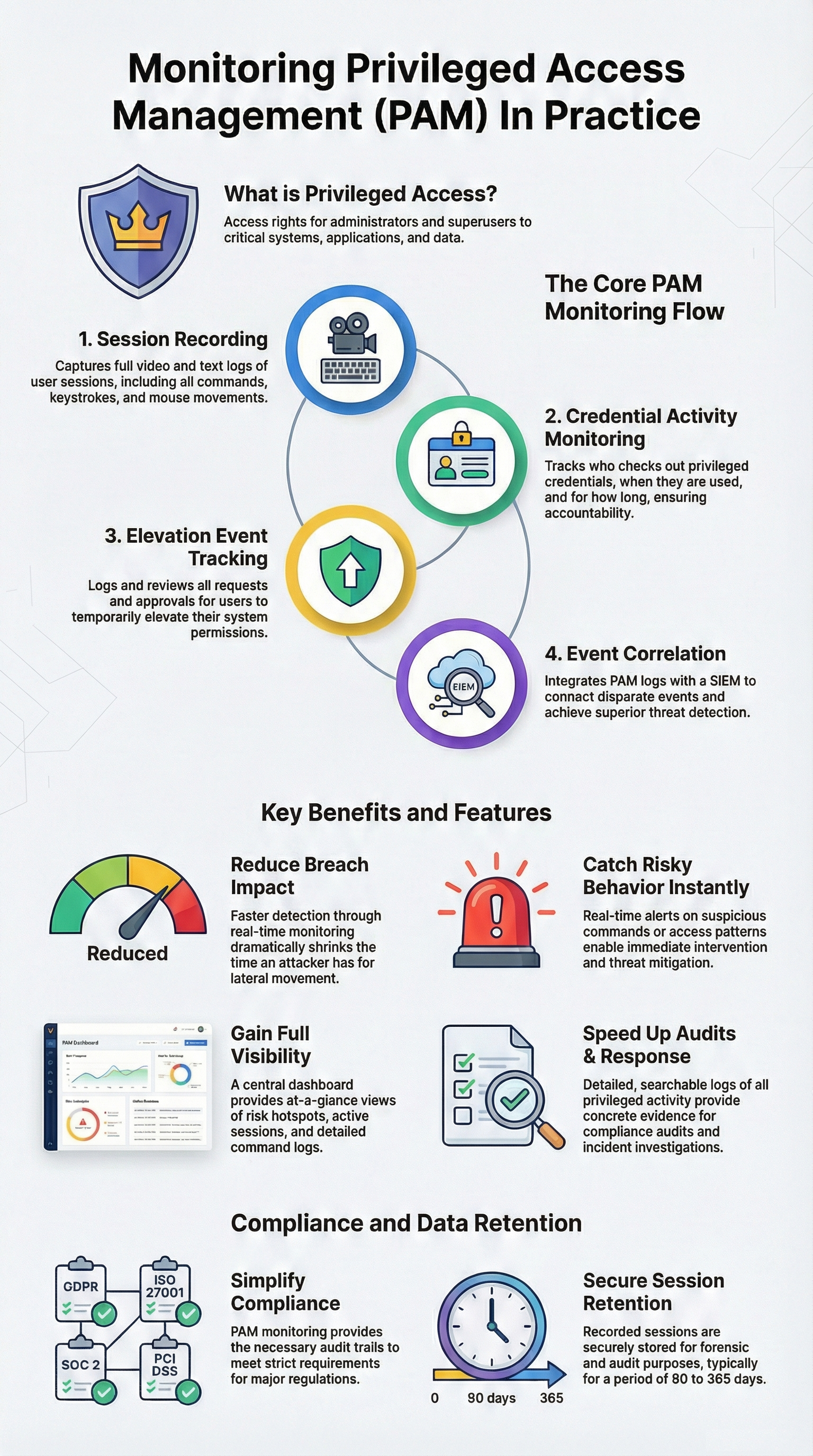
Monitoring Privileged Access Management (PAM) means tracking, recording, and analyzing activity by accounts with elevated rights. That includes:
- Admin accounts on servers and databases
- Root or sudo-level accounts in Unix and Linux
- Cloud admin and owner roles
- Service accounts that hold powerful keys or tokens
Monitoring is what turns those policies into something you can test, prove, and enforce. This is where Identity Access Management (IAM) support becomes critical. Because access decisions without post-access visibility leave blind spots attackers can exploit.
In actual deployments, monitoring usually covers:
- Privileged session activity (commands, screens, keystrokes)
- Credential lifecycle events (checkout, injection, rotation)
- Elevation events (who requested, who approved, when, and why)
Those actions are logged, correlated, and stored for investigation. Given that 74% of breaches involve privileged credential abuse. According to the report, “the misuse of privileged credentials is a common attack vector in data breaches” [1].
Common monitoring capabilities we see in most mature PAM tools include:
- Session recording with screen capture and, often, keystroke logging
- Real-time alerts on high-risk commands or unusual access paths
- Dashboards that summarize privileged activity and highlight risk hot spots
In practice, monitoring is what separates theoretical control from real operational security.
Why Monitoring Privileged Access Reduces Cybersecurity Risk
Credits: Jigar Rajput
Privileged misuse amplifies every incident. Once attackers gain elevated access, they can:
- Disable security tools or logging
- Create new accounts and backdoors
- Exfiltrate large volumes of data
- Move laterally into sensitive systems
Industry analysis shows that when privileged abuse is involved, breach costs go up by more than 30%. It’s not just more expensive; it’s harder to clean up and takes longer to understand.
Traditional Identity and Access Management (IAM) tells you:
- Who is allowed to log in
- What groups they belong to
- What roles they’ve been assigned
PAM monitoring, on the other hand, tells you:
- What they actually did once access was granted
- How far they got
- Whether actions matched approvals and policies
That difference becomes critical during investigations. Especially when PAM telemetry is correlated by integrating IAM with an MSSP SOC.
The main risk scenarios PAM monitoring helps control include:
- Insiders misusing admin or superuser access
- Compromised accounts used for lateral movement
- Dormant or over-privileged accounts being abused quietly
By finding problems faster and stopping them early, PAM monitoring limits how much harm can happen. This reduces the overall risk to the organization.
What Activities Are Monitored in PAM Environments?
| Monitored Activity Type | What Is Observed | Why It Matters |
| Privileged Sessions | Commands, screen activity, keystrokes | Reveals misuse that standard logs never show |
| Credential Activity | Password checkout, injection, rotation | Detects stolen or abused credentials early |
| Elevation Events | Access requests, approvals, time limits | Confirms least privilege and accountability |
| Event Correlation | PAM logs sent to SIEM | Connects privileged actions to broader attacks |
In the environments we review for MSSPs, strong PAM monitoring usually centers on these four activity type:
- Privileged Sessions
Most programs start by monitoring privileged sessions. Any time a user opens an elevated session to a server, database, device, or console, the tool tracks their behavior. Many organizations retain this data for 90-365 days depending on their audit and regulatory needs. - Credential Activity
Credentials are often controlled by a vault. Credential activity highlights unusual access patterns tied to vault usage. Sudden spikes in usage or unusual patterns often signal misuse or compromise. - Elevation Events
Elevation events ensure accountability for temporary access. Monitoring also follows:- Who requested elevated access
- Who approved it
- The time window for that access
- The systems and actions touched while elevated
- Event Forwarding and Correlation
Event forwarding allows privileged actions to be analyzed alongside broader log monitoring and alerting service data, giving teams the context needed to detect real threats instead of noise.
When done well, almost no privileged action happens without some form of accountability attached to it.
How Real-Time PAM Session Monitoring Works

Real-time PAM monitoring sits on the second side of that line. Instead of only collecting logs for later review, real-time monitoring:
- Observes active sessions as they occur
- Applies behavioral analytics to compare actions to normal patterns
- Triggers alerts or policy-based responses when something looks risky
Over time, the system builds baselines for what “normal” admin behavior looks like:
- Typical command sequences
- Usual login times and locations
- Expected systems and data touched
When behavior strays from those baselines, alerts fire. In some setups, high-risk patterns can automatically:
- Terminate the session
- Require secondary approval
- Lock associated credentials
Organizations that use real-time monitoring often find problems much faster. In some cases, they cut the time it takes to spot suspicious activity by more than half. These tools also work closely with intrusion detection systems and automated response tools. Key real-time functions usually include:
- Live alerts on unusual commands or sensitive data access
- Automated session termination under predefined risk conditions
- Immediate escalation to security operations teams
From our work with MSSPs, we see that real-time monitoring often finds problems early. Basic logs usually show issues only after damage is done. Real-time monitoring helps teams spot risky actions right away, before they turn into bigger incidents.
How PAM Monitoring Supports Auditing and Compliance
When auditors come in, they rarely want to read policy documents first. They want proof. This approach aligns with NIST guidance, which stresses continuous monitoring and auditability for privileged access. Its reduce compromise risk and improve response accuracy [2].
PAM monitoring creates that proof in a structured, repeatable way. It generates:
- Immutable logs of privileged access
- Time-stamped records of actions taken
- Session recordings for high-risk systems
This monitoring also helps organizations follow rules that require clear control over who can access systems, such as:
- GDPR (access accountability and auditability)
- ISO 27001 (access control and logging requirements)
- SOC 2 (security and monitoring expectations)
- Industry-specific mandates like PCI DSS
Instead of scrambling for screenshots and partial logs during an audit, teams can:
- Pull standardized reports from PAM tools
- Show clear records of who accessed what and when
- Demonstrate that privileges were time-bound and reviewed
Outputs that help most during audits usually include:
- Automated compliance and access review reports
- Tamper-resistant session recordings for high-value systems
- Documented workflows for privileged access approvals and revocations
This level of evidence doesn’t just make audits smoother; it reduces the chance that a finding or fine will come from missing or incomplete data.
How PAM Monitoring Helps MSSPs and Their Clients Long-Term
From our experience working with MSSPs, PAM monitoring shows whether a security program real. Organizations that use this type of monitoring can collect audit evidence much faster. In some cases, teams cut the time spent gathering proof by 40% or more.
When we help MSSPs select or audit PAM products, we look for tools that:
- Treat monitoring as a first-class feature, not an afterthought
- Cover hybrid, cloud, and on-prem environments with equal depth
- Integrate cleanly with SIEM and existing identity platforms
- Support real-time detection, not just historical playback
We’ve watched MSSPs use strong PAM monitoring to:
- Shorten investigation time dramatically
- Prove value to their own customers through clear, visual evidence
- Catch misconfigurations and over-privileged accounts before attackers do
Organizations focused on long-term security. PAM monitoring makes powerful access easier to see and control. What was once hidden becomes clear and trackable. Together works with clear rules, least privilege, multi-factor authentication, and regular access reviews. PAM monitoring becomes a core part of security, not just an extra task
FAQ
What does Monitoring Privileged Access Management (PAM) track each day?
Monitoring Privileged Access Management (PAM) tracks how powerful accounts are used across systems. It watches admins, superusers, and service accounts. Teams review session recordings, keystroke logs, and screen activity to see what happened. PAM monitoring also keeps audit trails and session playback. Real-time alerts help teams spot risky actions quickly and review them later without guessing.
How does PAM monitoring catch privilege abuse early?
PAM monitoring looks for strange behavior, not just logins. It flags unusual commands, unexpected access paths, and fast privilege changes. Behavioral analytics help show when actions do not match normal use. Real-time alerts let teams act fast. Session controls can stop unsafe actions right away. This helps catch insider misuse early and limits how much damage ransomware can cause.
Why does just-in-time access reduce privileged risk?
Just-in-time access limits how long powerful access is active. Users only get higher access when they need it. Monitoring Privileged Access Management (PAM) supports least privilege and removes standing access. PAM monitoring checks that access ends on time. This reduces forgotten accounts and lowers the risk of long-term misuse.
How does PAM monitoring help with audits and compliance?
PAM monitoring keeps clear records of privileged access. Audit trails show who accessed systems, when, and why. Logs from account discovery and credential use support reviews. These records help meet GDPR, SOX, and security framework needs. Teams can show proof quickly without manual tracking or missing data.
Which IT environments need continuous PAM monitoring most?
Continuous PAM monitoring is most important in mixed environments. Cloud systems, on-premises systems, and hybrid setups all add risk. Monitoring PAM helps track service accounts, apps, and root access everywhere. With IAM and SIEM integration, teams keep visibility across servers, endpoints, and DevOps tools.
Monitoring Privileged Access Management (PAM) as a Core Security Control
Monitoring privileged access management (PAM) helps teams see how powerful accounts are used every day. Actions that were once hidden become clear and easier to control. With real-time monitoring, organizations can reduce damage and build trust across systems. We’ve seen security improve when teams use clear rules and hold people accountable.
As systems grow more complex, PAM monitoring becomes a basic need, not a nice extra. The next step is using it fully across the environment. Start strengthening privileged access monitoring today.
References
- https://www.verizon.com/business/resources/reports/dbir/
- https://csrc.nist.gov/publications/detail/sp/800-53/rev-5/final