

Server logs are a pain, ask anyone who’s stared at endless rows of timestamps and error codes at midnight. Most IT teams are stuck checking thousands of alerts manually, crossing fingers nothing breaks.
Like that time when a tiny database hiccup turned into a 6-hour outage because nobody caught it. Look, you don’t have to white-knuckle through another 2 AM server meltdown.
Stick around to see how proper monitoring saves your sanity (and your weekend).
Key Takeaways
- Centralized log collection and real-time analysis are critical for proactive incident detection.
- Alert configurations must balance sensitivity with minimizing false alarms to avoid alert fatigue.
- Correlating logs across systems and maintaining compliance-ready log retention are essential best practices.
The Log Management Challenge
Most MSSPs drown in log data these days, we’re talking petabytes from client servers, cloud apps, and security tools. Behind each timestamp lurks potential system failures or security breaches waiting to happen. After 15 years auditing security products, our team still sees the same pattern: crucial alerts buried under routine noise.
System outages hit hard and fast. A mid-sized bank lost $50,000 in just 30 minutes when their payment system crashed – all because a critical error got missed in their logs. We’ve guided dozens of security providers through similar close calls. Their logging tools looked good on paper but failed when it mattered.
The security landscape keeps getting messier. MSSPs need more than just basic log collection to protect their clients. That’s exactly why our product auditing service steps in. We dig deep into each vendor’s capabilities, testing them against real-world scenarios.
Having the right monitoring solution, vetted by experienced consultants, helps security providers spot threats faster while keeping their operations lean. [1]
Key Steps to Effective Log Monitoring and Alerting
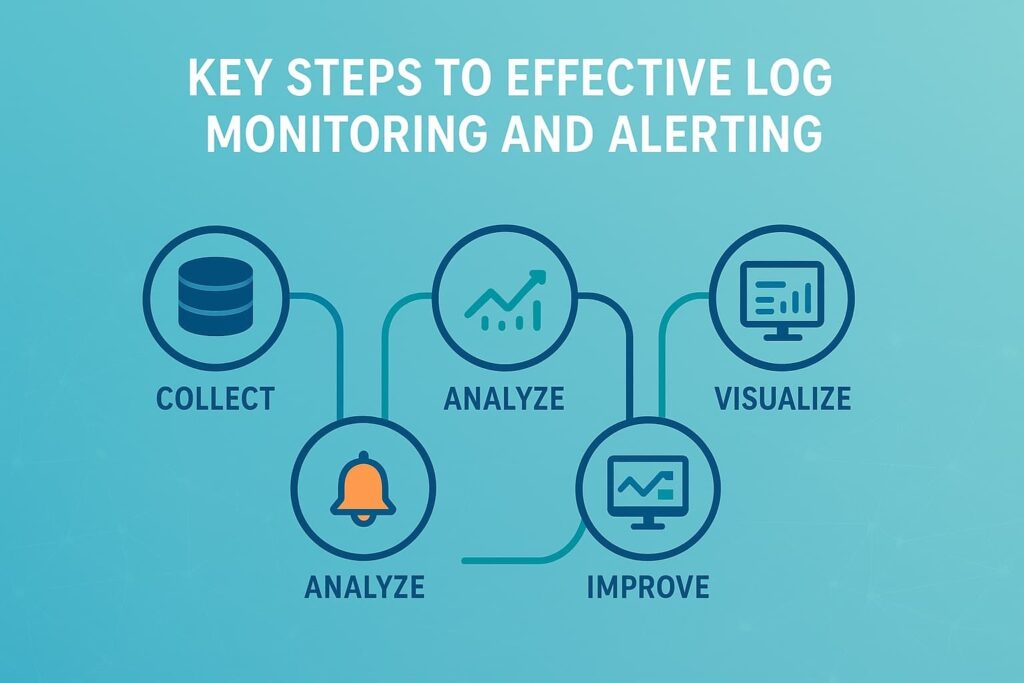
Log Collection: Gathering the Data
Getting logs in one place sounds simple, until you’re dealing with 50 different client environments. Most MSSPs struggle with this first step. The tricky part? Each client runs their own mix of systems throwing out logs in different formats. Some use old-school syslog, others push everything to the cloud.
Our consulting team typically recommends three core methods:
• Install lightweight agents
- Filebeat for smaller setups (handles up to 10k events/second)
- Fluentd for enterprise clients (we’ve seen it handle 50k+ events/second)
- Perfect for Windows servers and Linux boxes
• Set up dedicated syslog servers
- Essential for network gear and appliances
- Handles Cisco, Fortinet, and other vendor formats
- Typically needs 2-3x storage buffer for spikes
• Use direct API connections
- Best for AWS, Azure, and Google Cloud
- Pulls logs every 5-15 minutes
- Requires careful API throttling setup
Here’s what keeps security providers up at night: random log volume spikes that crash collection systems. Last month, a client’s logging system choked when their customer’s AWS environment suddenly generated 10x normal volume. Smart providers plan ahead. They encrypt everything in transit (no exceptions), and build in flexibility to handle whatever log format comes their way – whether it’s JSON, syslog, or those annoying proprietary formats some vendors still use.
Real-time Analysis and Monitoring: Detecting Anomalies
Simply collecting logs isn’t enough. Real-time analysis involves scanning logs for patterns, keywords, or anomalies that signal incidents. We configure rules and thresholds tailored to your environment, such as detecting repeated failed login attempts or unusual resource usage spikes.
Advanced anomaly detection uses machine learning to spot deviations from normal behavior, catching subtle threats early. Effective finding events through log analysis helps prioritize critical alerts and accelerates incident investigations.
We always focus on minimizing false positives to avoid overwhelming teams with unnecessary alerts, balancing sensitivity and specificity carefully. The performance impact of analysis is also managed so monitoring doesn’t slow down your systems.
Alerting and Notifications: Responding to Incidents
A core function is triggering alerts when critical events occur. Alerts can be categorized by severity levels, informational, low, medium, high, critical, allowing your team to prioritize response efforts. Notifications reach the right people through multiple channels like email, SMS, or integrations with incident management platforms.
We understand alert fatigue well. That’s why we help design escalation policies and on-call rotations to ensure alerts are meaningful and actionable, not noise. Automated alert suppression for repeated events or known issues further refines the process.
Dashboards and Visualization: Gaining Insights
Visualizing log data helps teams grasp system health at a glance. Customizable dashboards display aggregated metrics, trends, and charts, CPU, memory, error rates, security incidents, using graphs and heatmaps. Drill-down capabilities allow analysts to investigate alerts by jumping directly into detailed logs.
The goal is to make complex data accessible and digestible, turning raw logs into intelligence that guides quick and effective decisions. [2]
Correlation and Context: Understanding the Big Picture
Logs on their own tell part of the story. Correlation engines link related log entries from different systems: application errors tied to network anomalies or user activity linked to security alerts. This contextualization enriches logs with metadata, user ID, location, device, helping pinpoint root causes faster.
Data normalization ensures logs from varied sources speak a common language, making correlation feasible at scale. Integration with other security tools like SIEM log management integration platforms or threat intelligence enhances detection capabilities, enabling more timely and effective incident response.
Log Retention: Storing Data for Compliance and Forensics
Compliance regulations like GDPR, HIPAA, and PCI DSS mandate specific log retention periods. We help define retention policies balancing business needs, storage costs, and legal requirements.
Logs are stored securely with encryption and access controls, and log rotation prevents storage bloat. This approach aligns closely with log management for compliance strategies to ensure audit readiness and data integrity.
When incidents happen, retained logs provide a forensic trail to reconstruct events and support investigations.
TL;DR Summary
| Task | What | How | Considerations |
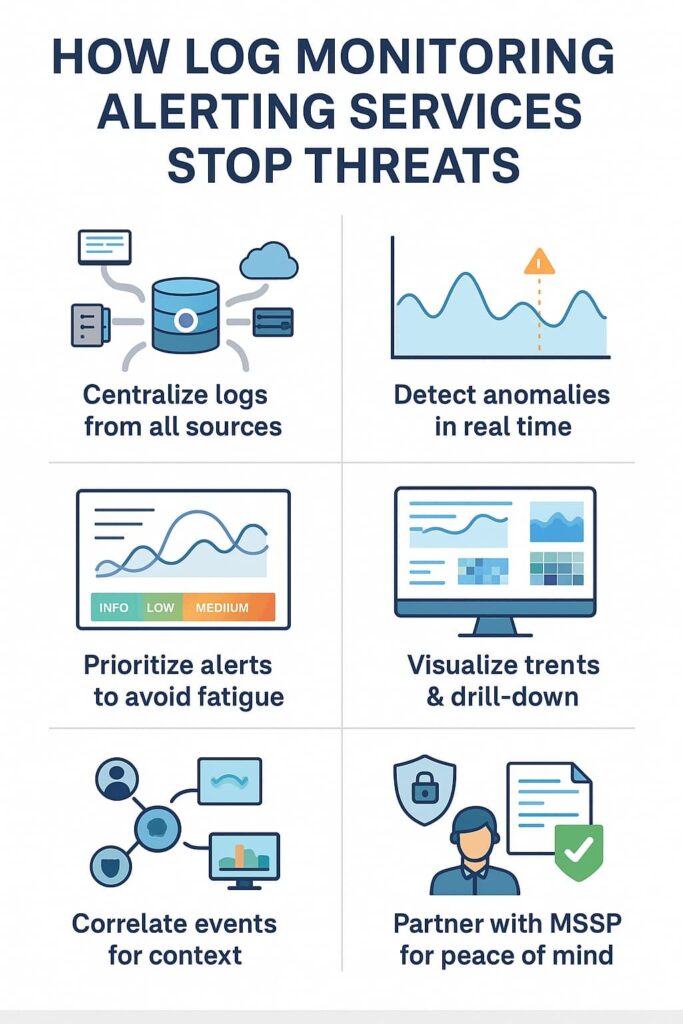
| Log Collection | Centralize logs from all key sources | Use agents, syslog, APIs | Scalability, security, format support |
| Real-time Monitoring | Analyze logs continuously to detect anomalies | Define rules, thresholds, anomaly detection | False positives, analysis overhead |
| Alerting & Notifications | Trigger alerts with severity levels | Email, SMS, incident management integration | Alert fatigue, escalation policies |
| Dashboards & Visualization | Visualize trends and metrics | Custom dashboards, charts, drill-downs | Usability, data aggregation |
| Correlation & Context | Link related log events across systems | Correlation engines, metadata enrichment | Normalization, scalability |
| Log Retention | Store logs securely to meet compliance | Define retention policies, encrypt storage | Storage cost, compliance mandates |
Why MSSP Security is Your Go-To Partner for Log Monitoring Alerting Services
From our experience, partnering with a managed security service provider (MSSP) ensures your log monitoring alerting service is proactive and comprehensive. We bring expertise, automation, and 24/7 vigilance to detect incidents early and reduce your operational burden. Our approach integrates seamlessly with your existing infrastructure and evolves as your environment grows.
By leveraging our service, you gain not only real-time monitoring and alerting but also expert analysis and response support, enabling your team to focus on strategic initiatives. The peace of mind knowing your log data is watched over by seasoned professionals is invaluable.
FAQ
1. What is a log monitoring alerting service?
A log monitoring alerting service helps track system logs, application logs, and network logs in real time. It uses log aggregation, log parsing, and anomaly detection to find unusual activity. When event logging shows issues or error logs appear, the alerting service sends alert notifications through various notification channels for quick response.
2. How does real-time monitoring improve incident detection?
Real-time monitoring makes incident detection faster by watching log data sources, event thresholds, and system logs continuously. It helps find anomalies or performance drops before they become big problems. With automated alerting and event correlation, teams can review warning logs, detect fault detection patterns, and act fast to reduce downtime.
3. What types of logs are most important to monitor?
Security logs, system logs, and application logs are the most critical for effective log analysis. These logs reveal patterns tied to intrusion detection or resource monitoring. Cloud log monitoring also matters for tracking audit trails, compliance logs, and user activity logs across multiple environments using centralized logging tools.
4. How do alert workflows and escalation work in monitoring?
Alert workflows define how alerts move through different stages of response. A log monitoring system uses alert escalation and alert suppression to manage noise. Based on alert severity and threshold alerts, incident notifications get sent to the right people. This ensures faster root cause analysis and better alert tuning overall.
Conclusion
Effective log monitoring alerting is the backbone of secure and resilient IT operations. It empowers organizations to detect threats early, improve system performance, and comply with regulations without drowning in data or false alarms.
By following best practices, from centralized log collection to sophisticated alerting and correlation, you transform raw logs into actionable insights.
Remember, the journey is ongoing: continuously tune alerts, review metrics, and adapt your strategy. If you want to strengthen your security posture while optimizing IT operations, partner with MSSP Security.
We offer expert consulting tailored for MSSPs to streamline operations, reduce tool sprawl, and boost service quality. With 15+ years of experience and 48K+ projects completed, our team helps you choose the right tools, improve integration, and enhance visibility for a more resilient, efficient security ecosystem.
References
- https://en.wikipedia.org/wiki/Log_monitor
- https://www.logicmonitor.com/blog/log-monitoring-to-log-intelligence