

Automating security playbook execution is one of the most reliable ways MSSPs can protect cloud environments at scale. When an alert hits, a well‑built playbook can investigate, enrich, and contain the threat before anyone in the SOC even moves a cursor.
No scrambling across consoles, no confusion over ownership, just quiet, traceable action that runs the same way every time. This doesn’t replace analysts, it pulls them out of repetitive work so they can focus on harder problems.
If you want to see how that shift looks in real MSSP operations, keep reading.
Key Takeaways
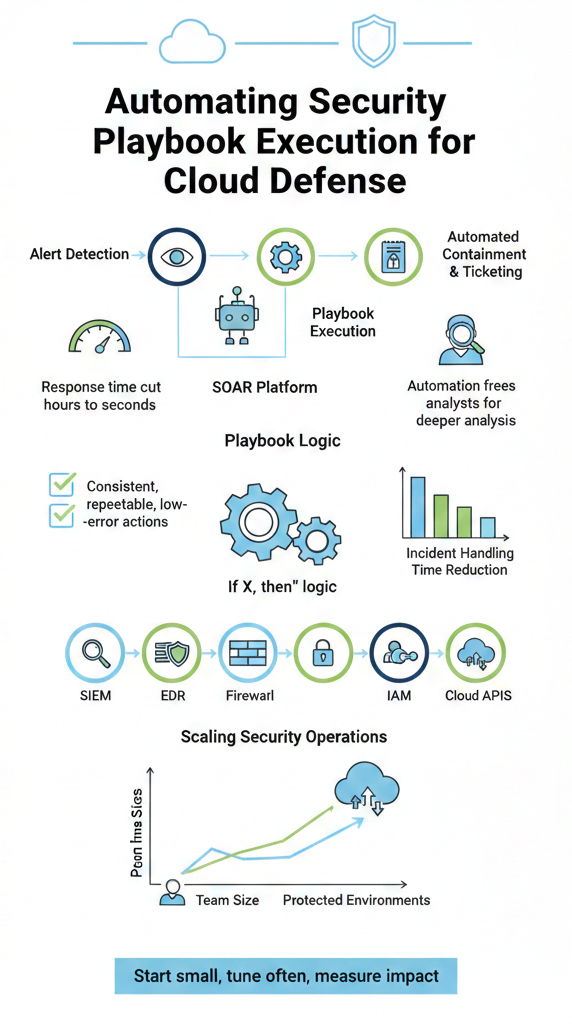
- Automated playbooks can cut threat response time from hours to seconds.
- They enforce consistent, repeatable, and low‑error security actions.
- Automation lets your security team focus on deeper analysis, not button‑clicking.
The Manual Response Trap
Most SOCs we visit look the same when something breaks bad. An alert pops in a SIEM, someone gets pinged in Slack or email, a ticket appears, and then the manual relay race starts. The analyst opens three or four tools, pulls logs from the cloud provider, checks identity data, looks at EDR signals, and only then decides whether to isolate a resource or block access.
All of that sounds reasonable, until you watch the clock. That whole cycle can take 30–60 minutes when everyone is focused and nothing else is on fire. In a cloud environment, where an attacker can spin up and tear down workloads in minutes, that delay is a gift.
We’ve seen this up close in MSSPs we advise. One team walked us through their “quick” crypto‑mining response process: investigate the alert, validate against logs, confirm with the client, then take action. On a good day, they needed 15–20 minutes just to confirm.
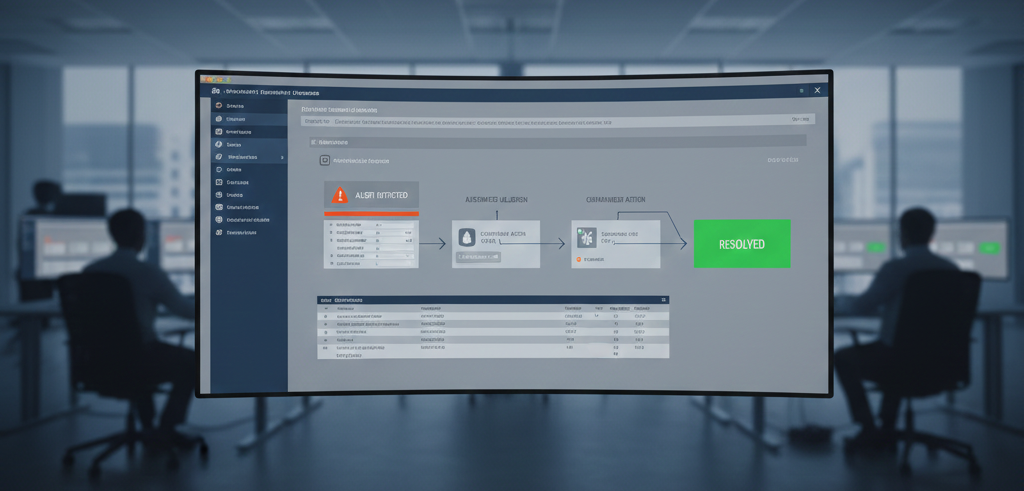
After we helped them select and tune a SOAR platform, the same kind of incident was auto‑contained in under 60 seconds, tagged, isolated, tickets created, and evidence preserved. Human review still happened, but after the damage window had already been closed. [1]
A lot of the time sink comes from the same patterns:
- Alert triage and prioritization
- Collecting logs from multiple systems
- Verifying a single event across different tools
Those are exactly the kinds of steps a machine can run, tirelessly and the same way every time.
What Exactly Is a Security Playbook?
Credits: IBM Technology
Think of a security playbook as a security recipe, but written so a machine can cook it. It’s a detailed, step‑by‑step procedure for handling a specific type of incident, where each step is concrete and testable.
For example, when we help an MSSP formalize a phishing playbook, it rarely stops at “review the email.” Instead, the documented steps might look like:
- Quarantine the reported email in the mail gateway.
- Search for the same sender, subject, or URL across all tenants.
- Remove matching emails from users’ inboxes.
- Scan affected endpoints for known payloads or indicators.
- Notify the user and log the event in the ticketing system.
For a suspected insider threat, that same MSSP might define actions such as temporarily revoking elevated access, preserving identity and access logs, and flagging unusual data transfers for deeper human review.
The key is that a good playbook is not a loose guideline; it’s explicit logic: “If condition X is true, then execute action Y.” That specificity is exactly what allows an automation engine to run it at speed with very little room for interpretation.
When we’re brought in to audit tools or build an evaluation framework for an MSSP, one of the first questions we ask is: can this product consume, execute, and update these playbooks cleanly? Because without well‑defined playbooks, automation turns into guesswork. The playbook is the brain. The automation platform is the muscle. Both need to be healthy.
These playbooks usually start from industry best practices, NIST guidance, vendor recommendations, cloud provider patterns, but the strong ones are tuned to the MSSP’s reality: AWS‑heavy tenants, hybrid setups, or private cloud deployments. That’s how you stop reinventing the response for every single alert.
The Engine of Automation: How It Actually Works
Under the hood, most of this is driven by Security Orchestration Automation Response (SOAR) platforms, which act as the traffic controller for an MSSP’s security stack. When we walk MSSPs through product selections, we describe SOAR as the “traffic controller” for their security stack.
The flow usually looks like this:
- A tool detects something suspicious, maybe the SIEM flags a spike in failed logins.
- That alert is sent to the SOAR platform.
- The SOAR engine evaluates it against the existing library of playbooks.
- If it matches a pattern, like a “Brute Force Login Attempt,” the related playbook fires.
From there, the actions can chain quickly: block the offending IP address at the firewall, force a password reset or MFA challenge on the targeted account, gather context from identity and endpoint tools, and open an incident ticket for analysts.
We’ve seen SOCs where that entire loop, from detection to first containment, completes before a human even sees the notification. And it does this again and again, without fatigue, without skipping steps on a busy night, and without confusing two tenants in a multi‑client environment.
For MSSPs, that standardization is critical. A single team might be responsible for dozens of clients, each with its own tools and settings. When we audit SOAR options, we look for engines that can enforce consistent logic across all those environments, while still allowing per‑client tweaks. When it’s well‑implemented, individual tools stop acting like isolated islands and start behaving like a coordinated defensive line.
The Tangible Benefits You’ll See Immediately
This is where the managed SOAR platform benefits become obvious, especially for MSSPs supporting multiple clients who expect fast, consistent incident response without added analyst overhead.
Speed is usually the first metric that gets everyone’s attention. When a ransomware attempt is cut off in seconds instead of minutes, or a compromised key is revoked almost as soon as it’s used, you feel the difference in real dollars and real reputational risk.
Another benefit we see in our reviews is consistency. Automated playbooks run the same way on a Tuesday afternoon as they do at 3 a.m. during a holiday. They don’t skip the “boring” steps, and they don’t forget to log evidence for compliance. For MSSPs, that kind of reliability is gold when a client asks, “What did you do when this happened?”
The human impact might be the most underrated change. In nearly every SOC we’ve assessed, analysts quietly admit they’re drowning in alerts. Automation doesn’t magically remove all that noise, but it does handle a big chunk of the predictable, repeatable work:
- Initial enrichment of alerts
- Straightforward containment steps
- Routine notifications and ticketing
Once those are automated, your more experienced analysts can pull back from clicking through basic workflows and instead spend time on the work that actually moves the needle: root cause analysis, threat hunting, tuning detections, and building new playbooks for emerging attack patterns.
From a scaling perspective, this matters even more. As MSSPs add more clients and each client grows its own cloud footprint, manual response does not scale linearly. With a well‑designed automation layer, a smaller, sharper team can support a much larger environment without burning out.
Building a Foundation for Success
When we help an MSSP evaluate or roll out automation, we don’t start by shopping for a shiny tool. We start with the playbooks themselves.
Those playbooks need to be written in a way machines can actually execute: “Send an API request to this endpoint,” “Update this security group,” “Disable this account,” not just “Investigate suspicious login.” Each action needs to be something a platform can call, log, and verify.
We’ve seen organizations treat playbooks like policy documents that get written once and then left alone. That approach usually shows up as broken automation a year later. Strong teams treat playbooks as living documents, they schedule regular reviews, update them when new threats appear, and adjust them as their stack and their clients’ stacks change.
The next layer is integration. During product audits, we push hard on this point: can the automation platform talk deeply and reliably to the SIEM, EDR, firewalls, IAM systems, cloud provider APIs, ticketing tools, and collaboration platforms? If those connections are weak or missing, playbooks become patchy and still require human workarounds.
On top of that, monitoring and testing can’t be an afterthought. We’ve seen MSSPs run regular tabletop exercises where they walk through “what happens if this alert fires” and watch the playbooks in real time.
They check that actions trigger correctly, tenants are isolated properly, and no unexpected side effects hit production. That feedback loop is where most of the real improvements come from.
A Practical Path to Automation
For teams without the time or internal expertise to build everything from scratch, outsourced security automation and orchestration can provide a faster path to mature playbooks, deeper integrations, and reliable automation outcomes.
When MSSPs ask us where to start, we usually tell them the same thing: start small and start where it hurts the most.
A good first step is to identify the incidents that are both common and time‑sensitive, usually phishing campaigns, brute‑force login attempts, suspicious cloud resource creation, or key misuse. Then, document the current manual response honestly, step by step. No shortcuts, no “we usually just check quickly.” Put the full sequence on paper. [2]
From there, it’s much easier to design a clean playbook that removes redundant steps, tightens decision points, and translates each action into something a machine can perform via API or integration.
Once that groundwork is in place, tool selection matters. We help MSSPs score platforms on how well they integrate with AWS services, private cloud tooling, and the specific products their clients already rely on.
After choosing a platform, the first rollout should be limited: one or two playbooks in a controlled segment, with loud logging and easy rollback.
The most successful teams we’ve seen measure:
- Time from alert detection to first containment
- Number of incidents handled fully by automation
- Analyst time saved per incident type
- Error rates and unintended side effects
They gather feedback from the SOC, tweak the logic, and only then expand to more playbooks or more complex scenarios, such as integrating threat intelligence feeds or allowing limited auto‑remediation based on risk scoring.
FAQ
How does automating security playbook execution help SOC teams respond in real time?
Automating security playbook execution allows SOC teams to respond in real time by converting alerts into predefined response actions automatically. Instead of waiting for team members to manually triage events, SOC automation triggers playbook execution as soon as threat detection occurs.
This approach reduces delays, improves detection and response, and helps security teams manage cyber threats more effectively across cloud native and private cloud environments.
What is the difference between a SOC playbook and an automation playbook?
A SOC playbook documents how security teams should handle specific security incidents step by step. An automation playbook takes those documented steps and executes them through security automation tools. It connects threat detection, response actions, evidence collection, and security control systems, allowing teams to resolve common incidents faster and with fewer manual tasks.
How do cloud security posture management tools support automated security response workflows?
AWS Security Hub aggregates findings from AWS security services and cloud native tools into a single view. When integrated with SOC playbooks, AWS Security Hub can trigger automated security response workflows through playbook execution.
This improves security operations by centralizing potential threats, speeding up incident response, and strengthening the overall security posture without increasing operational workload.
Can SOC playbooks support insider threat investigations and root cause analysis?
SOC playbooks can support insider threat investigations by defining clear detection and response steps. When combined with SOC automation, playbooks guide log collection, preserve evidence collection, and support structured root cause analysis. This process helps security teams understand how an incident occurred, identify control gaps, and reduce the risk of repeat security incidents.
What best practices should teams follow when creating SOC playbook examples?
Teams should start SOC playbook examples by focusing on common security incidents and clear threat detection signals. Best practices include defining specific response actions, limiting complexity, and testing playbooks regularly. Well-designed playbooks improve detection and response, support automated security response, and scale effectively across security operations.
Your Automated Security Future
For MSSPs and the clients they protect, automating security playbook execution is becoming the baseline for modern cloud security operations. Manual workflows can’t keep up with today’s attack speed. When done right, automation shifts the SOC from chasing alerts to working as a calm, coordinated unit. Starting with focused playbooks and the right integrations, teams gain clearer reporting and more predictable outcomes. Work with our MSSP consultants to streamline tools and build an automation strategy that fits your maturity.
References
- https://www.cyware.com/resources/security-guides/security-orchestration-automation-and-response
- https://www.morphisec.com/blog/preventative-security-in-the-era-of-speed-to-breach-why-time-to-detection-is-a-losing-metric/