Address
304 North Cardinal St.
Dorchester Center, MA 02124
Work Hours
Monday to Friday: 7AM - 7PM
Weekend: 10AM - 5PM
Address
304 North Cardinal St.
Dorchester Center, MA 02124
Work Hours
Monday to Friday: 7AM - 7PM
Weekend: 10AM - 5PM

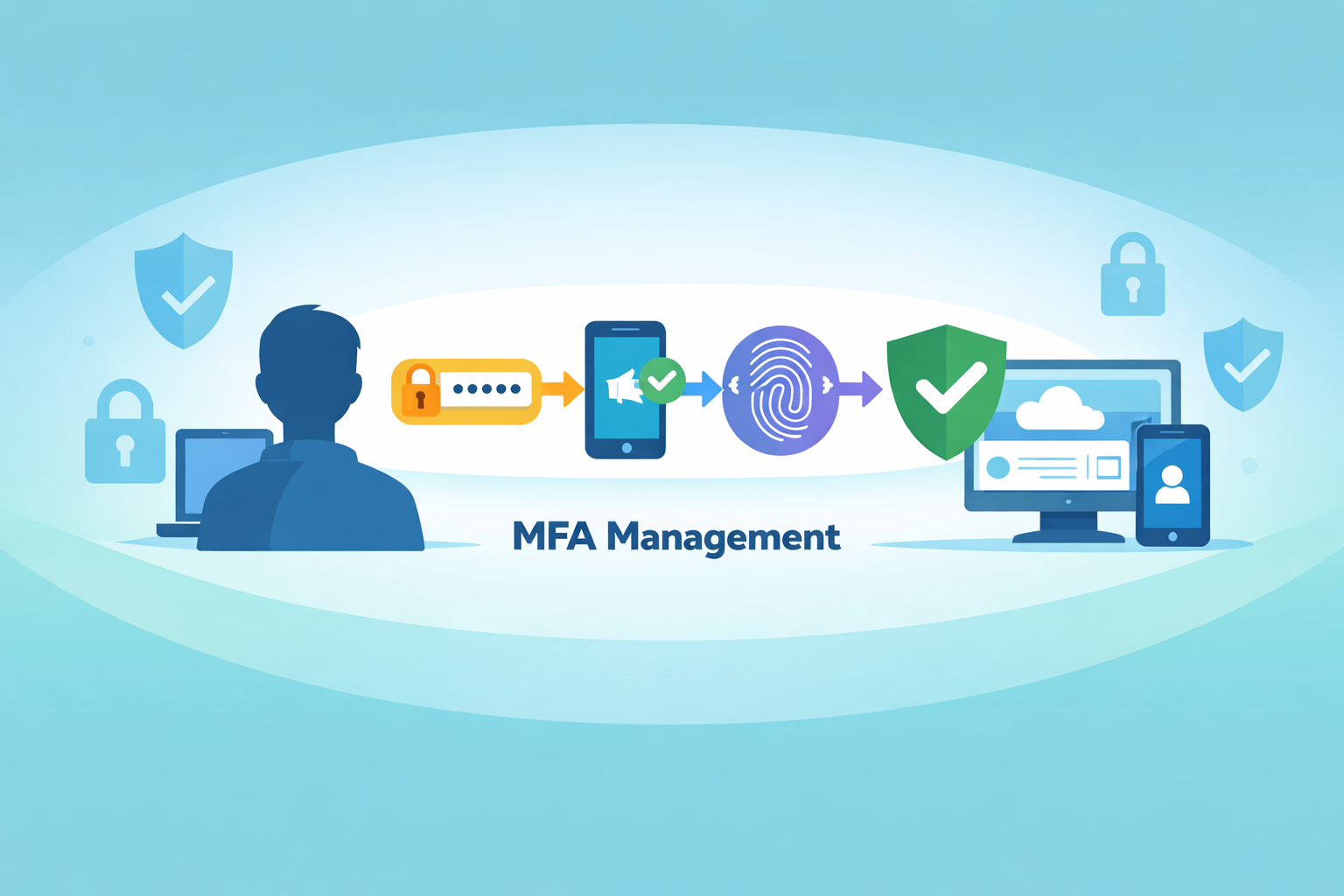
Multi Factor Authentication (MFA) management is how teams consistently set up, enforce, and maintain identity checks so accounts stay difficult to steal across users and systems. It is not a one-time switch. It is an ongoing discipline. Some organizations treat MFA like a box to tick. Others treat it like a brake pedal that must work every time. From our work with MSSPs, the difference shows quickly.
When MFA is managed well, phishing attempts stall, credential attacks fade, and support tickets drop. Compliance becomes easier to prove because controls actually function. The rest of this piece breaks down what effective MFA management looks like in practice, and why it works. Keep reading.
At its core, MFA management is the way an organization sets up, maintains, and enforces multi factor controls so people prove who they are using more than one factor. This lowers the chance of account takeover, even if passwords are stolen or guessed.
It is much more than just turning on two factor authentication for a few accounts. A real MFA management program includes
During our work with MSSPs, we have seen how identity teams moved from scattered per user MFA settings to centralized controls in platforms such as Microsoft Entra. That shift to conditional access policies cut down on misconfigurations and removed the quiet “back doors” that attackers love to find.
We have supported rollouts where users had different MFA requirements on different apps inside the same company. Some had SMS, some had no MFA at all, some used an authenticator app. That kind of drift created silent bypass paths that no one noticed until an incident review. When everything moved into a single policy engine, those gaps closed, and audits got easier almost overnight.
From an operational lens, MFA management also covers
Those small details often decide whether MFA adoption grows over time or fails quietly after a few months.

MFA management matters because it turns identity into a real control, not just a login screen that looks secure. When MFA is managed well, phishing and credential theft attacks hit more friction, and compliance teams get proof instead of promises.
The U.S. Cybersecurity and Infrastructure Security Agency (CISA) explicitly states that phishing-resistant MFA is one of the most effective controls against account compromise, especially for remote access and privileged accounts. According to CISA, MFA methods that resist phishing attacks significantly reduce the impact of stolen credentials and social engineering attempts [1].
Microsoft reports that strong MFA can stop over 99 percent of automated credential based attacks when it is applied correctly and consistently. That number drops fast when MFA is only used in some places, or when weak methods like SMS are the default for high risk access.
Poor MFA management leaves open gaps, for example
Regulatory frameworks such as GDPR, HIPAA, and SOC 2 are moving in the same direction. They now expect enforced MFA for admin accounts, remote access, and sensitive data access. When MSSPs help their clients meet those standards, a clear MFA management strategy makes the audit process much smoother.
Key benefits of strong MFA management include
We keep seeing compliance reviews move faster when MFA is centralized, documented, and provable through logs. Good MFA management turns identity security into something you can show on screen to an auditor, not just something you claim in a policy.
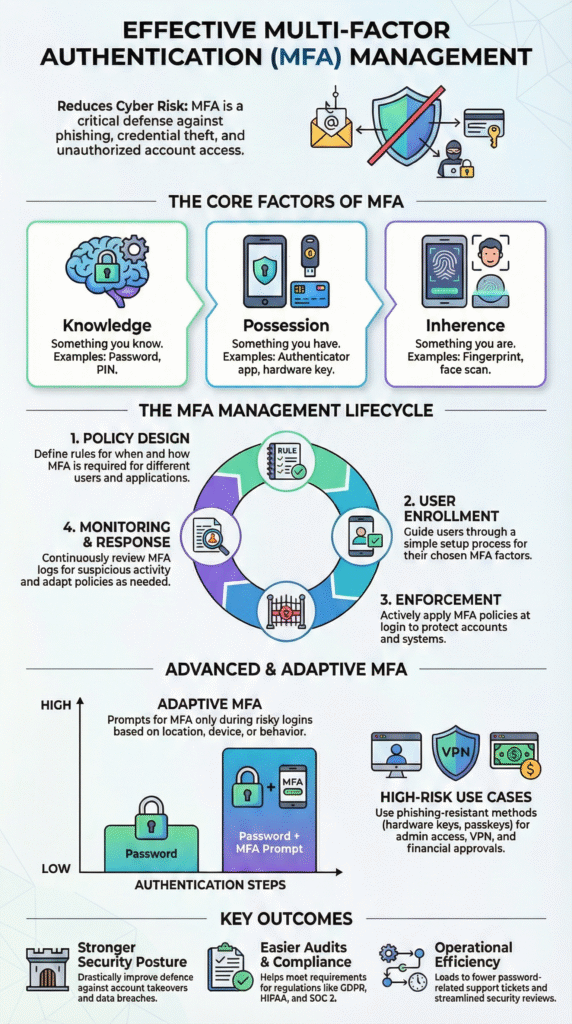
MFA systems rely on three main factor types that go beyond a single password. These categories are defined in U.S. NIST identity guidance, which forms the basis for many regulatory and audit frameworks worldwide [2].
In enterprise environments we often see:
Here is a simple way to compare them.
| Factor Type | Example Methods | Phishing Resistance | User Friction |
| Knowledge | Password, PIN | Low | Medium |
| Possession | Authenticator app, hardware key | Medium to High | Low |
| Inherence | Fingerprint, face recognition | High | Very Low |
In our work with MSSPs, we have watched security incident response soc teams breathe easier after moving from OTP only flows to phishing resistant options, especially hardware keys and passkeys. Alert volumes drop, and the remaining alerts are usually more meaningful.
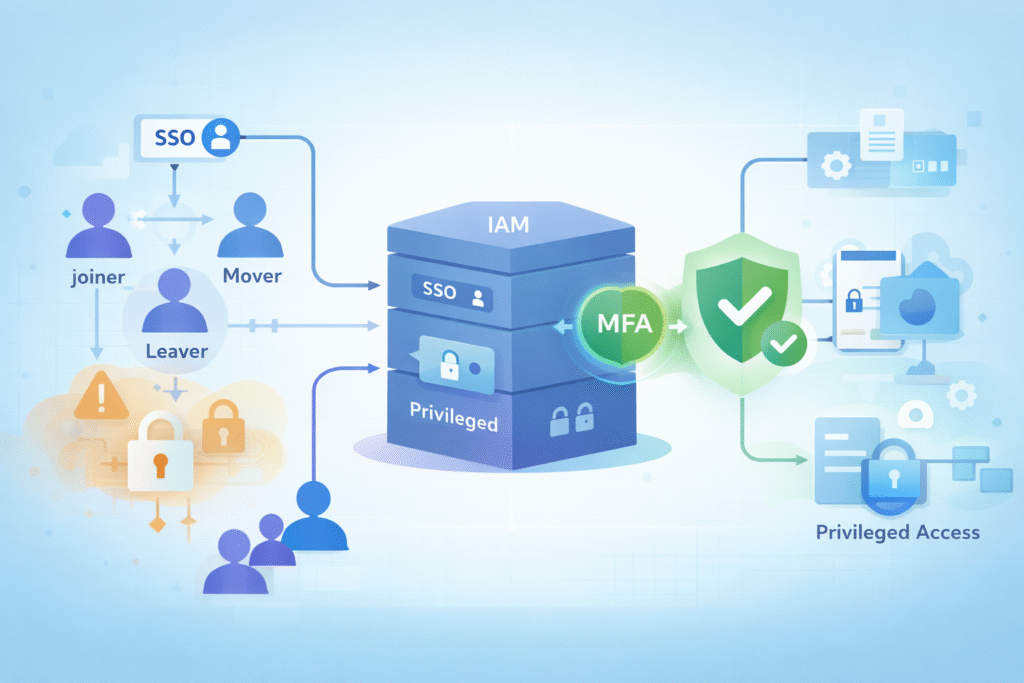
MFA on its own is just a set of methods. MFA plugged into IAM becomes a real control system.
IAM platforms act as the policy engine that decides when MFA is required, how it is enforced, and which access paths are allowed. Strong Identity Access Management (IAM) support ensures MFA policies stay aligned with user lifecycle events, role changes, and access reviews, instead of drifting over time as environments grow.
We see many organizations move from per application MFA to IAM based enforcement. At first it feels like more work to centralize it, but the payoff is big. Policy sprawl shrinks, and MSSPs gain a single place to check, tune, and audit MFA behavior.
This integration also covers less visible areas, including
When identity becomes the main control plane, MFA stops being fragmented. That is also where MFA management turns from a tactical feature switch into a core piece of identity governance.
Credits: Jordan M. Schroeder
Rolling out MFA in a managed way usually follows a staged process. The NIST identity guidelines line up well with what we see in practice with MSSPs and their clients.
When teams skip testing and go straight to “everyone tomorrow,” we almost always see a backlash. People get locked out, help desks drown in tickets, and leadership loses patience. Controlled pilots give room to fix friction early and protect trust in the rollout.
Risk based MFA adjusts security based on context. It does not treat every login the same way.
Adaptive MFA uses signals such as location, device health, and user behavior to decide when to challenge a user with extra verification. Often there is some AI or machine learning helping in the background, but the idea is simple. More risk means more checks. Less risk means fewer interruptions.
Common signals include
Platforms like Okta, Entra, and others have made this pattern normal. In our experience, users complain less when the system only prompts them at moments that actually feel unusual.
From what we have seen across many MSSP led projects, adaptive MFA raises both security and user satisfaction. Attackers hit more walls, while regular employees feel fewer nagging prompts during normal work.
By 2024, guidance from groups such as CISA framed MFA as a base requirement, not a bonus control. The best programs we see share some core habits.
In practice, that means MFA telemetry does not live in isolation. Login risk, enforcement decisions, and bypass attempts are shared when integrating IAM with an MSSP SOC so identity events influence detection, response, and recovery in real time. This connection shortens response cycles and reduces guesswork during active incidents.
When identity and monitoring teams work from the same signals, MFA management becomes measurable, enforceable, and resilient under pressure.
Effective enterprise MFA management usually includes
We also put strong focus on user education when helping MSSPs evaluate or select MFA products. A short, clear guide that explains why MFA matters and how to use it often does more for adoption than a long policy document that no one reads.
Our own approach when advising MSSPs is to balance enforcement with empathy. If users feel the system is working with them, not against them, support tickets go down and exceptions stay rare.
Once MFA is rolled out across large environments, new challenges appear. Some are technical, others are human.
We have seen
In our field work, MFA does not usually fail because the technology is bad. It fails because exceptions are unmanaged, or because no one owns the long term tuning. Good MFA management means paying attention to those edges and cleaning them up.
The goal is not to prompt users as often as possible. The goal is to prompt them at the right time, in the right way.
We have watched how biometrics such as Face ID changed user expectations. Strong checks can feel almost invisible when they are designed well and tied to trusted devices.
Organizations can reduce friction by
We have helped design login flows where daily access feels nearly instant, yet high risk actions trigger clear, strong checks. Users barely think about it, while attackers find it almost impossible to move laterally once challenged.
So, lowering friction does not mean lowering security. It means making the secure path the easiest and most natural one.
Some areas simply cannot rely on weak authentication, because the impact of a breach is too high. In those places, MFA management becomes very strict on purpose.
High risk MFA use cases we often see with MSSPs include
In these zones, we usually recommend
We have worked with organizations that were under active attack when we engaged. Once they tightened MFA around their highest risk systems, some of those campaigns lost momentum within days. Attackers found it much harder to escalate or pivot.
Multi factor authentication management means taking care of login checks over time, not just turning them on once. Teams set rules, guide the enrollment process, and enforce access control. They use identity verification, backup codes, and audit logs to keep accounts safe. Good management helps systems stay secure as users, devices, and risks change day to day.
Two-factor authentication adds one extra step to a login. MFA management handles many steps and rules together. It covers knowledge factor, possession factor, and inherence factor checks. It also manages recovery codes, group policies, and exemptions. This helps teams handle growth, audits, and daily user issues that a simple 2fa setup often misses.
Strong MFA management uses phishing resistant mfa methods. Hardware security keys, time-based otp, and passkeys support reduce stolen login risks. Adaptive mfa checks device trust, location, and behavior. Step-up authentication only appears when risk rises. This approach limits mfa fatigue attacks while keeping logins smooth and harder to trick.
Yes. MFA management helps prove controls work during audits. Teams rely on mfa audit logs, compliance reporting, and conditional access rules. Least privilege principle and privileged access management also matter. When MFA is enforced across cloud mfa and hybrid authentication, organizations can meet rules tied to access control and identity access management more easily.
Weak MFA management causes login gaps and user frustration. Poor enrollment, missing token revocation, and weak recovery processes increase risk. Attackers abuse push notifications or sms codes. Strong programs add user education mfa, scalability solutions, and continuous authentication. This keeps remote access security stable without breaking session management or daily workflows.
Multi-factor authentication (MFA) management is no longer optional. It is the control layer that makes identity trustworthy in zero trust environments. When MFA is centrally managed, adaptive, and user-aware, it reduces risk while preserving productivity.
We have seen organizations transform their security posture by managing MFA as a system, not a feature toggle. Strong MFA management today sets the baseline for passwordless and post-quantum identity tomorrow. Start strengthening identity controls with confidence

