


At MSSP Security, we often help organizations strengthen endpoint security without the cost and complexity of building a full internal security operations center. Microsoft Defender for Endpoint managed service gives businesses access to continuous endpoint monitoring, threat detection, incident investigation, response support, and day to day security operations built around Microsoft’s endpoint security platform.
We frequently see organizations choose managed support when internal teams need additional expertise, faster response times, or help keeping up with growing security demands. While the technology provides a strong foundation, the overall value depends on how well the service aligns with operational requirements, customer expectations, and available internal resources.
In this guide, we explain how Microsoft Defender for Endpoint managed services work, what they typically include, and the key factors to evaluate before deciding if they are the right fit for your organization.
Quick Security Wins
Microsoft Defender for Endpoint managed service helps organizations get more value from Microsoft’s security ecosystem by combining endpoint protection with expert monitoring and response.
- Extends Microsoft Defender capabilities with continuous monitoring, threat investigation, and incident response support.
- Works best for Microsoft focused environments using Microsoft 365, Entra ID, Defender XDR, and SIEM integrations.
- Helps security teams improve daily operations through managed alert triage, threat hunting, containment, and security improvements.
Why Are Companies Moving To Microsoft Defender For Endpoint Managed Services?
Many companies already use Microsoft products in their daily operations. They may have Microsoft Defender for Endpoint available, but running it properly is a different challenge.
Alerts need review. Policies need updates. Suspicious activity needs investigation. Someone needs to decide what is a real threat and what is normal business activity.
A managed provider takes on part of the daily security workload. Analysts monitor alerts, investigate possible threats, and help with response actions when something serious happens.
From our experience helping MSSPs review and audit security products, we see this situation often. Organizations invest in good technology, but choosing the right EDR tools is only part of the decision. They still need enough security staff to operate those technologies at the level they need.
A managed Microsoft Defender service usually helps with:
- Security monitoring
- Alert investigation
- Threat hunting
- Incident support
- Security reporting
- Endpoint reviews
Microsoft Defender for Endpoint already provides detection and response capabilities. A managed service adds the human side, helping teams understand what the platform is showing and what action should happen next.
What Problems Does A Managed MDE Service Solve?
The biggest problem a managed MDE service solves is the gap between having security technology and actually using it well.
Many organizations deal with:
- Small security teams
- Too many alerts
- Limited investigation skills
- Slow response times
- Complex configurations
For example, an alert showing PowerShell activity does not automatically mean there is an attack. An analyst needs to check the user, device history, commands, and other activity before making a decision.
A managed security team helps with that process. They review the details, decide the risk level, and guide the next steps.
When we evaluate security services for MSSPs, we look at more than product features. We also consider how different EDR features support customer onboarding, alert handling, reporting, and incident response in real operational environments.
How Does Managed Microsoft Defender Improve SOC Operations?
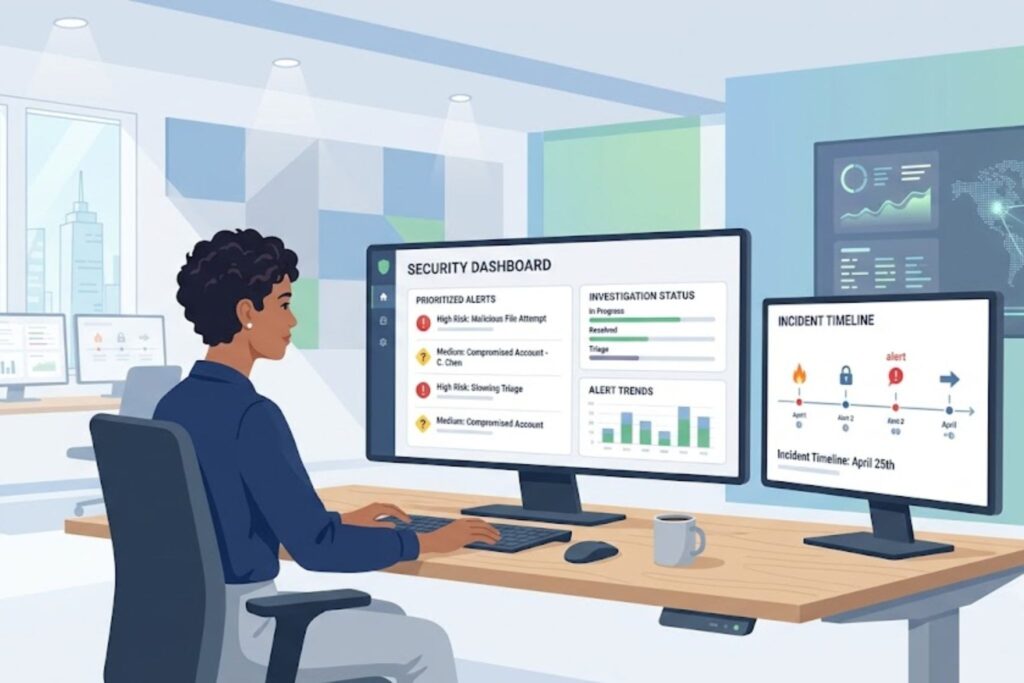
A security team needs more than alerts.
It needs people who can look at those alerts, understand what happened, and decide what to do next. That is the part many organizations struggle with.
“Incident response is the process of preparing for, detecting, analyzing, containing, recovering from, and responding to cybersecurity incidents.” – NIST
Managed Microsoft Defender services help fill that gap. The service combines Microsoft Defender for Endpoint with security analysts who monitor activity, investigate threats, and support response actions.
From our experience helping MSSPs review security products, we see this problem often. Many companies already have strong security tools, but their teams are busy with daily operations. There may not be enough time to investigate every alert properly.
A managed Microsoft Defender service can support:
- Alert monitoring
- Threat investigation
- Incident review
- Response guidance
- Security reporting
How Do Advanced Hunting And Threat Investigation Work?
Advanced Hunting helps security teams look deeper into security events. Instead of waiting for an alert, analysts can search through available data to find unusual activity.
“Threat hunting is a proactive approach to searching for cyber threats that may be present in an organization’s environment.” – CISA
The feature uses Kusto Query Language, also called KQL, to search endpoint information.
Analysts can look for:
- Suspicious commands
- Strange process activity
- Unusual network behavior
- Possible malware activity
- Signs of attacker movement
For example, a security analyst may notice a strange command running on one laptop. The next question is usually bigger.
Did this happen anywhere else?
With Advanced Hunting, the analyst can search across the environment and see whether the same behavior appears on other devices.
This helps teams understand the size of an issue.
We have seen this become especially useful for MSSPs. Different customers have different needs. One customer may need help reviewing a single alert. Another may need a full investigation after a security event.
The same investigation tools can support both.
But there is one thing teams should remember. Advanced Hunting is only as useful as the people using it. Analysts still need security knowledge and experience to understand what they find.
What Makes Microsoft Defender For Endpoint Different From Other EDR Solutions?
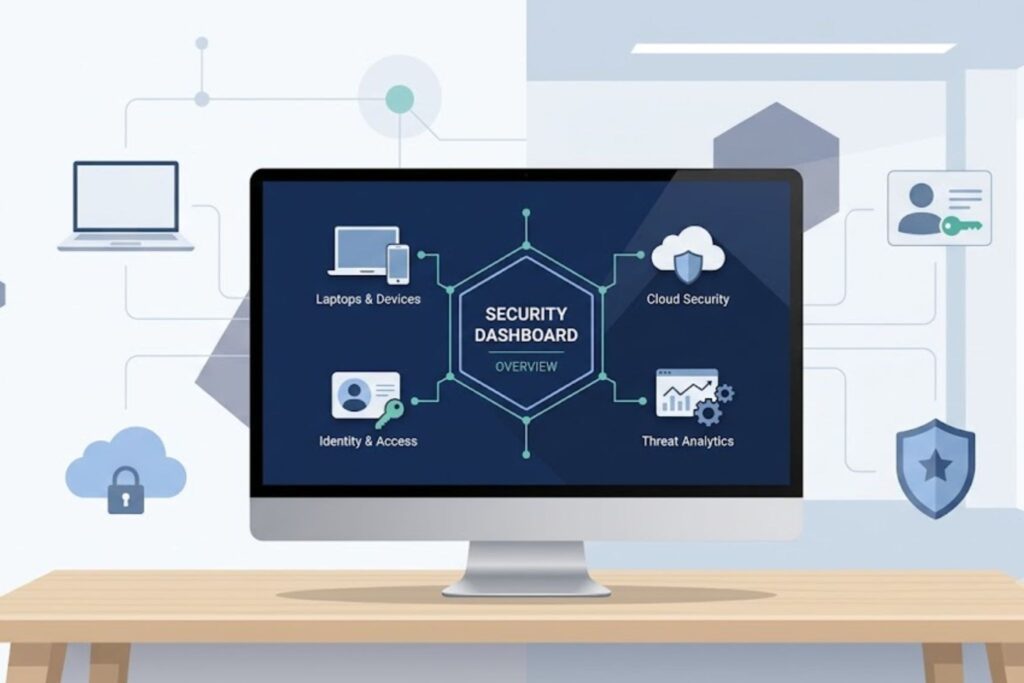
Microsoft Defender for Endpoint is closely connected with the Microsoft security ecosystem. For many providers, evaluating this integration is also part of a broader MSSP comparison when deciding which security platform best fits their customers and operational workflows.
That matters because many attacks involve more than one area. An attacker may compromise a device, steal a user account, and access cloud services.
Looking at only one piece of the attack can hide important details.
Microsoft Defender for Endpoint can connect security information from different Microsoft services to give teams a wider view.
| Capability | Microsoft Defender For Endpoint |
| Endpoint detection | Behavioral analysis and EDR data |
| Investigation | Advanced Hunting using KQL |
| Response | Device isolation and automated actions |
| Identity connection | Microsoft Entra ID |
| SIEM support | Microsoft Sentinel |
| Best fit | Microsoft focused environments |
What Are The Challenges Of Microsoft Defender For Endpoint Managed Services?
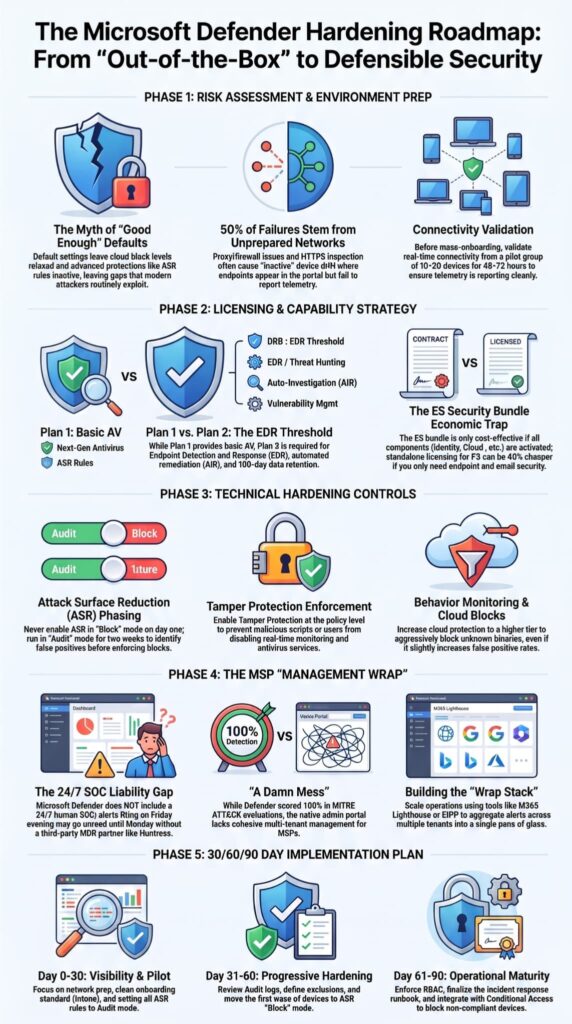
Microsoft Defender for Endpoint is a capable security platform, but organizations still need to plan carefully before using it as part of a managed service.
The common challenges are usually around licensing, configuration, and ongoing management.
Why Is Defender For Endpoint Licensing Difficult?
Microsoft security licensing can be confusing.
Different subscriptions include different features, so organizations need to understand what they already have and what they actually need.
Common options include:
- Defender for Endpoint Plan 1
- Defender for Endpoint Plan 2
- Microsoft 365 Business Premium
- Microsoft 365 E5 security features
During product audits, we often help MSSPs review licensing because it directly affects the service they can offer.
A customer may think they have a certain capability, only to find that their current license does not include it.
The goal is not buying the most expensive option. It is choosing the right option for the customer environment.
Who Should Use Microsoft Defender For Endpoint Managed Services?
Source: Microsoft Security Community
Microsoft Defender for Endpoint managed services are a good fit for organizations that want stronger security monitoring without building a large internal SOC.
The service works especially well for companies already using Microsoft technologies.
When Is Managed MDE A Strong Choice?
Managed MDE can be useful for organizations that:
- Use Microsoft 365
- Need security monitoring
- Have limited security staff
- Want faster response support
- Need help with investigations
It can also support different endpoint types, including:
- Windows devices
- macOS devices
- Linux systems
- Mobile devices
For MSSPs, this creates an opportunity to offer managed security services without building every capability from the ground up.
FAQs
What Is A Managed Endpoint Protection Service?
A managed endpoint protection service helps organizations monitor and secure their devices without managing every security task internally. It combines endpoint detection and response capabilities with continuous monitoring, threat investigation, and incident response support. This approach is useful for teams that need stronger security coverage but do not have enough staff or expertise to manage daily endpoint operations.
How Does A Managed Security Service Improve Threat Response?
A managed security service improves threat response by helping teams identify, investigate, and contain security incidents more quickly. Providers can support tasks such as alert triage, threat investigation, endpoint containment, and remediation workflows. With continuous monitoring and security analytics, organizations can improve visibility into suspicious activity and reduce the time needed to respond to potential threats.
When Should A Business Consider An EDR Managed Service?
Businesses should consider an EDR managed service when internal teams face challenges with high alert volumes, limited resources, or complex security operations. It can help organizations improve endpoint visibility, support threat hunting activities, and manage incident response processes. This option is especially valuable for companies that need stronger protection but do not have the resources to build and operate a full security operations center.
How Does A Managed Service Provider Support Security Operations?
A managed service provider supports security operations by managing tasks such as alert monitoring, threat detection, security investigation, and response automation. Providers can also assist with security reporting, threat intelligence, and security posture improvements. This support allows internal teams to focus on business priorities while maintaining stronger endpoint protection and faster responses to cyber threats.
What Should Teams Check Before Choosing An Endpoint Security Service?
Teams should evaluate security coverage, operational fit, and integration capabilities before choosing an endpoint security service. Important factors include SIEM integration, API integration, security dashboard access, reporting capabilities, compliance support, and response workflows. Organizations should also confirm that the service matches their current environment, security objectives, and long-term risk reduction goals.
Is Microsoft Defender For Endpoint Managed Service The Right Choice?
Managing security alone can become difficult when your team lacks the time or resources to handle every alert. That’s the challenge. Microsoft Defender for Endpoint managed service can help, but the real value comes from how well it fits your security workflow and customer needs.
At MSSP Security, we help you evaluate managed services based on your actual operations, not just features. We review your environment and goals to find a solution your team can support. Contact MSSP Security to see if this service fits your security plans.
References
- https://csrc.nist.gov/pubs/sp/800/61/r3/final
- https://www.cisa.gov/resources-tools/services/cyber-threat-hunt-assessment