

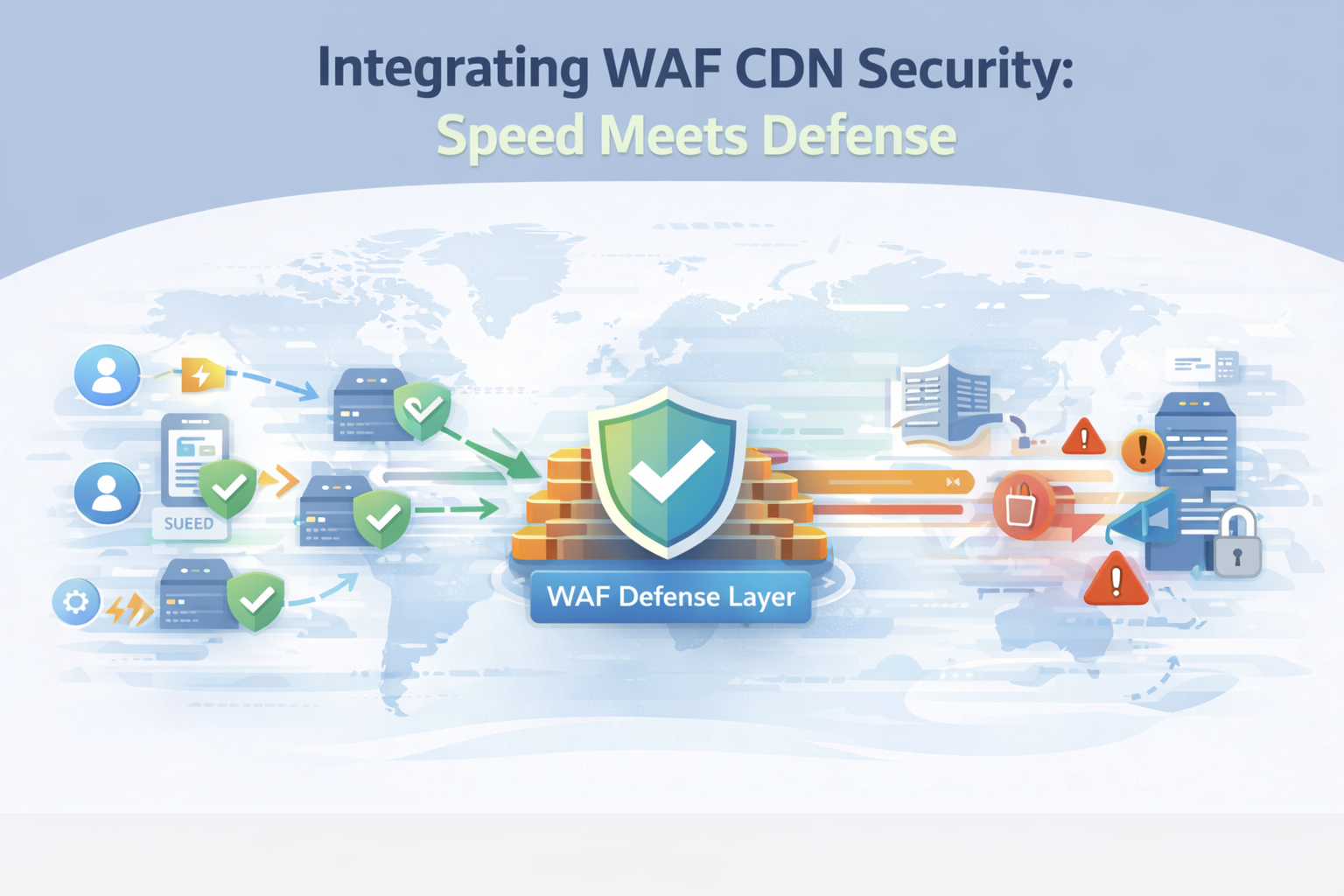
Integrating WAF CDN security routes traffic through a CDN for faster delivery, then filters requests with a web application firewall before they reach origin servers. This layered setup is now common in cloud platforms and zero trust designs.
In our work managing large production environments, it consistently cuts latency, while stopping application-layer threats earlier in the request path. Many organizations rely on this model to reduce exposure to SQL injection, XSS, and bot-driven attacks without harming performance. The result is smoother delivery with stronger protection at the edge. Keep reading to see how it works in practice.
Key Takeaways
- Combining WAF and CDN improves site speed and stops application attacks upstream.
- Inspecting traffic at the network edge lessens DDoS strain and follows OWASP rules with fewer mistakes.
- A careful rollout with ongoing tuning and monitoring is key for stability and meeting rules like PCI DSS.
What does Integrating WAF with CDN Security Actually do?
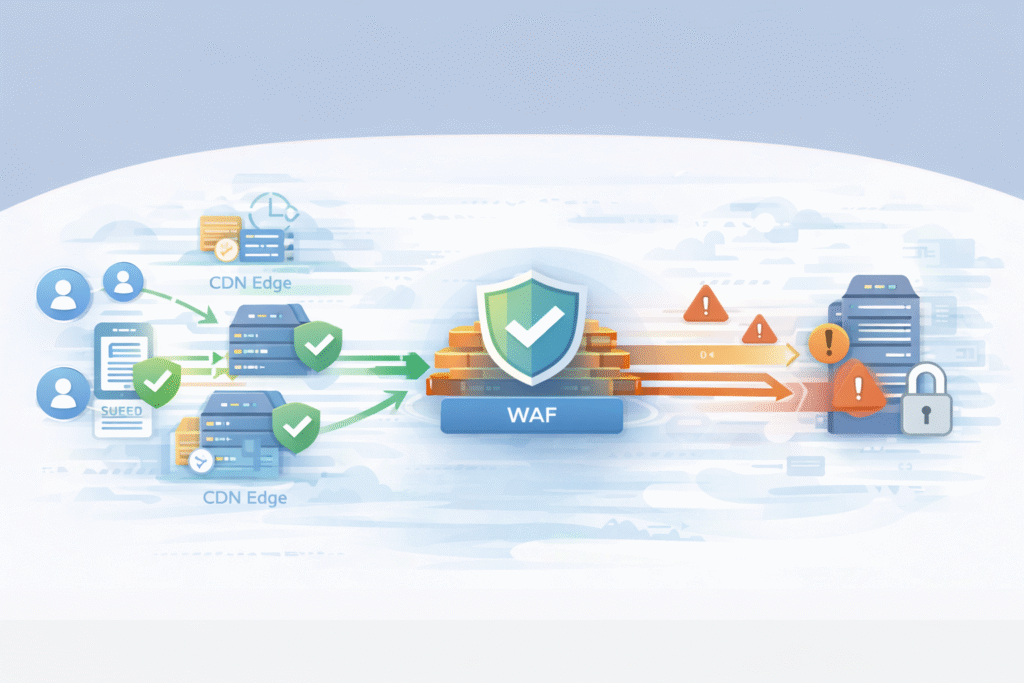
In simple terms, it speeds up traffic, then checks it for threats. The CDN, with servers around the world, handles the initial request. It serves cached content fast and manages the secure connection. Anything that can’t be served from cache gets passed along.
The WAF then takes a close look at that request. It checks the headers, the web address, and the data being sent, using rules from OWASP and custom logic we set. From our work deploying these systems, this split is useful. The CDN focuses on speed and soaking up huge traffic floods, while the WAF acts as a bouncer, enforcing security rules for the application itself.
A typical setup includes:
- CDN caching for static files and some API calls.
- Deep inspection to block SQL injection and cross-site scripting.
- Hiding our origin server’s real IP address.
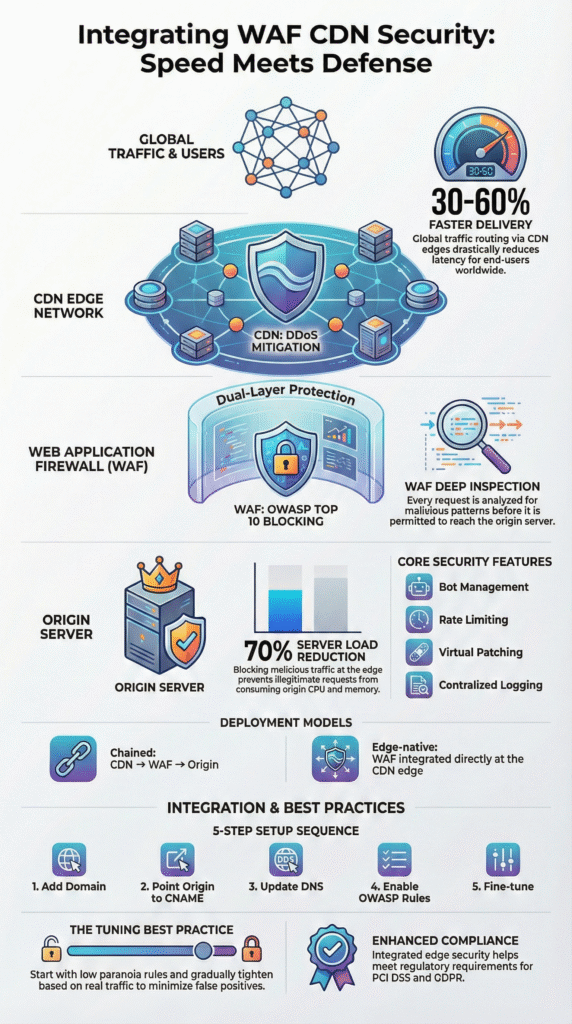
Industry tests show CDNs can cut delay by 30–60%, and a WAF stops bad traffic from wasting our server resources.
Why does Putting a CDN and WAF Together Work Better?
Credits: Internet Infrastructure Explained
They handle different jobs that complement each other. The CDN’s global network spreads out traffic, which is crucial during big DDoS attacks. It scrubs the traffic before it ever gets near our regional infrastructure.
The WAF focuses on the application layer. It uses rule sets to manage bots, limit request rates, and protect APIs. Many teams rely on a managed Web Application Firewall (WAF) to maintain consistent protection without adding extra operational burden.
We’ve seen this combo drastically reduce server load during attacks. In some cases, traffic to the origin server dropped by over 70% because malicious requests were blocked earlier.
Main benefits we’ve observed:
- Less pressure on our load balancers and main servers.
- Better logs for security analysis and investigations.
- Stronger support for compliance standards like PCI DSS and GDPR.
With DDoS attacks getting bigger, having detection and blocking at the edge lets we react in seconds. Relying only on security at our origin server is a risky lesson many learn too late.
How is The Integration Usually Built?
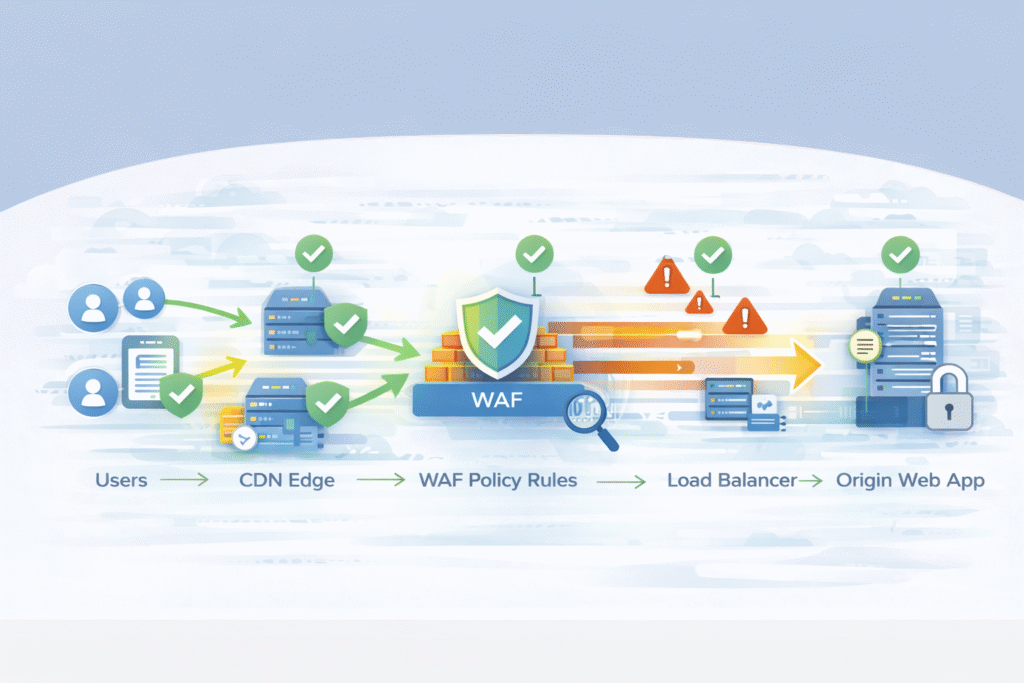
Most designs put the CDN first. It forwards dynamic requests to a WAF, which then sends clean traffic to our server. This is often done using a CNAME record in our DNS.
“The designed infrastructure includes key elements such as clients, the WAF server with NGINX Proxy Manager and Open-AppSec, the CDN server with caching. It is integrated with NGINX Proxy Manager to inspect and filter incoming traffic, blocking potential threats before they reach the CDN or Origin Server.” – Research Gate [1].
Some unified platforms run the WAF directly on the CDN’s edge servers. This removes an extra step and allows for real-time threat detection globally. In our operations, both models work if configured clearly. What’s important is understanding the traffic path and who manages the WAF rules.
Common parts of the architecture:
- CNAME records to route traffic between CDN and WAF.
- Enforcing HTTPS and managing SSL certificates.
- Setting up Web ACLs for environments with multiple applications.
Having inspection at the edge can slash response time to attacks by 40% or more, especially for sneaky attacks like slowloris. Big cloud services depend on this model to scale safely.
What do Common Provider Setups Look Like?
Major cloud companies offer either a chained setup (CDN to WAF) or a fully integrated edge platform. The table below shows how some top providers typically structure it.
| Provider | Traffic Flow | Origin Setup |
| Alibaba Cloud | CDN → WAF → Origin | CDN points to a WAF CNAME |
| Huawei Cloud | CDN → WAF → Origin | Uses TXT verification and a WAF record |
| Cloudflare | Edge CDN with WAF → Origin | Uses a nameserver proxy model |
| AWS | CloudFront → WAF → Origin | Uses a Web ACL association |
These systems handle massive scale, which enables features like IP reputation lists and challenge tests for suspicious visitors. Where they differ is in their dashboards, how deep their logs go, and how we manage rules. Some lean on machine learning for threats, others on predefined rule sets us to tune ourselves.
The core idea stays the same across providers: accelerate first, inspect for security second, deliver clean traffic last.
What are The Steps to Connect a WAF and CDN?
Based on our deployments, a successful integration follows a clear sequence to avoid breaking things for users.
- Add our domain to the WAF. Register our application in the WAF console. It will give us a special CNAME address.
- Point our CDN to it. In our CDN settings, change the “origin” or “back-to-source” address to the WAF’s CNAME. This ensures all dynamic traffic gets inspected.
- Update our DNS. Point our public website domain to the CDN’s endpoint. Some providers need a TXT record to prove we own the domain.
- Turn on the core rules. Enable a managed rule set like the OWASP Core Rule Set. Start with a low “paranoia level” to avoid blocking good traffic.
- Test and adjust. Run simulated attacks and watch our security logs. Tune rules to reduce false positives, where legitimate requests get accidentally blocked.
Turn on the core rules. Enable a managed rule set like the OWASP Core Rule Set. Start with a low “paranoia level” to avoid blocking good traffic. This is where the long-term value of managed WAF service benefits becomes clear, especially when rule tuning and monitoring stay active over time.
In our first two weeks of tuning a new deployment, we often see false positives drop by 20-35%. Tools like attack scoring in AWS WAF can help automate some decisions as the system learns our normal traffic.
How do Major Providers Handle the Integration?
All the big providers get us to the same goal, but their paths differ. The main variations are in DNS control, how we manage rules, and how much inspection happens at the very edge.
Some, like Cloudflare, often require us to point our domain’s nameservers to them. Others, like many chained setups, work entirely through CNAME records. This changes who controls DNS and how fast updates happen.
Rule management is another big difference. Platforms with strong machine learning might give us a threat “score,” while others prioritize long lists of explicit rules. From our advisory work helping MSSPs choose tools, the dashboard is what matters most day-to-day. Teams need clear visibility into what’s being blocked and why.
Common features across good providers include:
- Centralized logs for security investigations.
- Tools for bot management and rate limiting.
- Protection designed for modern APIs and microservices.
Providers in Asia, like Huawei and Alibaba, often use a clear CDN-to-WAF chain. Edge-native platforms like Cloudflare combine the functions. Both can work well if we monitor them properly.
What are The Best Practices to Avoid Problems?
The biggest mistake is turning everything to maximum on day one. Aggressive blocking breaks websites and frustrates users. We start clients with conservative settings and tighten them slowly.
“Tuning your WAF’s ruleset to your own specific application deployments is essential for preventing false positives and reducing rule complexity. Because WAFs may occasionally block legitimate users, organizations must employ ongoing tuning and monitoring processes” – Edge Next [2].
A good program begins with low-paranoia managed rules. Then, we add custom logic for critical pages like login, payment, and API endpoints. It’s a gradual process guided by real traffic data.
Key practices from our audits:
- Tune rules gradually. Use traffic logs to see what’s normal before blocking aggressively.
- Use rate and geo-blocks wisely. Align them with our business needs and compliance rules.
- Review analytics continuously. Regularly check the outputs of anomaly detection systems.
Bad tuning can mean 25% of blocks are mistakes. Over time, careful tuning also improves response when attacks escalate into incidents that require deeper visibility, including support from a data breach investigation service when application-layer threats slip past initial defenses.
FAQ
How does WAF CDN integration improve both speed and edge security?
WAF CDN integration routes traffic through a content delivery network for caching and faster delivery. A web application firewall then inspects requests at the edge before they reach our origin servers. This layered approach improves edge security, reduces latency, and blocks threats earlier. It also provides origin server shielding by limiting harmful back-to-origin traffic during high-risk events.
What WAF policy configuration helps reduce false positives in managed rules?
To reduce false positives, teams usually start with managed ruleset deployment based on an OWASP ruleset. After that, they fine-tune settings like attack score threshold, rule prioritization, and paranoid level settings. Custom WAF rules can also protect specific application behavior without blocking legitimate users. Continuous false positive tuning is essential as traffic patterns change.
How do rate limiting and bot management stop Layer 7 attacks?
Rate limiting and bot management help stop abusive traffic before it overwhelms an application. A Layer 7 proxy can identify suspicious behavior and apply challenge-response methods, including CAPTCHA integration when needed. Tools like IP reputation checks, user-agent filtering, and behavioral analysis improve detection and reduce disruption for real visitors.
Why is origin server shielding important for secure application delivery?
Origin server shielding protects backend systems by preventing direct exposure to malicious traffic. Requests are filtered at the network edge defense layer, which helps stop attacks like SQL injection and XSS earlier. HTTPS enforcement, SSL termination, and certificate management also strengthen secure application delivery and support zero trust security practices.
What security analytics should teams monitor after deploying a web application firewall?
After deploying a web application firewall, teams should monitor security analytics closely. Security dashboard monitoring, log analytics, and forensic logging provide visibility into attack attempts. Anomaly detection, payload analysis, and threat intelligence help identify new threats. Regular WAF rule tuning ensures both managed rules and custom WAF rules remain effective over time.
Integrating WAF CDN Security for Safer, Faster Delivery
Integrating WAF CDN security is now essential for internet-facing applications. It supports secure application delivery by combining traffic acceleration with strong application-layer defense. When done well, it reduces latency, absorbs attacks at the edge, and protects origin systems without interrupting users.
In our experience, the best outcomes come when organizations treat this as an ongoing security program, not a one-time setup. Explore how MSSP Security consulting helps MSSPs optimize tools, integration, and visibility.
References
- https://www.researchgate.net/publication/397309326_Enhancing_Web_Application_Security_with_Open-AppSec_WAF_on_CDN_Infrastructure
- https://www.edgenext.com/resources/blog/why-waf-is-essential-for-web-application-security