Address
304 North Cardinal St.
Dorchester Center, MA 02124
Work Hours
Monday to Friday: 7AM - 7PM
Weekend: 10AM - 5PM
Address
304 North Cardinal St.
Dorchester Center, MA 02124
Work Hours
Monday to Friday: 7AM - 7PM
Weekend: 10AM - 5PM

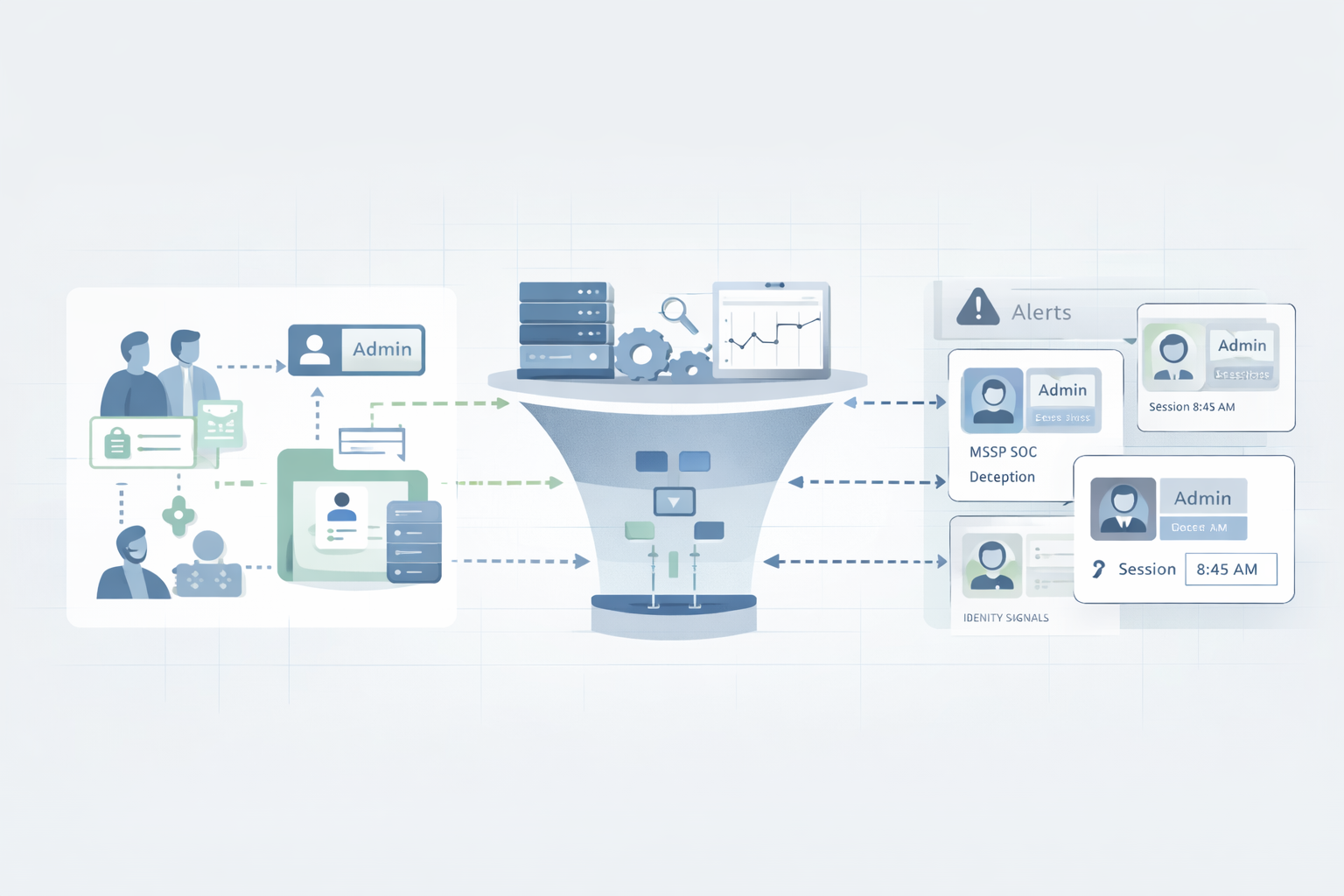
Integrating IAM with MSSP SOC is a practical security decision, not a design theory. Many teams reach this point when identity becomes the most reliable attack path, not the network edge. We have seen this across real client environments with messy access models and mixed cloud setups.
Once IAM signals flow into the SOC, identity data stops sitting idle. Login failures, privilege changes, and access anomalies become live indicators analysts can act on. Detection improves because alerts have user context. Response speeds up because access can be adjusted immediately. Governance improves because mistakes surface faster. Keep reading to see how this change plays out in real operations.

A lot of friction starts because IAM teams and SOC teams grow up in parallel. Same company, different language. One group thinks in roles and entitlements, the other lives in alerts and incidents. When we step in as consultants for MSSPs, we see this gap over and over.
To integrate well, both sides need a shared map:
Once that baseline is clear, the tools fall into place a lot faster.
IAM looks abstract on a slide, but in real environments it touches almost every security decision. From authentication to lifecycle controls, strong identity foundations matter long before an incident starts. Ongoing Identity Access Management (IAM) support helps keep access models clean, roles accurate, and identity data reliable enough for SOC teams to trust during investigations.
Most of the MSSPs we support work with IAM platforms that handle:
In incident work, we see IAM become the cleanest “source of truth” when something feels wrong. IAM logs tell you:
Network logs can show “connection from A to B.” IAM shows “this specific user, in this role, did this action.” For the SOC, that context is gold.
MSSP SOCs don’t stop watching when business hours end. Identity-driven attacks often hit during nights and weekends, when internal teams are offline. This makes continuous monitoring critical, especially for threat detection after hours scenarios where identity misuse can progress quickly if signals are missed or delayed.
In a typical MSSP SOC, analysts:
Multi-tenancy adds some hard requirements:
When IAM is missing, SOC alerts often look flat:
Once IAM data flows in, those same alerts gain:
We’ve watched analysts cut triage time in half just by having identity context on screen instead of hunting it down in another portal.
Identity is now the main attack path, and we see that every week. Phishing, token theft, password sprays, session hijacking, these are identity problems at their core.
Table Security Visibility Before and After IAM–SOC Integration
| Area | Without IAM–SOC Integration | With IAM–SOC Integration |
| Alert Context | IPs, hosts, generic events | User identity, role, access history |
| Detection Accuracy | High false positives | Identity-based signal correlation |
| Incident Understanding | Fragmented investigation | End-to-end attack narrative |
| Response Capability | Manual escalation to IAM team | Direct, controlled access actions |
| Identity Risk Visibility | Reactive and delayed | Continuous and real-time |
When IAM and the SOC are disconnected:
When they’re integrated, you get one continuous story. Identity threat detection research describes this as linking authentication, authorization, and behavior into a unified detection layer, which is critical for stopping attacks early [1].
We’ve seen detection quality jump the day identity signals hit the SIEM. Not because some magic automation suddenly appears, but because alerts stop being blind.
Some concrete patterns that pop out:
By correlating IAM logs with:
SOC teams can see not just “something odd happened,” but “this user, with this role, is moving in a way that doesn’t match their history.”
We’ve watched these correlations catch account takeovers before malware ever dropped. The attacker never even got to stage tools because identity signals gave the SOC a chance to cut them off early.
Every SOC we work with complains about one thing: noise. There are more alerts than attention, and false positives drain the team. Research on SOC effectiveness highlights that lack of contextual data is a major contributor to alert fatigue, leading analysts to spend time on benign events instead of real threats [2].
IAM data helps filter that noise:
With identity baselines, we see SOC rules evolve from “alert on every failed login” to:
The result isn’t just fewer alerts; it’s better alerts. Mean Time to Respond (MTTR) drops when analysts can trust that red alerts really deserve their attention.

When we help MSSPs evaluate products, we spend a lot of time on how identity data gets into the SOC, who can see it, and how it can be used in automation. Across clients, certain patterns repeat.
Most IAM-SOC integrations start with logs. If identity activity never leaves the IAM platform, the SOC is basically guessing.
We usually see:
Once those logs land in the SIEM, the MSSP can:
NIST guidance has been clear that identity telemetry is a key ingredient for spotting misuse and abuse across environments. We see that play out practically: when IAM logs are missing, investigations stall; when they’re present, root cause gets clearer.
Bringing IAM data into the SOC is one step. Letting analysts touch identity is another, and it has to be done carefully, especially in a multi-tenant model.
In our reviews, we recommend:
This helps MSSPs keep client environments safe from accidental changes while still giving the SOC enough visibility to investigate incidents properly.
The real power shows up when identity isn’t just visible to the SOC, but controllable through safe, logged playbooks. This is where automation reduces dwell time and limits attacker movement. In practice, many teams see the strongest gains when identity actions are wired into workflows that reflect real managed SOAR platform benefits, especially during credential-based incidents that require fast containment.
Common playbook steps include:
These actions matter most during:
CISA-backed guidance often points to automation as a way to limit breach spread during credential-based incidents. We see the same: the window between “suspicious” and “contained” gets much smaller when IAM is wired into playbooks instead of waiting on manual admin work.
For MSSPs, managing dozens of portals and logins becomes unworkable fast. Standards-based identity helps centralize control and visibility.
We usually see strong results when:
With this in place:
This gives analysts what they often lack: a coherent view of “who is logging into what” without chasing a dozen separate identity stores.

Once IAM and SOC workflows are actually integrated, the benefits compound. We’ve watched MSSPs move from reactive firefighting to more predictable operations, while clients gain both security and audit-ready visibility.
Speed is the first clear gain. When the SOC can both see identity signals and act on them, the gap between detection and containment shrinks.
In our experience:
Instead of waiting for a helpdesk ticket or a separate IAM admin, the MSSP can build controlled, audited pathways for the SOC to respond directly.
Compliance frameworks lean heavily on identity. Auditors want to know:
When IAM and SOC are integrated:
We see clients breathe easier during audits when they can pull:
Instead of stitching together screenshots from scattered systems, they lean on a shared, consistent record.
For MSSPs, scale is everything. If every new client means a full extra analyst, the model breaks. IAM-SOC integration helps keep that from happening.
We often see gains like:
The net effect: MSSPs can grow their client base without linearly growing their analyst headcount.
Good architecture is less about clever tricks and more about discipline. When we help MSSPs choose and audit products, we push them toward a few core patterns that keep integrations stable and understandable.
Connecting tools before defining identity strategy almost always backfires. We’ve seen integrations built on unclear roles end up causing more noise than value.
Foundational steps that pay off:
For MSSPs, we often recommend mapping identity risk scenarios, like admin account compromise or shared account abuse, before writing SIEM rules. That keeps detection logic focused on real failure modes, not guesswork.
Most risk enters through changes: new hires, role shifts, project access, and departures. When lifecycle events are manual or slow, the SOC ends up chasing ghosts and stale accounts.
Patterns that work well:
Adaptive access can tie into SOC intelligence:
In our reviews, we often see the gap between reactive teams and resilient ones right here, how well lifecycle automation and SOC insights feed each other.
On paper, a SOAR-IAM integration always looks clean. In practice, small misconfigurations can break trust fast. We push MSSPs to treat this like a fire drill system: test it until you’re bored.
Useful testing patterns:
When teams see their own numbers improve after testing rounds, confidence in automated identity actions goes up, and resistance to using them goes down.
Many MSSPs don’t live in pure cloud worlds. They inherit clients with legacy AD, on-prem apps, OT networks, and a mix of modern and old systems. Identity still matters there, it just gets trickier.
In these setups, we encourage:
We’ve watched “identity stitching” across hybrid and OT environments reveal paths an attacker used that older, network-only monitoring completely missed.
Integrating identity access management with an MSSP SOC helps teams spot risky logins faster. The security operations center sees failed logins, strange locations, and odd access behavior in one place. This makes it easier to catch phishing, credential stuffing, and stolen accounts early, before attackers move deeper into systems.
The most helpful IAM data includes login logs, access changes, and MFA results. When this data flows into SOC tools through SIEM integration, analysts see who logged in, from where, and what they touched. This user context helps reduce false alerts and makes real threats easier to spot.
Multi-tenant IAM keeps each client’s users and data separate. In an outsourced SOC, this means analysts only see the accounts they are allowed to manage. Clear IAM architecture supports safe client data isolation, clean access reviews, and secure operations without mixing logs or permissions across customers.
Yes. When IAM connects to SOC systems, access logs stay centralized and easy to track. Teams can show who had access, when it changed, and how risks were handled. This helps with compliance auditing, SOC 2 compliance, and other identity controls without chasing data across many tools.
IAM automation lets SOC teams act quickly during incidents. They can disable accounts, limit access, or force extra login checks right away. When paired with SOAR automation, this cuts response time and lowers damage. Faster action means fewer mistakes and better protection during active attacks.
Integrating IAM with an MSSP SOC changes how teams detect and respond to real threats. Identity connects access control systems with live security operations, so signals are clearer and action is faster. For teams working with MSSP Security, we see this become a lasting advantage, not a short-term fix. It supports zero trust, improves efficiency, and strengthens compliance without extra noise.
Work with MSSP Security to design and optimize your IAM–SOC integration and build a security stack that fits your operations.

