Address
304 North Cardinal St.
Dorchester Center, MA 02124
Work Hours
Monday to Friday: 7AM - 7PM
Weekend: 10AM - 5PM
Address
304 North Cardinal St.
Dorchester Center, MA 02124
Work Hours
Monday to Friday: 7AM - 7PM
Weekend: 10AM - 5PM


Endpoint DLP, network DLP, cloud DLP aren’t just add-ons anymore, they form the core defense against data slipping away unnoticed.
Sensitive information doesn’t vanish in flashy hacks; it seeps out through everyday tools like laptops, browsers, emails, and cloud apps, often because users move too quickly.
Each DLP layer plays a distinct role, fitting into a wider strategy that seasoned security teams rely on to keep data safe in real-world settings. If you want a clear picture beyond the usual marketing buzz, keep reading. This breakdown will help you see how these layers work together to protect what matters most.
DLP only works when it fits the way people really operate. Files don’t sit still. Devices unplug and roam. Cloud services keep multiplying, each with its own quirks.
Trying to force a one-size-fits-all solution just won’t cut it. That’s why a layered approach makes sense, it accepts these facts instead of pretending they don’t exist.
Here’s how the three pillars break down:
Together, these layers create a safety net that matches the messy, fast-moving world of modern work.
Data Loss Prevention (DLP) is a combination of tools, controls, and processes designed to prevent sensitive data from being lost, misused, or accessed by unauthorized users.
It starts with sensitive data detection. That includes PII, PHI, financial records, and intellectual property.
Once identified, policies control how that data can be accessed, moved, or shared. From our experience supporting security operations at MSSP Security, DLP often fails when it focuses only on detection and ignores enforcement context, “83% of companies reported insider attacks in 2024, showing internal risk remains a dominant threat,” a reality that underscores the need for robust enforcement and oversight rather than mere detection [1].
Which is why many teams rely on advanced specialized services to align policy, visibility, and enforcement across environments.
DLP is not a single product. It is a coordinated system.
Before breaking down the layers, it helps to understand why isolation never works.
Relying on one control assumes predictable behavior. That assumption rarely holds. Users work offline. Networks encrypt traffic. Cloud apps bypass perimeter defenses.
A layered strategy protects data in three states:
This structure ensures coverage whether a device is offline, traffic is encrypted, or collaboration happens outside the corporate perimeter.
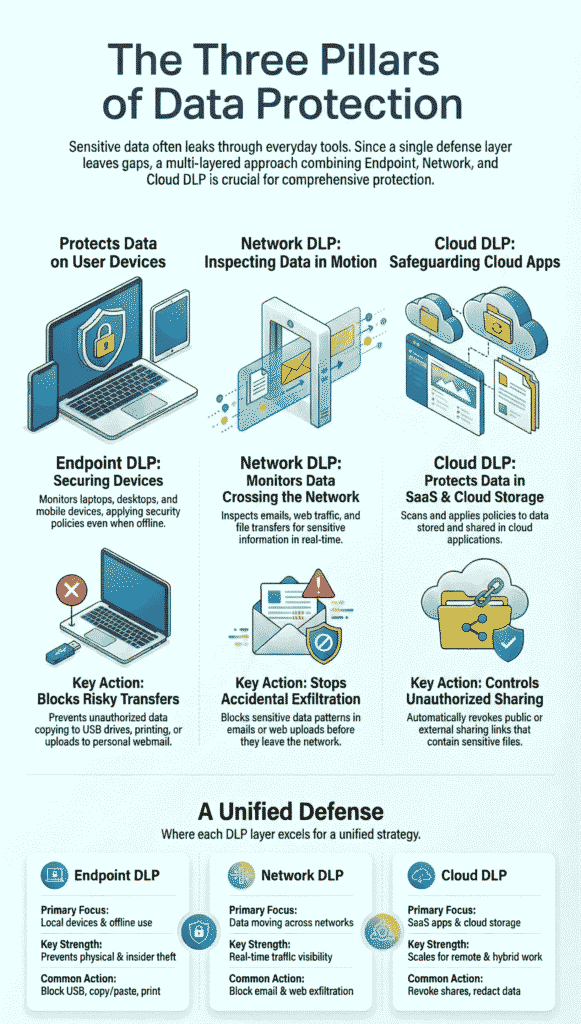
Endpoint DLP is often where real-world incidents begin. Laptops get lost. Files get copied. USB drives still exist.
We usually recommend starting here when risk involves users and devices rather than infrastructure.
Endpoint DLP focuses on laptops, desktops, servers, and sometimes mobile and IoT endpoints. An endpoint security agent monitors file creation, access, modification, and transfer.
Even when a device is offline, policies still apply. That matters more than most teams realize.
Common endpoint DLP controls include:
From firsthand deployments, discovery scans often uncover sensitive files buried in forgotten folders, a common outcome when organizations adopt structured managed data loss prevention practices to gain consistent visibility at the endpoint level. Endpoint discovery scans frequently justify the entire program on their own.
Endpoint DLP also supports insider threat prevention. Logging file access and user behavior analytics create visibility without constant manual review.
Network DLP addresses what endpoints cannot see. Once data leaves the device, traffic inspection becomes the only control.
This layer is especially valuable for regulated environments and legacy systems.
Network DLP uses deep packet inspection to analyze data moving across email, web uploads, file transfers, and APIs. It detects sensitive data patterns using regex, classifiers, and sometimes machine learning.
Inline deployment allows blocking in real time. Passive modes support discovery and alerting.
We have seen network DLP stop accidental email exfiltration more times than any other control.
Shadow IT remains a top driver of data loss. Employees use unsanctioned tools because they are fast and familiar.
Network DLP detects data leaving through unapproved protocols such as HTTP, HTTPS, FTP, and custom APIs. It adds visibility where endpoint controls stop.
Network forensics also help during investigations. Knowing where data tried to go can matter as much as blocking it.
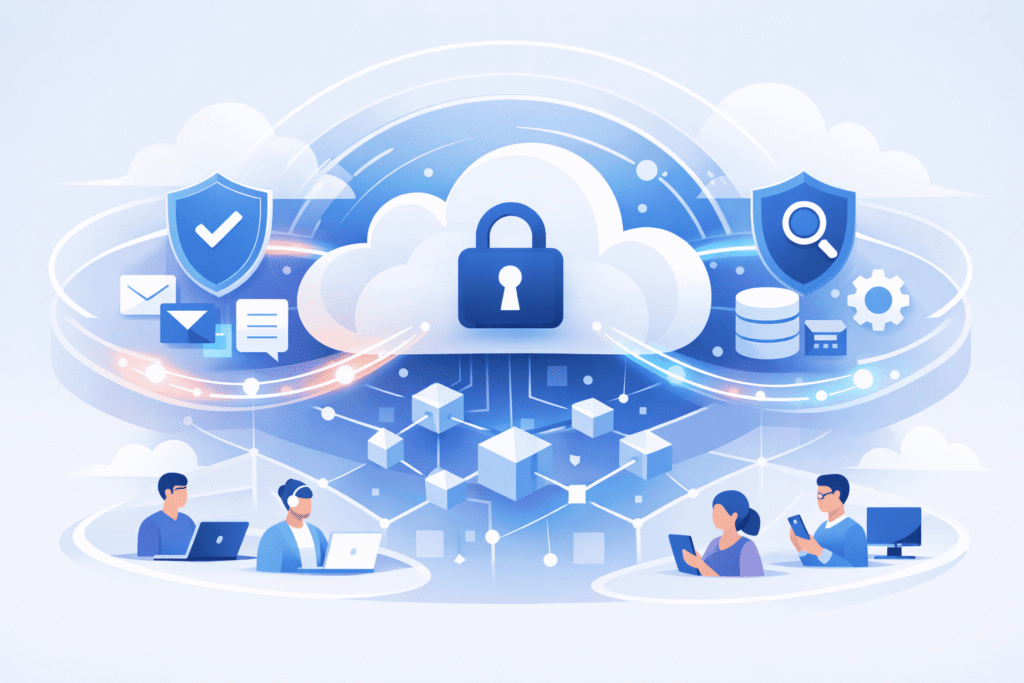
Cloud DLP came about because the old perimeter defenses stopped working. Data isn’t locked behind firewalls anymore, it lives inside SaaS platforms, scattered across hybrid environments.
From what we’ve seen working with cloud-heavy organizations, this layer isn’t optional anymore. It’s essential for keeping sensitive information in check. Here’s what Cloud DLP focuses on:
Without Cloud DLP, companies risk blind spots that can turn into costly leaks. It’s the guard at the gate in a world where the gate is everywhere.
Cloud DLP uses APIs to scan cloud storage and SaaS applications. It does not rely on traffic interception alone.
It identifies sensitive content, applies policies, and remediates risks automatically.
Typical cloud DLP actions include:
Cloud DLP scales well for remote work and multi cloud environments. It also supports compliance audits by providing centralized visibility.
No single layer is enough. Each covers gaps the others cannot. The table below summarizes where each DLP layer excels.
| Aspect | Endpoint DLP | Network DLP | Cloud DLP |
| Primary Focus | Local devices and offline use | Data in motion across networks | SaaS apps and cloud storage |
| Deployment | Endpoint security agents | Inline appliances or proxies | Cloud native APIs |
| Key Strength | Prevents physical and insider data theft | Real time traffic visibility | Scales for remote and hybrid work |
| Common Action | Block USB, copy paste, print | Block email and web exfiltration | Revoke shares, redact sensitive data |
Starting points aren’t about chasing the latest trend, they hinge on risk. Where your data lives and how your team works shape the path forward.
If your workforce is often on the move, offline or out of reach, endpoint DLP (Data Loss Prevention) offers quick, tangible benefits.
When your data mostly resides in SaaS platforms, cloud DLP naturally takes priority. For those in heavily regulated sectors, network DLP is usually the go-to, providing the inspection and audit trails required for compliance.
Most mature programs don’t stop at one layer, instead bringing together endpoint, cloud, and network DLP under a single policy structure that resembles a well-run managed DLP service, where consistency and operational clarity reduce risk without slowing teams down.
In the part because the average global cost of a data breach now sits near $4.96 million, and firms without cohesive controls often pay far more to contain and recover [2].
This unified approach helps teams cut cross-environment blind spots that standalone policies too often miss.
At MSSP Security, we guide organizations to:
This approach smooths out the bumps, less noise, fewer interruptions, and better security all around.
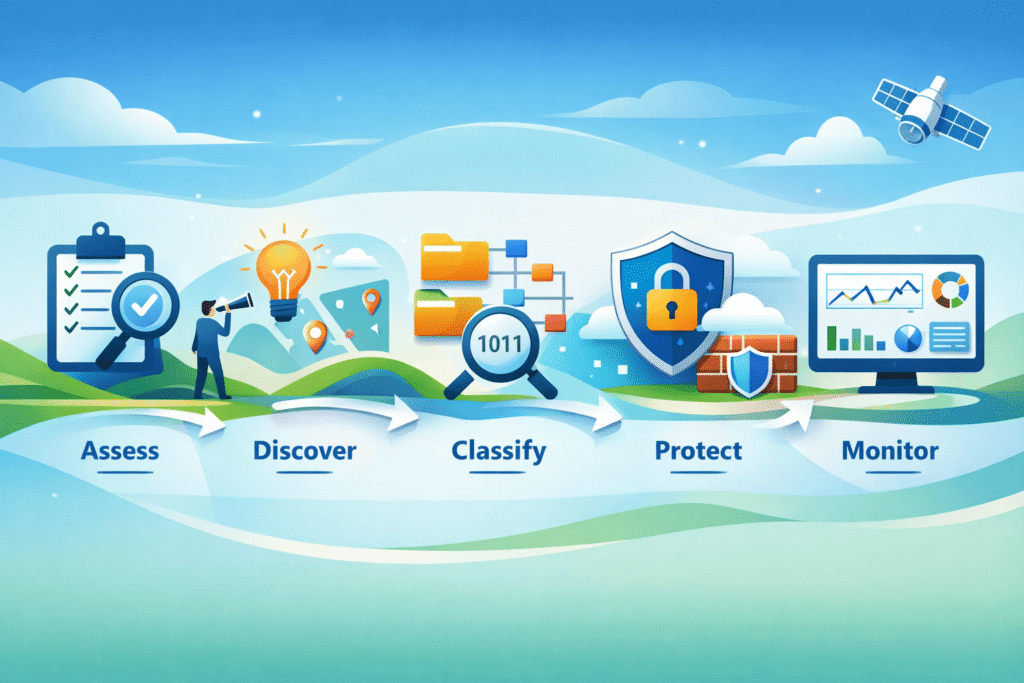
Experience shapes these practices more than theory:
DLP should protect productivity, not punish it.
Endpoint DLP focuses on endpoint data protection at the device level. It uses device-level DLP, laptop DLP monitoring, and mobile device DLP to control file access, block USB data transfers, prevent copy-paste misuse, and enforce encryption.
Offline DLP scanning and endpoint policy enforcement help protect data at rest, even when devices are not connected.
Network DLP secures data in motion by inspecting network traffic in real time. It uses deep packet inspection, protocol-based DLP, and regex pattern matching to detect sensitive data.
Features like email exfiltration blocking, web upload prevention, and encrypted traffic analysis help stop data leaks before information leaves the network perimeter.
Cloud DLP protects data in cloud environments by scanning cloud storage and monitoring SaaS activity. It applies API-based DLP, cloud content inspection, and cloud access control to detect sensitive data.
Cloud share blocking, redaction in cloud files, and automated DLP discovery help reduce exposure across hybrid and multi-cloud setups.
Teams should combine endpoint DLP, network DLP, and cloud DLP when data moves across devices, networks, and cloud platforms.
Endpoint discovery scans catch local risks, network traffic inspection monitors transfers, and cloud risk assessment covers shared data. Together, they improve insider threat prevention and support consistent compliance audits.
DLP supports compliance by logging user activity and enforcing data policies. Endpoint compliance audits rely on activity logging at endpoints and user behavior analytics.
Network forensics DLP tracks exfiltration attempts, while compliance cloud audits review cloud access and PII detection. These records simplify investigations and regulatory reporting.
Endpoint, network, and cloud DLP work best when they form a unified system, each guarding a different phase of data’s journey.
This layered approach closes gaps that attackers and mistakes often exploit. Organizations that see DLP as a lasting capability, not just a quick fix, experience fewer breaches and faster responses.
The aim is protection so seamless, users barely notice it. Achieving this balance takes thoughtful design and steady discipline.
For MSSPs, expert consulting can simplify this process. From selecting the right tools to optimizing your stack, MSSP Security offers tailored guidance backed by 15+ years of experience.
Build your strong DLP strategy today: Join MSSP Security

