Address
304 North Cardinal St.
Dorchester Center, MA 02124
Work Hours
Monday to Friday: 7AM - 7PM
Weekend: 10AM - 5PM
Address
304 North Cardinal St.
Dorchester Center, MA 02124
Work Hours
Monday to Friday: 7AM - 7PM
Weekend: 10AM - 5PM

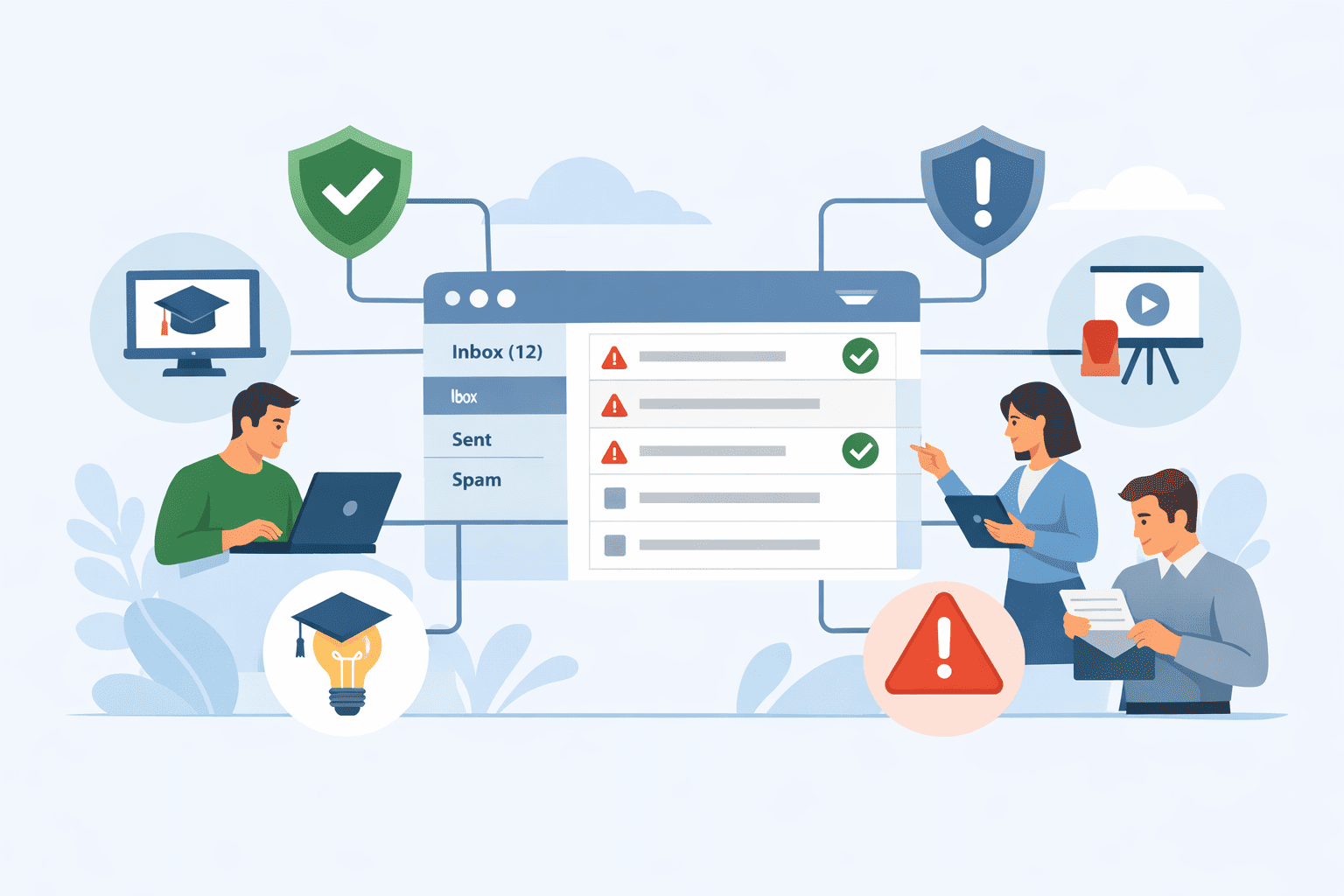
Email security only works when people and technology operate as one connected system. You can have a smart email gateway, strict policies, and alerts firing all day, and yet, a single click can still open the door.
The gap isn’t a lack of tools, it’s the missing link between what your filters see and what your employees understand in the moment of decision.
That link is email security awareness integration, a living feedback loop between your stack and your staff. Keep reading to see how to build that bridge and turn everyday users into effective security partners.
Your email gateway provides a vital filter. It’s a technical marvel, sorting the malicious from the benign based on rules and algorithms. But its success metric is binary: block or allow.
This limitation becomes clearer when organizations rely solely on perimeter controls without aligning them with managed email security operations that continuously adapt to evolving attack patterns.
It doesn’t educate. It doesn’t adapt to the user who just keeps clicking. This creates a dangerous gap. The problem isn’t the technology’s failure, but its incompleteness.
You can have a 99.9% block rate and still get breached by the 0.1% that looks like a legitimate invoice from your boss. Phishing is widespread: “32% of successful data breaches involve phishing attacks” and the average global cost of a phishing-related breach reached $4.8 million in 2024, a stark reminder of the financial impact when humans are exploited as vectors of compromise [1].
The annual cost of phishing globally is staggering, often cited in the tens of billions. Most of that cost comes from that last-mile human action, the click that the filter couldn’t logically prevent.

To bridge this gap, you need more than just two separate products sitting on the same network. You need them to be parts of the same organism.
Forget complex mail rerouting. Modern integration happens in the background, through APIs. An API-native solution connects directly to your Microsoft 365 or Google Workspace environment. It sits alongside your mail flow, watching, learning, and acting without ever disrupting a single email’s path.
It’s the difference between rebuilding a road and adding a surveillance drone. The MX-record change method, the old way, forces you to reroute all your email traffic through a third-party server. It works, but it adds latency and a potential point of failure. The API method is silent, instant, and far less intrusive. Deployment often takes minutes, not days.
| Integration Method | How It Works | Key Benefit | Best For |
| API-Native | Connects directly to cloud email via secure API (e.g., Microsoft Graph). | Zero mail flow disruption, rapid deployment. | Organizations using Microsoft 365 or Google Workspace. |
| MX-Record Change | Reroutes email traffic to a third-party filtering server before delivery. | Provides deep inspection and filtering control. | Environments requiring heavy preprocessing of all inbound mail. |
Awareness without reinforcement is just a lecture. The reinforcement comes from safe, controlled practice. This is where automated phishing simulations enter the chat. The goal isn’t to trick or punish employees, but to build reflexive vigilance.
The process should be as hands-off as possible for your security team. A true integration allows you to set a cadence, say, monthly campaigns, and let the system run them.
It pulls from a library of realistic templates, mimicking the latest threats. But here’s the critical technical step: you must whitelist the simulation server’s IP addresses in your email gateway. If you don’t, your own gateway will block your training, which is a security success but a training failure.
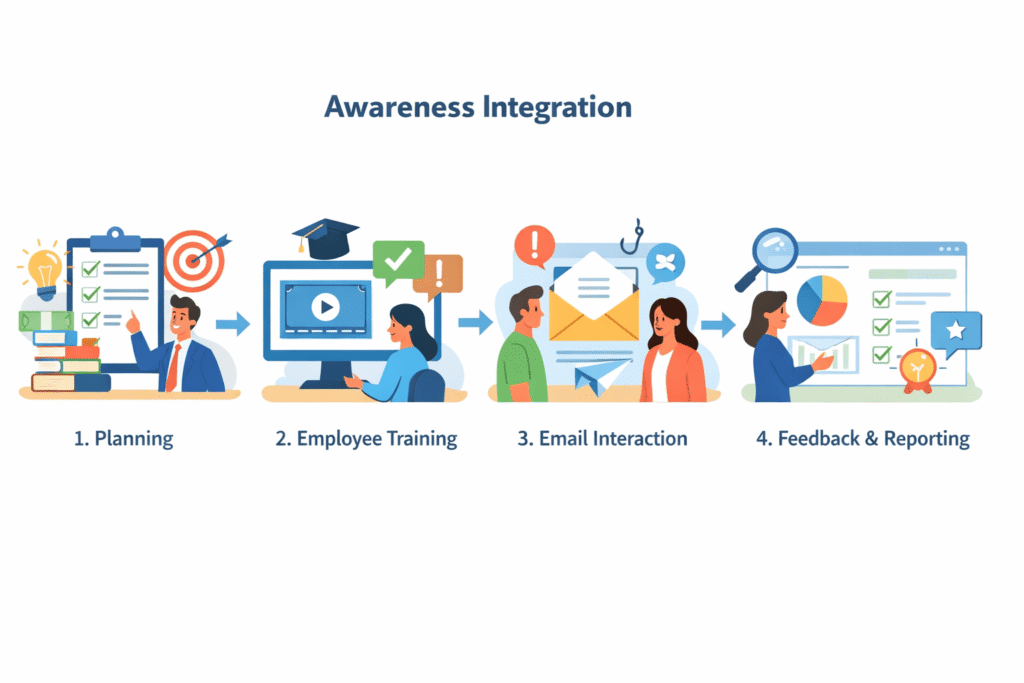
This is where the magic of integration becomes visible to the end-user. It’s security education woven directly into the fabric of their workday.
Dynamic email cues work best when they feel like a nudge, not an alarm. Picture an external email landing in the inbox, and a soft, clear banner at the top reads: “This message originated from outside our organization. Please exercise caution.”
It’s quiet, predictable, and always there in the same place, so people start to actually see it instead of ignoring it.
Smarter gateways go a step further. They use machine learning to add targeted warnings, based on what they detect in the message, for example, a capability often strengthened when spam filtering and malware blocking email controls are closely aligned with user-facing signals rather than operating silently in the background.
Right next to that banner, a single control does the heavy lifting: “Report Phish.” One click, no hunting through menus. The message is quarantined, a copy is routed to the security team, and the user gets a short “Thank you for reporting” response.
That tiny loop, see something, click once, get acknowledged, starts to train a habit. It also quietly turns each employee into a live sensor on your security network.
That way, a single click isn’t just a signal, it’s the trigger for real incident response.
Not all users pose the same risk. The finance intern handling vendor payments is a different target than the engineer in a closed dev environment.
And this human element matters: “organizations that invest in continuous cybersecurity training see a significant improvement in user-reported threats, with one study showing that after two years of training, the real threat detection rate increased to 71%”, reinforcing the value of adaptive awareness and personalization in reducing human risk [2]. An integrated system understands this by building a behavioral risk score for each individual.
This score isn’t a punishment. It’s a diagnostic tool. It’s calculated from real-world data: did they click a simulation last month? How quickly do they report suspicious mail? Do they work with sensitive data? This score then personalizes their training path.
A user with a high risk score might be automatically enrolled in more frequent, more advanced simulations and specific training modules on Business Email Compromise. A user with a consistently low score and high report rate might become a “security champion.” This personalized approach is far more effective than mandatory, company-wide annual training that everyone sleeps through.
For this to work at scale, it must be as easy as logging in. Technical alignment removes friction for users and administrators alike.
SSO Integration and Directory Sync are non-negotiable. Users should access their training platform with the same Single Sign-On (SSO) credentials they use for everything else. No separate password.
This boosts compliance and adoption dramatically. Behind the scenes, a daily Active Directory sync ensures the training platform always has an updated user list, when someone joins, leaves, or changes departments, their training profile updates automatically. You’re not managing two separate user directories.
DMARC and Identity Risk Detection. Email authentication protocols like DMARC are a technical control, but they feed directly into awareness. A strong DMARC policy (quarantine or reject) stops domain spoofing.
Your training should explain to employees why a legitimate-looking email from ceo@yourcompany-com.co is a fake, tying the technical policy to human recognition.
Furthermore, integrated platforms can perform identity risk detection. They analyze communication patterns. If the CEO suddenly starts emailing from a new IP in a foreign country at 3 AM, asking for gift cards, the system can flag it as a potential Business Email Compromise (BEC) attack, even if the email itself contains no malicious links or attachments.
This combines technical heuristics with an understanding of normal human behavior.
How do you prove this works? You move beyond “clicks blocked” to “behavior changed.” The return on investment becomes clear in both culture and cost avoidance.
Key Performance Indicators (KPIs) for Awareness
You need to track the human element. The following table outlines the shift in metrics that matter when integration is successful.
| KPI | What It Measures | Why It Matters |
| Phishing Simulation Click Rate | The percentage of users who interact with a simulated phishing email. | Tracks baseline vulnerability and measures improvement over time. A dropping rate indicates effective training. |
| Phishing Report Rate | The percentage of users who actively report simulated or real phishing emails. | Measures the growth of positive security behavior. A rising rate means a more vigilant workforce. |
| Mean Time to Respond (MTTR) | The time between a phishing email landing and a user reporting it. | Faster reports mean faster containment, limiting potential damage. |
| Overall Risk Score Reduction | The aggregate decrease in user risk scores across the organization. | A quantitative measure of overall security posture improvement. |
These metrics tell a story. They show a transition from a passive, technology-dependent defense to an active, human-powered one. Studies, like those from the Ponemon Institute, consistently show that strong security awareness training can reduce the costs of a breach by millions of dollars. That’s your ROI.

So how do you build this? The complexity can be daunting. This is where partnering with an MSSP Security provider can fundamentally change the game. We see it not as selling a tool, but as building an immune system for your business.
The ideal platform acts as the central bridge. It should offer pre-configured API connectors to your major systems, Microsoft 365, your email gateway, your SOAR platform, and extend into advanced security services that correlate human behavior with technical telemetry for faster, more confident decision-making.
It should provide a single dashboard where you can see, at a glance, both your technical threat landscape and your human risk landscape. From one interface, you can release a phishing simulation, analyze real user reports, assign training, and track department-level KPIs.
The value of an MSSP here is in the curation and management. We handle the whitelisting, the directory syncs, the campaign scheduling. We help you interpret the risk scores and tailor the training paths.
We ensure the feedback loop between your security operations center and your employees is not just established, but is humming with productive data. The goal is to make sophisticated, integrated awareness feel simple, because when it’s simple, it’s sustained.
Email security awareness integration connects real inbox threats with employee cybersecurity education.
When users see phishing simulation training that mirrors actual attacks, they learn faster. This approach improves phishing email recognition, supports spear phishing defense, and lowers phishing click rates by turning everyday emails into learning moments.
Simulated attack campaigns safely expose employees to realistic phishing attempts. Combined with a security awareness program, they help users practice suspicious link reporting and malware attachment scanning.
Over time, these exercises improve user risk assessment, reinforce better habits, and support security culture building without disrupting daily work.
Behavioral risk scoring tracks how users interact with phishing emails, links, and attachments. This data supports awareness metrics tracking and highlights where employee engagement metrics need improvement.
Teams can then tailor compliance training modules and quarterly awareness refresh efforts based on real behavior, not assumptions.
Real-time threat alerts and feedback loop mechanisms help employees learn immediately after risky actions.
When users report suspicious emails using a one-click phish button, they understand mistakes faster. This timely response strengthens phishing email recognition and encourages consistent participation in ongoing security awareness programs.
Email security awareness integration supports long-term security culture building by reinforcing habits regularly.
With regular simulation cadence, awareness metrics tracking, and clear policy enforcement tips, employees stay alert. Over time, organizations see risk score reduction, stronger BEC attack prevention, and measurable breach cost savings.
Email security awareness integration isn’t a product, it’s a mindset. It starts with accepting that your firewall effectively ends at the keyboard, where a person makes a choice that no filter can fully predict.
When you connect technical controls with how your people learn and respond, you get a defense that adapts, not just blocks.
It sharpens with every report, reduces blind spots, and slowly reshapes culture. So stop treating your gateway and training as disconnected line items. Start designing them as one system. Ready to see what a truly integrated human defense looks like? Let’s talk about connecting the dots.

