

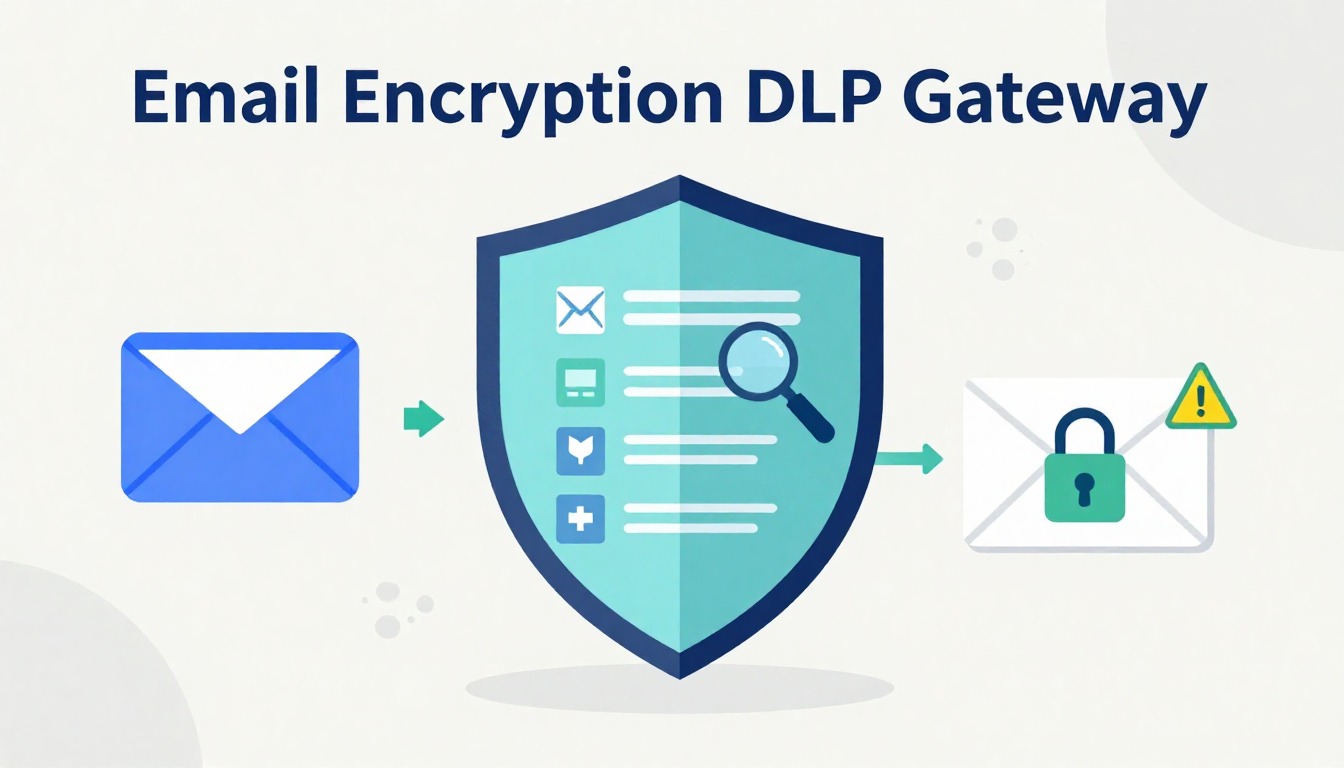
An email encryption DLP gateway protects sensitive information the moment someone clicks send. It scans outbound email, reads context, and applies the right control without asking users to slow down. Messages encrypt when policy requires it. Risky content moves to quarantine. Clear violations stop before leaving the system.
From what we see while operating managed environments at MSSP Security, this approach cuts down incidents caused by rushed decisions and simple mistakes. Teams keep using email the same way. Compliance requirements stay covered. Security works quietly in the background, where it belongs. Keep reading to see how the architecture works, why email stays risky, and where these gateways deliver real value.
Key Takeaway
- Gateway level controls enforce email dlp and automatic email encryption without user friction.
- Context aware inspection catches PII, financial data, and IP before exfiltration.
- Centralized policies, logs, and audits simplify regulatory compliance tools.
What Is an Email Encryption DLP Gateway
An email encryption DLP gateway combines data loss prevention email controls with automatic encryption at the gateway level. Instead of living on laptops or relying on user judgment, it sits inline with outbound email traffic. Every message passes through it before leaving the organization.
The gateway inspects:
- Email body text
- Subject lines
- Attachments and file names
- Headers and routing details
When sensitive data appears, the gateway enforces policy. That may mean outbound email encryption, quarantine, or a hard block. The key point is consistency. Every email is treated the same way, no matter who sends it or from which device.
This approach differs from endpoint tools. Endpoint controls depend on agents, user behavior, and device health. Gateways do not. They see all traffic. They apply transparent encryption automatically. In real-world operations, that removes guesswork and closes gaps created by unmanaged devices or rushed decisions.
From our experience auditing and testing products for MSSPs, outcomes improve when inspection and encryption are unified. Context comes first. Protection follows without debate.
Why Email Is a High-Risk Channel for Data Loss
Email feels simple. That is part of the problem.
Messages are sent quickly, often under stress. A reply-all goes to the wrong person. An attachment carries more than intended. A phishing email slips into a real thread, and someone responds with data that never should leave the company.
Research on misdirected email shows how common these failures are in day-to-day operations. In a large-scale study of enterprise email incidents, 96% of organizations experienced data loss or exposure caused by misdirected email, and 95% reported measurable business impact such as compliance costs or remediation effort [1].
Three realities keep showing up in our audits:
- People cannot classify data reliably under pressure.
Even with training, users forget labels when they are tired, rushed, or stressed. - External recipients do not share the same security baseline.
Some partners have mature controls, others run mailbox-only setups with no MFA or DLP. - Plain SMTP still carries cleartext data unless you control it.
Without enforced TLS and encryption policies, sensitive content can move across weak links.
Gateways exist to remove as much of that human dependency as possible. They do not replace awareness or training, but they backstop it with consistent, automatic control.
Attackers understand this. They rely on urgency, trust, and habit. Insiders may make honest mistakes. Some act with intent. Either way, email remains a top channel for data loss because it blends speed with reach.
Training helps, but training alone does not scale. Gateways remove reliance on memory and good intentions. They enforce rules every time, even when people are tired or distracted.
Core Components of an Email Encryption DLP Gateway
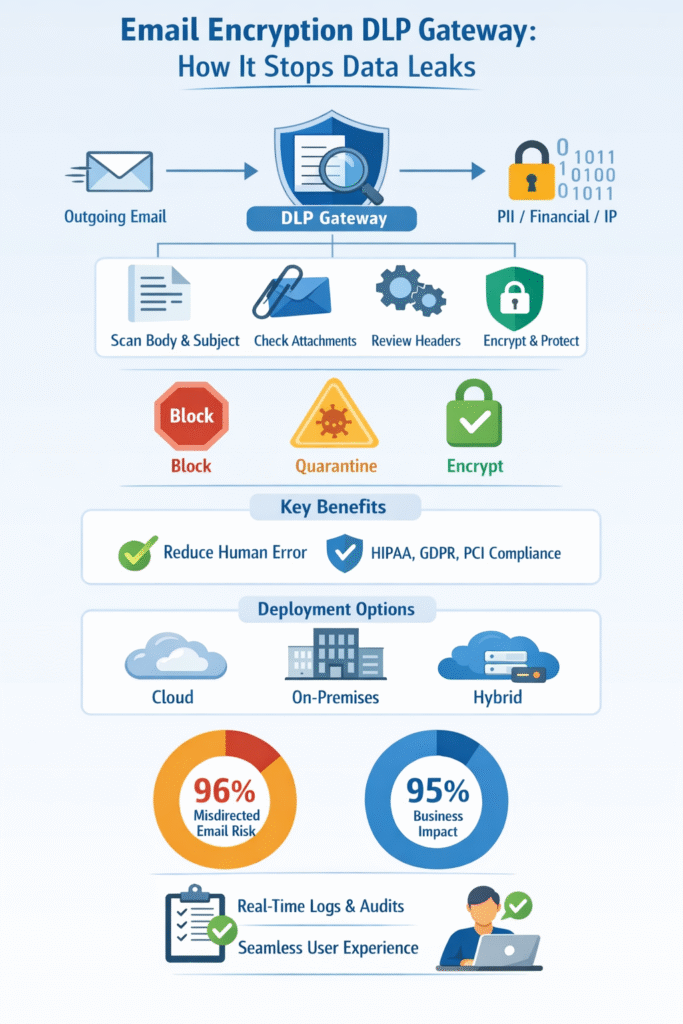
A gateway works because its components operate together in real time. Inspection feeds decisions. Decisions trigger protection. Protection produces evidence.
Content Inspection Engine
The inspection engine scans every part of the message. It looks beyond simple keywords and digs into structure and context.
Typical inspection methods include:
- Keyword detection email for known sensitive terms
- Regex pattern matching for structured data
- PII protection email rules for identity data
- Financial data DLP checks for account numbers
- Machine learning DLP and AI content classification for context
Attachments go through attachment scanning DLP. Subject lines and headers are inspected as well. We have seen sensitive data hidden in filenames, quoted replies, and forwarded threads that users forget to review.
Depth matters. Shallow scanning misses real risk.
Policy Framework and Decision Logic
Policies turn detection into action. DLP policies email evaluate more than content alone. They consider:
- Sender identity and role
- Recipient domain and trust level
- Destination geography
- Time and workflow context
Actions follow a clear order. A block overrides quarantine. Quarantine overrides encryption exemptions. This hierarchy prevents confusion and inconsistent outcomes.
Strong programs tune policies over time. Feedback from incidents and false positives leads to adjustments. That balance keeps protection tight without stopping work.
Encryption and Key Management
When encryption triggers, the gateway applies automatic email encryption without user involvement. Depending on policy, this may include:
- TLS encryption for trusted domains
- Secure portals for external recipients
- Zero knowledge encryption models
In practice, the sender does nothing. The recipient authenticates securely. Keys are managed behind the scenes. This simplicity matters. The less users touch encryption, the more reliable it becomes.
How an Email Encryption DLP Gateway Works
Understanding the flow explains why gateways scale so well.
Inline Email Routing and Connectors
The gateway needs to see the email without rewriting the entire mail system.
With cloud platforms like Microsoft 365 and Google Workspace, this usually looks like:
- Configuring connectors and mail flow rules to route outbound messages through the gateway.
- Setting MX records so inbound messages also pass through the gateway if needed.
- Using APIs (where supported) to extend inspection beyond traditional SMTP flows.
For on-prem Exchange or legacy SMTP servers, the setup might be:
- Pointing outbound smart hosts to the gateway.
- Allowing the gateway to relay mail onward to the internet.
From the user’s point of view, everything still happens in Outlook, Gmail, or their mobile client. From the MSSP’s point of view, the gateway has a full, consistent view of outbound email traffic. This is where a managed email security gateway becomes operationally important, because policy enforcement, inspection, and routing all occur inline without changing how users send or receive email.
Verdict Tagging and Header Injection
Once evaluated, the gateway stamps a verdict. Headers such as encrypt, block, or allow travel with the message. This prevents reprocessing loops and ensures downstream systems respect the decision.
Consistent verdict tagging enables:
- Predictable enforcement
- Global policy alignment
- Clear audit trails
Notifications, Quarantine, and Audit Trails
Admins receive alerts when policies trigger. Users may receive delivery status notifications. High-risk messages enter quarantine suspicious email queues for review.
For MSSPs, these logs and quarantine views become key for:
- Proving compliance to clients and auditors,
- Investigating incidents,
- And fine-tuning DLP rules over time.
Key Benefits of Email Encryption DLP Gateways
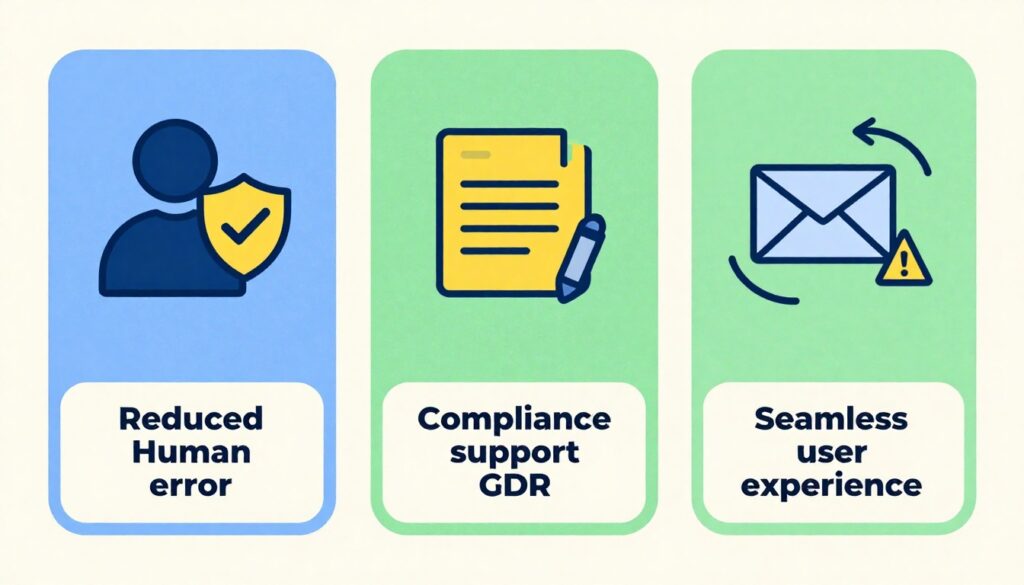
Reduced Risk of Human Error
The biggest advantage we see, again and again, is simple: users no longer have to remember to flip the right switch. Gateway controls remove that burden by enforcing protection automatically at send time.
- No extra button to click for encryption.
- No manual label choice at 5:58 p.m. before the last train.
- No guesswork about whether an attachment is “too sensitive” to send unprotected.
The gateway acts on:
- What is in the email,
- Where it is going,
- And who is sending it..
Regulatory Compliance and Audit Readiness
Consistent scanning and logging align with:
- Compliance DLP HIPAA requirements
- GDPR email protection obligations
- PCI DSS gateway controls
Policies apply uniformly. Logs prove it. Auditors care less about intent and more about demonstrable controls. Gateways deliver that proof.
This model aligns closely with the real-world benefits of managed email security, where consistent enforcement matters more than perfect user behavior. Human error does not vanish, but many of the worst-case outcomes get downgraded to blocked messages, quarantined items, or encrypted deliveries.
Seamless User Experience
Security that breaks workflows gets turned off, ignored, or bypassed. We see that pattern often when tools require new clients, plug-ins, or complex user actions.
Gateway-level controls avoid most of that. Users:
- Keep using Outlook, Gmail, or their mobile apps,
- Do not install new software,
- And do not need constant training on when to click “encrypt.”
For MSSPs, this means:
- Fewer support tickets,
- Less pushback from business stakeholders,
- And higher real-world adoption of the control set.
Common Deployment Models
Different environments push toward different designs. We usually see three main approaches when MSSPs adopt gateways for their clients.
Cloud-Based Gateways
Cloud gateways align well with cloud-first email environments.
Typical traits:
- Deployed as a hosted service.
- Integrated via connectors and DNS changes.
- Managed through a web console or API.
Key benefits:
- Scalability: easy to add tenants and domains.
- Central management: one pane of glass for many client environments.
- Rapid updates: new detection rules and engine improvements without local patch work.
For MSSPs, cloud gateways also simplify:
- Multi-tenant policy management,
- Global reporting across clients,
- And integration with other cloud-based tools (SIEM, SOAR, ticketing).
On-Premises and Hybrid Deployments
Not every client can or will move everything to the cloud.
We still see on-prem or hybrid setups when:
- Data residency laws demand local processing.
- Legacy applications depend on on-prem Exchange or custom SMTP flows.
- Organizations have strict internal policies for cryptographic material.
Hybrid models might look like:
- A local gateway for certain business units or regions,
- A cloud gateway for the rest,
- Shared policies where possible, local overrides where needed.
For MSSPs, this adds some complexity, but it also opens chances to standardize:
- A core policy set used everywhere,
- With region-specific or client-specific add-ons.
Major Capabilities Buyers Evaluate
When we help MSSPs select or compare gateways, three capability areas usually decide the outcome.
Policy Granularity and Accuracy
Fine-grained controls reduce noise. Context-aware rules lower false positives. Accuracy saves time and prevents alert fatigue. We often see programs fail not from lack of detection, but from too much of it. This is why managed Data Loss Prevention (DLP) programs focus on tuning policies over time, balancing structured detection with real-world workflows so security teams can trust the system’s decisions.
Low false positives matter because:
- Analysts do not waste time reviewing harmless emails.
- Users do not get frustrated by constant blocks on routine messages.
- Security teams keep trust in the system’s decisions.
Integration with Email Platforms
Native support for Microsoft 365, Google Workspace, and SMTP environments matters. Smooth integration avoids downtime and misrouting. Gateways should fit the platform, not fight it.
The smoother the integration, the easier it is for MSSPs to:
- Roll out the gateway across many tenants,
- Standardize playbooks,
- And reduce deployment risk.
Threat Intelligence and Advanced Detection
Traditional DLP is about sensitive data. Modern gateways are increasingly asked to spot more subtle exfiltration patterns too.
Capabilities that help:
- Behavior-based detection (sudden spikes in outbound data to new domains).
- Integration with threat intelligence feeds (known bad destinations).
- Sandboxing for suspicious attachments or links.
- URL analysis tied to outbound traffic.
While the main story is still “does this email carry sensitive data,” advanced detection can:
- Catch compromised accounts exfiltrating data slowly,
- Block emails to domains linked to previous incidents,
- And support SOC workflows with richer context.
Typical Use Cases Across Industries
The patterns repeat, but the data and language change by sector. When we work with MSSPs across industries, these three use cases come up often.
Healthcare and Patient Data Protection
Healthcare runs on email more than most people realize:
- Labs sending results to clinics,
- Providers updating each other about shared patients,
- Billing teams handling insurance details.
Risks:
- PHI sent in plain text to generic email addresses.
- Discharge summaries forwarded to personal accounts.
- Unstructured narratives that still count as PHI.
Gateways can:
- Automatically encrypt any message containing PHI to external domains.
- Block emails that include full records to untrusted destinations.
- Log all events for later audits.
For MSSPs supporting healthcare clients, this makes HIPAA conversations far more concrete: policies can map directly from regulatory requirements to gateway rules.
Financial Services and Payment Data
Banks, credit unions, and fintechs push a lot of sensitive numbers around: statements, tax forms, transaction reports, and customer records.
Common risks:
- Card numbers or account details sent unencrypted.
- Spreadsheets full of PII moving between teams and vendors.
- Sensitive documents misaddressed during busy periods.
Gateways help by:
- Matching card and account patterns,
- Identifying tax IDs and other regulated identifiers,
- Triggering encryption or blocks for high-risk combos (for example, PAN + name + address to an unknown domain).
For MSSPs, financial clients often expect clear evidence of PCI-aligned controls. Gateway logs and policies give a solid answer.
Enterprises Handling Intellectual Property
| Industry | Common Email Risk | Gateway Control Applied | Business Outcome |
| Healthcare | PHI sent to external recipients | Automatic encryption and audit logs | HIPAA-aligned communication |
| Financial Services | Account and payment data exposure | Encryption or blocking rules | Reduced fraud and audit risk |
| Enterprise | IP and design file leakage | Quarantine and policy review | Protection of competitive assets |
Email data loss prevention is part of a broader class of security solutions designed to detect or prevent sensitive data from leaving an organization in an unauthorized manner [2]. Strong email DLP, combined with gateway-level encryption, strengthens protection against email-based exfiltration risks.
In many enterprises, the most valuable data is not a number, it is a design, a roadmap, or a piece of code.
Scenarios we see:
- Engineers emailing design files to personal accounts to work from home.
- Product teams sending unreleased feature details to external partners without protections.
- Source code snippets shared in support threads.
Gateways tuned for IP can:
- Detect code patterns and technical language,
- Flag exports of certain file types (CAD, design docs, proprietary formats),
- Route suspicious emails to quarantine for security or legal review.
The outcome is not total lockdown. It is controlled sharing with guardrails, so one careless email does not leak months or years of work.
Challenges and Limitations to Consider
No gateway fixes everything. We remind MSSPs of this during almost every evaluation.
Balancing Security and Usability
If policies are too strict from day one:
- Users will get blocked performing real work,
- Managers will complain,
- And pressure will rise to weaken or bypass controls.
We usually suggest:
- Starting with monitor-only policies for non-critical rules,
- Reviewing alerts and sample messages,
- Involving business owners (HR, legal, clinical leads) in tuning,
- And then stepping key rules into enforce mode once everyone understands the impact.
This balance is ongoing. As the business changes, policies need review. MSSPs that plan for this from the start handle it far better than those who treat policies as a one-time project.
External Recipient Access Issues
Encryption introduces friction on the recipient side if it is not planned well.
Common pain points:
- Portals that are confusing or slow.
- Recipients who forget passwords or cannot complete identity proof.
- Partners who insist on less secure channels out of frustration.
Ways we see organizations soften this:
- Building and maintaining trusted partner lists with strong TLS enforced.
- Providing clear, simple instructions in encrypted email notifications.
- Offering support channels for key partners to resolve access issues quickly.
MSSPs often play a role here by:
- Helping define which partners qualify for more streamlined access,
- Monitoring help desk tickets tied to encrypted mail issues,
- And feeding that back into policy and configuration.
How to Evaluate the Right Email Encryption DLP Gateway
When we help MSSPs choose or audit an email encryption DLP gateway, we usually follow a consistent lens.
Key steps:
- Map data and risk
- What types of sensitive data matter most (PHI, PCI, PII, IP)?
- Where is that data sent today (regions, partners, vendors)?
- Which business units are most exposed?
- Translate into policy needs
- “Encrypt PHI to any external domain.”
- “Block cardholder data to personal webmail.”
- “Quarantine design files sent to new, untrusted domains.”
- Check technical fit
- Does the gateway integrate cleanly with Microsoft 365, Google Workspace, or on-prem mail?
- Can it handle multi-tenant management at MSSP scale?
- Are APIs available for logging, SIEM, and SOAR?
- Test detection accuracy
- Use realistic sample emails and attachments (sanitized as needed).
- Measure false positives and false negatives.
- Adjust patterns, classifiers, and thresholds.
- Review operational model
- Who manages policies (MSSP vs client)?
- How are quarantines reviewed and by whom?
- How quickly can rules be changed for new risks?
- Assess reporting and audit support
- Can you pull clear, exportable reports for regulators and clients?
- Is it easy to trace a single email’s journey and decisions?
From our consulting perspective, the most successful MSSP programs treat the email encryption DLP gateway not as a single product choice, but as a living control layer. It becomes part of how clients communicate, how they prove compliance, and how they avoid the quiet, accidental leaks that never make headlines but still damage trust.
FAQ
How does an email encryption DLP gateway protect email without slowing teams?
An email encryption DLP gateway works in the background. It scans outbound email using email DLP, content filtering email, and attachment scanning DLP. When it finds risk, it applies automatic email encryption or blocks data exfiltration. This agentless outbound control reduces human error and keeps everyday email work fast and familiar.
What sensitive data can an email encryption DLP gateway find?
The gateway looks for many data types. It detects PII protection email details, financial data DLP patterns, and proprietary info DLP like trade secrets. It uses keyword detection email, regex pattern matching, and machine learning DLP with AI content classification. This helps stop insider mistakes and protects important business information.
How does an email encryption DLP gateway help with compliance?
The gateway enforces unified data policies on every outbound message. It supports compliance DLP HIPAA, GDPR email protection, and PCI DSS gateway rules. Automatic email encryption, audit logs DLP, and delivery status notification records show clear proof. This makes audits easier without asking users to change how they send email.
How are external recipients handled safely?
For partner secure communication, the gateway applies destination based encryption and business partner auto encrypt rules. Messages may use zero knowledge encryption with no touch key management. Quarantine suspicious email controls reduce cybercriminal interception block risks. External users receive protected email without complex setup or extra software.
What should teams look for when choosing an email encryption DLP gateway?
Teams should focus on simple controls that work well. Check email DLP accuracy, policy enforcement gateway rules, and unified data policies. Make sure cloud email DLP works with Microsoft 365 DLP, Google Workspace encryption, or exchange server gateway setups. Strong audit logs and performance monitoring DLP support long-term risk reduction email.
What an Email Encryption DLP Gateway Delivers in Practice
An email encryption DLP gateway is not just a tool. It is an operating model for safer email communication. When set up correctly, it reduces data breach risk, supports compliance, and keeps teams productive. For MSSPs, the real value comes from choosing and tuning the right controls. We help MSSPs audit, select, and optimize email security tools with clear guidance and vendor-neutral insight.
Work with MSSP Security to strengthen your email security strategy
References
- https://abnormal.ai/blog/misdirected-email-study
- https://www.sciencedirect.com/topics/computer-science/data-loss-prevention