

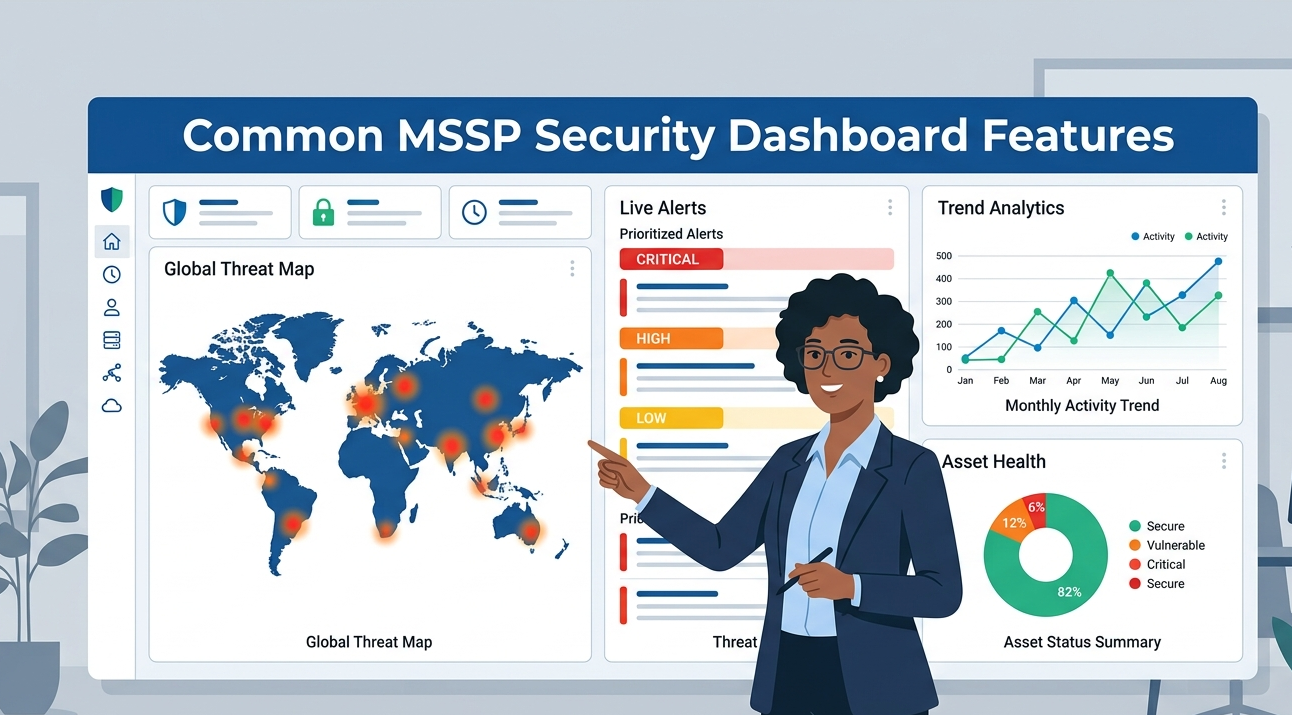
Cybersecurity can be difficult to manage when important data and alerts are spread across multiple systems. That is why many businesses use managed security dashboards to keep everything in one place. Common MSSP security dashboard features help teams monitor threats, track incidents, and understand security conditions more easily.
From our experience, a simple and organized dashboard can improve response time and daily security operations. In this article, we will discuss the most useful dashboard features and why they matter. Keep reading to learn more.
Key Dashboard Features That Actually Matter
A strong security dashboard is more than just charts and alerts. The best platforms help teams understand threats quickly and take action without confusion.
- Real-time threat monitoring for immediate visibility
- Clear incident tracking and response updates
- Easy-to-read reports for compliance and management
Real-Time Threat Monitoring
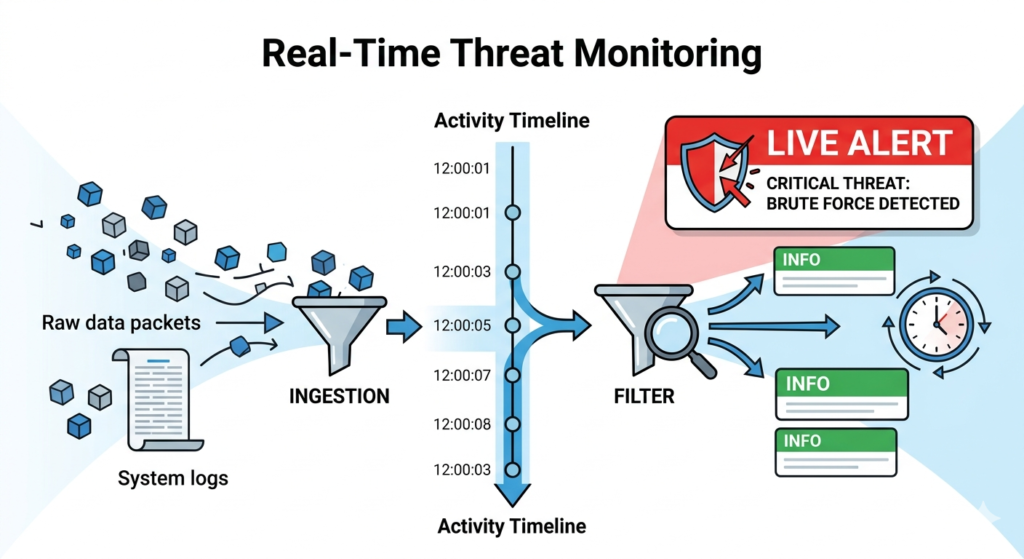
One of the most common MSSP security dashboard features is live tracking. Security teams need to see suspicious activity as it happens, not hours later. Implementing an optimized real-time security monitoring setup allows dashboards to collect logs, alerts, and behavioral data into one screen for easier investigation.
“a well-designed SOC [Security Operation Center] can help organizations maintain their security posture, mitigate risks, and respond quickly to security incidents” – Scholarspace
What Real-Time Monitoring Usually Includes
- Live alert notifications
- Threat severity categorization
- Activity timelines
- Device and user monitoring
From what we have seen, companies respond faster when alerts are prioritized instead of displayed randomly. MSSP Security platforms often simplify this process by organizing threats based on urgency and potential impact rather than overwhelming users with excessive data.
Incident Management and Tracking
Credits: RioCloudSync
Dashboards are also designed to improve incident handling. Instead of manually tracking cases through emails or spreadsheets, teams can manage everything in one interface.
Common Incident Tracking Functions
- Ticket creation and status updates
- Response workflow visibility
- Investigation notes and evidence storage
- Escalation management
Many organizations appreciate having a centralized view because it reduces confusion during active incidents. Security analysts can quickly see who is handling an issue and what actions were already completed. In our experience, this feature becomes especially valuable during large-scale security events where coordination matters most.
Reporting and Compliance Visibility
Security reporting is another core dashboard feature. Companies often need proof of security activities for audits, stakeholders, or internal reviews. Standard platforms simplify this by generating visual reports automatically, making it easier to leverage key reporting dashboard features for organizational transparency.
| Dashboard Feature | Main Purpose | Benefit |
| Threat Reports | Show detected threats | Faster risk understanding |
| Compliance Reports | Support audit requirements | Saves documentation time |
| Performance Metrics | Track security operations | Improves decision-making |
| Executive Summaries | Simplify technical data | Easier management review |
Teams usually prefer dashboards that present information visually because complex raw data can slow down decision-making.
Asset and Endpoint Visibility
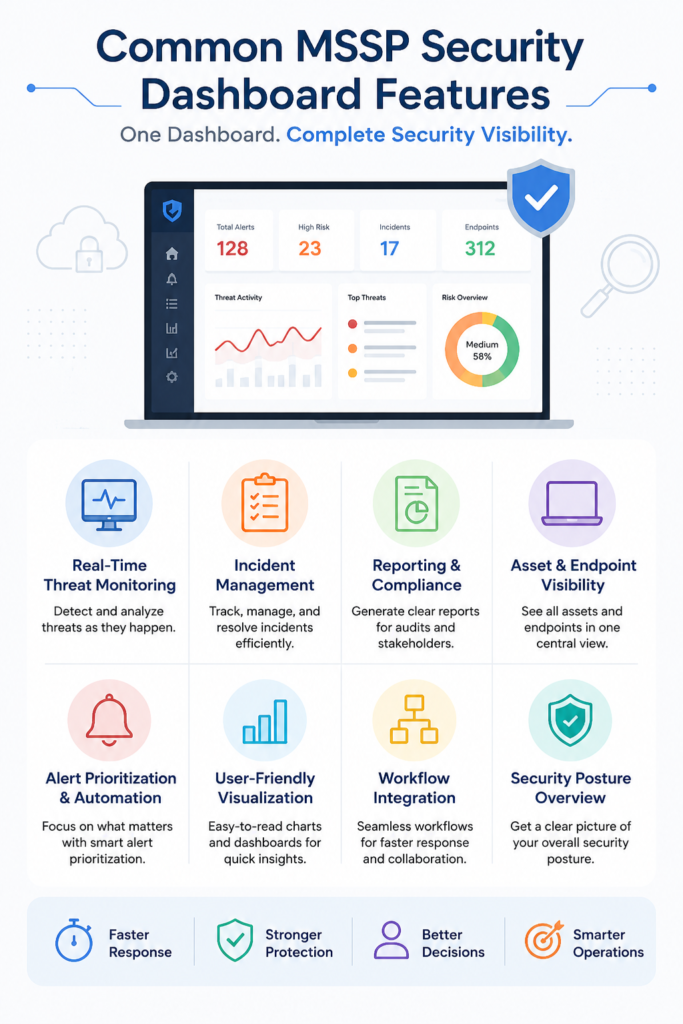
Organizations often manage many devices, users, and cloud systems at once. A dashboard helps security teams maintain visibility across all assets without switching platforms constantly.
Features Commonly Included
- Endpoint status monitoring
- Asset inventory tracking
- Vulnerability visibility
- Device health summaries
We have noticed that businesses with strong asset visibility usually identify weak points earlier. MSSP Security dashboards often centralize endpoint information so administrators can monitor multiple environments from one place instead of relying on disconnected tools.
Alert Prioritization and Automation
Too many alerts can overwhelm security teams. That is why automation and prioritization are among the most valuable dashboard capabilities today.
“analysts adopt coping behaviors such as blanket suppression rules, severity-based skimming, and over-reliance on tool severity scores, creating blind spots exploitable by sophisticated adversaries” – Arxiv
Important Automation Features
- Risk-based alert ranking
- Automated notifications
- Recommended response actions
- Integrated workflow automation
Some organizations receive thousands of alerts daily, but only a small percentage truly require immediate action. Smart dashboards reduce noise by highlighting critical threats first. This allows analysts to focus on meaningful risks instead of wasting time reviewing low-priority events repeatedly.
User-Friendly Visualization
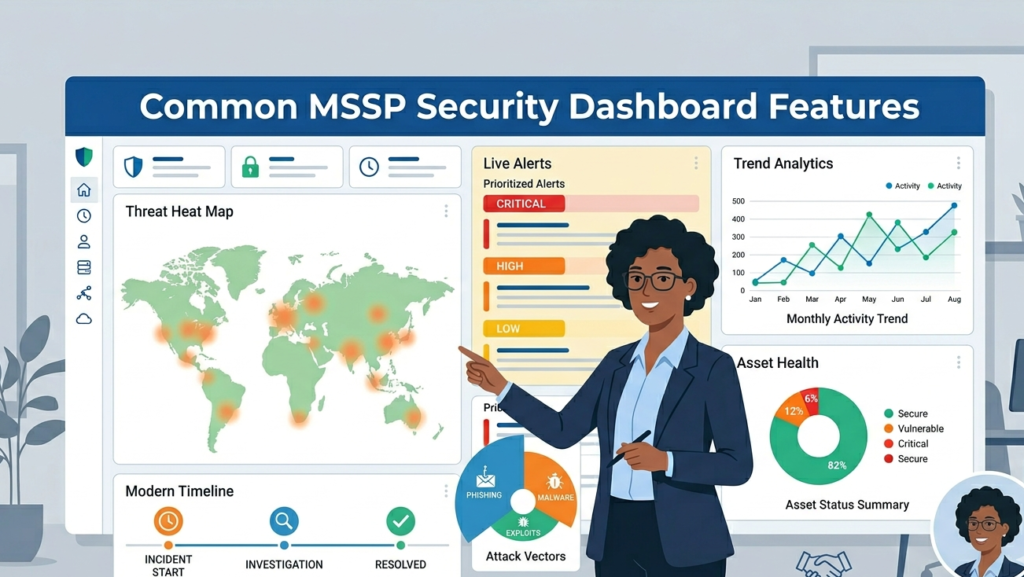
Even advanced security data needs to be understandable. Modern dashboards focus heavily on presentation because teams need quick insights under pressure, and visualizing security metrics properly allows analysts to spot anomalies instantly.
Common Visualization Elements
- Graphs and trend charts
- Threat heat maps
- Timeline views
- Interactive widgets
From our perspective, dashboards work best when technical and non-technical users can both understand the information presented. Clear visualization improves communication between IT teams, executives, and compliance managers without requiring deep technical explanations every time.
FAQ
Why are MSSP security dashboards important?
They centralize monitoring, reporting, and incident management so businesses can detect and respond to threats more efficiently.
What is the most useful feature in a security dashboard?
Many organizations prioritize real-time threat monitoring because fast visibility improves response speed and reduces potential damage.
Can security dashboards help with compliance?
Yes. Most dashboards include automated reporting features that support audits and regulatory documentation requirements.
How does automation improve dashboard performance?
Automation reduces alert fatigue, prioritizes important incidents, and helps security teams respond faster with less manual effort.
Smarter Dashboards Create Stronger Security
Common MSSP security dashboard features help businesses improve visibility, manage incidents faster, and simplify daily security operations. Real-time monitoring, reporting, and automation all support better decision-making and stronger protection.
At MSSP Security, we provide consulting services that help MSSPs reduce tool sprawl, optimize integrations, and build security stacks that fit their operational goals. With 15+ years of experience and 48K+ completed projects, we help organizations create more effective and manageable security environments.
References
- https://scholarspace.manoa.hawaii.edu/bitstreams/64848b5e-8e50-4e03-8873-b856af34b342/download
- https://arxiv.org/pdf/2605.08316