

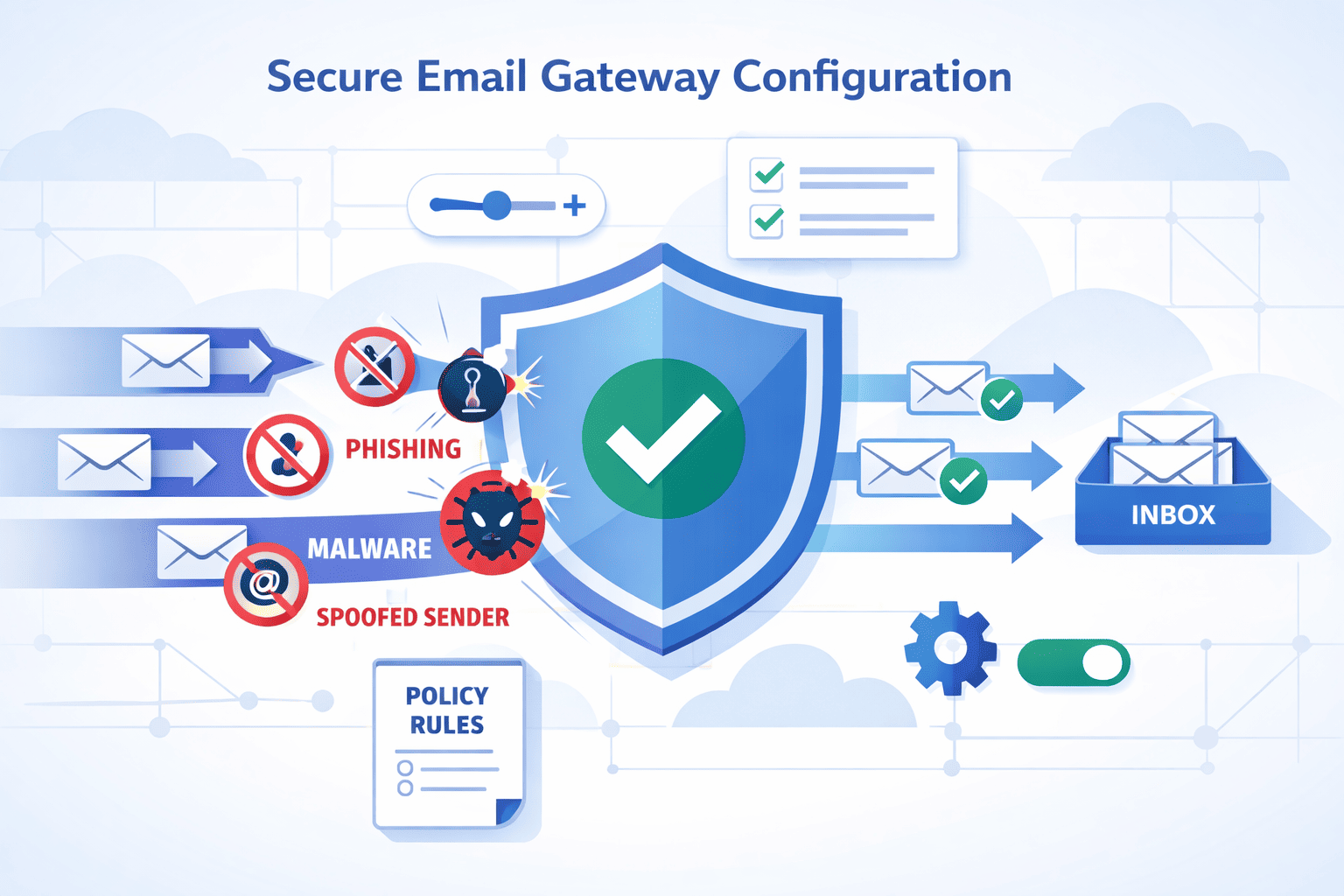
You can absolutely run a secure email gateway for years, but only if you treat it as part of your mail flow, not just a box in the rack.
A quick setup might catch spam today, then quietly fail you six months later. The real strength comes from tuning DNS, authentication, and policies so they match how your organization actually sends and receives mail.
This guide walks through that process step by step, based on real-world deployments, not theory. If you want your gateway to be quiet, accurate, and dependable, keep reading and start building it the right way.
Key Takeaways
- Deployment is foundational: Your choice between on-premises and cloud dictates hardware needs, network complexity, and ongoing management overhead.
- Security is a stack, not a switch: Effective protection layers anti-spam heuristics, real-time reputation checks, sandboxing, and data loss prevention in a specific order.
- DNS is your control plane: Proper MX, SPF, DKIM, and DMARC alignment is non-negotiable for both inbound filtering and outbound deliverability.
Step-by-Step Secure Email Gateway Configuration Guide
The sun was always too bright in that server room. I remember the hum of a new appliance, its LEDs blinking a hopeful green. We plugged it in, thinking the hard part was over.
The real work, the configuration, was a puzzle where a single wrong piece could let chaos slip through. A secure email gateway isn’t a magic box. It’s a logic engine, and you are its programmer. This guide is the manual I wish I’d had, a path carved from those early mistakes and hard-won victories.
Deployment and Initial Network Setup
Before a single email is scanned, you must decide where your gateway lives. This choice shapes everything that follows. It’s the first and most critical fork in the road.
Choosing Your Deployment Mode
You have two primary paths, each with its own rhythm and requirements. The on-premises route feels tangible, a piece of your own infrastructure. The cloud path is more like directing traffic, a logical layer applied from a distance. The table below lays out the core differences.
| Aspect | On-Premises/VM Deployment | Cloud/API Deployment |
| Hardware | Requires physical appliance or virtual host (CPU/RAM). | No hardware. A service subscription. |
| Network Impact | Significant. You reroute all SMTP traffic (port 25) through it. | Minimal. Often uses API connectors or journaling, leaving primary MX records untouched. |
| DNS Changes | You must change your MX records to point to the gateway’s IP. | Usually none for inbound. Outbound may use a cloud smart host. |
| Control | Full. You manage every setting, update, and network rule. | Shared. The provider manages the infrastructure; you manage policies. |
| Latency | Local processing, typically faster for internal mail flow. | Dependent on internet connection and provider proximity. |
The cloud option is simpler to start, I think. But the on-premises box gives you a knobs-and-dials level of control that some environments, especially regulated ones, still demand. There’s no universal best, only what’s best for your network’s architecture and your team’s expertise.
Initial Appliance Provisioning
So you’ve chosen the on-premises path. The crate is open, the rack space is ready. Now, you make it part of the network. This isn’t just plug and play, it’s a careful introduction.
- Connect and Assign. Plug in power and network. Access the console, usually via a direct cable or IP KVM. Assign a static IP address, subnet mask, default gateway, and DNS servers. This is its permanent identity on your network.
- License and Update. Apply your license key. Then, before anything else, check for and install the latest firmware. This patches vulnerabilities and adds features. It’s a critical first action, not a later chore.
- Define the Destination. Tell the gateway where good mail should go. Input the internal IP or hostname of your mail server, be it Exchange or something else. Test this connection immediately.
- Admin Access. Log into the web interface for the first time. Change the default admin password. Set the correct timezone and NTP server. Accurate timestamps are crucial for logging and forensic analysis.
It feels basic, listing steps like this. But I’ve seen deployments stall for days on step one because of an IP conflict. Methodical precision here saves a hundred headaches later.
Configuring Core Security Modules
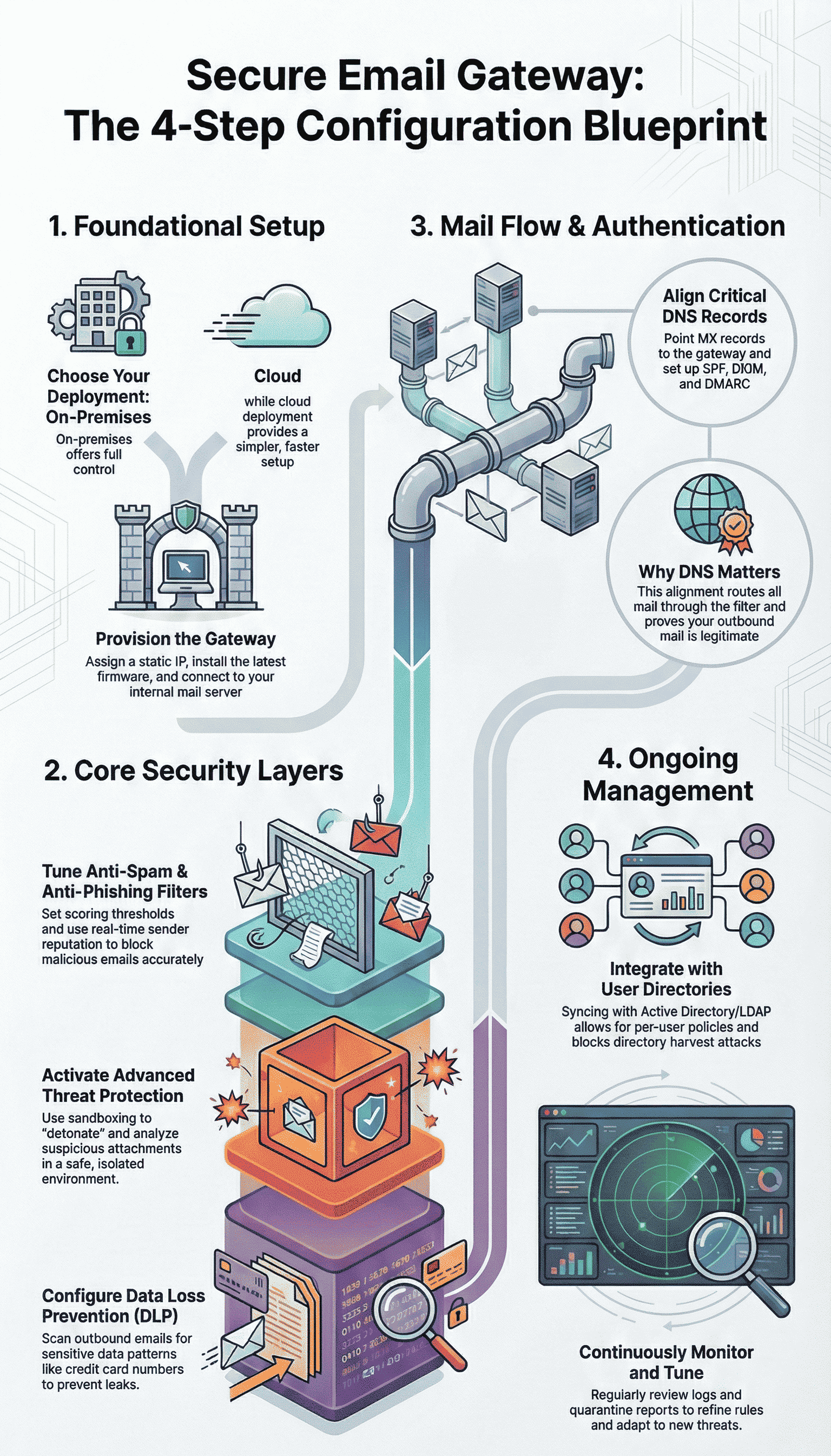
With the gateway online, the real shaping begins. This is where you translate security policy into actionable rules. Think of it as tuning an instrument, each module a string that must be in harmony with the others.
Anti-Spam and Heuristic Tuning
The spam filter is the workhorse. It’s judging every single message, and its judgments need to be sharp. You don’t just turn it on, you teach it.
Start by setting the spam scoring thresholds. A message gets points for suspicious traits. You decide the tipping points. Maybe a score of 5.0 means quarantine, and 8.0 means outright block. The trick is in the tuning.
Set them too aggressively, and the CEO’s newsletter gets blocked. Too loose, and the inbox floods. The most effective method is Bayesian training.
You feed the system samples, hundreds of known spam messages and hundreds of known good messages (“ham”). It learns the probabilistic differences, the tell-tale phrases and structures unique to your environment. It becomes smarter over time.
- Quarantine Threshold: Start at 5.0. Adjust based on weekly review.
- Block Threshold: Start at 7.5 or 8.0.
- Enable Greylisting: Temporarily rejects first-time sender connections, stopping a huge portion of basic spam bots.
- Use Sender Reputation: Check IP addresses against real-time blocklists (RBLs).
Anti-Phishing and Reputation Checks
Phishing is spam’s malicious cousin. It’s personal, targeted, and dangerous, “94 % of companies have experienced security incidents in the last 12 months, and 95 % of cybersecurity leaders are stressed about email security” [1]. Your gateway needs a faster, sharper blade for this fight.
Your gateway needs a faster, sharper blade for this fight. This is where real-time sender reputation shines, especially when paired with advanced threat protection for email that analyzes sender behavior and link intent before delivery.
As an email arrives, the gateway checks the sender’s IP and domain against live threat intelligence feeds.
A bad reputation score can mean an instant block before the content is even scanned. Then, URL filtering kicks in.
It scans every link in the email body, checking it against databases of known phishing sites and even analyzing the link structure for deception.
You should also set up an auto-whitelist for trusted partners. After a sender successfully delivers a number of clean messages, their address can be temporarily trusted, reducing false positives for legitimate bulk mail.
The goal here is speed and accuracy. Stop the known-bad immediately. Interrogate the suspicious deeply.
Advanced Threat Protection and Data Safety
Spam and phishing are volume threats. The advanced stuff is quieter, more patient. A zero-day exploit in a PDF. A spreadsheet hiding ransomware. This is where your gateway earns its keep.
Attachment Sandboxing and CDR
When a file with an unknown signature or a strange macro arrives, what do you do? You detonate it. Attachment sandboxing is a controlled blast chamber, forming a core layer of managed email security gateway protection that inspects payload behavior before users ever see the message.
The gateway sends the file to an isolated virtual environment and watches what it does. Does it try to call home? Does it attempt to encrypt files? This behavioral analysis catches what signatures miss.
For an even more surgical approach, there’s Content Disarm and Reconstruction (CDR). Think of it as digital surgery.
A PDF comes in. The CDR engine strips out all the active, executable code, the JavaScript, the embedded objects, and rebuilds a clean, functional document with just the safe content. The user gets the memo, but any weaponized code is left on the operating room floor.
Data Loss Prevention (DLP) Policies
The threat isn’t always coming in. Sometimes, it’s going out. A careless employee, a malicious insider. Data Loss Prevention is your outbound sentry.
You create policies that scan the body and attachments of outgoing mail for patterns that match sensitive data.
It starts with a checklist of what you need to protect. Your policies are built from these patterns.
- Social Security Numbers (###-##-#### pattern)
- Credit Card Numbers (validated with Luhn check)
- Protected Health Information (PHI) keywords
- Source code file extensions (.py, .java, .cpp)
- Custom keywords like “Confidential” or “Q4 Earnings”
When a match is found, you set the action. Maybe it’s to encrypt the message automatically before it leaves. Maybe it’s to quarantine it for admin review.
Or perhaps it just notifies an administrator and lets the mail proceed, logged for audit. The policy isn’t just a block, it’s a control. It ensures that when sensitive data moves, it does so on your terms.
Mail Routing and DNS Alignment
All this security is meaningless if the email doesn’t flow through it correctly. This stage is about plumbing and postmarks, making sure every drop of mail traffic passes through your filter and is stamped as legitimate.
MX Record and SPF/DKIM/DMARC Setup
This is the moment you change the map of the internet for your domain. You point your MX (Mail Exchanger) records away from your actual mail server and to the IP address of your secure email gateway, critical given that an estimated “3.4 billion phishing emails are sent daily worldwide” [2].
All incoming mail is now routed to the gateway first. It’s a simple DNS change, but it feels monumental.
The outbound side is about proving you are who you say you are. SPF (Sender Policy Framework) is a DNS record listing all the servers authorized to send mail for your domain. You must add your gateway’s outbound IP to this list.
DKIM (DomainKeys Identified Mail) adds a cryptographic signature to every outgoing message. You generate a public/private key pair, post the public key in DNS, and configure the gateway to sign with the private key.
DMARC (Domain-based Message Authentication, Reporting & Conformance) is the policy that ties SPF and DKIM together, telling receiving servers what to do if a message fails these checks (quarantine or reject).
The alignment of these three protocols is what keeps your legitimate newsletters and invoices from being flagged as spoofed.
Example SPF Record:
v=spf1 ip4:192.0.2.10 include:_spf.yourprovider.com ~all
(Authorizes your gateway IP and your cloud provider)
Example DMARC Policy:
v=DMARC1; p=quarantine; rua=mailto:dmarc-reports@yourdomain.com
(Start with “p=quarantine” to monitor effects before moving to “p=reject”)
Smart Host and SMTP Relay Configuration
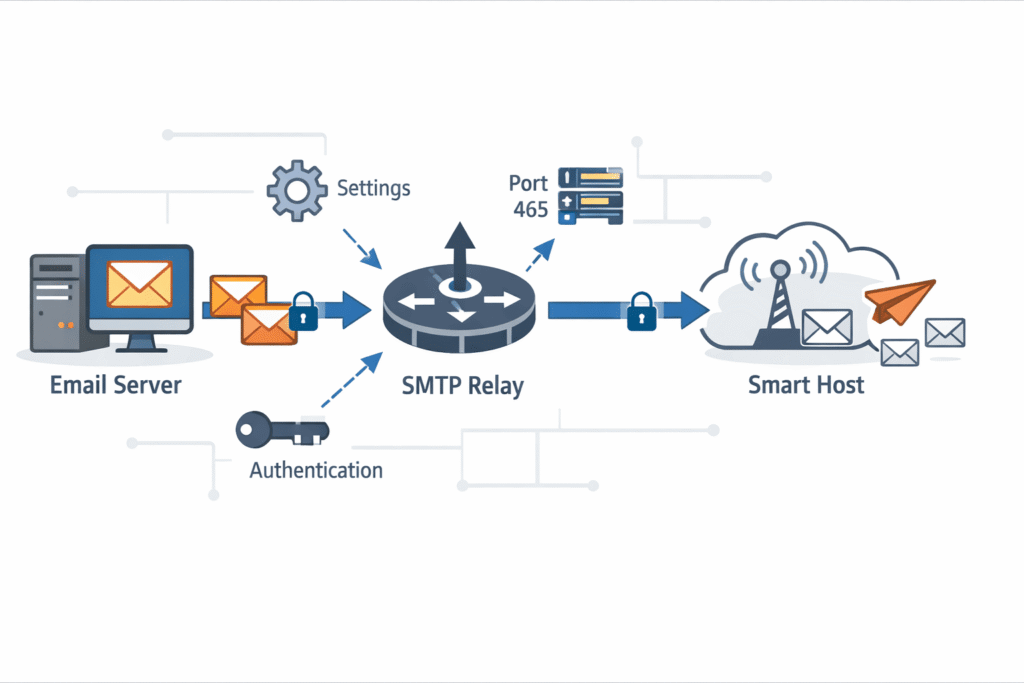
Now, you turn the flow around. For outbound mail, you configure your internal Microsoft Exchange Server or other mail system to use the gateway as a smart host.
This means all mail leaving your organization is forced through the gateway first. Here, it gets scanned by your outbound DLP policies, signed with DKIM, and sent from an authorized IP.
You set this up in your mail server’s send connector settings, specifying the gateway’s internal IP address and any required authentication. It creates a single, controlled chokepoint for all email traffic, inbound and outbound.
Directory Integration and Management
A gateway that doesn’t know your users is a blunt instrument. Integrating it with your Active Directory or LDAP server turns it into a scalpel.
This connection allows the gateway to validate recipients. When an email arrives for someone@yourcompany.com, it checks the directory. If the user doesn’t exist, the mail can be rejected immediately.
This stops “directory harvest” attacks, where spammers probe for valid email addresses. It also allows for per-user or per-group policy application. Maybe the HR department gets stricter DLP rules. Maybe executives have a more lenient spam quarantine. Directory integration makes this granular control possible.
Policy Tuning and Log Monitoring
Configuration is not a “set it and forget it” task. It’s the beginning of a conversation between you and the system. The gateway’s logs are that conversation. You need to listen.
Establish a routine, maybe every Monday morning, to review the quarantine. Look for false positives, legitimate mail that was caught. Release them and, more importantly, adjust the policies that caught them. Maybe a trusted vendor’s newsletter format triggers a heuristic.
You can create a whitelist rule or adjust the scoring for that specific signature. This iterative tuning, over weeks and months, is what transforms a noisy filter into a precise one.
The logs also show you the attacks that were stopped, the data leaks that were prevented. They are your proof of value, your narrative of defense.
How to Streamline Configuration for an MSSP

You can absolutely configure every gateway by hand, and you should understand how, but at MSSP scale that model breaks fast. When you’re responsible for hundreds of client environments, the only real answer is a platform approach.
Here’s how we streamline it:
- Automated DNS checks validate MX, SPF, and related records in real time, a practice borrowed from advanced specialized security services where consistency across environments is critical, so misalignment gets caught before mail starts bouncing.
- Pre‑configured security templates, tuned by industry and threat profile, give each client a solid baseline in one click.
The core of it all is a centralized, multi‑tenant dashboard. From one console, we monitor health, threat load, and quarantine activity for every client, then roll out firmware updates or new anti‑phishing rules across all, or just a targeted subset.
The security principles stay the same, but the delivery becomes consistent, fast, and far less error‑prone.
FAQ
How does secure email gateway configuration differ between cloud and on-premises setups?
Secure email gateway configuration changes based on deployment. A cloud email gateway relies on API email security or inline email filtering, while an on-premises SEG or SEG appliance needs firewall NAT rules, port 25 forwarding, and smart host relay.
Virtual SEG deployment adds flexibility, but still requires proper MX record routing, SMTP relay setup, and secure email server alignment.
Which settings matter most for phishing and BEC prevention?
Phishing protection depends on secure email gateway configuration that combines anti-spam filtering, spear phishing block, and BEC prevention. Strong DMARC verification, SPF alignment, and DKIM signing reduce impersonation.
Sender reputation, URL filtering, and behavioral analysis catch suspicious patterns, while attachment sandboxing and sandbox detonation help detect zero-day threats before users interact.
How should spam and malware detection be tuned to avoid false positives?
Effective secure email gateway configuration balances security and usability. Spam scoring threshold, quarantine policies, and whitelist management reduce unnecessary blocks.
Malware scanning improves when signature-based detection works alongside heuristic analysis, Bayesian filtering, and machine learning AI. Combining virus detection, ransomware defense, and content disarm reconstruction helps stop threats without disrupting legitimate email traffic.
What role does encryption and DLP play in outbound email control?
Secure email gateway configuration protects outbound traffic using TLS encryption, policy-based encryption, and outbound email control.
Data loss prevention relies on DLP policies, sensitive data scanning, keyword matching rules, and file type filtering. These controls help prevent accidental data leaks while ensuring secure email server communication with external recipients.
How do integration and monitoring improve long-term email security?
Ongoing secure email gateway configuration depends on visibility and integration. LDAP integration and Active Directory sync keep recipient validation accurate.
SIEM logging and threat intelligence feeds improve detection over time. Regular firmware updates, per-domain policies, and a clear admin web interface help teams respond quickly, manage hybrid email setup, and enable post-delivery protection.
The Final Configuration Check
A secure email gateway is never really “done,” it’s a living system that shifts with new threats and with your own changing environment.
The configuration work gave you the frame, but your day‑to‑day care gives it strength. That means watching logs, training filters with fresh samples, tightening what attackers keep testing, and easing rules that cause noise for your users.
You’re not just protecting mail, you’re protecting your entire service model. If you want expert, vendor‑neutral guidance on tuning your stack and keeping it healthy long term, you can bring in our MSSP consulting team here.
References
- https://www.securityinfowatch.com/cybersecurity/press-release/53082594/new-report-reveals-that-94-of-global-organizations-have-experienced-email-security-incidents-last-year
- https://keepnetlabs.com/blog/top-phishing-statistics-and-trends-you-must-know