


Your spam filter is more like a smart security team than a digital trash can. Every email passes through layers of checks, where algorithms weigh probabilities, compare patterns, and even inspect risky attachments in safe, isolated sandboxes.
It quietly tracks what you open, what you ignore, and what you delete, then adjusts its judgment based on your habits over time.
This isn’t about simple keyword blocking anymore, it’s about learning, context, and constant adaptation. When you understand how it thinks, you know when to trust it, and when to overrule it. Keep reading to see what’s really happening behind your inbox.
Key Takeaways
- Modern filters combine statistical analysis (Bayesian) and rule-based logic (heuristic) to score and block spam with high accuracy.
- Advanced malware blocking relies on sandboxing to safely execute suspicious files and AI to detect never-before-seen zero-day threats.
- A complete defense requires both technical layers (like DMARC authentication) and human layers, including user training and proactive filter management.
The Mechanics of Modern Spam Detection
Walk down any busy street and your brain is filtering constantly. You ignore the standard hum of traffic, but a car horn or a shout snaps your attention.
Modern spam filters work on a similar principle of pattern recognition and anomaly detection. They don’t just look for bad words, they assess the entire context of a message, its origin, its structure, its intent, to assign a risk score. It’s a probabilistic game, not a binary one.
The core of this system often rests on two complementary approaches: Bayesian filtering and heuristic analysis. One learns, the other judges.
Bayesian Filtering vs. Heuristic Analysis
Think of heuristic analysis as the rulebook. It’s a set of pre-defined, often complex rules that check for known spam characteristics. Does the email have a suspicious header? Is it sent from an IP on a blocklist? Does it use too many exclamation points? Each rule adds points to a spam score.
If the total crosses a threshold, the email is flagged. It’s fast and effective against known tactics.
Bayesian filtering, is the learned intuition. It’s a statistical method that gets smarter over time. By analyzing the words and patterns in emails you’ve marked as spam versus those in your inbox, it calculates the probability that a new email is junk.
It doesn’t need a rule that says “Nigerian prince” is bad, it learns that the combination of certain words in a certain structure is 99.7% likely to be unwanted.
Here’s how they typically stack up:
| Aspect | Probabilistic (Bayesian) | Rule-based (Heuristic) |
| Core Method | Learns from user behavior to calculate spam probability. | Applies a fixed set of rules to identify known spam traits. |
| Adaptability | Highly adaptive, improves with user feedback. | Static until rules are manually updated by administrators. |
| Strength | Excellent at catching new, nuanced spam campaigns. | Very fast and reliable at blocking known, bulk spam. |
| Weakness | Requires initial training data, can be poisoned. | Struggles with novel attacks that don’t trigger existing rules. |
In practice, they work together. A heuristic filter might catch the obvious stuff at the gate, while the Bayesian filter provides a nuanced second opinion on the gray-area messages. Their scores are combined, a final verdict is reached. It’s this layered judgment that makes modern filters so resilient.
Content Scanning and Header Inspection

Beyond the body text, filters perform a deep forensic examination. They’re like detectives checking a story for inconsistencies.
The email header, that block of technical data most users never see, is a goldmine. Filters trace the routing path. Did this email claiming to be from your bank actually hop through servers in three different countries? They check the sender’s IP reputation against real-time blocklists.
Is this domain two hours old? They also inspect the hidden HTML and CSS. Is there a layer of invisible text stuffed with keywords, a tactic known as email salting, meant to fool Bayesian filters?
The content scan looks for more than just “click here.” It analyzes:
- Link Discrepancies: Does the anchor text say “view your statement” but the underlying URL points to a suspicious IP address?
- Attachment Types: Is a harmless-looking PDF file actually an executable in disguise?
- Structural Anomalies: Is the email nothing but a single large image? A common trick to avoid text-based scanning.
It’s a holistic investigation. The filter isn’t just reading the email, it’s profiling it.
Advanced Malware Blocking and Threat Neutralization

Spam is a nuisance. Malware is a catastrophe. The stakes are higher here, so the defenses get more aggressive. Modern systems don’t just scan for known bad code, they actively provoke and observe potential threats in a safe environment through layered detection models similar to advanced security services that combine behavioral analysis with real-time intelligence.
We’ve moved from checking a guest’s ID to inviting them into a reinforced observation room and watching what they do.
Sandbox Execution and Attachment Detonation
This is the cornerstone of advanced threat protection. When a filter encounters a suspicious attachment, a macro-laden Word document, a compressed ISO file, an archive with double extensions, it doesn’t just block it based on a signature. It sends it to a sandbox.
A sandbox is a virtual, isolated computer system, completely disconnected from your real network. The filter’s process is methodical:
- Isolate: The suspicious file is placed in the sterile sandbox environment.
- Detonate: The file is opened, executed, or decompressed. Any macros are run. Any embedded files are extracted.
- Observe: The system watches for malicious behavior. Does it try to contact a command-and-control server? Does it attempt to encrypt files or modify system settings?
- Verdict: If malicious activity is observed, the file is blocked for all users, and its signature is added to global threat intelligence.
This is how threats like Emotet or Qakbot are caught even when they’re brand new. The sandbox doesn’t need to have seen the malware before, it just needs to see it act maliciously and that matters when “over 3.4 billion phishing emails are sent per day” worldwide, representing about 1.2 % of total email traffic that must be scrutinized for malicious intent. [1]
These enormous volumes explain why execution in isolated environments is essential: simple signature checks aren’t enough when billions of dangerous messages arrive daily.
Which aligns closely with how advanced threat protection for email focuses on behavior rather than signatures alone.
Zero-Day Detection and URL Reputation
Not all threats come in a box. Some are just a link. Zero-day detection uses artificial intelligence and machine learning models to identify anomalies.
They’ve been trained on millions of benign and malicious files and URLs. When a new one comes in, the model looks for subtle patterns, obfuscated code, unusual API calls, strange payload structures, that humans would never spot.
URL reputation is a faster, parallel check. Every link in an email is checked against real-time databases that track the age of a domain, its hosting location, and its recent history. A link shortened five minutes ago leading to a newly registered domain in a high-risk country is an immediate red flag.
Defeating Sophisticated Evasion Tactics
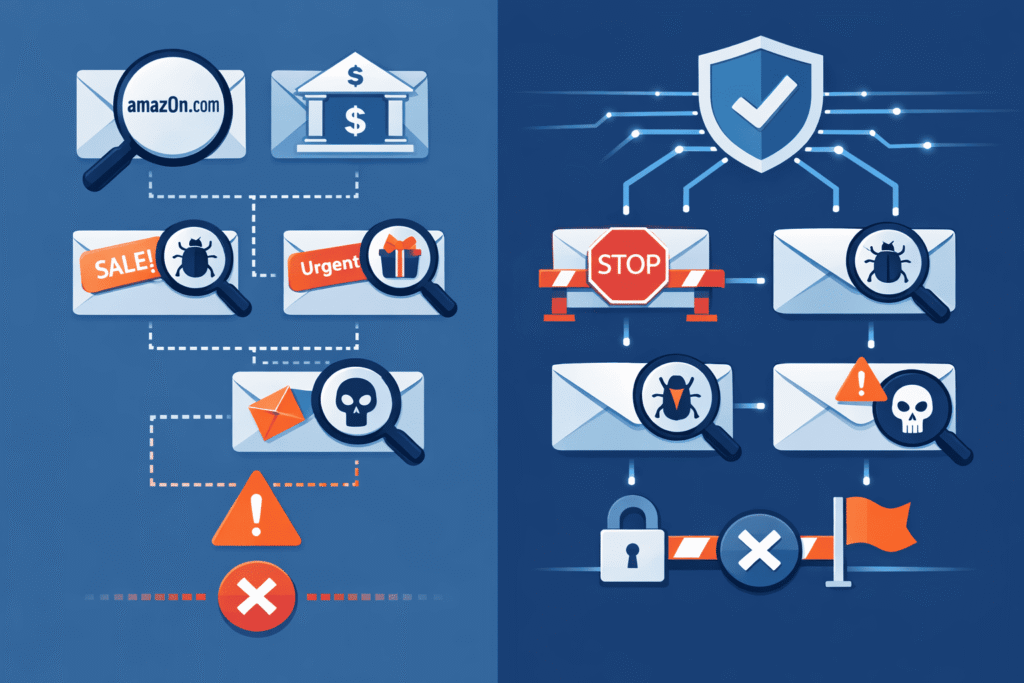
Attackers are adaptive. They know about filters, and they craft their messages specifically to slip through. This has led to an arms race of evasion techniques, from visual tricks to statistical warfare. Understanding these tricks is key to spotting what might occasionally get through.
Countering Email Salting and Bayesian Poisoning
Bayesian filters judge emails by the odds that certain words signal spam, so attackers try to rig those odds. That’s where email salting comes in.
A spammer takes a phishing message, then pads it with long blocks of harmless text, paragraphs pulled from novels, articles, or random websites. The result looks, statistically, like a mostly normal email with a small slice of bad intent tucked inside.
Instead of panicking, modern filters got smarter. They don’t treat every word as equal anymore. With natural language processing (NLP), they:
- Separate the main body from random or low‑relevance text
- Detect the core “ask” in the message (what it wants you to do)
- Downweight obvious filler blocks that don’t match the main topic
So even if 95% of the email looks clean, the system zooms in on the part that matters: the link to click, the button to press, the file to open, or the reply to send. The scoring shifts from raw word counts to intent. It’s less about counting every word, and more about recognizing the real message hiding inside the noise.
Identifying Unicode Tricks and Homoglyph Spoofing
This is pure deception aimed at the human eye, not the filter. By using characters from international alphabets that look identical to Latin letters, attackers create domains and display names that are virtually indistinguishable from the real thing.
- Example: microsoft.com vs. microѕoft.com (using the Cyrillic ‘ѕ’).
- Example: apple.com vs. аpple.com (using the Cyrillic ‘а’).
While advanced filters now check for these homoglyph spoofs, they can still be effective in quick glances. Your best defense is a checklist of suspicion for any email requesting sensitive data: Check the sender’s full email address (not just display name), hover over all links, and be wary of any slight visual oddity in a domain name.
Implementing a Multi-Layered Defense Strategy
Technology can do a lot, but it can’t do everything. The most secure organizations wrap their technical solutions in layers of policy and practice. It’s the difference between having a strong lock and having a security system, trained guards, and a neighborhood watch.
Authentication Protocols: SPF, DKIM, and DMARC
These three protocols are the foundation of email trust. They don’t filter content, they verify identity, and that’s important when spam still accounts for nearly half of all email traffic worldwide, with roughly 47.27 % of global messages categorized as spam in 2024 alone, emphasizing the need to authenticate legitimate mail before deeper analysis. [2]
| Protocol | Function | Core Benefit |
| SPF | Lists which mail servers are authorized to send email for your domain. | Preents direct domain spoofing from unauthorized sources. |
| DKIM | Adds a digital signature to each outgoing email, verifying it wasn’t altered in transit. | Ensures email integrity and authenticates the sending domain. |
| DMARC | Tells receiving servers what to do with emails that fail SPF or DKIM checks (quarantine or reject). | Provides a policy framework and reporting, closing the loop on authentication. |
Implementing a strong DMARC policy (with a policy of reject) is one of the single most effective steps a business can take to protect its brand and its partners from Business Email Compromise (BEC) attacks.
Secure Gateways and AI Threat Hunting
The Secure Email Gateway (SEG) is the traffic cop. It sits at the border of your network, inspecting all inbound and outbound mail in a way that mirrors a managed email security gateway approach, where inspection, policy enforcement, and threat containment happen before messages ever reach the inbox.
The next evolution is proactive threat hunting. This is where a service like an MSSP (Managed Security Service Provider) adds value. It’s not just about blocking known bad.
It’s about using AI to sift through mountains of metadata and user behavior, looking for the subtle signs of a campaign that hasn’t fully launched yet. It’s the difference between responding to an alarm and noticing someone casing the neighborhood a week earlier.
Operational Best Practices for Email Integrity
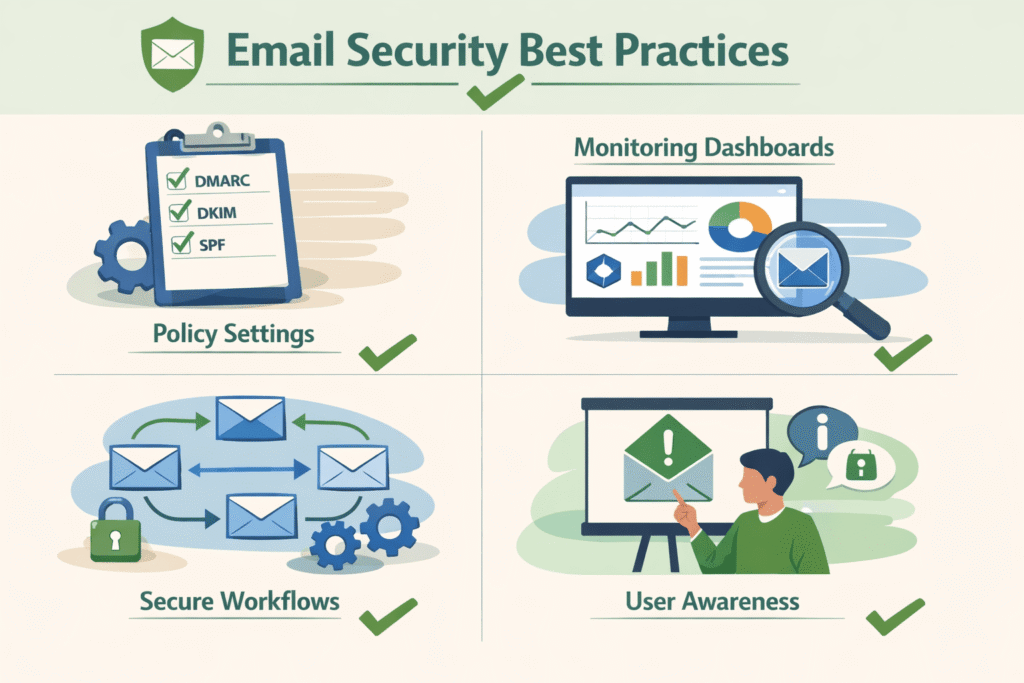
Finally, the human element. The best filter in the world can be undermined by poor configuration or user error. This is about tuning the system and preparing the people.
Reducing False Positives through Filter Tuning
A filter that’s too aggressive blocks legitimate email (false positives), hurting productivity. One that’s too lax lets threats through. Finding the balance is an ongoing process. Administrators should:
- Regularly review quarantined messages, especially from known senders like clients or partners.
- Use allow-lists sparingly and intelligently, preferring domain-level authentication over IP-based lists which can be spoofed.
- Adjust sensitivity thresholds based on real-world traffic patterns, not just theoretical models.
Incident Response and Compliance Auditing
What happens when something gets through? A clear incident response plan is critical. It should define who is notified, how the threat is contained, and how similar messages are hunted down and removed from other inboxes. Furthermore, regular compliance auditing isn’t just bureaucratic.
It forces you to review logs, check that configurations are still correct, and ensure that your email security posture meets industry standards like HIPAA or GDPR. It’s a forced health check for your system.
FAQ
How do spam filters decide which emails are dangerous?
Spam filtering malware blocking email systems combine spam filter rules, Bayesian filtering, and heuristic analysis.
They use content scanning, header inspection, and malware signatures to detect phishing emails, trojan attachments, and macro viruses. URL reputation checks and attachment detonation help spot risky links or files, while sandbox execution supports zero-day detection before threats reach users.
Why do phishing emails still bypass email security sometimes?
Attackers use evasion techniques like email salting, IP rotation tactics, and header manipulation to avoid detection.
Methods such as hyperlink cloaking, Unicode tricks, and homoglyph spoofing make phishing emails look legitimate. Bayesian poisoning, domain shadowing, and DKIM forgery can weaken spam filtering malware blocking email defenses if authentication protocols are misconfigured.
What types of malware spread most through email today?
Common threats include email ransomware, BEC attacks, and trojan attachments. Some campaigns spread Emotet malware, Qakbot infection, or ISO file exploits.
Macro viruses and CSS obfuscation are also used to hide malicious intent. Strong spam filtering malware blocking email protection focuses on early detection, not just known malware signatures.
How do email security tools handle unknown or zero-day threats?
Advanced systems rely on dynamic screening, AI threat hunting, and sandbox execution to detect zero-day attacks. Secure gateways, ATP solutions, and endpoint scanning work together to analyze behavior instead of relying only on signatures.
When combined with MDR response, spam filtering malware blocking email tools can stop new threats before damage occurs.
What best practices reduce email threats beyond spam filtering?
User training tips, multi-factor auth, and clear incident response plans lower risk significantly. Proper authentication protocols like SPF records, DKIM signing, and a DMARC policy prevent spoofing.
Regular filter tuning, false positive reduction, outbound filtering, and email encryption strengthen spam filtering malware blocking email protection while supporting compliance auditing.
A Final Word on Email Vigilance
The landscape of spam filtering and malware blocking is a quiet, relentless war of algorithms and ingenuity, and it’s only getting sharper.
Filters now learn, adapt, and pull apart messages with a level of precision that would’ve seemed excessive a decade ago, from Bayesian probabilities to sandbox detonations that keep dangerous files at arm’s length. Still, every control is designed, deployed, and tuned by people.
That’s your job: build layered defenses, and grow awareness. The last shield is a skeptical human. If you’re ready to harden your stack, start by reviewing your defenses with expert MSSP support.
References
- https://keepnetlabs.com/blog/top-phishing-statistics-and-trends-you-must-know
- https://antispamengine.com/spam-statistics/